
On this page
Start here
Quick answer
Repeated keypad-lock faults do not prove that the whole lock needs replacement. First keep the door open and record the exact symptom, battery state, keypad response, latch movement, door alignment, and any app or access-system message. Fresh batteries, a loose cable, an incorrect handing procedure, an over-tightened mounting plate, or a latch and strike that bind can mimic a failed lock; manufacturer support also treats network pairing and keypad communication as separate faults. If the same fault returns after the model-specific checks, the model is discontinued or unsupported, the exact model cannot be identified, or the lock controls a restricted or emergency door, stop guessing at parts and have a qualified locksmith or installer specify a compatible replacement. Do not factory-reset a connected lock until authorized access and credential migration are accounted for.
Before you begin
Safety first
- A professional should handle forced entry, restricted or emergency doors, structural drilling, wiring, commercial access-control changes, internal electronic faults, and any replacement that cannot be commissioned with an authorized fallback and the door open.
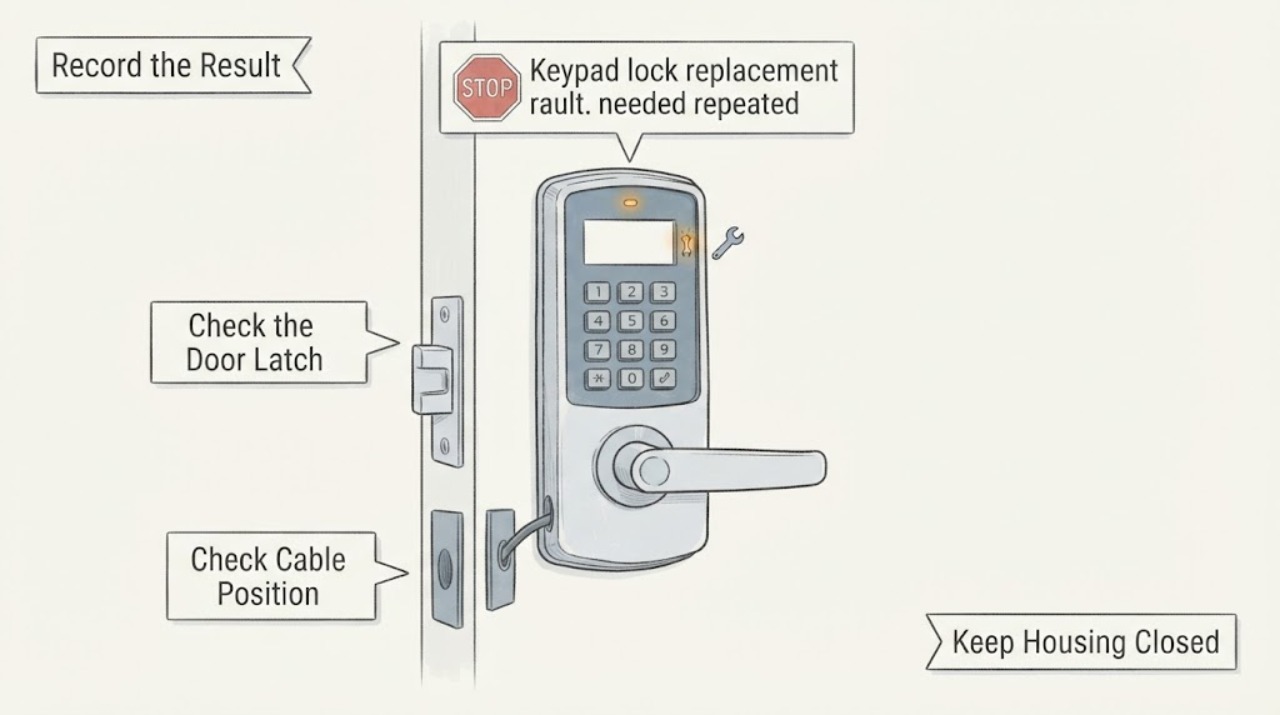
Work through in order
Diagnostic checks
Use only checks that match the exact appliance or system and its official guide.
-
Check 1
With the door open, reproduce the fault once and record the sequence: keypad light or beeps, code acceptance, motor sound, latch movement, physical key or thumbturn operation, and any app or controller message.
Expected result: The keypad is dark and silent, it responds but the motor does not move, the motor runs while the latch binds, a physical fallback works, or only the app/controller fails.
Next step: Write down the exact repeatable pattern and keep the door open for all further tests. Do not order a part or reset credentials from a symptom that has not been separated into keypad, mechanism, or connected-system behavior.
Why this matters
Why: A dark keypad points first toward power or cable checks; a motor with a bound latch points toward mechanical alignment or installation; a working local lock with a failed app/controller points toward communication or enrollment rather than immediate lock replacement.
-
Check 2
Check the exact model's permitted power and connection basics: install the specified fresh batteries, confirm polarity, and inspect only accessible cable or connector seating without forcing, pinching, or bypassing wiring.
Expected result: The keypad returns after fresh batteries or a reseated connector, remains silent, or works briefly and then repeats the same fault.
Next step: If the same fault returns, stop repeated battery swaps and resets, preserve the model and symptom record, and use the exact manufacturer's service path or a qualified locksmith to decide whether a supported repair or complete replacement is appropriate.
Why this matters
Why: Recovery after a documented battery or cable correction makes a power or connection issue more likely than an obsolete lock. A persistent or recurring failure after those checks keeps keypad electronics, wiring, or the control board in consideration, but does not identify a replacement part by itself.
-
Check 3
Operate the latch with the door open, then compare it with the closed-door symptom without forcing the bolt; check only the documented latch orientation, handing, mounting tension, and strike alignment for the exact model.
Expected result: The latch works open but binds closed, moves in the wrong direction, the motor runs without moving the latch, or the fault persists even with the door open.
Next step: Correct alignment or handing only as the exact manual directs. If the latch remains stuck, the door cannot be secured, or internal disassembly is required, stop and call a qualified locksmith or installer rather than drilling or forcing the lock.
Why this matters
Why: Open-versus-closed behavior supports a door, strike, or alignment issue. Wrong direction or a motor that cannot move the latch can reflect handing, latch, clutch, or mounting problems. Persistence with the door open makes a mechanical or electronic lock fault more plausible, but still does not prove all components need replacement.
-
Check 4
Record the model or serial label, usually on the interior or under a battery cover, and compare the old lock's function, door preparation, and connected platform with the support and compatibility material for any replacement candidate.
Expected result: The model is legible and supported, the model is listed as discontinued, the label is missing, or only a similar family or finish appears to match.
Next step: Measure the door thickness, bore, backset, edge preparation, strike, handing, and interior clearance, then compare them with the candidate's complete installation guide. If identity or fit remains uncertain, have a locksmith or installer specify the replacement before removal.
Why this matters
Why: An exact model allows documented troubleshooting and compatibility checks. Discontinued status may limit support but does not make a newer part interchangeable; a missing label or appearance-only match leaves fit, handing, credentials, and platform compatibility unverified.
-
Check 5
For a connected lock, verify whether the repeated fault is local or network-related by checking the official app status, prior-network enrollment, Bluetooth or controller proximity rules, and model-specific firmware or setup requirements; do not reset until access is documented.
Expected result: The lock works from its keypad or physical fallback but not the app/controller, it is still enrolled on another network, the keypad cannot communicate with the lock, or setup remains unavailable after the documented sequence.
Next step: Keep an authorized local fallback and record ownership and credential requirements. Follow the exact platform's unpairing or reset procedure only when you can restore access; otherwise stop and use a qualified installer or locksmith for migration or replacement.
Why this matters
Why: Local operation with a failed app/controller supports an enrollment, range, firmware, or communication problem rather than a dead lock. A repeated communication failure after model-specific setup may justify replacement or professional migration, but resetting can erase codes and is not a neutral diagnostic step.
Use your observations
Decision map
Find the observation that best matches what you see, then follow the next safe action.
-
PATH 01Next step
What you see
The keypad or latch recovers after the documented fresh-battery, connector, handing, or alignment check and remains reliable with the door open and closed.
Do this next
Document the correction and run several open-door and closed-door tests using the physical fallback and authorized code. Do not replace the lock until the same fault recurs after the model-specific correction.
Why this path and its safety boundary
Why it matters: A correctable power, connection, setup, or door-fit issue is more likely than a confirmed obsolete lock failure.
-
PATH 02Next step
What you see
The lock works mechanically or by keypad, but the app, wireless module, or controller repeatedly cannot communicate after the official enrollment and proximity steps.
Do this next
Preserve local authorized access, check the exact model's supported platform, and have a qualified installer migrate or replace the lock if support is unavailable. Do not factory-reset while codes or ownership are unresolved.
Why this path and its safety boundary
Why it matters: A platform, pairing, firmware, or module-compatibility issue is more likely than a mechanical lockset failure; replacement may require migration rather than a like-for-like module swap.
-
PATH 03Next step
What you see
The same keypad, latch, or motor fault returns with fresh specified batteries, a door-open test, correct handing, and documented alignment and cable checks.
Do this next
Stop repeated resets and force. Use the model label, measurements, and symptom log to obtain a supported repair or complete replacement specification from a qualified locksmith or installer.
Why this path and its safety boundary
Why it matters: A persistent internal electronic or mechanical fault is more likely, but repeated failure alone does not establish which part is compatible or whether a current replacement will fit.
-
PATH 04Next step
What you see
The model is missing or discontinued, the door preparation is nonstandard, the replacement requires drilling or wiring, or the door is restricted, shared, fire-rated, or part of an emergency egress route.
Do this next
Stop before removal or modification and arrange a qualified locksmith or installer to identify the hardware, verify authorization, and specify and commission the replacement.
Why this path and its safety boundary
Why it matters: The risk is no longer a simple consumer keypad troubleshooting task; an appearance-based replacement could compromise access, security, or the door assembly.
Helpful context
Understand the symptom
Capture the failure pattern before changing parts
A repeated fault is useful only when the condition is recorded consistently. Note whether the keypad lights or beeps, whether a valid code is accepted, whether the motor runs, whether the latch moves with the door open, and whether the failure occurs at the keypad, the physical key or thumbturn, the app, or a connected controller. Record the exact model and keep active codes private. A recurring failure in one layer does not automatically identify a defective part in another.
Separate power, cable, and alignment faults from obsolescence
Manufacturers list fresh batteries, cable seating, door handing, mounting tension, latch orientation, and latch/strike alignment among causes of keypad or latch trouble. Check only what the exact model's guide allows, with the door open. If the lock works when open but binds when closed, the door and strike relationship is more suspect than an obsolete keypad. If the same electronics fault persists after the documented checks, replacement may be reasonable, but the model and required function still have to be matched.
Treat connected features and credentials separately
A lock can operate locally while an app, wireless module, or controller fails to communicate. Pairing may require removing the device from its previous network, following the platform's proximity rules, or using the exact firmware and app supported by the model. A keypad reset or factory reset can erase entry codes and settings, so document ownership and authorized access before disconnecting anything.
Choose replacement by identity and door preparation
If replacement is justified, identify the old lock from its product label and record the mechanism: deadbolt or lever, keyed or keyless, standalone or connected. Measure the door and compare the replacement's installation guide and compatibility list. The same finish or brand family does not establish that the latch, bore, backset, mounting pattern, handing, interior assembly, app, or credentials will fit.
Safety boundary
Stop conditions
- Stop repeated resets, battery swaps, or forced keypad and latch operations when the same fault returns after the exact model's documented checks; repeated failure needs model-specific service or replacement diagnosis.
- Do not remove a lock, drill, alter wiring, bypass a controller, or factory-reset a connected device when the model, door preparation, authorized access, credential migration, or replacement compatibility is uncertain.
- Use a qualified locksmith or installer for restricted, shared, fire-rated, emergency-egress, or commercial access doors, and whenever the door cannot be secured or the lock cannot be tested safely with the door open.
When checks do not resolve it
Need a professional?
Safety scope: A professional should handle forced entry, restricted or emergency doors, structural drilling, wiring, commercial access-control changes, internal electronic faults, and any replacement that cannot be commissioned with an authorized fallback and the door open.
Common questions
FAQ
Do repeated keypad-lock faults mean the whole lock must be replaced?
Not necessarily. Battery condition, cable seating, handing, mounting tension, latch orientation, strike alignment, and network enrollment can all produce recurring symptoms. Replacement becomes a considered option only after the exact model's documented checks and the mechanical, keypad, and connected layers have been separated.
Why does a keypad lock work with the door open but fail when closed?
That pattern makes latch and strike alignment, bolt-hole clearance, door movement, or mounting tension more likely than an obsolete keypad. Follow the exact model's alignment and handing instructions without forcing the bolt; persistent binding needs a locksmith or installer.
Why does the keypad work while the app or smart-home controller fails?
Local keypad operation with failed remote control can indicate prior-network enrollment, controller range, pairing, firmware, or module communication rather than a dead lock. Follow the platform's exact unpairing and pairing procedure and preserve local authorized access while diagnosing it.
How do I identify an old or obsolete keypad lock before replacing it?
Photograph the exterior and interior and look for the model or serial label on the interior assembly or under the battery cover. Record the lock type, physical fallback, door measurements, latch and strike, and connected platform. A replacement should be chosen from those facts and the candidate's official manual, not from appearance alone.
Is it safe to reset the keypad while troubleshooting repeated faults?
Treat reset as a potentially disruptive step. Yale warns that resetting its keypad wipes existing entry codes, and connected systems may also need re-enrollment. Confirm ownership, an authorized fallback, and a recovery plan before resetting; use a qualified installer when those conditions cannot be verified.
Read the exact guide
Official sources
- Satin Nickel 905 Keywayless Electronic DeadboltKwikset · Kwikset 905 keywayless electronic deadbolt; its discontinued status and measurements must not be generalized to other lock families
- Yale Smart Keypad SupportYale Home · Yale Smart Keypad and supported Yale Smart Lock systems; code lengths, reset flow, and platform requirements are model/region-specific
- Support for Keypad ResponseKwikset · Kwikset 905 and Smartcode keypad locks; exact symptoms and corrective steps are model-specific
- On my Smartcode keypad, the lock fails to pair with a smart home systemKwikset · Kwikset Smartcode locks paired with compatible smart-home systems; requirements vary by network and model
- Support for Latch IssuesKwikset · Kwikset electronic deadbolts and levers covered by the listed support answers; follow the exact model guide
Community feedback
Share a repair observation
Share a plain-text repair observation. Accepted observations are published automatically; this page may take a moment to update.