
On this page
Start here
Quick answer
A low or unevenly seated battery can make a keypad lock respond only sometimes, delay the motor, or stop the keypad from waking. First record whether the keypad shows a low-battery light or sound, whether the keypad lights up but the lock does not move, and whether the lock works with the door open. Replace the applicable keypad or lock batteries as a complete fresh set using the lock's own instructions, then test without forcing the door. If the keypad remains intermittent after fresh batteries, the battery contacts, wireless link, control cable, lock alignment, or lock electronics may be at fault. Stop relying on the keypad for access and call a locksmith if the lock cannot be opened or secured, batteries become hot, there is corrosion or moisture, or the fault persists.
Work through in order
Diagnostic checks
Use only checks that match the exact appliance or system and its official guide.
-
Check 1
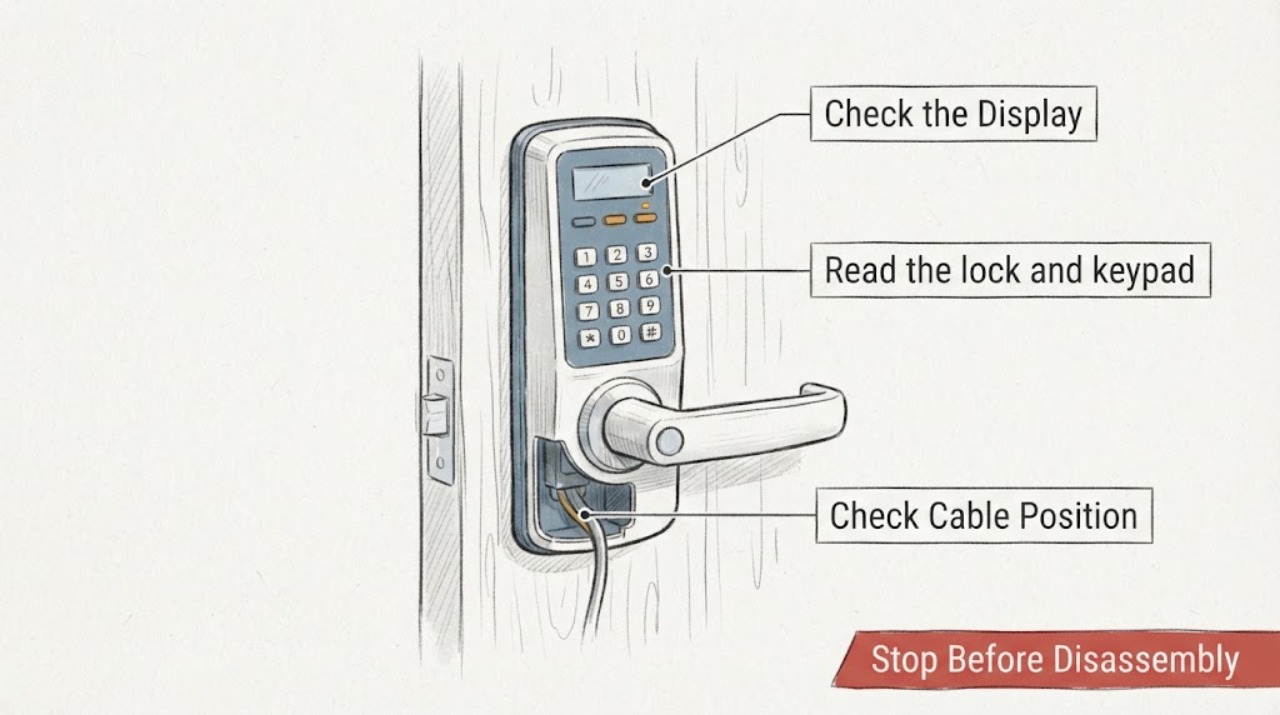
Trigger the keypad once and note separately whether its backlight or indicator appears, whether a key press produces a beep, whether a code is accepted, and whether the lock motor moves; do not keep retrying a code that produces no response.
Expected result: The keypad is dark and silent, the keypad lights and beeps but the lock does not move, or the lock works after several delayed attempts.
Next step: Record the exact pattern and any low-battery indication, then check the applicable battery compartments. Keep the door open for later lock tests.
Why this matters
Why: A dark or silent keypad makes keypad power or contact more likely. A working keypad with no lock movement makes the connected lock battery, communication path, latch load, or lock electronics more likely. Delayed or intermittent response is consistent with low power but is not proof of a battery-only fault.
-
Check 2
Read the lock and keypad labels or app status to identify whether the keypad and the lock body use separate battery compartments, then follow the model's battery instructions without changing wiring or opening the electronics.
Expected result: The keypad reports low power, the lock reports low power, both report low power, or the model does not expose which unit is low.
Next step: Use the product instructions to determine which complete battery set is applicable. If the system has two powered units and both are due, replace both sets as directed rather than mixing old and new cells.
Why this matters
Why: Some connected keypad systems have a separately powered keypad and lock. Replacing only the unit that appears most visible can leave the lock body underpowered and the keypad apparently intermittent.
-
Check 3
With the door open and the lock in its normal unlocked position, replace the applicable batteries with a complete fresh set of the type specified by the manufacturer; match polarity, seat the cover fully, and test the keypad once.
Expected result: The keypad and lock respond normally after the replacement, or the same low-battery warning and intermittent response remain.
Next step: If stable, test locking and unlocking with the door open and then closed without pushing or pulling it. If intermittent, stop repeated attempts and inspect only the accessible battery compartment for contact or moisture clues.
Why this matters
Why: A stable response after a correctly installed fresh set supports depleted batteries as the immediate cause. Continued symptoms point to contact quality, a wrong or mixed battery set, a separate lock battery, communication, alignment, or device failure.
-
Check 4
After removing the batteries according to the lock instructions, look at the accessible battery contacts and compartment for corrosion, moisture, dirt, a displaced spring, or a cover that cannot close firmly; do not scrape contacts or apply liquid.
Expected result: The contacts are clean and hold the batteries firmly, or there is corrosion, moisture, physical damage, or a loose connection.
Next step: If the compartment is damaged or wet, leave the batteries out if the manufacturer's instructions permit, keep the door secured by a safe alternate method, and call a locksmith. Do not bypass the contacts or improvise a power connection.
Why this matters
Why: Clean, firm contacts make a simple contact interruption less likely. Corrosion, moisture, or a damaged contact can interrupt power even with new batteries and may require parts or professional repair.
-
Check 5
If the keypad is a separate wireless unit, stand at the normal operating position with no new metal or masonry obstruction between it and the lock, then enter a valid code once and observe whether the keypad communicates consistently.
Expected result: The keypad responds when close to the lock but not from its normal position, or the keypad response is unchanged by position.
Next step: Use the manufacturer's placement and pairing guidance. Do not reset or re-pair the system as a first step if doing so could erase access codes; call a locksmith or manufacturer support when the connection remains intermittent.
Why this matters
Why: A position-dependent response makes wireless range or obstruction more likely. No position change after fresh batteries makes the lock battery, pairing, keypad hardware, or another device fault more likely.
-
Check 6
With the door open, operate the lock through one normal keypad cycle and one approved manual cycle, then repeat with the door closed without pushing, pulling, or lifting it.
Expected result: Both cycles are smooth, the lock is smooth open but stalls or binds closed, or the lock binds in both positions.
Next step: If it binds only closed, stop forcing the motor and have the door alignment checked. If it binds open or remains intermittent after fresh batteries, arrange locksmith service rather than repeatedly cycling the lock.
Why this matters
Why: Smooth open-door operation with closed-door binding points to bolt, strike, or door alignment loading the motor. Binding in both positions is less consistent with alignment alone and makes lock hardware or power delivery more likely.
Use your observations
Decision map
Find the observation that best matches what you see, then follow the next safe action.
-
PATH 01Next step
What you see
Do this next
Test several normal cycles while keeping a mechanical or approved backup access method available. If the warning returns unusually soon, investigate battery drain or have a locksmith inspect the lock.
-
PATH 02Next step
What you see
Do this next
Check whether the lock body has its own battery status and test with the door open. If the lock still does not respond, stop repeated code attempts and call a locksmith.
-
PATH 03Next step
What you see
Do this next
Do not force the keypad or motor. Keep the door open when possible and arrange a locksmith or door professional to check the strike and door alignment.
-
PATH 04Next step
What you see
Do this next
Stop relying on the keypad, keep the door in a safe access state, and call a locksmith. Do not bypass the battery holder, open the lock body, or improvise an external power source.
Helpful context
Understand the symptom
Separate power symptoms from lock-load symptoms
A keypad lock has more than one possible failure point. A low battery can reduce keypad response, communication, and motor operation, while a door that loads the bolt can make a healthy motor appear weak. A wireless keypad can also wake normally while the connected lock has insufficient power. Identify which part responds before replacing hardware.
Keep access available while testing
Keep the door open during repeated tests whenever possible, and keep a working mechanical key or the manufacturer's approved emergency access method available. Do not force the keypad, repeatedly run a stalled motor, or open the lock body to reach wiring. A locksmith can diagnose a failed keypad or lock without turning an intermittent fault into a lockout.
Only after diagnosis
Potential parts
- manufacturer-specified replacement battery set
Use this only after the lock's warning or a correct test identifies depleted batteries and the battery compartment and contacts are otherwise sound.
Match the battery chemistry, size, quantity, and polarity shown in the exact lock or keypad instructions; do not mix old and new cells or assume a generic set is suitable. - keypad or lock battery contact assembly
Consider this only when fresh batteries remain intermittent and inspection finds a damaged, corroded, or loose contact that a locksmith confirms is replaceable.
Confirm the exact lock model and whether the contact is part of the keypad, interior lock assembly, or battery holder before ordering; fitment is not universal.
When checks do not resolve it
Need a professional?
Stop using the keypad lock and call a locksmith if fresh batteries do not restore consistent response, the keypad or lock body has no lights or sound, the battery compartment is wet or corroded, batteries become hot, the lock motor repeatedly stalls, the door cannot be secured or opened, or the lock works only when the door is held in a particular position. Do not bypass battery contacts, open the lock body, alter wiring, or repeatedly cycle a stalled motor. Keep an approved mechanical or manufacturer-provided emergency access method available while troubleshooting.
Common questions
FAQ
Why does my keypad light up but the lock does not respond?
The keypad and lock body may use separate power or communication paths. Check the connected lock's battery status and test with the door open; if the lock remains unresponsive after fresh batteries, call a locksmith rather than repeatedly entering the code.
Should I replace one battery or the whole set?
Follow the exact lock instructions and replace the applicable set as directed. Do not mix old and new batteries or assume the keypad and lock share the same compartment; some systems power them separately.
How can I tell whether the battery or door alignment is the problem?
Test with the door open. If the lock is smooth open but binds only when closed, the bolt and strike may be loading the motor. If it is intermittent even open after fresh batteries, power contacts, communication, or lock hardware are more likely.
When should I stop troubleshooting a keypad lock?
Stop when fresh batteries do not restore response, contacts are wet or corroded, the motor repeatedly stalls, the door cannot be secured, or the lock works only when the door is forced into position. Keep an approved backup access method available and call a locksmith.
Read the exact guide
Official sources
- How do I check door alignment for my smart lock?Kwikset · Supports separating a keypad or motor power problem from a bolt-and-strike load that appears only with the door closed.
- Troubleshooting your Yale Smart KeypadYale Home · Supports the generic diagnostic distinction between a keypad that lights up, a connected lock that lacks power, and a keypad whose range or communication is unreliable.
- How does battery level affect the performance of my smart lock?Kwikset · Supports the claim that low power can cause delayed responses and disable or impair lock functions, including activation and calibration.
- Support for Keypad ResponseKwikset · Supports distinguishing an unresponsive keypad, low-battery indication, and lock-button failure in keypad locks.
Community feedback
Share a repair observation
Share a plain-text repair observation. Accepted observations are published automatically; this page may take a moment to update.