
On this page
Start here
Quick answer
An obsolete keypad-lock model is not automatically a drop-in replacement. First record the exact model from the inside battery cover or other product label, preserve a working mechanical entry method, and determine whether the lock is a deadbolt, lever, keyed, keyless, or smart assembly. Measure the door thickness, cross-bore, backset, edge preparation, handing, and available interior clearance, then compare those facts with the complete installation guide and compatibility list for a current candidate. If the model cannot be identified, the door preparation is nonstandard, the lock controls an access-restricted or emergency door, or the candidate requires wiring, drilling, or platform changes you cannot verify, stop and use a qualified locksmith or installer. Test any replacement with the door open before relying on it, and treat factory reset or app migration as a data-erasing step.
Before you begin
Safety first
- A professional should handle forced entry, restricted or emergency doors, structural drilling or reinforcement, commercial access-control changes, unknown wiring, internal electronic faults, and any replacement that cannot be safely tested with the door open.
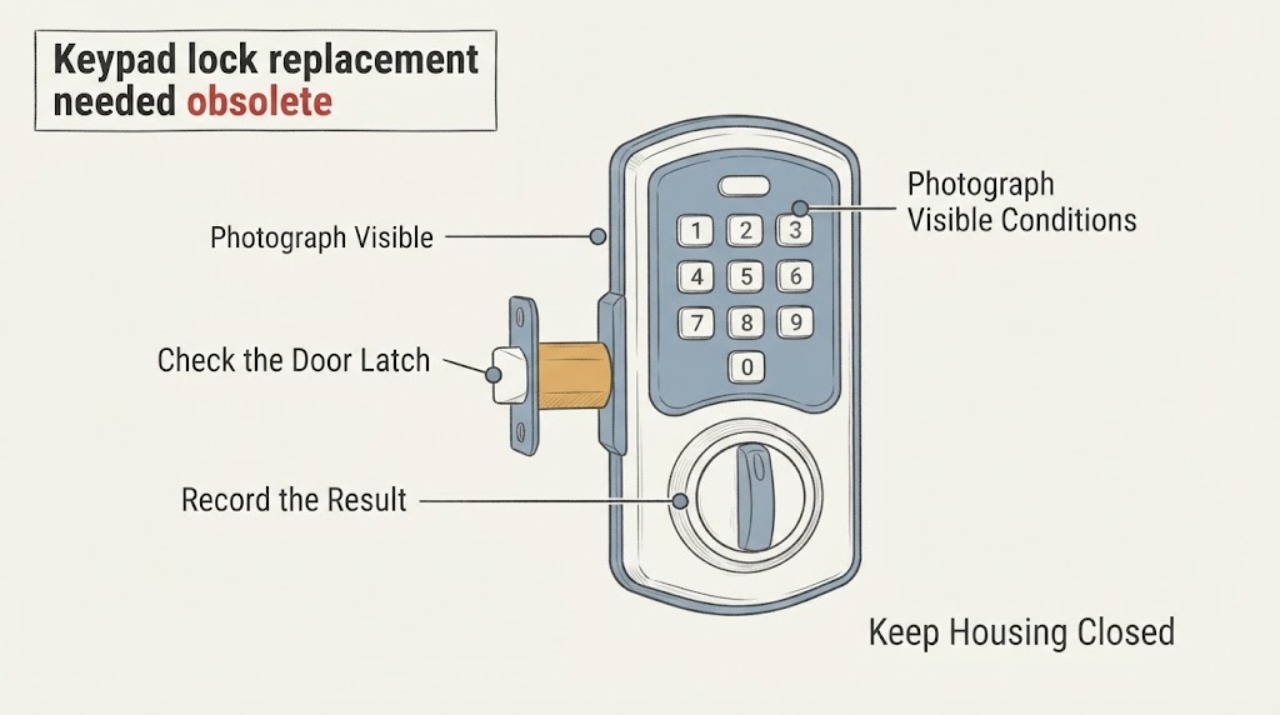
Work through in order
Diagnostic checks
Use only checks that match the exact appliance or system and its official guide.
-
Check 1
With the door open, photograph and transcribe the old lock's model or serial label, usually beginning under the interior battery cover or on the inside assembly, and record its function: deadbolt or lever, keyed or keyless, standalone or connected.
Expected result: A legible model is found, only a partial label is available, or no identifying label remains; the lock also has a physical key, thumbturn, wireless module, or access-system connection.
Next step: Save the photos and model details without recording active PINs. If the model cannot be identified, do not order by appearance alone; have a locksmith identify the lock and door preparation before removal.
Why this matters
Why: A confirmed model allows the manufacturer's support and compatibility documents to be checked. A partial or missing identity makes part interchange and a drop-in replacement unproven; connected features create additional migration and credential requirements.
-
Check 2
Check the old lock's mechanical path while the door is open: turn the key or interior thumbturn, observe the latch and bolt, and press the keypad only as needed to distinguish a binding door from an electronic failure.
Expected result: The bolt or latch moves smoothly by hand, binds against the strike, or remains stuck even with the door open; the keypad is dead, intermittent, or still operates.
Next step: Do not force the bolt or drill around it. Correct only clearly documented alignment issues within the manual's scope; if the mechanism remains stuck, the lock controls a restricted door, or the failure is internal, use a locksmith and retain the access photos and symptoms.
Why this matters
Why: Smooth movement with failed electronics supports an electronic or obsolescence decision, while binding with the door open points to a lock mechanism or installation issue. A latch that binds only when the door closes points to alignment and does not prove the complete lock must be replaced.
-
Check 3
Measure the door thickness, bore or cross-bore, backset, edge faceplate or mortise, strike position, door handing, and interior clearance, and note whether existing holes can be reused without weakening the door.
Expected result: Every measurement falls within the candidate lock's installation guide, a faceplate or latch variant is required, or one or more dimensions or clearances do not match.
Next step: Compare the measurements with the candidate's complete manual and compatibility list, not just a product photograph. If the door needs new holes, reinforcement, a different latch, wiring, or an uncertain modification, pause and have a qualified installer confirm the fit.
Why this matters
Why: A documented match makes a replacement installation plausible but does not establish electronic or platform compatibility. A mismatch means the lock is not a verified drop-in; the required alteration may be unsafe or outside ordinary homeowner work.
-
Check 4
Compare the old and candidate lock's required access method and platform: keypad-only versus keyed, deadbolt versus lever, standalone codes versus app, wireless module, firmware, bridge, or access-control integration.
Expected result: The candidate's official compatibility material lists the exact host lock or platform, only a similar family is listed, or the old lock's firmware/module is unsupported or unknown.
Next step: Keep the old authorized access method until the new lock is fully tested. Choose a candidate only after its manual and official compatibility list cover the required function; otherwise ask a qualified locksmith or installer to specify the replacement path.
Why this matters
Why: An exact compatibility entry supports the feature path being considered. A family resemblance is not proof of compatibility, and unsupported firmware or an unknown module can make an upgrade or migration fail even when the mounting holes fit.
-
Check 5
Following the candidate's installation guide, install or temporarily test the replacement with the door open, then operate the latch, physical key or thumbturn, keypad code, inside release, and connected controls separately.
Expected result: The latch moves freely and every required entry method works, the latch binds or fails to return, the keypad works but the app or module does not, or the lock cannot be tested without closing the door.
Next step: Keep the door open and stop installation or enrollment until the manual-specific fault is resolved. Do not rely on the replacement or remove the old fallback until a locksmith or installer verifies the mechanism, access methods, and any required integration.
Why this matters
Why: A complete open-door test supports safe commissioning. Mechanical binding, a failed fallback method, or a connection failure means the lock is not ready; inability to test with the door open creates a lockout risk.
Use your observations
Decision map
Find the observation that best matches what you see, then follow the next safe action.
-
PATH 01Next step
What you see
The old model is legible, the door measurements match a candidate manual, the candidate provides the same essential entry method, and the lock can be tested with the door open.
Do this next
Follow the candidate's complete installation and programming instructions, test every required entry path while the door remains open, and keep an authorized fallback until commissioning is complete.
Why this path and its safety boundary
Why it matters: A planned replacement is plausible, but the mounting match does not by itself prove app, module, firmware, credential, or access-control compatibility.
-
PATH 02Next step
What you see
The model label is missing or partial, the door preparation is unknown or nonstandard, or the candidate needs drilling, reinforcement, wiring, or a different latch/strike.
Do this next
Stop before removing or modifying the lock and have a qualified locksmith or installer identify the hardware, measure the door, and specify a compatible replacement.
Why this path and its safety boundary
Why it matters: Compatibility and structural fit are unverified; choosing by exterior style or brand family could cause a lockout, insecure installation, or damage to the door.
-
PATH 03Next step
What you see
The lock works mechanically but its electronics, app, wireless module, or firmware are unsupported, or the manufacturer lists the old product as discontinued.
Do this next
Preserve a physical or otherwise authorized fallback, check official support for the exact model, and plan a complete replacement or professional migration when support or compatibility is unavailable. Do not factory-reset the old lock until access is accounted for.
Why this path and its safety boundary
Why it matters: The mechanical assembly may still be usable, but an electronic retrofit, module swap, or credential migration is not established without a model-specific support path. Discontinued status should not be treated as evidence that a newer module fits.
-
PATH 04Next step
What you see
The candidate passes the paper checks but binds, cannot be opened by the fallback method, loses the latch position, or cannot complete connected setup during the open-door test.
Do this next
Leave the door open, stop forcing or repeatedly resetting the lock, and have a qualified locksmith or installer correct the mechanical fit or verify the electronic integration before use.
Why this path and its safety boundary
Why it matters: The replacement is not safely commissioned; the cause may be alignment, latch geometry, a configuration mismatch, or an integration problem rather than a simple obsolete-model substitution.
Helpful context
Understand the symptom
Confirm what is actually obsolete
A product page marked discontinued means the manufacturer no longer presents that model as a current product; it does not prove that every installed part is interchangeable with a newer lock. Photograph the exterior, interior, latch, strike, keyway, battery compartment, and any label before removing anything. Record whether the unit is a deadbolt or lever, whether a physical key or thumbturn remains, and whether an app, wireless module, access-control panel, or shared codes are involved. The exact model is the starting point for a parts or replacement decision.
Match the door, not just the appearance
Replacement compatibility is determined by the door and lock mechanism as well as the finish. Measure the door thickness, bore or hole sizes, backset, edge faceplate or mortise, strike location, handing, and the clearance available for the interior assembly. Compare these measurements with the candidate's own installation guide; a model-specific manual may require a particular latch, faceplate, or hole pattern. Do not assume that a similar-looking keypad, a shared brand, or an old mounting hole makes two models interchangeable.
Keep access and credentials under control
Before taking the old lock off, confirm that you can enter with a physical key, thumbturn, administrator credential, or another authorized method. If the old lock is connected to an app or access system, document ownership, guest access, schedules, and any module or firmware requirement. A factory reset can erase PINs and settings, and a replacement may require new enrollment rather than transferring credentials. Do not publish or leave active codes in photographs or notes.
Install and test only within the manual's boundary
Use the current lock's installation guide, keep the door open during the first mechanical and electronic tests, and verify that the latch moves freely before closing the door. Test the key or thumbturn, keypad code, inside release, auto-lock behavior if applicable, and any app or module connection separately. If the replacement needs new holes, wiring, a commercial access-control change, or work on a fire-, egress-, or restricted-access door, use a qualified locksmith or installer instead of improvising.
Safety boundary
Stop conditions
- Stop before removal or drilling when the model, door preparation, latch/strike arrangement, handing, or replacement compatibility cannot be verified from the applicable official manual.
- Do not continue if the replacement binds, cannot be opened by an authorized fallback, leaves the door unsecured, or cannot be tested with the door open; use a qualified locksmith or installer.
- Use professional help for fire-, egress-, restricted-access, multi-tenant, or commercial access-control doors, for wiring or structural alterations, and whenever ownership or authorization is uncertain. Do not bypass the lock or defeat access controls.
When checks do not resolve it
Need a professional?
Safety scope: A professional should handle forced entry, restricted or emergency doors, structural drilling or reinforcement, commercial access-control changes, unknown wiring, internal electronic faults, and any replacement that cannot be safely tested with the door open.
Common questions
FAQ
Does discontinued mean I must replace the entire keypad lock?
No. It means the manufacturer has marked that model as no longer current; an exact model may still have documentation or limited support. Check the model-specific support page first. Do not assume a newer keypad, module, latch, or interior assembly fits merely because it has the same brand or appearance.
Where can I find the model number on an old keypad lock?
Start with the inside battery cover and interior assembly, and photograph the label before removing the lock. Yale's support guidance specifically notes that the model number is often inside the battery cover; other manufacturers may place it elsewhere, so use the exact brand's support documentation when the label is missing.
Can I reuse the old door holes for a replacement keypad lock?
Only after comparing the door thickness, hole or bore sizes, backset, edge preparation, strike, handing, and interior clearance with the replacement's complete installation guide. A matching-looking exterior does not establish a safe mechanical or electronic fit.
Should I factory-reset the obsolete lock before replacing it?
Not until you have an authorized way to enter and have documented the access transition. A factory reset can erase PINs and settings, and a connected lock may need new enrollment. Keep credentials private and follow the exact model's reset and migration instructions.
How do I avoid getting locked out during replacement?
Keep the door open during installation and all first tests. Verify the latch, physical fallback, keypad code, inside release, and required app or module separately before closing the door or removing the old fallback. If the lock binds or cannot be tested open, stop and call a qualified locksmith or installer.
Read the exact guide
Official sources
- Yale Home Module SupportYale Home · Yale Assure locks and Yale Home module; compatibility facts are platform- and model-specific
- Schlage Keypad Locks FAQsSchlage · Schlage residential keypad locks; use the linked guide for the exact model
- Satin Nickel 905 Keywayless Electronic DeadboltKwikset · Kwikset 905 keywayless electronic deadbolt; measurements and features are model-specific examples, not universal replacement requirements
- Support for Electronic LocksKwikset · Kwikset electronic lock catalog; use it to verify exact model status rather than infer interchangeability
- Keypad Lock Installation Instructions, Model FE575Schlage · Schlage FE575 keypad lever; dimensions and installation steps must not be generalized to other models
Community feedback
Share a repair observation
Share a plain-text repair observation. Accepted observations are published automatically; this page may take a moment to update.