
On this page
Start here
Quick answer
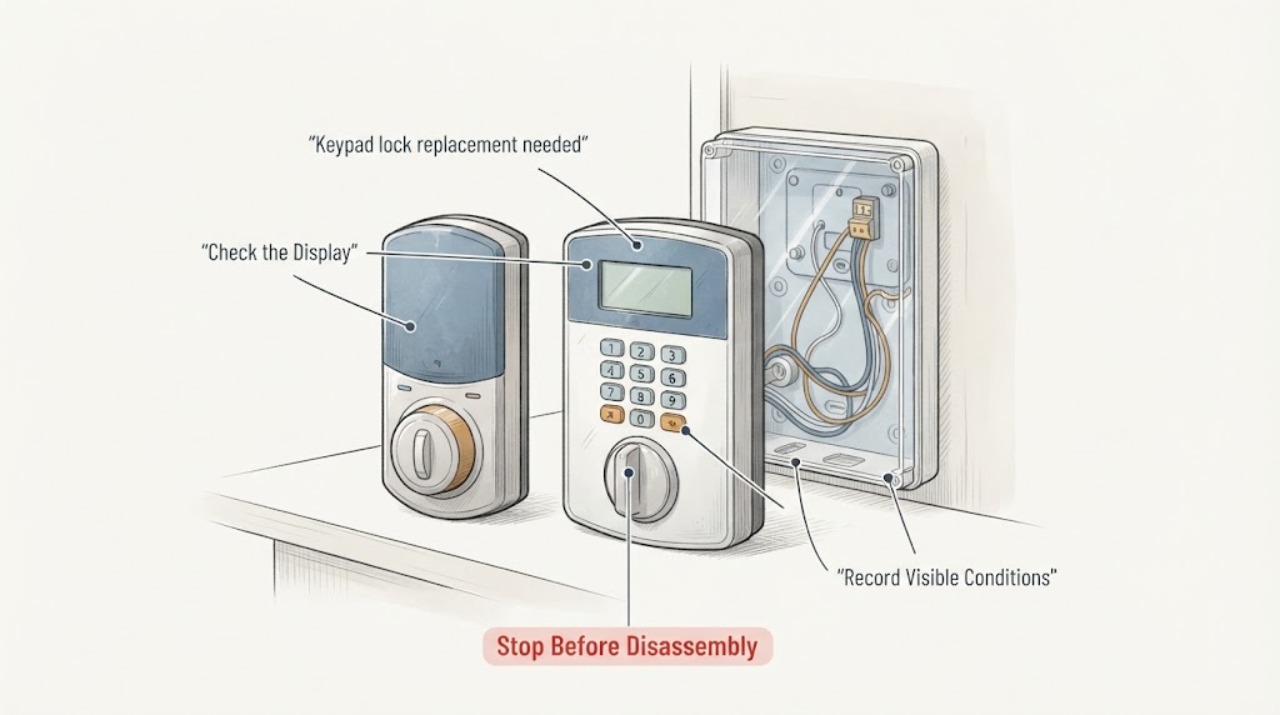
A keypad lock that no longer powers, accepts an authorized code, or secures the door reliably may need a battery or user-level setup check, an alignment diagnosis, or replacement by a locksmith. First record the keypad's visible response, battery warning, door and latch behavior, and any exterior damage without forcing the door or dismantling the lock. Keep a safe alternate entrance available. If you are locked out, the door cannot reliably close or secure, the lock is damaged, or anyone's safety depends on the entry, stop troubleshooting and call a qualified locksmith or emergency service.
Work through in order
Diagnostic checks
Use only checks that match the exact appliance or system and its official guide.
-
Check 1
From a safe side of the door, use one known, authorized entry code or the manufacturer's normal unlock control once; do not keep retrying an unknown code.
Expected result: Note whether the keypad wakes, shows its normal light or sound, accepts the authorized input, and moves the latch, or whether it is dark, times out, gives an error indication, or remains mechanically still.
Next step: Record the exact visible indication and model, then use the model's official support instructions or give the observation to a locksmith. Do not attempt to defeat the lock if the authorized control does not work.
Stop if: Stop immediately if you are locked out, the door cannot be opened or secured reliably, the lock behaves unpredictably, or a person may need the entrance for safety.
Why this matters
Why: A dark or silent keypad points first to a power, connection, or keypad fault; a normal response with no latch movement points toward the lock, latch, door alignment, or communication path. A timeout can be a security feature rather than proof that the lock needs replacement.
-
Check 2
From a normal standing position, read any exterior low-battery or fault indicator and note the battery age and type from a record or package; do not remove the lock body or open a concealed assembly.
Expected result: Compare the visible indicator with the model's official guide: it may show low power, a temporary security timeout, a code error, or no response at all. Also note any visible corrosion, moisture, cracked trim, or impact without touching damaged parts.
Next step: Follow only the manufacturer's normal user-level battery instruction for the identified model, if you have safe access; otherwise send the indicator, model, and battery history to a locksmith. Avoid a factory reset unless the official guide confirms the effect and you can securely restore authorized codes.
Stop if: Stop if there is leaking battery material, wetness inside or around the lock, heat, smoke, a burning smell, damaged wiring, or any need to open the lock to continue.
Why this matters
Why: A documented low-power indication can make a replacement request premature; an absent response after the exact model's approved, user-accessible power check, or visible damage, supports professional diagnosis of the keypad or lock assembly. Different brands use different indicators, so do not infer a code meaning from a different model.
-
Check 3
With the door already open and a clear path, observe one normal manufacturer-directed lock test, then observe one normal attempt with the door closed; do not push, lift, pull, or force the door or bolt.
Expected result: Record whether the latch moves smoothly with the door open but binds or stops when the door is closed, or whether it fails in both positions. Note any scraping, unusual motor sound, or a latch that does not reach its normal position.
Next step: Do not adjust the strike, screws, travel settings, or internal parts as a guess. Give the open-versus-closed result to a locksmith, who can determine whether alignment service or a compatible replacement is appropriate.
Stop if: Stop if the latch jams, the door cannot be returned to a safe closed or open state, the lock sounds strained, or the door could unexpectedly move.
Why this matters
Why: Working open but not closed suggests door, frame, strike, or latch alignment load rather than a keypad-only failure. Failure in both positions, especially with a normal keypad response, makes lock-assembly or professional electrical/mechanical diagnosis more likely.
-
Check 4
Inspect the exterior keypad, trim, door edge, and strike area from a safe standing position for visible moisture, cracks, looseness, impact, or a gap that has changed; do not remove parts or reach into the lock.
Expected result: Note whether the damage is cosmetic only, whether the keypad shifts, whether water or condensation is present, and whether the door or strike visibly sits out of its usual position.
Next step: Keep the entry protected without altering the lock and provide clear exterior photos and the symptom timeline to the service professional. Treat compatibility as unconfirmed until the exact door preparation and model are checked.
Stop if: Stop and arrange professional service for exposed wiring, sharp or loose parts, water near electrical components, a door that will not latch, or any sign that security has been compromised.
Why this matters
Why: Cosmetic wear with normal operation may not justify replacement; movement, impact, moisture, or a changed door position can affect reliability and may require a locksmith to assess the complete lock and door interface.
Use your observations
Decision map
Find the observation that best matches what you see, then follow the next safe action.
-
PATH 01Next step
What you see
The keypad is dark or silent, and you have safe authorized access.
Do this next
Record the model and visible power history, then use only the exact manufacturer's user-level battery guidance. If the approved check does not restore normal response, request professional diagnosis or replacement.
-
PATH 02Next step
What you see
The keypad responds, but the latch works with the door open and binds when the door is closed.
Do this next
Treat this as a door, frame, strike, or latch-load diagnosis first. Do not force or adjust the lock as a guess; ask a locksmith to assess alignment and replacement need.
-
PATH 03Next step
What you see
The keypad responds normally but the latch fails with the door open and closed, or the exterior unit is visibly damaged.
Do this next
Provide the exact model, indicators, and damage history for a compatible lock-assembly or keypad replacement assessment. Do not assume a generic keypad will fit.
-
PATH 04Next step
What you see
You are locked out, the door cannot reliably secure, an alternate safe exit is unavailable, or there is a life-safety concern.
Do this next
Stop user troubleshooting and call a qualified locksmith or emergency service. Keep occupants away from an unreliable entry and do not attempt an improvised entry method.
-
PATH 05Next step
What you see
There is moisture, heat, smoke, burning odor, exposed wiring, or suspected tampering.
Do this next
Stop using the lock, keep people clear, and arrange appropriate professional help; use emergency services when there is immediate danger.
Helpful context
Understand the symptom
What replacement may—and may not—solve
Replacement is reasonable when the keypad or lock body remains unreliable after the model's normal user checks, but a new keypad will not correct a door that is pressing on the latch or a strike that is out of alignment. A depleted power source, a security timeout, lost programming information, communication failure, or a damaged lock can look similar. The exact brand and model determine the approved battery, code, reset, and compatibility procedure.
Stay on the safe side of the diagnosis
Use only an authorized code or normal app/control that you already have permission to use. Do not defeat the lock, force the door, drill, pick, or remove the lock body or door to regain access. Do not publish or send entry codes in a service request. If there is no safe alternate entrance, keep the door in its current safe state and arrange professional help.
Information to gather for a replacement visit
Record the brand and model from the exterior label, manual, or purchase record; the keypad lights, beeps, or display; the age and type of the batteries if known; whether the latch behaves differently with the door open and closed; and any moisture, impact, or looseness visible from a normal standing position. Share those symptoms and photos of exterior markings, but not access codes.
Only after diagnosis
Potential parts
- keypad-lock-replacement
Consider a replacement only after the exact model's power, authorized-control, and open-versus-closed latch observations indicate that the keypad or lock assembly itself is unreliable or damaged.
Confirm the brand, model, door preparation, handing, latch dimensions, power arrangement, and any access-system requirements with the manufacturer or locksmith before ordering.
When checks do not resolve it
Need a professional?
Call a locksmith for a keypad or lock that remains unreliable after the exact model's safe user checks, for a closed-door alignment symptom, visible damage or moisture, a lock that will not secure, or any lockout. Escalate immediately for life-safety risk or electrical/fire warning signs.
Have this ready
- Provide the brand and model if known, exterior symptom and indicator sequence, battery age/type if known, open-versus-closed latch behavior, visible damage or moisture, and whether a safe alternate entrance exists. Do not share access codes publicly.
Common questions
FAQ
Does a keypad lock that will not unlock always need replacement?
No. Low power, a temporary security timeout, an invalid or unavailable authorized code, communication trouble, and door or strike alignment can produce similar symptoms. Replacement becomes more plausible only after the exact model's safe user checks and the open-versus-closed latch observation point to a failed or damaged assembly.
What should I tell a locksmith about a keypad lock replacement?
Share the brand and model if known, the keypad lights or sounds, battery age and type if known, whether the latch works with the door open and closed, visible exterior damage or moisture, and whether you have safe alternate access. Do not send entry codes.
Can I install any keypad lock in the existing door?
Do not assume that. Fit depends on the exact lock model, door preparation, handing, latch and strike arrangement, power setup, and any connected access system. A manufacturer guide or locksmith should confirm compatibility before a replacement is selected.
What should I do if the lock has stopped securing the door?
Stop normal troubleshooting, keep people away from an unreliable entry, use a safe alternate entrance if available, and contact a qualified locksmith. If there is immediate danger or a life-safety concern, contact emergency services. Do not force or defeat the lock.
Read the exact guide
Official sources
- Troubleshooting your Yale Smart KeypadYale Home · Yale smart keypad indicator behavior, communication symptoms, reset consequences, and timeout behavior
- Support for Latch IssuesKwikset · Kwikset keypad lock latch behavior, door-open versus door-closed alignment symptoms, and professional support boundary
- Keypad Response SupportKwikset · Kwikset electronic keypad response, battery and authorized lock-control troubleshooting
- Keypad Entry with Built-in Alarm User GuideSchlage · Schlage keypad lock user-level indicators, authorized code behavior, battery guidance, and troubleshooting
Community feedback
Share a repair observation
Share a plain-text repair observation. Accepted observations are published automatically; this page may take a moment to update.