
On this page
Start here
Quick answer
A solar battery will not power a home during an outage unless the installation includes a storage system, an inverter that can form a safe local electrical system, and the correct transfer or backup equipment. First confirm that the utility is actually out and record the battery, inverter, gateway, and app status without opening equipment or changing switches. Check the charge level, backup reserve, selected backup circuits, and any overload or fault message; turn off high-power appliances only at their normal controls if the manufacturer's instructions permit. If the system still reports grid-connected, shows a breaker or backup-switch fault, has no charge, fails to power any selected load, or shows heat, smoke, water, or damaged wiring, stop and contact the installer or qualified solar electrician.
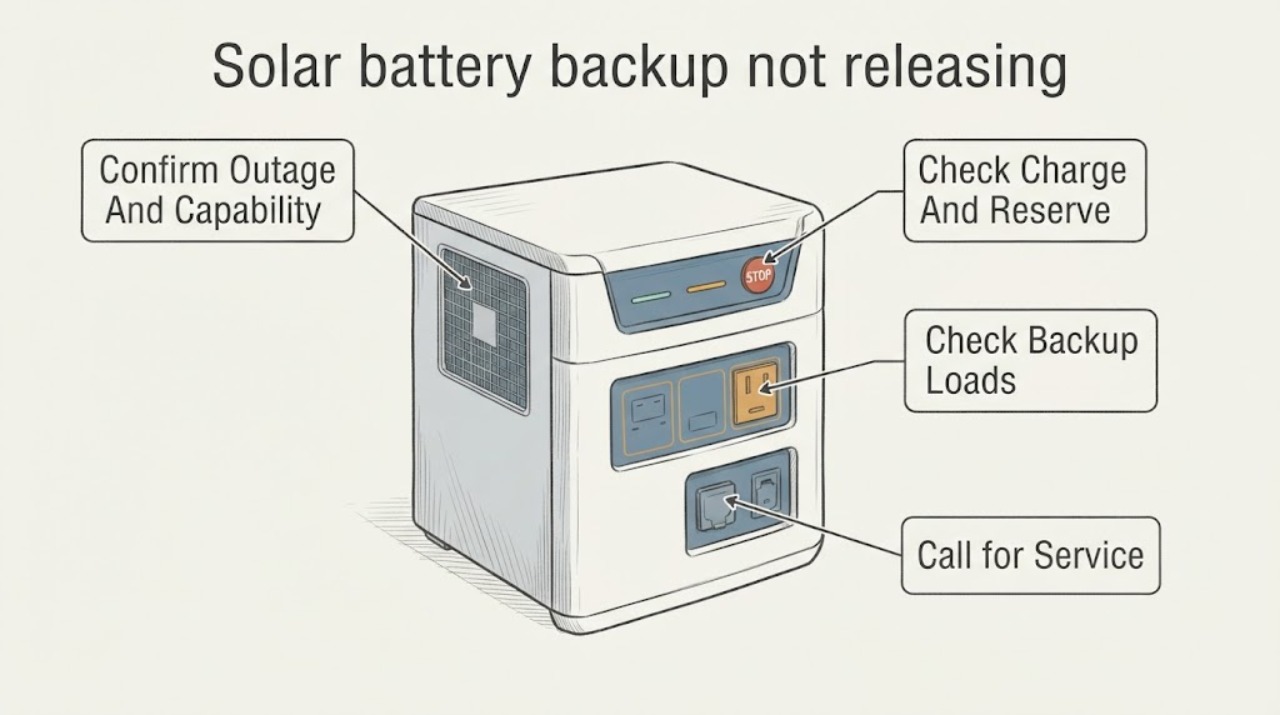
Work through in order
Diagnostic checks
Use only checks that match the exact appliance or system and its official guide.
-
Check 1
Confirm the utility outage using a nearby light or the utility's outage information, then identify from the normal app or display whether the home has battery backup, which circuits are designated for backup, and whether the system is showing an off-grid or grid-connected state. Do not open the battery, inverter, gateway, or service panel.
Expected result: The utility is out and the system reports off-grid, the utility is out but the system still reports grid-connected, or only some circuits are without power; also note whether the installation is solar-only or includes storage and backup equipment.
Next step: Photograph the normal display or app status and list the circuits or appliances that are and are not energized. Follow the provider's outage guidance, but do not change hardware settings to force an islanded state.
Stop if: Stop for exposed conductors, damaged equipment, water near electrical gear, smoke, heat, or any request to open a cover or test live wiring.
Why this matters
Why: A solar-only system normally cannot form a home supply during an outage. A battery system that reports off-grid but powers only selected circuits may be operating as designed, while a confirmed outage with a grid-connected status points toward transfer, gateway, inverter, or configuration support.
-
Check 2
Read the battery state of charge, backup-reserve setting, and any normal app message such as low energy, waiting for solar, waiting for grid, or disabled. Observe whether the battery is discharging, idle, or unavailable; do not change the reserve or restart the system during the outage unless the manufacturer's support process explicitly directs it.
Expected result: The battery has usable charge and is not discharging, the charge is near empty, the system says it is waiting for solar or grid, or a service-required/disabled message appears.
Next step: Record the exact message and state of charge. Reduce nonessential loads if any backup power is available, and contact the installer when the system is disabled, unavailable, or fails to discharge with usable energy.
Stop if: Stop if the battery enclosure is hot, swollen, leaking, damaged, smoking, or emitting an unusual odor.
Why this matters
Why: A low or empty battery can stop backup until enough energy or grid power returns. A usable charge with no discharge points more toward transfer, backup configuration, gateway, inverter, or fault conditions. A disabled or service-required message is not a part-selection clue for a homeowner.
-
Check 3
If any backup power is present, switch off high-demand appliances at their normal user controls, such as electric heating, pumps, large motors, or vehicle charging, only when doing so is safe and the manufacturer's outage guidance allows it. Do not operate service-panel breakers, remove covers, or disconnect hard-wired equipment.
Expected result: Power returns to selected circuits after demand is reduced, the battery continues clicking or cycling without energizing the loads, or no selected circuit changes state.
Next step: Leave large loads off, record which appliance changed the result, and contact the installer for load-scope and backup-system diagnosis. Do not perform an off-grid test or manual restart unless directed by the exact manufacturer support path.
Stop if: Stop for heat, smoke, burning smell, arcing, unusual battery noise, damaged equipment, or any appliance that cannot be safely switched off at its ordinary control.
Why this matters
Why: Recovery after reducing demand makes an overload or inrush load more likely. Repeated clicking, no recovery, or failure of every selected load points to a backup gateway, transfer, inverter, wiring, or system fault rather than one appliance alone.
-
Check 4
Read only the normal app, gateway, inverter, or battery indicator that is visible without removing a cover. Look for a breaker-open, backup-switch fault, rapid-shutdown-off, gateway-offline, disabled, or thermal warning, and note whether the selected-loads panel has power.
Expected result: The status is normal but loads remain off, a breaker or backup-switch fault is reported, the gateway is offline, the system is disabled, or a thermal/rapid-shutdown warning appears.
Next step: Save the status text and indicator pattern and contact the installer or manufacturer support. Do not operate a manual override, remove a deadfront, or reset a breaker based only on an app message.
Stop if: Stop immediately for any heat damage, smoke, burning smell, water, exposed wiring, or damaged enclosure.
Why this matters
Why: A fault or disabled status identifies a protected service path, not a safe homeowner adjustment. An offline app alone may reflect lost internet during the outage; it does not prove the battery is empty or failed. Normal status with no selected loads still requires the installer to test the transfer and backed-up circuits.
-
Check 5
After utility power returns, record whether the system reconnects normally, resumes charging, and restores the expected backup reserve. Compare the outage log with the circuits that lost power, without deliberately disconnecting the grid or repeating an outage test.
Expected result: The battery reconnects and charges normally, the system remains disabled or off-grid, the same selected circuits remain unavailable, or a fault appears after reconnection.
Next step: Send the installer the outage time, app messages, charge level, load list, and post-outage state. Request a documented backup test only from a qualified professional.
Stop if: Stop if the system remains hot, damaged, wet, smoking, or makes abnormal sounds after grid restoration.
Why this matters
Why: Normal reconnection suggests the outage may have exceeded the configured load, reserve, or system conditions, but it does not prove the backup path is healthy. Persistent loss of backup, repeated faults, or a changed circuit pattern requires installer diagnosis of transfer equipment, settings, and wiring.
Use your observations
Decision map
Find the observation that best matches what you see, then follow the next safe action.
-
PATH 01Safety boundary
What you see
The utility is out and the home has solar panels but no installed storage and grid-forming backup equipment.
Do this next
Keep the solar and electrical equipment closed and contact the installer only if the system status is unexpected or unsafe. Do not create an improvised backup connection.
Why this path and its safety boundary
Why it matters: The solar array may shut down during the outage for grid-safety reasons; the absence of backup power is a system-capability issue, not a battery release failure.
Safety stop: Do not connect a generator, battery, or home circuit to the solar wiring without a designed transfer system and qualified installation.
-
PATH 02Safety boundary
What you see
The outage is confirmed, the battery or inverter reports off-grid or discharging, but one or more designated backup circuits remain off.
Do this next
Turn off high-demand appliances at ordinary controls if safe, preserve essential loads, and have the installer verify load scope and backup equipment.
Why this path and its safety boundary
Why it matters: The system may be overloaded, the affected circuit may not be in the backup scope, a load breaker may be open, or the transfer equipment may have a fault. The battery being active does not guarantee every home circuit is backed up.
Safety stop: Do not open the panel or attempt to move a circuit into the backup panel during the outage.
-
PATH 03Safety boundary
What you see
The utility outage is confirmed, but the app or inverter still reports grid-connected and the battery is not discharging.
Do this next
Keep the system untouched, record the status and time, and contact the installer or manufacturer support for a transfer and safety diagnosis.
Why this path and its safety boundary
Why it matters: A transfer, backup gateway, inverter, configuration, communication, or protected fault condition is more likely than an ordinary household load problem.
Safety stop: Do not operate a manual override, bypass isolation, remove covers, or perform live electrical testing.
-
PATH 04Safety boundary
What you see
The battery is at or near empty, reports waiting for solar or grid, or shows disabled/service-required status.
Do this next
Reduce nonessential demand if any power is available, follow only the exact support instructions for the installed model, and arrange qualified service for a disabled or unavailable system.
Why this path and its safety boundary
Why it matters: The system may be conserving energy, unable to restart with current solar and loads, or locked out by an internal fault. This state cannot be safely corrected by choosing a replacement part.
Safety stop: Do not repeatedly toggle switches or power-cycle the battery during the outage.
-
PATH 05Safety boundary
What you see
Heat damage, smoke, fire, burning odor, water, swelling, leaking, exposed wiring, arcing, or a carbon-related emergency is present.
Do this next
Keep people away, leave the area when necessary, contact emergency responders for immediate danger, and notify the utility or qualified installer from a safe location.
Why this path and its safety boundary
Why it matters: The situation exceeds observation-only troubleshooting and may involve energized equipment or a battery safety event.
Safety stop: Stop all interaction with the battery, inverter, gateway, and electrical panels.
Helpful context
Understand the symptom
Why the battery may not release power
A grid outage changes the system's operating mode. A solar-plus-storage installation must detect the loss of utility power, isolate the home from the grid, and use an appropriate inverter to form a local supply. Some homes have only a solar array, some back up only a selected-loads panel, and some battery systems are configured not to supply every circuit. The app or gateway status and the list of backed-up loads are therefore more informative than the battery's presence alone.
Use status and load evidence, not a switch guess
During an outage, observe the system from the app or normal display and keep the electrical covers closed. A low charge, an overload, a breaker-open alert, a disabled system, or a gateway fault each points to a different service path. Do not remove a deadfront, operate a manual grid override, test live DC, or repeatedly power-cycle a battery to make it release.
Protect the installation during the outage
If backup does start, reduce demand by switching off large household loads at their ordinary controls and keep essential loads within the system's design. Motors, pumps, heating equipment, vehicle chargers, and other high-demand devices can exceed the backup system's capability. If there is heat damage, smoke, a burning smell, water near electrical equipment, exposed wiring, or a damaged enclosure, keep clear and use emergency or qualified service support.
Safety boundary
Stop conditions
- Stop for smoke, fire, heat damage, burning odor, water near electrical equipment, exposed wiring, swelling, leaking, arcing, or a damaged enclosure.
- Do not open battery, inverter, gateway, or service-panel covers; perform live DC/AC testing; operate a manual grid override; bypass isolation; or connect an improvised backup source.
- During an outage, do not repeatedly reset or power-cycle the system. After one safe load/status observation, arrange qualified diagnosis if backup remains unavailable.
Only after diagnosis
Potential parts
- backup gateway or transfer switch
Consider this category only after a qualified installer confirms that the transfer or isolation equipment is the diagnosed cause of a confirmed outage with no backup release.
Match the exact battery, inverter, service configuration, utility requirements, enclosure, firmware, and installation design; this is not a homeowner plug-in replacement. - solar battery inverter
Consider this only after professional testing confirms an inverter fault and rules out low charge, overload, configuration, transfer, wiring, and utility conditions.
Confirm DC and AC ratings, battery chemistry and communication requirements, grid-forming capability, firmware, permits, and installer compatibility before any replacement. - backup-loads circuit protection
Consider this only when the installer identifies a failed or incorrectly configured protection component after verifying the backup-loads design.
Electrical protection and panel work must be designed and installed by a qualified electrician for the exact service and jurisdiction.
When checks do not resolve it
Need a professional?
Call the installer or qualified solar electrician when a confirmed outage leaves selected backup loads off, the system remains grid-connected, a breaker or backup-switch fault appears, the battery is disabled or unavailable, the system is overloaded, or backup does not return after safe load reduction.
Have this ready
- Utility outage start time and confirmation method
- Battery charge, reserve, inverter/gateway state, and exact app messages
- Which circuits and appliances were powered or unavailable
- Any overload, clicking, heat, smoke, water, odor, or wiring observation
- System manufacturer, model, installation configuration, and whether the issue clears after utility restoration
Common questions
FAQ
Why does solar stop during a power outage even when the sun is shining?
Solar panels alone generally depend on the utility grid and are designed to shut down when the grid is lost. Backup requires storage and an inverter configured to form a safe local supply, along with the appropriate isolation and transfer equipment.
What should I check first when the battery does not power the home?
Confirm the utility outage, read the normal app or display, note whether the system says off-grid or grid-connected, check charge and reserve, and identify which circuits are designated for backup. Keep covers closed and do not change switches during the outage.
Can a large appliance prevent the battery from releasing backup power?
Yes. A high-demand motor, pump, heater, or other load can exceed the backup system's capability or create an overload. Switch off large appliances only at their ordinary controls when safe, then contact the installer if the backup does not recover.
Should I operate the backup gateway manual override?
Not as a general troubleshooting step. Manual override operation and any cover removal are model- and situation-specific and can damage the system or defeat safe grid isolation. Use only exact manufacturer support direction or qualified service.
When is a solar battery outage failure an emergency?
Treat smoke, fire, heat damage, burning odor, water near electrical equipment, exposed wiring, swelling, leaking, arcing, or a damaged battery enclosure as an immediate safety issue. Keep people away and contact emergency responders or qualified support from a safe location.
Read the exact guide
Official sources
- Solar and Resilience BasicsU.S. Department of Energy · Government guidance explaining why solar-only systems generally shut down during outages and why storage plus a properly configured inverter is required for backup.
- Powerwall / Powerwall+ Fails to Provide Backup Power to All LoadsTesla · Manufacturer-specific overload example used to explain why large loads can prevent backup release; it is not a universal power threshold or generic test procedure.
- Troubleshooting Your PowerwallTesla · Manufacturer-specific example used for safe status observation and service escalation; other battery systems use different controls and messages.
- System Alerts and NotificationsTesla · Manufacturer-specific status examples; exact alert names and recovery behavior vary by battery, inverter, gateway, and jurisdiction.
- Solar Integration: Inverters and Grid Services BasicsU.S. Department of Energy · Government technical background used to explain why inverter capability and configuration affect backup operation; it is not a homeowner wiring procedure.
Community feedback
Share a repair observation
Share a plain-text repair observation. Accepted observations are published automatically; this page may take a moment to update.