
On this page
Start here
Quick answer
Repeated faults on a solar battery do not prove that the battery has reached end of life. First capture the exact code or message in the app and on the local display, with its timestamp and operating state. Correlate it with temperature, charging, discharging, and grid-outage events, and compare a one-time communication loss with a fault that returns after normal communication. Do not clear logs, force a reset or charge/discharge cycle, open the battery, or bypass an alert. An authorized installer or qualified battery technician should read the system logs and decide whether the cause is communication, controls, a component fault, warranty service, or complete replacement.
Before you begin
Safety first
- This article provides observation and documentation only. Do not clear logs, force a reset or charge/discharge cycle, open or disassemble the battery, remove covers, disconnect wiring, bypass alarms or interlocks, or perform electrical, thermal, or battery testing.
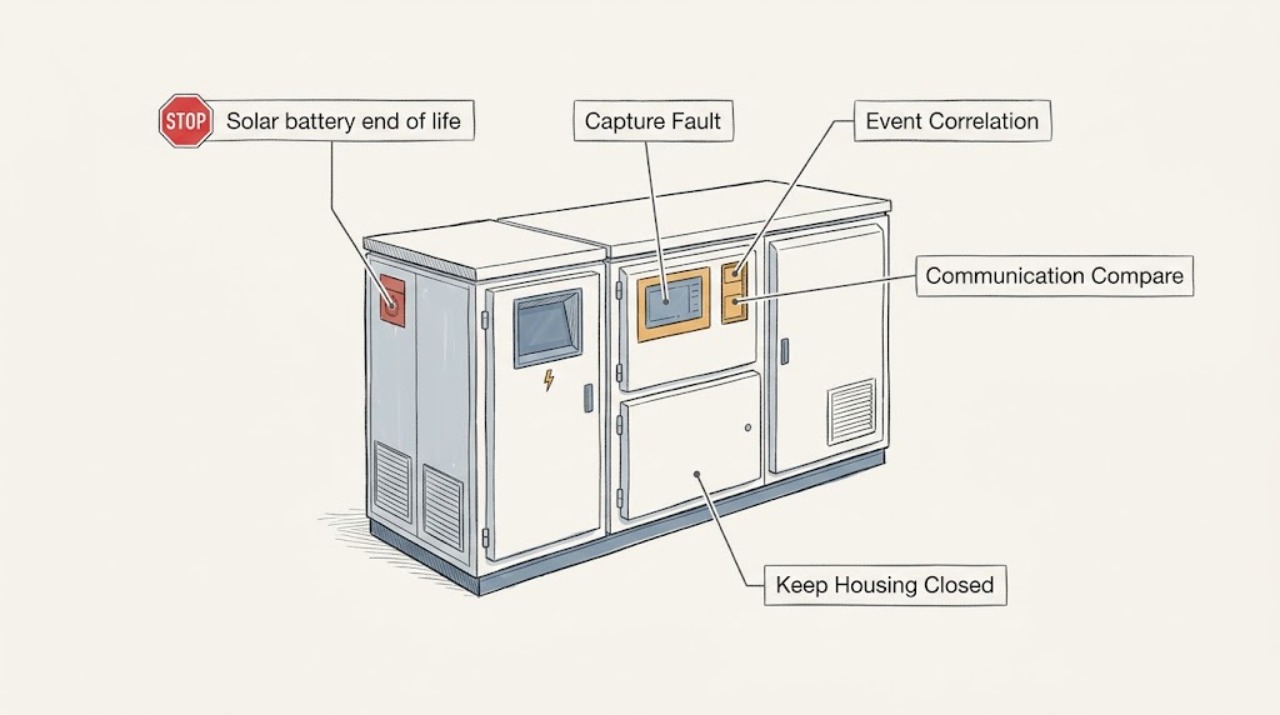
Work through in order
Diagnostic checks
Use only checks that match the exact appliance or system and its official guide.
-
Check 1
Capture the exact repeated fault code, alert wording, indicator state, and timestamp from the solar-battery app and any local display using normal viewing controls.
Expected result: Record whether the code is identical each time, whether it appears only in the app or also locally, whether the display shows charging, discharging, standby, or unavailable, and whether the message disappears without intervention.
Next step: Keep original screenshots and timestamps, then use the matching branch. Do not clear the history or acknowledge alerts merely to make them disappear.
Stop if: Stop if the display or enclosure shows heat, smoke, burning odor, swelling, leakage, physical damage, or an exposed electrical hazard.
Why this matters
Why: An app-only or one-time communication message can follow a gateway or network interruption; an identical code recurring on the battery or inverter display is stronger evidence of a persistent system fault, but neither proves end of life.
-
Check 2
Build a dated event timeline that links each fault to charging, discharging, solar production, household demand, grid outage or restoration, and any temperature indication already shown by the system.
Expected result: Mark whether the fault occurs only during charge, only during discharge, at a particular temperature or weather condition, during an outage transition, or with no repeatable trigger.
Next step: Attach the timeline to the original screenshots and preserve it for the installer; do not create a test outage or deliberately force a charge or discharge cycle.
Stop if: Stop normal observation during a grid outage, extreme weather, or any sign of heat, smoke, odor, swelling, leakage, or abnormal sound.
Why this matters
Why: A condition-linked alert may point the technician toward controls, thermal limits, communications, or an external operating event. A fault that persists across different conditions deserves a hardware and log review rather than a reset.
-
Check 3
Compare whether the app, gateway, inverter, and local battery indicators disagree while the battery's visible status remains stable, without changing network, inverter, or battery settings.
Expected result: Record an app or gateway offline message, missing energy data, or blank power-flow view separately from a local battery or inverter hardware-fault indication; note whether normal data returns on its own and whether the battery state changes.
Next step: Give the comparison to the installer or manufacturer support team and ask them to interpret communications and device logs; do not reconfigure, reset, or bypass the system to make the views agree.
Stop if: Stop if checking the disagreement would require opening a gateway or battery, accessing energized wiring, changing protective settings, or entering an unsafe area.
Why this matters
Why: A single app or gateway communication interruption can be a reporting problem. Repeated local fault indicators, repeated loss of function, or the same code after communication is restored points to a deeper service diagnosis.
-
Check 4
Review the fault history already available in the app or customer portal and compare the first occurrence, recurrence interval, and whether the fault clears and returns after ordinary operation.
Expected result: Classify the pattern as a single event, intermittent communication loss, repeated identical code, escalating code sequence, or continuous hardware-fault state; record gaps rather than deleting them.
Next step: Export or photograph the available history using normal account functions and keep the system in its manufacturer's safe state while service is arranged.
Stop if: Stop if the portal asks for an unsafe reset, manual override, firmware manipulation, battery access, or any step not clearly intended for the owner by the exact manufacturer documentation.
Why this matters
Why: Persistence and escalation are useful service evidence. Clearing a log or forcing repeated cycles would remove the very history needed to distinguish a transient event from a degrading component.
-
Check 5
Make a non-contact exterior record of the battery, inverter, gateway, and visible disconnect area, including model, serial, installation label, indicator state, ventilation area, and any visible damage.
Expected result: Note dust or blocked airflow, water intrusion, corrosion, deformation, unusual warmth only if it can be observed without touching, loose-looking covers, and whether labels identify the installer, commissioning date, or warranty contact.
Next step: Keep the area clear and send the photos, model and serial details, and installation documents to authorized service; do not remove covers or touch the enclosure.
Stop if: Leave the area and seek urgent support for smoke, fire, burning odor, hissing, swelling, leaking, rapidly rising heat, or exposed conductors.
Why this matters
Why: Exterior clues and identity records help the technician match the correct service procedure and warranty. They cannot establish cell health, internal temperature, insulation, state of charge accuracy, or remaining life.
-
Check 6
Use the fault record to decide whether a qualified technician must retrieve protected logs and evaluate warranty repair, component service, or full battery replacement.
Expected result: Answer yes when the same fault repeats, the battery fails to charge or discharge, the app and local display disagree persistently, the installation is outside normal operating conditions, or the cause remains unknown; answer no only when the manufacturer's support process has documented a resolved transient communication event.
Next step: Schedule the authorized installer or qualified battery service provider and provide the unedited logs, timeline, identity details, warranty documents, and observed safety limits.
Stop if: Do not open, disassemble, disconnect, bypass, force-cycle, or perform electrical or battery testing on the system.
Why this matters
Why: Repeated faults with lost function require professional diagnosis. End-of-life and replacement decisions require model-specific health data, service history, warranty terms, and safe decommissioning planning, not a consumer reset or age-based guess.
Use your observations
Decision map
Find the observation that best matches what you see, then follow the next safe action.
-
PATH 01Next step
What you see
One app or gateway communication alert occurred, the local battery and inverter indicators remained normal, and data returned without a repeated hardware code.
Do this next
Preserve the timestamp and screenshots and follow the manufacturer's owner support path. If the alert returns or local status changes, have the installer retrieve logs rather than repeatedly resetting the system.
-
PATH 02Next step
What you see
The same code or hardware-fault state returns in the app or local display across more than one ordinary operating period.
Do this next
Stop treating it as a one-off communication issue and arrange authorized service for protected log review, operating-condition correlation, and a repair-versus-replacement assessment.
-
PATH 03Next step
What you see
Faults correlate consistently with charging, discharging, solar production, household demand, temperature, or an outage transition.
Do this next
Give the event timeline to the installer. Do not manufacture a charge, discharge, outage, or temperature test; the technician decides which controlled diagnostics are safe.
-
PATH 04Next step
What you see
The battery repeatedly will not charge or discharge, remains unavailable, or shows a continuous fault after communication appears normal.
Do this next
Keep people away from any hazard and request prompt qualified service. The technician determines whether a controller, inverter, battery component, or complete replacement is warranted.
-
PATH 05Next step
What you see
Smoke, burning odor, hissing, swelling, leaking, severe heat, fire, visible damage, or exposed electrical parts are present.
Do this next
Leave the area and use emergency support as appropriate. Do not approach, open, move, disconnect, or attempt to cool the battery; notify the manufacturer and qualified emergency or electrical responders.
-
PATH 06Next step
What you see
The model, serial, commissioning date, service history, warranty terms, or prior replacement record is missing or contradictory.
Do this next
Collect only accessible labels and documents and ask the installer or manufacturer to confirm coverage and approved replacement path. Do not order a substitute battery or dispose of the old unit yourself.
-
PATH 07Next step
What you see
The cause remains uncertain because logs are unavailable, have been cleared, or require protected service access.
Do this next
Preserve every remaining screenshot and stop user-level diagnosis. Arrange professional log retrieval and a safe service or decommissioning plan.
Helpful context
Understand the symptom
Repeated alerts are evidence, not an end-of-life verdict
A solar battery can show an app or display alert because a gateway, meter, network link, inverter, temperature condition, control state, or battery component is unavailable. One communication interruption is different from the same hardware fault code returning across normal charge, discharge, and grid conditions. The pattern and the manufacturer's service records matter more than an age guess.
Observe without resetting the energy system
Use the normal app or display view to record what is already shown, and photograph the screen if safe. Do not acknowledge away or clear history, force a power cycle, force a charge or discharge cycle, open the enclosure, remove a cover, or probe terminals. Stay clear during a grid outage, severe weather, heat, burning odor, swelling, leaking, smoke, or other visible damage.
Build a time-linked fault record
For every event, note the exact code or wording, date and time, app or local-display source, battery state of charge if shown, whether the system was charging or discharging, ambient or equipment temperature indication, grid outage or restoration, and whether solar production or household loads changed. Preserve the original screenshots and logs for the installer or manufacturer.
Let qualified service decide repair, warranty, or replacement
An authorized installer or qualified battery technician can retrieve protected logs, compare the fault history with operating conditions, inspect the complete energy-storage system, and check the model, serial number, commissioning record, warranty terms, and service notices. Only that review can separate a communication fix from a persistent hardware fault or an end-of-life replacement decision.
Safety boundary
Stop conditions
- Do not clear logs, acknowledge away repeated alerts, force a reset, or deliberately cycle charging, discharging, or grid operation.
- Do not open, disassemble, move, disconnect, or probe the battery, inverter, gateway, disconnect, or wiring.
- Stop and leave the area for smoke, fire, burning odor, hissing, swelling, leakage, severe heat, visible damage, or exposed electrical parts.
- Do not troubleshoot during a grid outage or extreme weather, and do not order a substitute or dispose of the battery before manufacturer or qualified-service guidance.
When checks do not resolve it
Need a professional?
Arrange authorized installer or qualified solar-battery service when the same fault returns, charging or discharging is unavailable, local and app status disagree persistently, logs are inaccessible, or warranty and replacement status is uncertain. Seek urgent support for smoke, fire, burning odor, hissing, swelling, leakage, severe heat, visible damage, or exposed electrical parts.
Safety scope: This article provides observation and documentation only. Do not clear logs, force a reset or charge/discharge cycle, open or disassemble the battery, remove covers, disconnect wiring, bypass alarms or interlocks, or perform electrical, thermal, or battery testing.
Common questions
FAQ
Does a repeated solar-battery fault code prove the battery is at end of life?
No. A repeated code can involve communications, controls, temperature, inverter or gateway behavior, or an internal battery fault. End-of-life and replacement decisions require model-specific logs, health information, service history, and warranty review by qualified service.
How can I tell a one-time communication problem from a persistent fault?
Record whether the alert appears only in the app or also on the local battery or inverter display, whether normal data returns, and whether the same code returns across charging, discharging, and ordinary grid conditions. Do not reset or reconfigure the system just to clear the message.
What should I include in a solar-battery fault timeline?
Include the exact code and time, app or display source, charge or discharge state, temperature indication, solar production and household load context, grid outage or restoration, changes in availability, and any heat, odor, swelling, leakage, or unusual sound. Keep the original screenshots and unedited history.
Can I clear the logs or force a charge-discharge cycle to see if the fault returns?
No. Clearing logs removes evidence, and forcing cycles or resets can create unsafe conditions or obscure the failure pattern. Let the authorized installer or qualified battery technician perform controlled diagnostics.
When should I request warranty service or replacement?
Request service when the same fault repeats, charging or discharging is unavailable, a local hardware indicator remains faulted, or a hazard appears. Provide the model, serial, installation and service records, warranty documents, screenshots, and timeline; the manufacturer or qualified installer determines repair, warranty coverage, or replacement.
Read the exact guide
Official sources
- Troubleshooting Your PowerwallTesla, Inc. · Tesla Powerwall-specific owner guidance; use the exact manual and support path for the installed battery model rather than treating its indicators as universal.
- Powerwall Owner DocumentsTesla, Inc. · Tesla Powerwall documentation index; use the document matching the installed model and region when checking warranty or replacement boundaries.
- Energy Storage Safety Strategic PlanU.S. Department of Energy · General energy-storage safety planning; the installed chemistry, model instructions, local authority, and qualified service provider control the household system's procedure.
Community feedback
Share a repair observation
Share a plain-text repair observation. Accepted observations are published automatically; this page may take a moment to update.