
On this page
Start here
Quick answer
Do not open, handle, remove, rebuild, or electrically test a solar-storage battery. First use the system app and any normal exterior display to record the battery state of charge, available-energy or power status if shown, alerts, connectivity, and recent charge/discharge history. Compare the pattern with solar production, household demand, backup-reserve settings, operating mode, weather, and outage or utility events. A capacity decline is more credible when reduced usable energy persists across comparable conditions and the system has no active configuration, temperature, communication, or event warning; only the manufacturer or a qualified solar-storage professional can confirm end of life and quote a safe replacement.
Work through in order
Diagnostic checks
Use only checks that match the exact appliance or system and its official guide.
-
Check 1
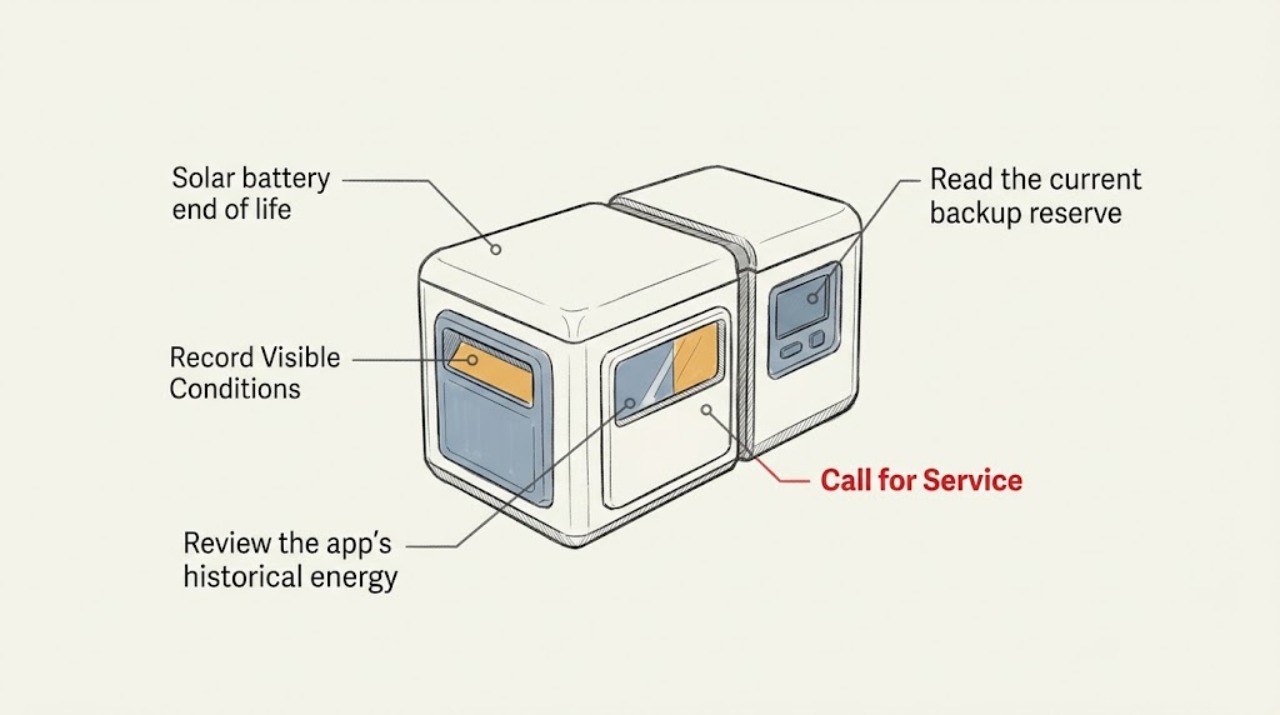
From the normal user app or exterior user-facing display, record the battery's state of charge, available energy or power value if shown, current operating state, connectivity, and any alert or warning.
Expected result: Note whether the system is charging, discharging, idle, unavailable, in standby, reporting a communication problem, or showing a temperature, service, or safety alert.
Next step: Save a screenshot and the exact alert text for the installer or manufacturer; do not open the enclosure or attempt a component test or battery reset.
Stop if: Stop observing and follow the manufacturer's emergency guidance if the system reports smoke, fire, abnormal heat, swelling, physical damage, or another safety warning.
Why this matters
Why: An alert, unavailable state, or lost communication can explain a short backup event without proving cell capacity decline; a normal status with persistently low delivered energy needs a deeper professional review.
-
Check 2
Review the app's historical energy or backup view and compare more than one charge/discharge event at similar starting charge and household demand.
Expected result: Record the usable energy or discharge duration shown, whether the battery reached its configured reserve, and whether the event ended because of reserve, load, solar availability, an alert, or an outage ending.
Next step: Export or save the relevant history if the app permits and give the dates, starting charge, load pattern, and ending reason to the qualified provider.
Stop if: Stop if the app requests service, shows inconsistent safety data, or no longer provides a trustworthy status; do not compensate by handling the battery.
Why this matters
Why: A single short event may be explained by a large load, a higher reserve, limited solar charging, or an event setting; a persistent reduction under comparable conditions is stronger evidence for a health evaluation.
-
Check 3
Read the current backup reserve, operating mode, schedules, time-of-use or utility-event setting, and other visible configuration values without changing wiring or opening equipment.
Expected result: Note whether reserve is higher than before, backup is disabled, a storm or grid event mode is active, a schedule limits charging, or a mode prioritizes self-consumption or savings over backup availability.
Next step: Compare the settings with the date when the shorter backup began and ask the installer or system support whether the configuration explains the result before requesting replacement.
Stop if: Stop if a setting is unfamiliar, locked, or associated with a service warning; do not make repeated changes to chase a capacity result.
Why this matters
Why: A changed reserve or operating mode can reduce the energy available during an outage even when the battery's physical capacity has not changed.
-
Check 4
Record visible solar production, household demand, weather conditions, and the timing of any outage or utility event for the same historical periods.
Expected result: Look for unusually low solar production, unusually high household load, very hot or cold conditions, a storm, or a grid event that coincided with the apparently short backup.
Next step: Add the event and weather context to the service report and ask the provider to separate thermal, solar-input, configuration, and battery-health causes.
Stop if: Stop and use the manufacturer's safety or emergency route if the system shows a thermal or physical safety warning rather than an ordinary performance notification.
Why this matters
Why: Temperature protection, reduced charging input, event behavior, or higher demand can temporarily reduce delivered backup energy; they are different from a sustained capacity decline.
-
Check 5
Gather the visible system identity and records from the app, installer documents, and warranty paperwork without touching the battery or removing any label or panel.
Expected result: Record the manufacturer, model, commissioning date if documented, number of installed units, warranty or service status, and the first date when usable backup seemed reduced; do not assume a fixed lifespan from the date alone.
Next step: Request a professional capacity or state-of-health assessment and a replacement quote only after the provider reviews the app history and system configuration.
Stop if: Stop if obtaining a record would require opening equipment, handling a battery, performing an electrical measurement, or bypassing a safety control.
Why this matters
Why: System identity and records let a qualified provider check model-specific health limits, firmware, warranty coverage, and replacement compatibility; age by itself does not diagnose end of life.
Use your observations
Decision map
Find the observation that best matches what you see, then follow the next safe action.
-
PATH 01Next step
What you see
The app or exterior display shows smoke, fire, abnormal heat, swelling, physical damage, or another safety warning.
Do this next
Do not approach or handle the battery; follow the manufacturer's emergency guidance and local emergency procedures, then arrange qualified service when the site is safe.
-
PATH 02Next step
What you see
The short backup event coincides with a changed reserve, mode, schedule, utility event, high household load, or low solar production.
Do this next
Treat the result as configuration, event, or operating-condition evidence first; preserve the history and ask the installer to verify settings before requesting replacement.
-
PATH 03Next step
What you see
A temperature or communications alert appears, or the battery is unavailable in the app.
Do this next
Arrange manufacturer or qualified installer support for the alert and communications path; do not infer cell end of life or perform electrical tests.
-
PATH 04Next step
What you see
Usable energy remains reduced across comparable events after reserve, mode, load, solar input, temperature, and event effects are considered.
Do this next
Request a qualified state-of-health and warranty assessment and a system-compatible replacement quote; do not rebuild or remove the battery yourself.
-
PATH 05Next step
What you see
The data is incomplete, inconsistent, or shows only one unusual event.
Do this next
Continue safe app and records observation, collect comparable history, and ask the provider to diagnose configuration and event causes before labeling the battery end of life.
Helpful context
Understand the symptom
What end of life can and cannot be inferred from an app
A shorter backup period is not automatically proof that the battery has reached end of life. The usable result can change when backup reserve, operating mode, schedules, household load, solar production, temperature protection, or a grid event changes. Battery health is also affected by time, cycling, temperature, charge and discharge rates, and storage conditions, so a service professional needs the system identity and history rather than one screenshot.
Compare like with like
Use the app's historical views or downloadable history when available. Compare similar outage or discharge events, similar starting charge, similar backup settings, and similar household demand. If the battery is simply holding less because reserve or loads changed, that is a configuration or usage explanation; if the delivered energy stays reduced after those factors are accounted for, ask the installer or manufacturer to evaluate health and warranty status.
When replacement becomes a service decision
A qualified provider can review alerts, firmware and communications, operating history, thermal events, measured state of health, warranty terms, and system compatibility. Do not guess a universal battery lifespan or select a replacement from capacity alone. Keep the battery installed and untouched while arranging the evaluation, and follow the manufacturer's emergency guidance for smoke, heat, odor, damage, or other safety warnings.
When checks do not resolve it
Need a professional?
Request a qualified solar-storage evaluation when reduced backup persists across comparable events, the app shows a repeated health or service alert, the system is unavailable, or warranty and replacement options need review.
Have this ready
- Provide manufacturer and model, commissioning records, unit count, screenshots of status and alerts, backup reserve and operating mode, comparable event history, starting and ending charge, load and solar context, weather or utility-event context, and warranty documents.
Common questions
FAQ
Does a shorter outage backup prove the solar battery is at end of life?
No. Reserve settings, operating mode, household load, solar input, temperature, utility events, communications, and a battery-health change can produce similar symptoms. Compare comparable history and request a professional assessment.
Can I open the battery or test its cells to check capacity?
No. Do not open, handle, rebuild, remove, or electrically test a home-storage battery. Use the app and visible records, then have a qualified solar-storage professional diagnose state of health.
Is there a universal number of years when every solar battery must be replaced?
No. Battery life depends on the model, environment, operating window, charge and discharge pattern, temperature, and warranty terms. The commissioning date is useful context but is not a diagnosis by itself.
Read the exact guide
Official sources
- Battery LifespanNational Laboratory of the Rockies, U.S. Department of Energy · The DOE national laboratory explains that battery degradation and lifetime depend on environmental, thermal, mechanical, cycling, charge/discharge, and storage factors, and that health diagnosis is more complex than a simple age estimate.
- Energy DataTesla Support · The manufacturer documents app energy graphs, historical day/month/year/lifetime views, charge-level history, and downloadable data for supported systems.
- System Alerts and NotificationsTesla Support · The manufacturer lists user-facing alerts and notifications that can explain a system state requiring service or further support; the exact alert meanings are model- and system-dependent.
Community feedback
Share a repair observation
Share a plain-text repair observation. Accepted observations are published automatically; this page may take a moment to update.