
On this page
Start here
Quick answer
A warning light beside a solar monitoring error code is useful only when you identify exactly which device is lit and match its color and flash pattern to that brand and model's official guide. Record whether the light is on the inverter, gateway, battery, or another controller; whether it is off, solid, or flashing; the exact timing; and the app message. Then compare communication status with actual solar production, battery charge or discharge, and grid state. A one-time app or network warning is different from a persistent inverter fault or a battery or grid-status fault. Do not invent a universal light-code meaning, open equipment, operate a DC isolator, go onto the roof, or perform any live test.
Before you begin
Safety first
- This article is observation-only. Do not open the inverter, gateway, battery, meter, or controller; operate a DC isolator; remove covers; test live or concealed wiring; climb onto the roof; reset repeatedly; or force charge, discharge, or outage conditions.
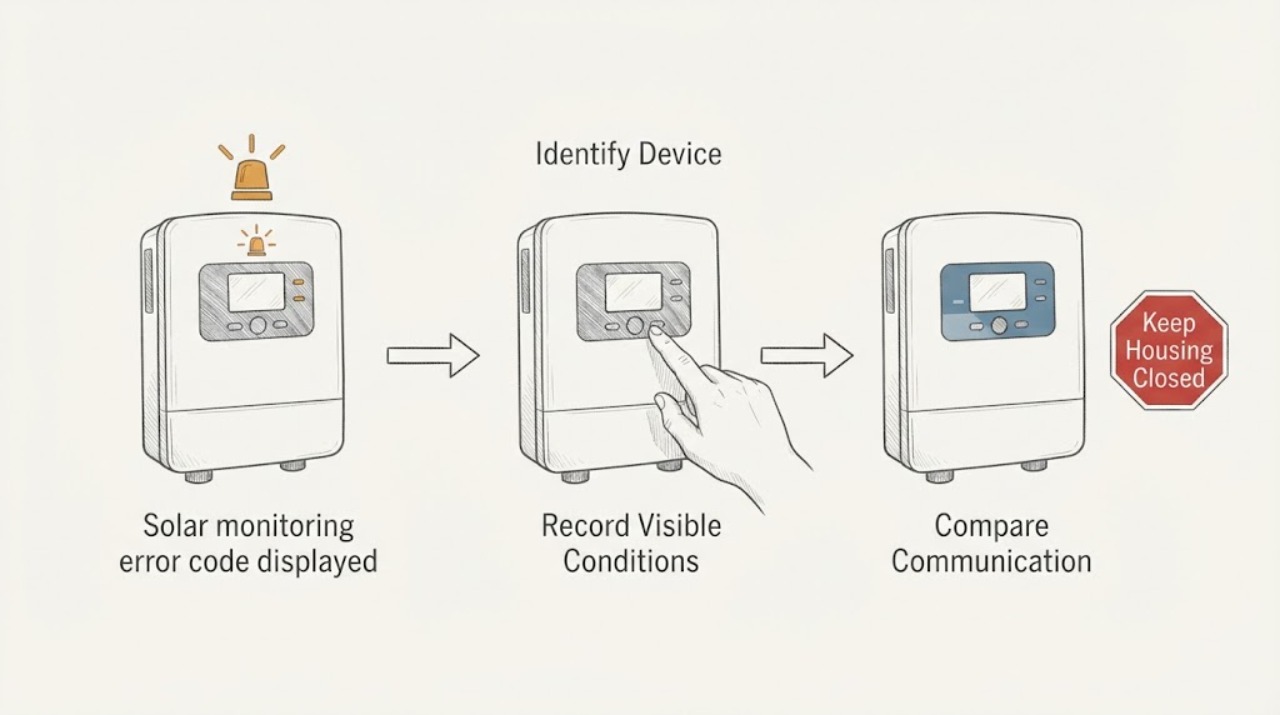
Work through in order
Diagnostic checks
Use only checks that match the exact appliance or system and its official guide.
-
Check 1
From a safe ground-level position, identify whether the warning light is on the inverter, monitoring gateway, battery, meter, controller, or another labeled device, and record the visible brand and model.
Expected result: Note the exact device name, light location, nearby display or status label, and whether the app error names the same device or a different one.
Next step: Photograph the device label and indicator area without opening or touching equipment, then locate the matching official owner or installer guide.
Stop if: Stop if the label cannot be reached without climbing, entering a restricted area, removing a cover, or approaching heat, smoke, exposed wiring, or other damage.
Why this matters
Why: Device identity narrows the interpretation: a gateway or monitor can lose communication while generation continues, whereas an inverter or battery indicator may reflect production, storage, or electrical state. Do not infer a code before the model is known.
-
Check 2
Record the warning light's color, whether it is off, solid, or flashing, the visible flash interval or sequence, and the exact app error wording and timestamp using normal viewing controls.
Expected result: Capture the light and app message together when possible; record changes rather than guessing a code from color alone.
Next step: Match the recorded pattern only to the official documentation for the identified model; if no exact match exists, send the unmodified evidence to qualified service.
Stop if: Do not remove covers, move the unit, use a meter, operate a disconnect, or approach a hot, noisy, damaged, or wet enclosure.
Why this matters
Why: The pattern is the condition-specific evidence. A manufacturer may assign different meanings to a solid light, a repeating flash, or no light, and meanings cannot be transferred between brands or models.
-
Check 3
Compare the app's last-updated time and communication status with the local inverter or gateway display, without changing network, account, firmware, or device settings.
Expected result: Classify the result as app or gateway data stale while local production appears normal, both local and app status unavailable, or a local fault indicator present with communication apparently normal.
Next step: Preserve screenshots and timestamps and ask the installer or manufacturer support team to interpret communication and device logs.
Stop if: Stop if the check requires a reset, reconfiguration, access to network hardware in an unsafe location, or opening any electrical enclosure.
Why this matters
Why: Stale monitoring data can be a network or gateway path while the system still produces. A matching local fault or loss of production requires equipment diagnosis rather than a monitoring-only fix.
-
Check 4
Record the app or display's visible solar production, inverter operating state, battery charge or discharge availability, and grid or outage status at the time of the warning.
Expected result: Note whether generation has stopped, storage is unavailable, the system is in an outage transition, or only the monitoring message is affected; do not create an outage or force a charge or discharge event.
Next step: Wait for safe normal conditions and use the matching branch; arrange qualified service when production or storage remains unavailable or the warning repeats.
Stop if: Do not troubleshoot during a grid outage, severe weather, roof access, or any condition requiring operation of a DC isolator or live equipment.
Why this matters
Why: This separates a communication warning from a production shutdown, storage fault, or grid-status condition. A warning during a real outage may be an expected transition or may require service after power returns, depending on the model guide.
-
Check 5
Build a dated record of each warning and compare one-time, intermittent, and persistent appearances without clearing notifications or repeatedly resetting the system.
Expected result: Record whether the same light pattern and app code recur after normal communication returns, whether the warning follows a specific time or operating state, and whether the pattern is changing or escalating.
Next step: Keep original screenshots and the timeline and provide them to the installer; do not erase history or force a cycle to reproduce the light.
Stop if: Stop for smoke, burning odor, unusual heat, buzzing, swelling, water intrusion, sparking, or visible equipment damage.
Why this matters
Why: A single warning that does not return may be a transient communication event. A repeated exact pattern, recurring local indicator, or worsening production or storage impact warrants protected log review and hardware assessment.
-
Check 6
Decide whether the exact brand-and-model documentation explains the recorded light pattern and whether a qualified professional must assess the system.
Expected result: Answer yes for an exact official match with normal production and no safety concern only when the manufacturer describes it as an owner-observable status; answer no when the model is unknown, the code is absent from the guide, the light recurs, or production, storage, or grid behavior is abnormal.
Next step: Send the model, photos, exact pattern, app error, timestamps, system-state record, and installation documents to qualified service before any reset, repair, or replacement decision.
Stop if: Do not open the inverter, gateway, battery, or controller; operate a DC disconnect; climb onto the roof; or perform a live test.
Why this matters
Why: No universal warning-light map is safe. Unknown or persistent patterns require an installer or qualified solar technician to read device logs and determine whether the fault is communication, generation, storage, grid, or hardware.
Use your observations
Decision map
Find the observation that best matches what you see, then follow the next safe action.
-
PATH 01Next step
What you see
The app or gateway reports stale or missing data, but the inverter locally indicates normal production and no local fault pattern is present.
Do this next
Treat this as a possible communication or monitoring path. Preserve the timing and screenshots and use the manufacturer's model-specific support process; if the local indicator changes or production stops, escalate to the installer.
-
PATH 02Next step
What you see
The inverter's official model guide maps the recorded light pattern to a fault, or local status shows no production while the app displays an error.
Do this next
Arrange qualified solar service for inverter and array diagnosis. Do not operate the DC isolator, access the roof, open the inverter, or infer a repair from the light color.
-
PATH 03Next step
What you see
The warning coincides with unavailable battery charging or discharging, a grid outage or restoration, or a battery or gateway state rather than a production-only message.
Do this next
Record the event and wait for safe normal conditions without forcing a cycle. If storage or grid status remains abnormal, have the authorized installer assess the battery, gateway, inverter, and grid interface.
-
PATH 04Next step
What you see
A single app warning occurred, the exact light pattern is not repeated, and normal monitoring and system operation returned without user resets.
Do this next
Keep the original record and follow the manufacturer's support guidance. A repeat of the same code or light pattern changes this to a service diagnosis.
-
PATH 05Next step
What you see
The warning light or error code repeats, the model-specific guide does not identify it, or app and local states remain inconsistent.
Do this next
Stop user-level troubleshooting and request qualified log retrieval and system inspection. Do not clear notifications, force a reset, or substitute a generic interpretation.
-
PATH 06Next step
What you see
Smoke, burning odor, unusual heat, buzzing, sparking, swelling, water intrusion, damaged enclosure, or exposed wiring is visible.
Do this next
Leave the area and use emergency support as appropriate. Do not approach, open, disconnect, cool, or move the equipment; notify the manufacturer and qualified responders.
Helpful context
Understand the symptom
The light's location and pattern are the diagnostic delta
A warning light is not a generic fault code. The same color can mean different things on different inverters, gateways, batteries, and monitoring controllers, and a dark light may be normal night behavior on some systems. Identify the device and model first, then record the exact color, solid or flashing behavior, flash interval if visible, and the app message at the same time.
Separate communications from production and storage
Compare the app's data timestamp with the local device state without changing settings. If the app is stale but the inverter still shows production, monitoring or network communication is the leading service path. If the inverter indicates no production, or the battery cannot charge or discharge, the issue is not just a display problem. A grid outage or restoration can also change the normal state; do not troubleshoot during the outage.
Use only model-specific light meanings
Official documentation must supply the meaning of a particular color and pattern. For example, SolarEdge publishes a device-specific table linking blue, green, and red LED states to communication, production, and system error; that table must not be applied to another brand or model. When the installed model is unknown or its guide is unavailable, record the light without interpreting it and escalate.
Stay outside the equipment boundary
Use normal app and display views, a camera, and a safe ground-level viewpoint. Do not open an inverter, gateway, or battery enclosure; operate a DC disconnect; remove covers; test terminals; climb onto the roof; or reset the installation to make a light change. Preserve screenshots and timestamps for the qualified installer or manufacturer support team.
Safety boundary
Stop conditions
- Do not assign a light-code meaning from color alone or copy a code map from another brand or model.
- Do not open equipment, remove covers, operate a DC isolator, access the roof, touch wiring, or perform a live test.
- Do not clear notifications, force resets, or manufacture charge, discharge, network, or outage events.
- Stop and leave the area for smoke, burning odor, unusual heat, buzzing, sparking, swelling, water intrusion, damaged equipment, or exposed wiring.
- Do not troubleshoot during a grid outage or severe weather; use the manufacturer and qualified-service path.
When checks do not resolve it
Need a professional?
Arrange qualified solar service when the warning light or error repeats, its exact model-specific meaning is unknown, app and local indicators disagree persistently, production or battery operation is unavailable, or a grid-related warning remains after safe normal conditions return. Seek urgent support for smoke, fire, burning odor, unusual heat, buzzing, sparking, swelling, water intrusion, damaged equipment, or exposed wiring.
Safety scope: This article is observation-only. Do not open the inverter, gateway, battery, meter, or controller; operate a DC isolator; remove covers; test live or concealed wiring; climb onto the roof; reset repeatedly; or force charge, discharge, or outage conditions.
Common questions
FAQ
Does a red, amber, or flashing light have the same meaning on every solar system?
No. Meanings vary by device, brand, model, and flash pattern. Identify the exact device and match its color and behavior only to that manufacturer's official guide; record an unknown pattern without interpreting it.
How do I tell a monitoring connection problem from a solar production failure?
Compare the app's last-updated time with the local inverter state and visible production. Stale app data with normal local production suggests a monitoring path, while a local fault or no production needs qualified system diagnosis. Do not change settings or operate disconnects to test the distinction.
What should I record about the warning light?
Record which device is lit, its brand and model, light location, color, off/solid/flashing behavior, flash interval if visible, exact app code or wording, timestamps, and whether production, battery charging or discharging, or grid status changed at the same time.
Can I reset the inverter or operate the DC isolator to see whether the light clears?
Do not. Resetting, operating a DC isolator, opening equipment, or repeating a forced test can create risk and erase the pattern needed for diagnosis. Send the unmodified record to the installer or manufacturer support team.
What if the warning appears during a power outage or at night?
Record the outage or time-of-day context and avoid troubleshooting during the outage or severe weather. Some systems intentionally change state at night or during grid loss; the exact model guide and the system's behavior after safe normal conditions determine whether service is needed.
Read the exact guide
Official sources
- Inverter Status and System Performance IndicationsSolarEdge Technologies, Inc. · SolarEdge-specific LED table used to demonstrate why color and pattern must be read against the exact manufacturer's documentation; do not generalize it to another system.
- Troubleshooting Your SystemTesla, Inc. · Tesla system-specific owner guidance; use only when the installed system matches the named Tesla equipment and its current documentation.
- Solar and Resilience BasicsU.S. Department of Energy · General solar-plus-storage context; the installed equipment's manufacturer documentation and qualified service provider control the exact status and safety procedure.
Community feedback
Share a repair observation
Share a plain-text repair observation. Accepted observations are published automatically; this page may take a moment to update.