
On this page
Start here
Quick answer
A solar monitoring gateway marked offline usually means the monitoring path has lost power, home-network connectivity, gateway-to-inverter communication, or the service connection, and it does not by itself prove that the solar array has stopped producing. Compare the app's offline message with the inverter's externally visible status, the gateway's visible power or status indicator, the home router's normal status, and the time the data stopped updating. Do not open the inverter or gateway, perform live electrical tests, change electrical disconnects, or treat an unverified alert as a production diagnosis. If there is physical damage, heat, smoke, burning odor, water intrusion, exposed wiring, or an electrical hazard, keep away and arrange qualified solar service.
Before you begin
Safety first
- Do not open the inverter or gateway, touch conductors or connectors, perform live electrical tests, change disconnect states, climb to the roof, or approach damaged equipment. Keep people away from heat, smoke, burning odor, water, arcing, and exposed wiring and obtain qualified help.
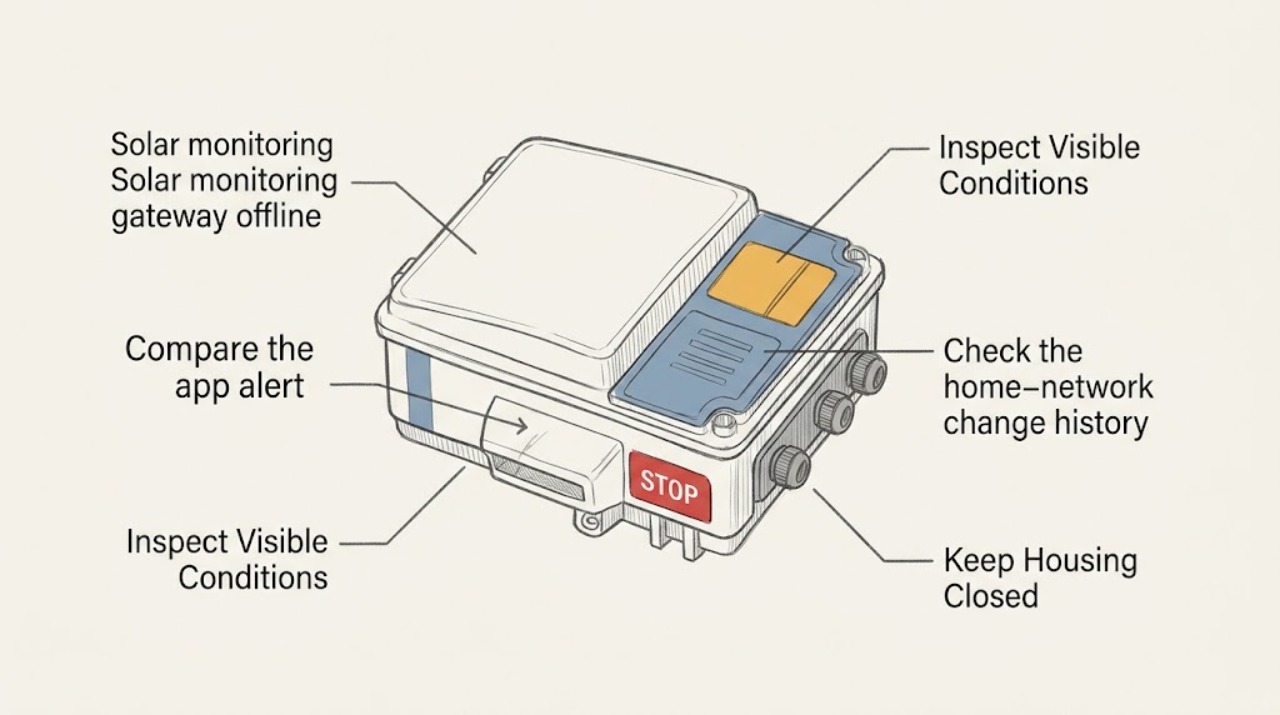
Work through in order
Diagnostic checks
Use only checks that match the exact appliance or system and its official guide.
-
Compare the app alert with system status
Open the solar monitoring app and record the exact offline banner, missing-data message, last-update time, and any production or communication alert. Then look at the inverter's normal external display or indicator from a safe position without opening or touching it.
Expected result: Note whether the app alone is stale, whether the inverter externally indicates production, whether it shows an error or no-power state, or whether both views are unavailable.
Next step: Save the exact messages and continue with gateway and home-network observations. Do not interpret an unfamiliar code or attempt an inverter reset.
Stop if: Stop and keep away if the inverter or gateway shows smoke, heat damage, arcing, exposed wiring, water intrusion, or a burning odor.
Why this matters
Why: An app-only data gap points toward the gateway, network, or monitoring path; an inverter error or no-power indication may be a system issue in addition to the monitoring problem. An app gap alone cannot establish that the array is not producing.
-
Observe the gateway's visible power and status
From a dry, safe position, look at the gateway's external power light, communication light, audible alert, and cable condition. Do not remove a cover, reach behind the unit, pull a cable, or touch a connector.
Expected result: Record whether the gateway appears powered, has a changed or fault indicator, is silent or alerting, and whether the visible cable or enclosure looks intact.
Next step: Use the exact gateway model and indicator description when consulting the manufacturer's instructions or contacting the installer or monitoring provider. Do not perform live electrical tests or open the enclosure.
Stop if: Stop immediately for heat, smoke, odor, cracked enclosure, damaged cable, water, exposed conductors, or any need to handle the gateway internally.
Why this matters
Why: No visible power or a gateway fault indicator can explain the monitoring outage and needs model-specific support. A powered, normal-looking gateway with stale data shifts attention toward the router path, gateway-to-inverter link, or service connection.
-
Check the home-network change history
Without changing solar equipment, check whether the home router or internet service recently changed, restarted, moved, or lost normal connectivity. Confirm that an ordinary household device can use the home network in the usual way, but do not rewire the gateway or alter electrical equipment.
Expected result: Note a router replacement, changed network name or password, internet outage, intermittent household connection, or no recent network change.
Next step: Record the date and nature of any network change and provide it to the installer or monitoring provider. Follow only model-specific, user-facing network guidance; do not guess at credentials, ports, or wiring.
Stop if: Stop if checking the network would require opening a router, gateway, inverter, disconnect, or electrical enclosure, or if there is physical damage or an electrical hazard.
Why this matters
Why: A recent network change can interrupt a gateway's path to the monitoring service, while normal household internet with no change makes a gateway-specific or equipment communication issue more plausible. Neither observation identifies a failed component by itself.
-
Compare the offline timing with power and weather events
Review the app timeline and household records for when monitoring stopped, then note any utility outage, router interruption, severe weather, maintenance visit, or system change around that time. Observe the equipment only from a safe location after conditions are normal.
Expected result: Record whether the gap began after a network or utility event, appears intermittent, affects only monitoring, or coincides with an inverter error, physical damage, or no-production indication.
Next step: Provide the timeline, weather or outage context, and screenshots to the installer or manufacturer support. Do not approach rooftop equipment or attempt a weather-related inspection.
Stop if: Stop for storm conditions, roof or ladder access, water around equipment, impact damage, burning odor, smoke, or any sign that the solar system may be energized and damaged.
Why this matters
Why: Timing after a network event supports a communication-path investigation; timing with an inverter fault or physical event raises the need for qualified system service. Intermittent reporting can also reflect range, interference, or gateway health, but it should not be diagnosed from timing alone.
-
Prepare an exact support handoff
Gather the gateway and inverter labels only if they are already readable from a safe position, the app account or site identifier, exact alert text, visible indicator states, last successful report, router-change history, and whether the inverter appears to produce externally.
Expected result: A complete record may show a gateway-only outage, a network-path issue, a gateway-to-inverter communication problem, or a broader inverter/system fault; missing information should be marked unknown rather than guessed.
Next step: Send the record to the installer or manufacturer support and request model-specific troubleshooting. Keep the solar equipment in its existing state while waiting for instructions.
Stop if: Stop all user troubleshooting for heat, smoke, odor, water, exposed wiring, damaged equipment, repeated electrical trips, or any concern about personal safety.
Why this matters
Why: The correct next owner may be the monitoring provider, solar installer, network support, or a qualified electrician/solar technician. The gateway cannot be safely isolated from the rest of the system by a homeowner diagnosis alone.
Use your observations
Decision map
Find the observation that best matches what you see, then follow the next safe action.
-
PATH 01Next step
What you see
The app is offline or stale, but the inverter externally appears normal and the gateway appears powered.
Do this next
Treat this as a communication-path issue first. Record router changes, gateway indicators, and the last update, then use the installer or monitoring provider's model-specific support route.
-
PATH 02Next step
What you see
The gateway has no visible power, a fault indicator, or an audible alert.
Do this next
Stop at external observation and request qualified support. Do not open the gateway, move electrical disconnects, or test live conductors.
-
PATH 03Next step
What you see
A router or internet change occurred near the time monitoring stopped.
Do this next
Tell the monitoring provider or installer exactly what changed and follow only documented, user-facing network steps for the gateway model. Do not guess wiring or credentials.
-
PATH 04Next step
What you see
The inverter shows an error, no-power indication, physical damage, or no production as well as the gateway being offline.
Do this next
Escalate to qualified solar service for the system and communication path. Preserve the exact message and do not reset, open, or electrically isolate equipment.
-
PATH 05Next step
What you see
The outage is intermittent or began after severe weather, impact, water exposure, or a maintenance change.
Do this next
Keep away from the equipment and provide the timeline and photos taken from a safe position to the installer or manufacturer support. Do not climb, approach damaged equipment, or inspect the roof.
-
PATH 06Next step
What you see
There is heat, smoke, burning odor, arcing, exposed wiring, water near equipment, or any immediate electrical danger.
Do this next
Leave the area, keep people away, and use appropriate emergency or qualified professional help. Do not touch, cover, reset, or continue testing the solar equipment.
Helpful context
Understand the symptom
Separate monitoring from solar production
A gateway relays information between solar equipment, the home network, and a monitoring service. A blank or stale app can therefore reflect a communication problem even when the inverter is still producing, while an inverter error can mean the system itself needs attention. Start by recording both views rather than assuming that an offline gateway is a panel failure.
Use only external, model-specific checks
Gateway designs differ: some use Ethernet to the router and a wireless link to the inverter, while other systems use a different communication path. Manufacturer support pages and the equipment owner's documents are the authority for the exact model. The observations below avoid removing covers, touching conductors, or changing a solar system's electrical state.
What to send with a service request
Save a screenshot of the app alert, the exact gateway and inverter model if visible, the gateway indicator state, the inverter's externally visible message, the last time data updated, recent router or internet changes, and whether a household device can normally reach the internet. This lets the installer or monitoring provider distinguish a network path from an equipment fault.
Only after diagnosis
Potential parts
- energy-monitor
Consider this only if qualified support confirms that the monitoring gateway or energy-monitor component has failed rather than the home network or inverter communication path.
Gateway and monitor compatibility depends on the inverter family, communication method, firmware, site configuration, and installer requirements; confirm fitment with the manufacturer or installer before ordering. - wifi-range-extender
Consider this only if the system documentation or a qualified installer identifies a confirmed wireless-range issue and permits an extender in that design.
An extender cannot repair a failed gateway, damaged inverter, or incompatible communication protocol; confirm the gateway's network requirements and placement with the manufacturer or installer.
When checks do not resolve it
Need a professional?
Contact the installer or monitoring provider when the gateway remains offline after the documented external checks, the gateway has no visible power or a fault indicator, the inverter also shows an error or no production, or the issue follows a network, utility, weather, or equipment event. Use emergency or qualified solar/electrical service for heat, smoke, odor, arcing, water, or exposed wiring.
Safety scope: Do not open the inverter or gateway, touch conductors or connectors, perform live electrical tests, change disconnect states, climb to the roof, or approach damaged equipment. Keep people away from heat, smoke, burning odor, water, arcing, and exposed wiring and obtain qualified help.
Have this ready
- Provide the exact app alert, last update time, gateway and inverter model if safely visible, gateway indicator state, inverter external status, router or internet changes, outage or weather timing, and whether the issue affects monitoring only or also apparent production.
Common questions
FAQ
Does a solar monitoring gateway being offline mean the panels stopped producing?
Not necessarily. A gateway or network communication gap can hide production data while the inverter continues operating, but an inverter error or no-production indication is a separate concern. Compare the app with the inverter's externally visible status and contact qualified support.
What should I check when the solar app says the gateway is offline?
Record the exact app alert and last update, observe the gateway's visible power or fault indicator, check for a recent router or internet change, and compare the inverter's external status. Do not open equipment or perform live electrical tests.
Can a new Wi-Fi password or router cause the gateway to go offline?
It can interrupt a gateway's communication path, depending on the installed design. Record what changed and use only the gateway model's documented user-facing network support route; do not guess at wiring, credentials, or electrical settings.
Should I reset the solar gateway or inverter?
Do not reset or electrically isolate the equipment unless the exact manufacturer instructions and a qualified support route explicitly direct a safe user procedure. A persistent offline state, external fault, or damaged equipment should be escalated.
When is a gateway outage an urgent safety issue?
Treat heat, smoke, burning odor, arcing, water intrusion, exposed wiring, impact damage, or any electrical danger as a stop condition. Keep away, keep others away, and obtain appropriate emergency or qualified solar/electrical help.
Read the exact guide
Official sources
- Monitoring Your SystemTesla · Tesla-specific support context showing that a gateway can connect a third-party inverter to the home network and monitoring service; other manufacturers and gateway designs may differ.
- Connect your Inverter with Wireless GatewaySolarEdge · SolarEdge product context showing that a gateway can link inverter communication to a home router over Ethernet and relay system data; exact topology and support steps depend on the installed system.
- Troubleshooting Your SystemTesla · Tesla support guidance for distinguishing gateway communication problems from inverter/system indications; do not generalize its model-specific controls or alerts to another solar system.
Community feedback
Share a repair observation
Share a plain-text repair observation. Accepted observations are published automatically; this page may take a moment to update.