
On this page
Start here
Quick answer
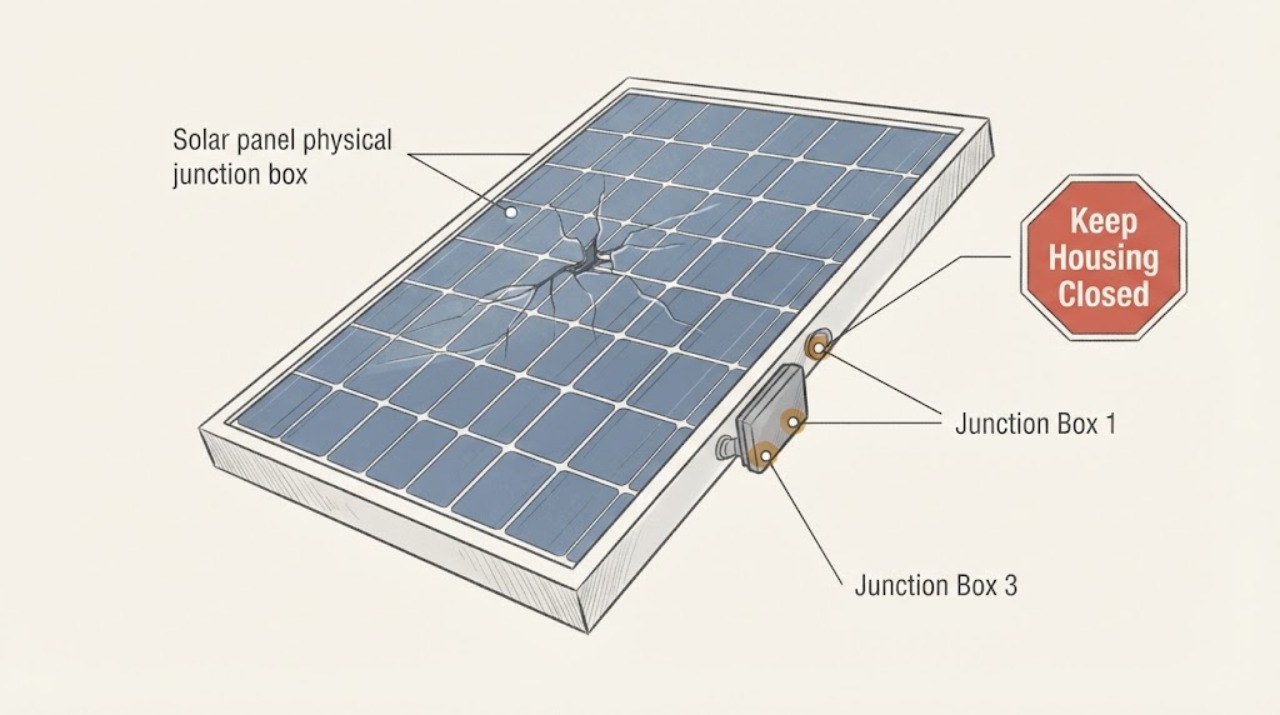
A cracked photovoltaic module junction box is not a routine homeowner repair. From ground level or another already safe viewing position, document the crack, any separation, exposed cable, moisture entry, discoloration, or loose hardware, then compare the inverter or monitoring status with the time of the damage. Keep people away from the affected module and do not climb onto the roof, touch module wiring, perform live DC tests, open the junction box, or attempt a panel repair. A qualified solar professional should render the system electrically and physically safe, inspect and test the affected circuit, and decide whether the module or related components must be replaced before the system is returned to service.
Before you begin
Safety first
- This article is for ground-level or already safe visual and monitoring observations only. Roof access, electrical isolation, live DC testing, junction-box opening, module disassembly, and repair are professional tasks.
Work through in order
Diagnostic checks
Use only checks that match the exact appliance or system and its official guide.
-
Check 1
From ground level or an existing safe, non-rooftop viewing position, identify the module or row containing the suspected junction box and take a zoomed photograph without touching the panel, cables, enclosure, or racking.
Expected result: Record whether the visible box appears cracked, separated from the module, displaced, discolored, wet, or accompanied by a hanging or exposed cable; note if the view is incomplete.
Next step: Keep the module and the area below it clear and send the photo and exact row or module location to a qualified solar professional for controlled isolation and inspection. Do not climb or reach farther to improve the image.
Stop if: Stop the observation if the position is near a roof edge, requires a ladder, involves unstable ground, or brings you close to overhead conductors or array wiring.
Why this matters
Why: A crack, separation, moisture, discoloration, or cable damage is evidence of a potentially compromised electrical enclosure or module. An incomplete view means the box has not been cleared; it does not mean it is intact.
-
Check 2
Visually scan the accessible area around the affected module from the same safe position, including the module face and frame, visible cable routing, nearby connectors, and the ground or structure below; do not lift, press, wipe, or move anything.
Expected result: Look for broken glass, frame movement, bowed or displaced module surfaces, loose-looking cables, connector discoloration, burn marks, water paths, debris impact, or a component hanging above a walkway.
Next step: Block access beneath or beside visibly loose equipment without approaching it, photograph the wider area, and tell the solar professional what was observed. Do not touch a cable, connector, module, or racking part.
Stop if: Stop and move away if there is smoke, a burning odor, sparking, arcing, heat distortion, a hanging module or cable, or any sign that equipment could fall.
Why this matters
Why: Related physical damage or a loose item increases the chance that more than the junction-box cover is affected and raises both electrical and falling-object concerns. No visible secondary damage narrows the observation but cannot rule out hidden faults.
-
Check 3
From the owner-facing inverter display or monitoring application, record the current status and compare it with the last known normal period; do not reset, open, or electrically test the system to obtain another reading.
Expected result: Note any fault, ground-fault, insulation, arc, isolation, or rapid-shutdown indication, repeated trip, missing module or string data, abnormal production drop, or a normal-looking status.
Next step: Save a screenshot or write down the exact message and time, then provide it with the photos to a qualified solar professional. Do not repeatedly cycle the system or attempt live DC measurements.
Stop if: Stop interacting with the system if the display reports an electrical fault, the enclosure is wet, or the system is connected to storage or other equipment whose shutdown procedure is not clear to you.
Why this matters
Why: A fault, repeated trip, missing data, or output change adds evidence that the physical damage may affect the circuit. A normal display only describes the monitoring state at that moment and does not clear a cracked junction box.
-
Check 4
Map the affected module's position and document the event history from a safe location: when the crack was first seen, whether hail, wind, falling debris, water, or maintenance preceded it, and whether nearby modules show similar visible changes.
Expected result: A single isolated observation differs from matching cracks, frame movement, cable damage, or monitoring changes across a row or group; record uncertainty instead of inferring a cause.
Next step: Give the timeline, module map, photographs, monitoring notes, and any recent weather or service information to the solar professional or system owner. Leave the suspected circuit in the professional's damage-assessment workflow.
Stop if: Do not enter the array or attempt to remove debris from a panel, cable, or junction box to confirm the pattern.
Why this matters
Why: A broader pattern can change the professional inspection from one module to a system or weather-event assessment. An isolated crack still requires evaluation because the junction box is part of the module's electrical enclosure.
-
Check 5
Before the service visit, collect the system's module and inverter identification from existing records, plus the safe-access description and the exact location of the suspected box; do not remove a cover or label to find a model number.
Expected result: The record may identify the panel type, array layout, warranty or installation documentation, and whether the damaged area is on a roof, carport, or ground mount; some details may be missing.
Next step: Tell the provider what is known and explicitly state what could not be safely observed. Wait for controlled inspection, electrical testing, and a repair or replacement decision before returning the affected equipment to service.
Stop if: Stop collecting information if doing so would require rooftop access, opening electrical enclosures, or handling the damaged module.
Why this matters
Why: Accurate identity and access information helps the professional bring the right inspection and replacement planning resources. Missing records are a documentation gap, not a reason to improvise a repair.
Use your observations
Decision map
Find the observation that best matches what you see, then follow the next safe action.
-
PATH 01Safety boundary
What you see
Smoke, sparking, arcing, burning odor, heat discoloration, an electrical fault, or a hanging cable or module is observed.
Do this next
Move away, keep people clear, and arrange urgent qualified solar or emergency electrical response as appropriate to the immediate hazard. Do not approach the array to disconnect individual modules or investigate the box.
Why this path and its safety boundary
Safety stop: Do not touch, spray, cover, or move the damaged electrical equipment.
-
PATH 02Safety boundary
What you see
The junction box can only be seen by climbing, using a ladder, crossing the roof, or reaching into the array.
Do this next
Stop at the safe viewing boundary and request a qualified solar professional with fall protection and electrical-safety controls. Record the last safe view and exact location instead of creating access.
Why this path and its safety boundary
Safety stop: No homeowner rooftop inspection is required to complete this handoff.
-
PATH 03Safety boundary
What you see
A crack or separation is visible, but monitoring currently looks normal and no secondary damage is visible from a safe position.
Do this next
Keep the affected area clear and schedule professional inspection before treating the box as weather-tight or selecting a repair. A normal monitoring state does not clear physical damage.
Why this path and its safety boundary
Safety stop: Do not seal, glue, paint, open, or electrically test the junction box yourself.
-
PATH 04Safety boundary
What you see
The monitoring system reports a fault, repeated trip, missing production, or several modules show related damage.
Do this next
Escalate the job as a system-level damage assessment. Provide the fault time, screenshots, module map, and photographs so the professional can isolate and test the affected circuit before repair or replacement.
Why this path and its safety boundary
Safety stop: Do not repeatedly reset the system or return it to service to see whether the fault clears.
-
PATH 05Safety boundary
What you see
The suspected crack cannot be confirmed from a safe position and monitoring shows no new anomaly.
Do this next
Keep the location noted, retain the photograph or report that prompted the concern, and ask for the condition to be checked during the next controlled solar inspection, sooner if the appearance or monitoring changes.
Why this path and its safety boundary
Safety stop: Do not turn an uncertain view into a roof or electrical task.
Helpful context
Understand the symptom
The junction box on a PV module protects electrical connections at the rear of the panel. A visible crack can be only an enclosure defect, or it can allow moisture in, loosen a connection, or accompany damage to the module, cables, or mounting system. A photo cannot establish whether the circuit is safe or whether the box can be repaired in place. Treat the observation as a service handoff, not as a sealing or glue job.
The Department of Energy's PV operations guidance says the priority after a damage event is to make the system physically and electrically safe pending inspection, testing, and repairs. It also calls for inspecting and testing components, itemizing repair or replacement needs, and replacing damaged electrical systems before energizing. Those tasks belong to trained solar personnel with the equipment and site controls for the array.
OSHA identifies electrocution and arc-flash hazards in solar work and notes that falls from elevation can occur during installation. The checks below therefore stay at ground level or at an existing safe access point. Do not create access to a rooftop array just to inspect a junction box.
A cracked box is not proof that the whole array has failed, and an apparently normal inverter screen does not prove that a damaged module is safe. The useful record is the exact module or row, what can be seen without contact, when the change was noticed, and what the monitoring system reported.
Safety boundary
Stop conditions
- Stop immediately for roof or ladder access, unstable ground, overhead conductors, smoke, sparking, burning odor, a hanging module or cable, or any electrical fault indication.
- Do not touch module wiring or connectors, perform live DC testing, open or remove the junction box, disconnect individual modules, apply sealant, or dismantle the panel.
- Keep people away from the affected array and have a qualified solar professional render the system physically and electrically safe, inspect and test it, and authorize repair or return to service.
When checks do not resolve it
Need a professional?
Arrange prompt qualified solar service for any visible junction-box crack or separation, exposed or loose cable, water entry, burning sign, physical displacement, monitoring fault, or damage that cannot be safely viewed. Treat smoke, sparking, or a hanging component as an immediate hazard and keep clear.
Safety scope: This article is for ground-level or already safe visual and monitoring observations only. Roof access, electrical isolation, live DC testing, junction-box opening, module disassembly, and repair are professional tasks.
Common questions
FAQ
Can I seal a cracked solar junction box with caulk or tape?
Do not attempt that as a repair. A visible crack can involve the enclosure, connection, cable, or module, and a seal does not establish electrical safety or restore the manufacturer's assembly. Have a qualified solar professional inspect and specify repair or replacement.
Is a normal inverter reading enough to keep using the panel?
No. Monitoring describes the system state it can see at that time; it does not clear physical damage or prove that a cracked junction box is weather-tight. Record the normal reading and arrange a controlled inspection.
What should I do if the cracked box is on a roof?
Stay at ground level or the last already safe viewing position. Do not climb or use a ladder to inspect it. Give the professional the array location, photographs, and access limitation so the inspection can be planned with fall and electrical controls.
Read the exact guide
Official sources
- Life Cycle of Photovoltaic Systems: Operate and Maintain an Existing Photovoltaic SystemU.S. Department of Energy · Used for the recommendation to make damaged PV systems physically and electrically safe, inspect and test components, and replace damaged electrical systems before energizing.
- Green Job Hazards - Solar Energy: ElectricalOccupational Safety and Health Administration · Used to set the boundary against homeowner rooftop access, contact with solar electrical conductors, and live electrical troubleshooting.
- PV System Owner's Guide to Identifying, Assessing, and Addressing Weather Vulnerabilities, Risks, and ImpactsU.S. Department of Energy Federal Energy Management Program · Used for documenting the exact module or row, recording visible vulnerabilities, treating the guide as a professional assessment framework, and avoiding unsupported repair assumptions.
Community feedback
Share a repair observation
Share a plain-text repair observation. Accepted observations are published automatically; this page may take a moment to update.