
On this page
Start here
Quick answer
When you need cable TV service at a new home, start with the exact new address, including the unit number, and ask the provider whether service can be transferred or must be opened as a new order. Confirm the stop date at the old address, the start or installation date at the new one, equipment ownership and compatibility, and every fee or credit before you disconnect anything. If the address is serviceable and the home has an approved connection, self-install may be available; a missing, damaged, or unverified connection usually needs a provider appointment. Do not alter building wiring or assume that equipment from the old home will work at the new address.
Before you begin
Safety first
- Limit self-installation to the provider's instructions and normally accessible connections. Do not open walls, utility boxes, splitters, or demarcation equipment; climb; drill; alter building wiring; or disconnect another occupant's service.
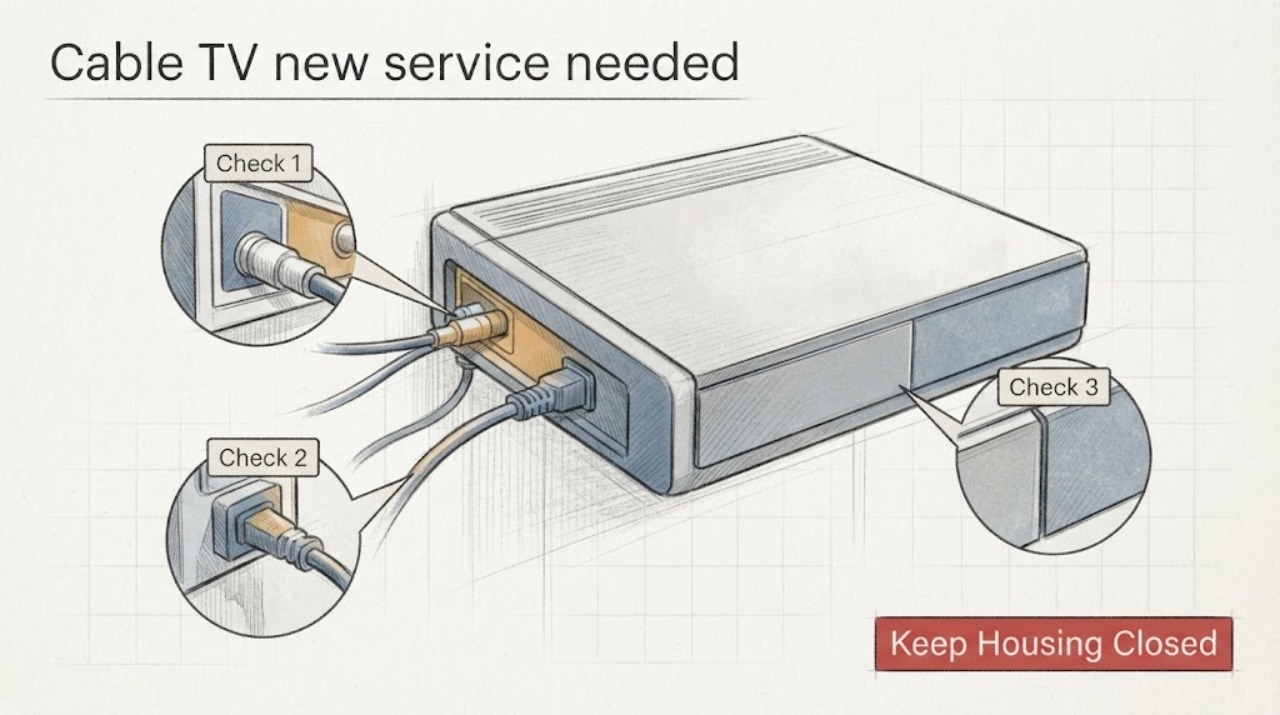
Work through in order
Diagnostic checks
Use only checks that match the exact appliance or system and its official guide.
-
Check 1
Check service availability with the provider using the complete new street address, apartment or unit number, and postal code. If useful, compare the result with the FCC National Broadband Map for the reported cable or fixed broadband providers, but treat the provider's order confirmation as the decision for TV service.
Expected result: The provider may show TV service available, internet only, no service, an address mismatch, or a result that requires an agent to verify the location. The FCC map may show providers at the building but not the exact TV package or wiring condition.
Next step: If the exact address is available, continue to the transfer and date check. If it is unavailable or mismatched, ask the provider for the correct address record and alternatives before cancelling the old service or ordering equipment.
Stop if: Stop the order if the address, unit, service type, or account holder is wrong; do not place an order against a neighboring unit or a prior occupant's details.
Why this matters
Why: Availability is location-specific. A nearby house, building, or postal code can have a different service result, and a map cannot confirm the provider's channel package, account status, or indoor connection.
-
Check 2
Ask the provider to state whether the move is a transfer of your existing TV service or a new service order, and record the old-address stop date, new-address activation or installation date, plan changes, and confirmation number. If uninterrupted service matters, ask whether the dates can overlap.
Expected result: You may receive a transfer confirmation, a new account or order, a required technician appointment, a self-install option, or a notice that the current plan is not offered at the new address.
Next step: Keep the confirmation and verify the dates against your move-in date. If the provider cannot transfer the plan, compare the new service terms before closing the old account.
Stop if: Do not rely on a verbal promise without an order or appointment record, and do not disconnect the old service before the new start plan is clear.
Why this matters
Why: A transfer, a new order, and a plan change can have different equipment, billing, and installation consequences. A selected date is not the same as a completed activation until the provider confirms the order and the service works at the new home.
-
Check 3
Make an equipment inventory before packing: list each provider-owned receiver, gateway, remote, power supply, and cable separately from equipment you own. Photograph the rear connections and labels, and ask the provider which items travel, which must be returned, and whether each item is approved at the new address.
Expected result: The provider may approve the existing equipment, issue replacement equipment, require a return, or say the new location uses a different service or connection type. A device may power on while still being unapproved or unable to activate at the new address.
Next step: Follow the provider's written equipment instructions and keep return receipts or shipment tracking. Do not buy a replacement box or gateway until the provider identifies the required equipment for the exact order.
Stop if: Stop and ask the provider before moving any item whose ownership, service approval, power supply, or connection is unclear.
Why this matters
Why: Physical possession is not proof of compatibility or ownership. Missing returns can create account problems, while an unapproved receiver or gateway can prevent activation even when the wall connection is present.
-
Check 4
At the new home, inspect only normally accessible wall outlets and the provider-approved equipment location. Look for a present and undamaged coaxial outlet, loose or painted-over plate, missing cover, damaged cable, or no outlet where service was ordered; connect equipment only as shown in the provider's instructions.
Expected result: An existing approved outlet may allow self-installation, while a missing, damaged, inaccessible, or unverified outlet may require a technician. The equipment may show an activation prompt, an online or signal status, missing channels, or no signal.
Next step: If the provider's self-install instructions complete and TV service appears, record the activation result. If the outlet or signal fails the approved setup, stop changing connections and schedule a provider service visit.
Stop if: Do not remove wall plates, open splitters or utility boxes, run new cable through walls, climb, or work on exposed or damaged wiring.
Why this matters
Why: A usable connection and account activation are separate requirements. Existing wiring can still be disconnected, damaged, or assigned to a different unit, and a new build or altered room may need provider work before service can operate.
-
Check 5
After the provider records the move order, review the first bill or account screen for the new service address, plan, activation or installation charge, equipment charge, promotional terms, old-address stop, and any expected credit. Save the confirmation and note any difference from what you agreed to.
Expected result: The account may show the correct address and dates, a changed plan, a fee or credit, duplicate active addresses, or equipment that was not expected.
Next step: Contact the provider promptly with the order confirmation and equipment records to correct discrepancies. If the provider does not resolve a TV-service or billing issue, the FCC Consumer Inquiries and Complaints Center identifies TV service and billing as complaint categories.
Stop if: Do not discard equipment, receipts, or order confirmations until the old and new account records are reconciled.
Why this matters
Why: Billing and service records can change during a move even when the technical activation works. An address or equipment mismatch can keep the old account open or cause charges for an item that was returned.
Use your observations
Decision map
Find the observation that best matches what you see, then follow the next safe action.
-
PATH 01Safety boundary
What you see
The exact address is accepted, the provider confirms the TV order, an approved outlet is present and undamaged, and the provider-approved equipment completes its activation steps.
Do this next
Complete only the provider's documented setup, record the activation result, and verify the account address and equipment on the confirmation.
Why this path and its safety boundary
Why it matters: The new home likely has the prerequisites for self-installation, but service is not confirmed until the provider's TV channels or service screen works as ordered.
Safety stop: Stop if activation fails, the outlet is not the ordered unit, or the equipment is not approved; request provider support rather than trying random splitters or replacement boxes.
-
PATH 02Safety boundary
What you see
The address is serviceable, but the home is newly built, the outlet is missing or damaged, the wiring is unverified, the order requires an appointment, or the approved equipment cannot obtain the expected signal.
Do this next
Keep the appointment and provide the exact unit, outlet location, move order, and equipment inventory. Do not open walls, utility boxes, or the provider's demarcation point.
Why this path and its safety boundary
Why it matters: The limiting issue is likely the service path or installation state rather than a setting on the TV. A provider technician may need to test or extend the line and confirm the correct connection.
Safety stop: Stop all non-provider wiring work, especially if there is exposed conductors, a damaged outlet, a locked utility area, or unsafe access.
-
PATH 03Safety boundary
What you see
The provider rejects the exact new address, reports no TV service, or says the current plan cannot transfer, while the old service or provider-owned equipment is still active.
Do this next
Ask the provider to confirm the available alternatives and the final old-address stop date. If you choose another service, retain the old provider's return instructions and confirmation before shipping equipment.
Why this path and its safety boundary
Why it matters: The move is a service-availability or account-order decision, not a reason to rewire the home. The old equipment may need a specific return process and the old account may need a documented close date.
Safety stop: Do not leave equipment at the new home, give it to a later occupant, or cancel the old account without confirming the return and final billing steps.
-
PATH 04Safety boundary
What you see
The provider says another account is active at the unit, the order maps to a neighboring unit, or the address and unit details do not match the lease or move documents.
Do this next
Provide the complete address and occupancy information through the provider's support channel and request a corrected order or appointment. Keep the prior occupant's equipment untouched unless the provider gives written instructions.
Why this path and its safety boundary
Why it matters: The service record or location identity must be corrected by the provider. Changing cables or equipment cannot transfer an account and may interrupt someone else's service.
Safety stop: Do not disconnect, reset, or remove another occupant's equipment or wiring.
-
PATH 05Safety boundary
What you see
The address and order appear correct, but the TV service is not active on the confirmed date, the approved equipment cannot activate, or the first bill does not match the confirmed plan or dates.
Do this next
Contact the provider with the order number, activation result, photos of accessible connections, and billing record. If the provider does not resolve a TV service or billing issue, use the FCC consumer complaint process after attempting provider support.
Why this path and its safety boundary
Why it matters: The remaining issue is likely provider-side activation, equipment authorization, line condition, or account billing rather than something a customer can safely repair at the wall.
Safety stop: Do not repeatedly reset equipment, change splitters, alter wiring, or buy unapproved equipment as a substitute for account or line diagnosis.
Helpful context
Understand the symptom
A move creates several separate decisions that are easy to confuse: whether the provider serves the new address, whether your current plan can move, whether the previous occupant still has an active account, whether the home has usable service wiring, and which equipment belongs to the provider. Work through those decisions in order and keep the provider's confirmation for each one. Rules, prices, channel lineups, equipment, and installation options vary by provider and address.
The safe boundary is account setup and normally accessible connections only. Do not open a utility box, change building wiring, run cable through walls, climb, drill into the structure, or bypass a safety or security device. If a technician must access a crawlspace, attic, exterior line, locked utility area, or damaged outlet, schedule the provider or a qualified installer.
Only after diagnosis
Potential parts
- provider-approved coaxial cable
Consider this only if the provider's setup instructions identify a damaged or missing customer-replaceable cable and the provider confirms the required connection type.
Confirm the provider, service order, connector, length, and installation instructions before selecting a cable; do not use a replacement to bypass a damaged wall outlet or building line. - provider-supplied TV receiver or gateway
Consider this only when the provider's confirmed order requires new equipment or has approved a replacement after checking the exact address and service type.
Use the provider's supplied or explicitly approved model and power supply; a generic receiver or gateway may not be authorized for the account or location.
When checks do not resolve it
Need a professional?
Contact the provider for address verification, transfer or new-order setup, equipment authorization, activation failure, a missing or damaged service outlet, or an installation appointment. Request a qualified installer when the connection requires concealed, exterior, elevated, or building work.
Safety scope: Limit self-installation to the provider's instructions and normally accessible connections. Do not open walls, utility boxes, splitters, or demarcation equipment; climb; drill; alter building wiring; or disconnect another occupant's service.
Have this ready
- Provide the complete new address and unit, move-in date, old-address stop date, order or confirmation number, service requested, equipment inventory, activation result, photos of accessible connections, and billing discrepancy if any.
Common questions
FAQ
Do I transfer my cable TV service or open a new account when I move?
Ask the provider to check the exact new address and state whether the order is a transfer or a new service order. The answer can change with the provider, plan, building, and location, so do not assume that a nearby address has the same options.
Can I take my cable box or gateway to the new home?
Only after the provider confirms that the equipment is yours or is approved for the new order. Make an inventory, photograph connections, and follow the provider's return or replacement instructions for every leased item.
How do I know whether self-installation will work?
The provider must confirm self-install eligibility. A present, undamaged, approved outlet and approved equipment may support self-installation; missing, damaged, inaccessible, or unverified wiring can require a technician.
What should I do if the previous resident's cable service is still active?
Do not disconnect or reset the other resident's equipment. Tell the provider that the unit has changed occupants and ask them to correct the account and activation record for your exact address.
What if the provider says the address is available but service still does not activate?
Save the order, check only the provider-approved connections, and contact the provider with the activation result and unit details. A serviceability result does not prove that the indoor outlet, line, equipment authorization, or account activation is complete.
Read the exact guide
Official sources
- How to Transfer Spectrum Internet, TV or Phone ServiceSpectrum · Spectrum-specific example; provider, plan, building, and exact address control the actual order.
- How to Use the FCC’s National Broadband MapFederal Communications Commission · FCC-reported broadband availability context; it does not confirm a provider's TV package, account, indoor wiring, or activation.
- Transferring Internet Service When You MoveSpectrum · Spectrum Internet moving guide used for general decision structure; TV terms and other providers can differ.
- Consumer Inquiries and Complaints CenterFederal Communications Commission · U.S. consumer complaint routing; contact the provider first and use the applicable process for the actual service and jurisdiction.
Community feedback
Share a repair observation
Share a plain-text repair observation. Accepted observations are published automatically; this page may take a moment to update.