
On this page
Start here
Quick answer
For a new cable TV installation, first confirm that the provider can serve the exact address, then check the visible utility entry, coax outlets, TV locations, safe access, and any landlord or building permission. Prepare a grounded outlet and an adult who can provide access during the appointment window. If the address is not recognized, the property needs an outside drop or inside wiring, or building access is unresolved, ask the provider to arrange a site assessment before booking a standard installation. Do not open walls, alter utility wiring, or work in a telecom room yourself.
Before you begin
Safety first
- The customer should limit work to safe visual checks and clearing access. Do not open walls, drill, cut cables, alter electrical wiring, remove utility covers, or enter restricted rooms.
Work through in order
Diagnostic checks
Use only checks that match the exact appliance or system and its official guide.
-
Check 1
Use the provider's official new-customer ordering or availability flow with the complete service address, unit number, and postal code; do not substitute a nearby address.
Expected result: Record whether the address is marked available, needs a site survey or construction review, is unavailable, or is not recognized.
Next step: Save the exact result and ask the provider's installation team what assessment or address correction is required before choosing an appointment.
Stop if: Stop the order flow if the address or unit is ambiguous; do not place an installation for a neighboring unit.
Why this matters
Why: An available result supports scheduling an installation. A site-survey, construction, or address-mismatch result means the provider must clarify the service boundary before a standard appointment can be expected.
-
Check 2
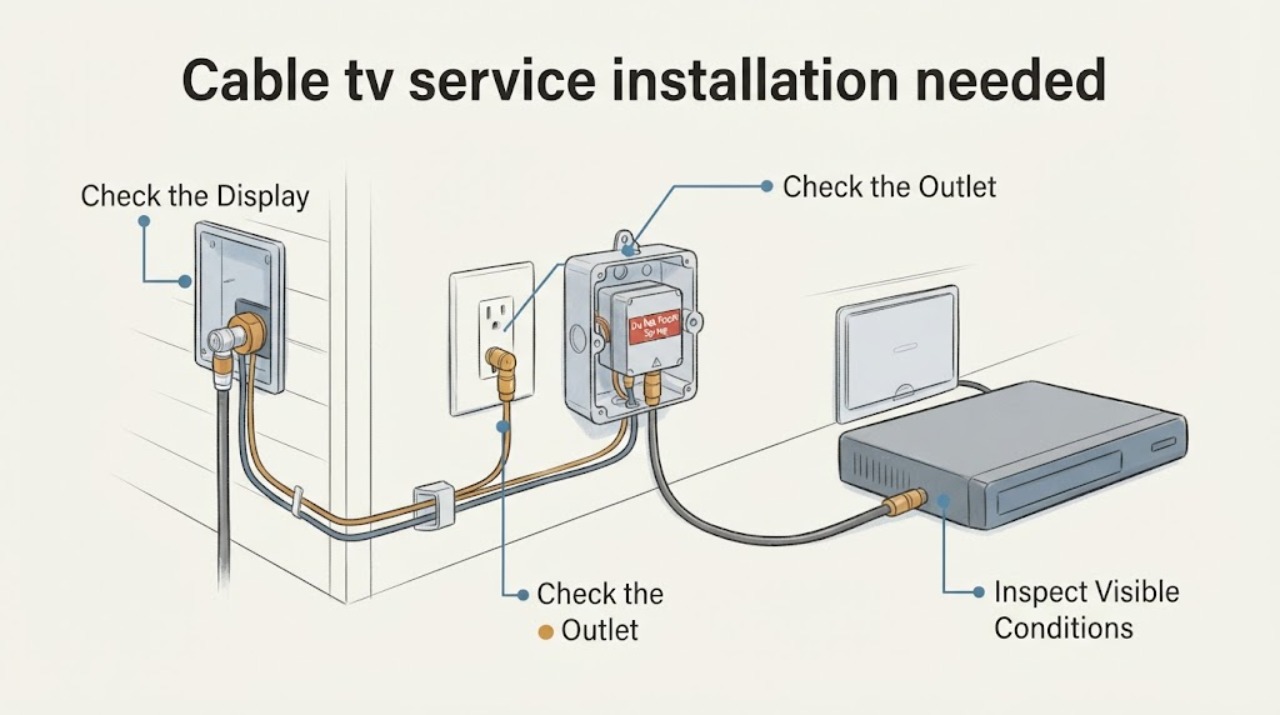
From safe, accessible areas, look for the visible utility entry, coaxial wall plates, any accessible splitter, and the rooms where the new TV service will be used; do not open walls, remove covers, or enter a restricted utility room.
Expected result: Note whether there is an apparent entry point and which rooms have coax outlets, while treating each outlet's actual connection and condition as unconfirmed.
Next step: Give the provider the locations and photos only if its process permits them, and ask whether the technician should evaluate inside wiring or a new drop.
Stop if: Stop at observation if the route would require drilling, cutting, climbing, probing, or opening building infrastructure.
Why this matters
Why: A visible entry and outlets give the technician useful starting points. No visible entry, damaged plates, or an uncertain route may require provider wiring work or a site assessment rather than a simple equipment hookup.
-
Check 3
Confirm that a grounded electrical outlet is available near the planned modem, gateway, or TV equipment area and that the path to the utility entry and TV locations is clear and safe.
Expected result: The result is ready, outlet or access is missing, or the area is unsafe or blocked.
Next step: Clear movable items and arrange lawful access; ask the provider what outlet and equipment placement it requires if the planned location is unsuitable.
Stop if: Stop if the only apparent solution requires electrical work, moving heavy hazards, or entering an unsafe area.
Why this matters
Why: Ready power and access reduce installation delays. Missing power or blocked access must be corrected or disclosed before scheduling; an unsafe condition needs a property or electrical professional, not an improvised extension or wiring change.
-
Check 4
If the home is rented, in a condominium, or in a multi-unit building, confirm with the owner or property manager that the installation is permitted and identify who can unlock any central telecom or utility room.
Expected result: Permission and access are confirmed, pending, or unavailable.
Next step: Record the responsible contact, access instructions, and any restricted-area requirements in the appointment notes before booking.
Stop if: Do not schedule a visit that depends on unauthorized entry or a locked building room with no access plan.
Why this matters
Why: Confirmed permission lets the provider coordinate the property-side work. Pending or unavailable access can prevent the technician from reaching the demarcation point even when the address is covered.
-
Check 5
When the address and property conditions are ready, choose a new-customer installation appointment window and record the confirmation, service address, unit, TV rooms, equipment locations, access notes, and the adult who will be present.
Expected result: The provider confirms an appointment window and installation requirements, requests a site survey, or cannot offer a window yet.
Next step: Use the provider's official account or scheduling channel to check the appointment status and update access notes before the due date; keep the route clear for the full visit window.
Stop if: Stop and request provider guidance if the confirmation omits the unit, access requirement, or whether inside wiring is included.
Why this matters
Why: A confirmed window means the installation can be planned around the provider's stated requirements; a site-survey or no-window result means the address or property work is not ready for a routine appointment.
Use your observations
Decision map
Find the observation that best matches what you see, then follow the next safe action.
-
PATH 01Safety boundary
What you see
The exact address is available and the visible entry, power, access, and property permissions are ready.
Do this next
Book the provider's new-customer installation window and give the technician the room, outlet, and access observations.
Why this path and its safety boundary
Safety stop: Do not add self-installed wiring or change building infrastructure to make the appointment fit.
-
PATH 02Safety boundary
What you see
The address is unavailable, not recognized, or marked for construction or a site survey.
Do this next
Ask the provider to verify the unit and explain the survey or construction path before selecting a routine installation appointment.
Why this path and its safety boundary
Safety stop: Do not book against a neighboring address or assume that coverage at the street guarantees service at the unit.
-
PATH 03Safety boundary
What you see
No usable entry or coax route is visible, or the provider says inside wiring or a new drop is required.
Do this next
Tell the provider which rooms and access points were observed and request an installation assessment that includes the needed provider-side work.
Why this path and its safety boundary
Safety stop: Stop before drilling, cutting, opening walls, or altering a splitter, outlet, electrical circuit, or exterior cable.
-
PATH 04Safety boundary
What you see
The home is an apartment, rental, or multi-unit property and owner permission or central-room access is unresolved.
Do this next
Obtain the property contact's approval and coordinate an access plan with the provider before confirming the appointment.
Why this path and its safety boundary
Safety stop: Do not ask a technician to enter a restricted area without authorization or an on-site access plan.
-
PATH 05Safety boundary
What you see
The provider confirms an appointment but the window or required access details are unclear.
Do this next
Check the official appointment record and add the unit, adult-present, utility-entry, and equipment-location notes through the provider's scheduling channel.
Why this path and its safety boundary
Safety stop: Pause scheduling until the provider confirms what the visit covers and who must provide access.
Helpful context
Understand the symptom
A new-customer installation is a coordination problem as much as a cable problem. The provider must match the service address to its coverage, identify where its network can enter the property, and decide whether existing coax can be used. A visible coax wall plate does not by itself prove that the outlet is connected or suitable for the planned service.
Before the technician arrives, make the route from the utility entry to the equipment and TV locations easy to access. Keep the work areas dry and safe, leave a grounded electrical outlet available near the equipment area, and have the TVs, set-top equipment, and any required account or appointment details ready. The provider—not the customer—should determine whether a new drop, splitter, outlet, or activation step is needed.
Apartments, condominiums, and rentals may have a central telecom room or a property-owned entry point. If the installer needs that area, confirm permission and arrange access before the appointment. An unresolved property boundary or locked equipment room can turn an otherwise ready appointment into a return visit.
Use the observations below to give the provider a precise installation brief. They are user-level checks only: do not remove covers, enter restricted spaces, drill, cut cable, or modify electrical or building wiring.
Only after diagnosis
Potential parts
- coaxial cable
Consider this only if the provider confirms that a customer-supplied run is permitted and the existing route is missing or unsuitable after the installation assessment.
Ask the provider to specify the cable type, connectors, and length; do not assume a generic cable is approved for the property or service. - HDMI cable
Consider this only if the provider supplies a set-top box and the confirmed equipment-to-TV connection needs a replacement or additional cable.
Confirm the set-top box and television ports and the provider's supported connection before ordering; no model fit is assumed here.
When checks do not resolve it
Need a professional?
Safety scope: The customer should limit work to safe visual checks and clearing access. Do not open walls, drill, cut cables, alter electrical wiring, remove utility covers, or enter restricted rooms.
Have this ready
- Give the exact address and unit, availability result, visible entry and coax-outlet locations, TV rooms, grounded-outlet status, property permission, central-room access plan, and the appointment window.
Common questions
FAQ
How do I know whether cable TV can be installed at my new address?
Use the provider's new-customer availability flow with the exact address and unit. If it returns an address mismatch, site survey, construction review, or unavailable result, ask the provider to clarify that status before booking a routine installation.
Can the installer use the coax outlets that are already in the home?
Possibly. Existing coax may be tested and reused when it is connected and suitable for the planned service, but a wall plate alone does not confirm that. Show the technician the outlets and ask the provider to assess the route, splitter, and inside wiring.
What should I have ready for a new cable TV installation?
Have a grounded outlet near the planned equipment, clear access to the visible utility entry and TV locations, the TVs and provider equipment available, an adult present for the visit, and any landlord or building access approval already arranged.
Read the exact guide
Official sources
- Implementation of the Cable Television Consumer Protection and Competition Act of 1992: Cable Home WiringFederal Communications Commission · Used only for the general distinction between provider-side demarcation and subscriber-side premises wiring; current property permissions and installation terms depend on the provider, building, and applicable local requirements.
- Tech Install: Prepare for your Verizon installationVerizon · Provider installation preparation is used as a concrete example of technician access, appointment windows, adult presence, grounded power, existing coax evaluation, and inside wiring scope; the reader should follow the chosen provider's own requirements.
Community feedback
Share a repair observation
Share a plain-text repair observation. Accepted observations are published automatically; this page may take a moment to update.