
On this page
Start here
Quick answer
Before switching a home internet plan, confirm the exact service address is eligible, record whether the new provider offers self-installation or a technician window, and keep the current connection active until the new service is installed and tested. Compare the order's equipment and activation date with the appointment details, then schedule the old service to end only after the new connection works. If the address result, installation date, equipment, or overlap cannot be confirmed, pause the switch and ask the new provider to clarify the order.
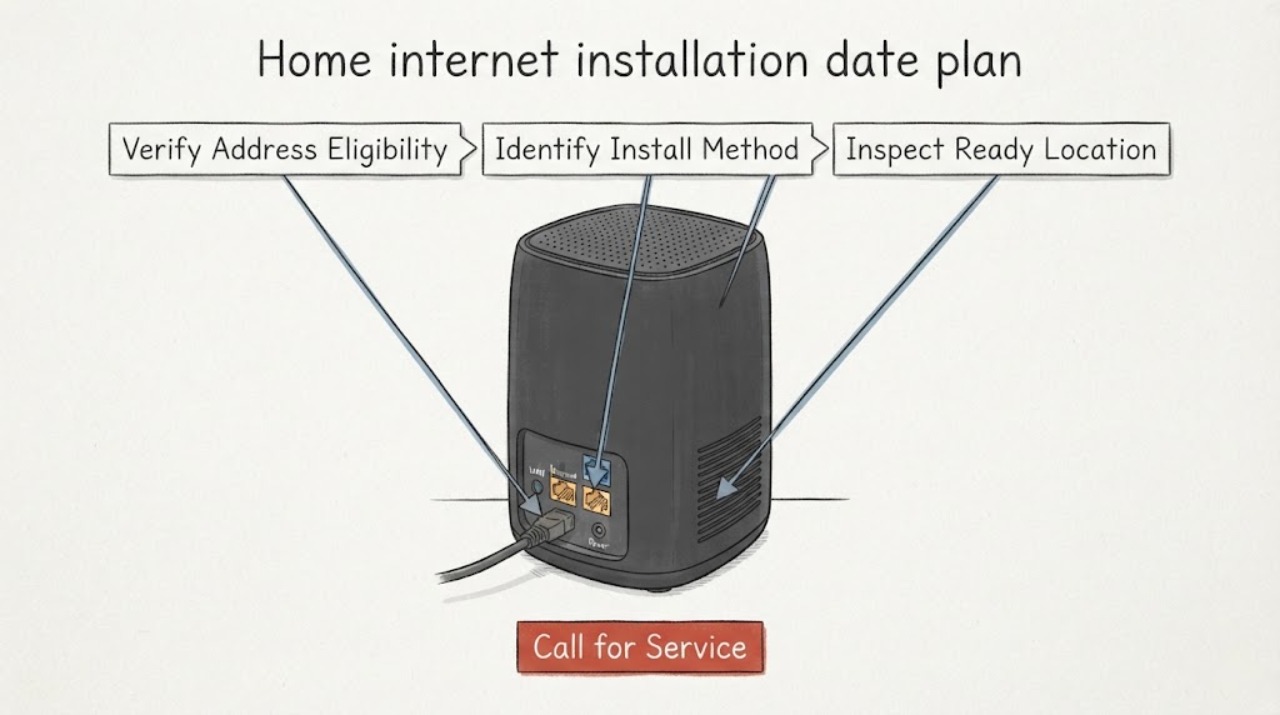
Work through in order
Diagnostic checks
Use only checks that match the exact appliance or system and its official guide.
-
Check 1
Review the new-provider order using the complete service address, including apartment or unit information when applicable, and save the displayed availability result and selected plan name.
Expected result: The result should identify the same dwelling and show a service option rather than an address mismatch, an unqualified location, or a request for manual confirmation.
Next step: If the address and plan match, continue to the installation-date and equipment checks. If the result is missing, contradictory, or tied to the wrong unit, stop the order handoff and ask the new provider to recheck the address before selecting a date.
Stop if: Stop if the provider cannot confirm the exact service address or if the order changes to a different service type without the customer's approval.
Why this matters
Why: An address checker is provider- and location-specific; a result for a nearby building does not establish that this home can receive the chosen plan or that the required installation type is available.
-
Check 2
Read the order or appointment details and record whether the new service is marked self-install, professional installation, or another provider-defined method, along with the stated activation date or arrival window.
Expected result: A self-install order normally shows equipment delivery and activation instructions; a technician order shows an appointment window and any requirement for an adult or property access. Provider terms vary, so use the details shown for this order rather than assuming every plan uses the same method.
Next step: If the method, equipment status, and date agree, prepare the room and keep the appointment information accessible. If they conflict, reschedule or correct the order through the new provider before changing the old connection.
Stop if: Stop and request provider clarification if the order has no confirmed activation or appointment information, or if the stated method would require access or work the resident cannot safely authorize.
Why this matters
Why: The installation method controls what must be available on the date. A missing appointment, an equipment shipment that will arrive after the date, or a provider message that the method is required rather than optional means the handoff is not ready.
-
Check 3
From a safe, accessible position, identify the intended indoor gateway location, a working power outlet, and any visible existing network terminal or service entry point; note whether the location is reachable without opening a wall, moving heavy equipment, or altering wiring.
Expected result: A suitable location has clear access, power, and the visible connection point or equipment described by the provider. A locked utility area, no usable outlet, missing expected equipment, or a need for new wall penetration is a readiness exception rather than a reason to improvise.
Next step: If the location is ready, keep it clear for delivery or the appointment. If it is not ready, photograph only non-sensitive external details and tell the new provider what is missing so the order can be assigned the correct installation method.
Stop if: Stop if preparation would require wall opening, live wiring, utility-entry work, ladder use, or entry into a restricted area.
Why this matters
Why: Self-install eligibility and professional setup can depend on existing equipment, additional wiring, building permissions, and the physical conditions at the address. The provider or technician must decide what work is required.
-
Check 4
Compare the new service's confirmed activation or installation date with the current service's planned end date, and write down the earliest point at which the new gateway can be tested while the old connection remains available.
Expected result: The safe schedule leaves the existing connection active until the replacement service is installed and a needed device has joined the new network and reached the internet. If the dates touch with no test window, or the new appointment is still tentative, there is no verified handoff yet.
Next step: If the new service is working, follow the current provider's documented end-of-service and equipment-return instructions at the chosen time. If the new service is late, unavailable, or cannot be tested, keep the current service in place and ask the new provider to update the installation plan.
Stop if: Stop the switch sequence if the new provider cannot provide a workable installation/activation date, if the current service end date cannot be moved, or if the new connection fails basic testing.
Why this matters
Why: Keeping a short overlap reduces the chance of an avoidable connectivity gap, but the exact billing and end-date rules belong to the respective providers. Do not infer that an installation date automatically ends the old service or that an order confirmation proves activation.
-
Check 5
After the provider's stated activation or installation step, check the new gateway's externally visible status and connect one previously used device to the new network; record the result and the time without opening or electrically testing equipment.
Expected result: The gateway should show the provider-defined online or ready state, and the test device should associate with the new network and reach a normal webpage. A missing status, an activation prompt, or a device that remains on the old network means the replacement has not been verified.
Next step: If the test passes, save the confirmation and then complete the old provider's documented handoff steps. If it fails, leave the current connection intact where possible and use the new provider's installation support with the exact order status, date, equipment state, and test result.
Stop if: Stop if there is heat, burning odor, visible damage, exposed wiring, water near equipment, or a request to bypass a safety or access control; disconnect only if it is safe to do so and seek professional help.
Why this matters
Why: A Wi-Fi name appearing in the device list is not by itself proof of internet activation. The provider's order status and the gateway's documented indicators determine whether the installation is complete.
Use your observations
Decision map
Find the observation that best matches what you see, then follow the next safe action.
-
PATH 01Next step
What you see
The exact address is eligible and the order identifies the intended plan.
Do this next
Continue to confirm the installation method, equipment delivery, and date.
-
PATH 02Next step
What you see
The order has a confirmed activation date or technician window and the required equipment/access is ready.
Do this next
Keep the current service active through the installation and leave a test window before ending the old service.
-
PATH 03Next step
What you see
The new gateway and one important device pass the provider's normal activation and connectivity check.
Do this next
Record the successful handoff, then follow each provider's documented service-end and equipment-return instructions.
Helpful context
Understand the symptom
What the installation date actually controls
An installation date is an order milestone, not a universal promise that every home will be connected at the same time. The result depends on the exact address, the network already serving the property, the equipment supplied, and whether the order is eligible for self-installation or needs a technician. A date change can therefore change the safe handoff plan even when the selected service tier stays the same.
Keep the handoff reversible
For a new-customer switch, make a short record of the order reference, selected plan, equipment expected, installation or activation date, and appointment window. Keep that record with any delivery notice. Do not disconnect the current provider, return its equipment, or arrange an end date solely because an order was submitted; first verify the replacement connection on a device that matters to the household.
What to have ready for a provider or technician
The useful preparation is observational: know which address and unit the order uses, identify a safe indoor location with power for the supplied gateway, and note any existing provider equipment or network terminal that is visible without opening anything. Tenants should confirm that the property owner or building rules allow the proposed installation. Do not open walls, alter wiring, or promise access to locked utility areas yourself.
When checks do not resolve it
Need a professional?
Contact the new provider's installation or order team when address eligibility is unclear, the appointment or equipment date changes, the installation requires property access or new wiring, or the new service does not activate. Contact the current provider only after the new connection is verified and you are ready to follow its documented end-of-service and equipment-return process.
Have this ready
- Exact service address and unit identifier
- New order reference and selected plan name
- Installation method, activation date, appointment window, and equipment delivery status
- Visible gateway status and the result of one device connectivity test
Common questions
FAQ
Should I disconnect the old internet service when I place the new order?
No. Keep the current connection active until the new provider has installed or activated service and you have verified it on a needed device. Then follow the old provider's documented end-of-service and equipment-return process.
Why can an installation date change after I switch plans?
The date can depend on address eligibility, existing network equipment, the required installation method, equipment delivery, property access, and provider appointment capacity. A changed date should be treated as a changed handoff plan, not as a minor calendar edit.
What should I do if self-installation is no longer offered?
Do not open walls or alter wiring to make the order fit. Ask the new provider to confirm whether professional installation is required, what access must be available, and which date or window is valid for the address.
What information should I have ready when the installation date is unclear?
Have the exact service address and unit, order reference, selected plan, stated installation method, equipment delivery status, appointment or activation date, and any visible gateway status or connectivity-test result.
Read the exact guide
Official sources
- How to Switch Your Internet Service ProviderAT&T · General example of a provider's documented new-customer switch workflow; dates and eligibility remain provider-specific.
- Self-Install Verizon Fios ServicesVerizon · Provider-specific Fios guidance used to explain why self-install eligibility and equipment conditions must be confirmed for the actual order.
- Verizon 5G Home Internet professional setup FAQsVerizon · Provider-specific example of why the order, property permissions, appointment window, and setup method need confirmation.
Community feedback
Share a repair observation
Share a plain-text repair observation. Accepted observations are published automatically; this page may take a moment to update.