
On this page
Start here
Quick answer
Treat a home internet plan switch as a new-service eligibility and installation decision, not as an outage fix. First verify the exact service address and unit, then confirm which fixed technologies and plan tiers can actually be ordered there. For each option, record the plan's download and upload performance, data allowance, equipment responsibility, installation method and timing, monthly price after any introductory period, recurring and one-time fees, contract term, and the conditions for the offer. Ask whether the offer is for a new customer, a move, a transfer, or an existing-account change before relying on a promotional price. Keep the new order, any move or transfer request, and cancellation of old service as separate decisions until the new installation and start date are documented; this page does not diagnose an outage, bill, or existing-account problem.
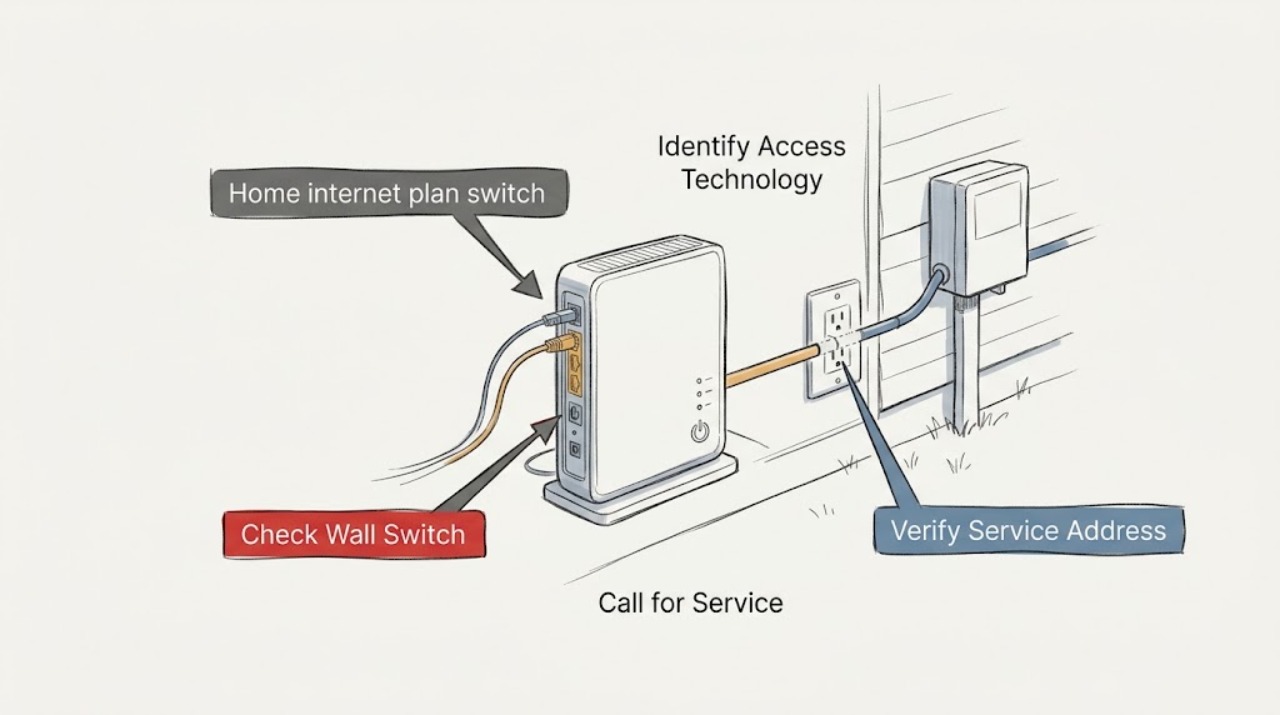
Work through in order
Diagnostic checks
Use only checks that match the exact appliance or system and its official guide.
-
Check 1
Write down the complete service address, apartment or suite identifier, building type, and whether the intended location is a move-in, a second unit, or a replacement residence before comparing plans.
Expected result: Compare the complete address with the official availability result and note whether it identifies the correct building or unit, lists one or more fixed technologies, or cannot resolve the location.
Next step: Pause the plan choice and request exact-address or unit confirmation from a qualified broadband installation representative or property manager; do not infer eligibility from a nearby address.
Stop if: Stop before submitting a new-service request when the unit, building, or serviceable location is ambiguous.
Why this matters
Why: A matching location supports further comparison. A street-only match, nearby location, wrong unit, or unresolved result means availability is not confirmed for the intended home.
-
Check 2
Read the eligibility line and offer terms for each candidate plan, and record whether the offer applies to a new customer, a move, a transfer, or an existing account, including any required address or account conditions.
Expected result: The offer clearly names the qualifying customer or move status; it lists several statuses with different prices; or the eligibility condition is missing, contradictory, or limited to an unconfirmed account state.
Next step: Ask the provider to confirm the qualifying status and exact address in writing, and save that response with the offer. Keep the old service active while the new order path is still uncertain.
Stop if: Stop when the offer depends on an unverified new-customer, move, transfer, or account condition.
Why this matters
Why: A clear match supports a like-for-like price comparison. A different status can change the price, equipment treatment, or order path, so a headline promotion is not proof that the household qualifies.
-
Check 3
Record the access technology shown for the exact location—such as fiber, cable, DSL, fixed wireless, or satellite—and whether the offer is fixed residential service rather than mobile or business service.
Expected result: One technology is clearly identified, several technologies are available, or the availability result and plan description name different technologies or service types.
Next step: Ask for the technology and installation method in writing when the result is inconsistent, and compare plans within the same service type unless the differences are explicitly understood.
Stop if: Stop if the technology is unconfirmed, requires work on a wall or utility, or appears to be mobile or business service when a fixed residential connection is intended.
Why this matters
Why: Technology affects the installation route, equipment, property access, upload performance, and expectations. A mismatch needs clarification before plan tiers are compared as equivalent.
-
Check 4
For each candidate plan, transcribe the stated download and upload performance, latency information when provided, data allowance, network-management disclosure, privacy link, and the household activities that matter most.
Expected result: The label is complete and tied to the exact plan; data terms are limited or unclear; or simultaneous calls, cloud backups, gaming, streaming, and other household use call for different upload or latency characteristics than the plan describes.
Next step: Ask the service representative to clarify missing terms or use-case fit, and save the exact plan label or written summary for the decision record.
Stop if: Stop when the advertised performance, data terms, or network-management information cannot be verified for the exact plan.
Why this matters
Why: A complete label enables a like-for-like decision. A generic tier name, missing data terms, or a poor fit between household use and the stated service characteristics means the option should not be treated as equivalent to another plan.
-
Check 5
Copy the plan's base monthly price, post-introductory price and timing, recurring charges, one-time activation or installation charges, equipment charges, data-overage consequences, contract length, and any early-termination or other cancellation terms.
Expected result: The label and linked terms show a no-contract price, a contract price, an introductory price with a later price, equipment or installation charges, or one or more terms that are missing or hard to associate with the plan.
Next step: Ask the provider to identify the exact recurring and one-time charges and contract conditions in writing; compare the complete terms rather than the first-month price.
Stop if: Do not commit, cancel the old service, or return equipment when the post-promotion price, fee, contract, or cancellation condition is unclear.
Why this matters
Why: The full cost and commitment can differ substantially from a headline promotion. A contract or cancellation charge is a reason to understand the old and new service boundary before making an account change, not a reason to guess at the amount.
-
Check 6
List the new service equipment—such as an optical terminal, modem or gateway, and Wi-Fi router—and inspect only the existing, owner-accessible connection area for available power, a service entry, and property restrictions.
Expected result: Equipment is supplied or customer-provided, the existing equipment is clearly compatible or unknown, and the installation route needs no permission or needs landlord, building-manager, or homeowner approval.
Next step: Ask for the exact equipment responsibility and permission requirements in writing, and arrange an installer or property-manager assessment when the service entry or equipment path is unclear.
Stop if: Do not open walls, drill, reroute utilities, rewire, move building equipment, or handle an unfamiliar energized connection.
Why this matters
Why: Equipment responsibility and property conditions can change the real installation scope. An unknown gateway, shared building entry, or permission requirement is not confirmation that the plan is ready to order.
-
Check 7
Before treating the switch as ready, confirm that the exact address and eligibility, technology, complete plan and fee terms, equipment responsibility, property access, and requested installation or start window are all documented.
Expected result: Answer yes only when all six items are clear and consistent; answer no when any item is missing, contradictory, or dependent on an unconfirmed site condition.
Next step: For no, use the service-call checklist to obtain a written clarification from a qualified installation representative or property manager. For yes, keep the recorded plan label and site notes with the order request, and keep old-service changes separate until the new start is confirmed.
Stop if: Stop before making a commitment when the request would require an account cancellation, physical property alteration, an unverified installation promise, or a comparison based only on a promotional headline.
Why this matters
Why: Yes supports moving forward with a new-service request. No means the decision is still in the information-gathering stage and a plan headline is not enough.
Use your observations
Decision map
Find the observation that best matches what you see, then follow the next safe action.
-
PATH 01Safety boundary
What you see
The availability checker cannot distinguish the intended building or unit, or the offer does not clearly say whether the household qualifies as a new customer, move, transfer, or other account status.
Do this next
Pause plan selection and obtain exact-address and eligibility confirmation from a qualified installation representative or property manager; retain the response with the service request notes.
Why this path and its safety boundary
Safety stop: Do not treat neighborhood availability or a promotional headline as confirmation for the target home.
-
PATH 02Safety boundary
What you see
The reported technology differs between the availability result and the plan description, or the plan does not clearly identify fixed residential access.
Do this next
Request written clarification of the access technology, installation route, and service type before evaluating performance or equipment.
Why this path and its safety boundary
Safety stop: Stop when clarification would require wall, utility, or building work outside the user's authority.
-
PATH 03Safety boundary
What you see
The plan label is incomplete, the data allowance or post-introductory price is unclear, the contract or fees are not disclosed, or the stated performance does not match household use.
Do this next
Set that option aside until the missing terms or use-case fit are clarified; compare only complete, exact-plan information.
Why this path and its safety boundary
Safety stop: Do not infer performance, data treatment, price, contract commitment, or cancellation terms from a generic tier name or a different plan.
-
PATH 04Safety boundary
What you see
Equipment responsibility, building permission, installation access, or the requested start window is not documented.
Do this next
Ask the installation representative or property manager for the outstanding requirement and a written, address-specific response before treating the switch as ready.
Why this path and its safety boundary
Safety stop: Stop if the next step involves rewiring, wall work, utility relocation, handling energized equipment, or an account cancellation, billing, or outage support issue.
-
PATH 05Safety boundary
What you see
The new order is not yet confirmed, the installation has not been scheduled, or the start date is not documented, but someone proposes cancelling the old service or returning its equipment.
Do this next
Keep the new order, old-service cancellation or transfer, and equipment return as separate steps. Ask the relevant provider to document the effective dates and any contract or fee consequence before changing the old account.
Why this path and its safety boundary
Safety stop: Do not use this page to diagnose an outage, interpret a bill, or make an existing-account cancellation decision.
Helpful context
Understand the symptom
Start with the exact location and eligibility
A provider may report service for a building or location point without that result being a confirmed order for a particular apartment, suite, or unit. Record the full residential address, unit identifier, building type, and whether this is a move, a second unit, or a replacement residence. Then read the offer's eligibility wording: note whether the price is for a new customer, a transfer, a move, or another account status, and ask the provider to confirm the exact address and customer status in writing.
Compare technology and service terms, not just download speed
Fiber, cable, DSL, fixed wireless, and satellite can have different installation paths, equipment, upload performance, latency characteristics, and property requirements. Compare the exact plan label rather than a headline tier. Record download and upload performance, data allowance and consequences for exceeding it, any network-management and privacy links, the base monthly price, the price after an introductory period, recurring fees, one-time charges, equipment charges, and whether a contract is required.
Keep installation and the old service boundary clear
A new service request, a move or transfer, and cancellation of an old account are related but not interchangeable. Confirm who supplies the modem, gateway, optical terminal, or router; whether an installer must access the property; whether permission or construction is required; and what start or installation window is documented. Do not cancel the existing service, return equipment, or treat a promotional offer as final until the new service's address, eligibility, order details, and installation timing are clear. Account cancellation, billing, and outage support belong with the relevant provider channel.
When checks do not resolve it
Need a professional?
Ask a qualified broadband installation representative or property manager for help when the exact address or unit is unresolved, the offer eligibility is unclear, the access technology is inconsistent, equipment responsibility is unknown, the building requires permission, the installation route is uncertain, or the start window is not documented.
Have this ready
- Provide the exact service address and unit, intended residential use, customer or move status, technology shown, complete plan label or written plan summary, download and upload terms, data and price terms, contract and fee language, equipment responsibility, property-access constraints, desired start window, and the specific field that is missing or contradictory.
Common questions
FAQ
Why should I check the full address before switching home internet plans?
Fixed broadband availability is reported location by location. A result for a street or nearby building may not confirm the intended apartment, unit, or serviceable location, so record the exact address and customer or move status before comparing plan terms.
How do I know whether a new-customer promotion applies to me?
Read the offer's eligibility wording and ask the provider to confirm whether it applies to a new customer, a move, a transfer, or an existing account at the exact address. Save the written response because a headline promotion does not establish qualification.
What should I compare besides download speed?
Check the exact plan's upload performance, latency information when supplied, data allowance and consequences, network-management and privacy links, base and later monthly prices, recurring and one-time charges, contract term, equipment responsibility, and installation conditions.
Does an availability map guarantee the plan can be installed?
No. A map is a useful location-level check, but the exact unit, eligibility, technology, property permissions, equipment path, plan terms, and installation timing still need confirmation before a new-service request is treated as ready.
Should I cancel my old internet service as soon as I order the new plan?
Keep the new order and the old-service change separate until the new address, eligibility, order details, and installation or start date are documented. Ask the relevant provider about effective dates, equipment return, and any contract or cancellation terms; this page does not manage an existing account.
What if the property needs new wiring or wall work?
Do not perform or authorize physical work based only on a plan page. Ask the installation representative or property manager to document the route, permissions, and scope, and stop if the work is outside your authority or involves utilities.
Read the exact guide
Official sources
- How to Use the FCC's National Broadband MapFederal Communications Commission · Supports checking the intended address or building and comparing provider-reported fixed technologies and advertised download and upload speeds; it does not replace provider ordering confirmation or guarantee indoor performance.
- COMPLIANCE REQUIREMENTSFederal Communications Commission · Supports checking an exact offer's price, introductory and later rates, contract requirement and term, recurring and one-time charges, equipment or installation charges, cancellation fees, data allowance, and linked disclosures.
- Federal Communications Commission FCC 22-86Federal Communications Commission · Supports checking recurring fees, one-time activation, installation, equipment, deposit, and potential early-termination charges before committing to a new plan or changing old service.
- How to Submit an Availability ChallengeFederal Communications Commission · Supports treating reported availability, installation timing, technology, standard installation charges, and advertised speeds as fields to verify for the specific location rather than as a promise of an order or performance.
Community feedback
Share a repair observation
Share a plain-text repair observation. Accepted observations are published automatically; this page may take a moment to update.