
On this page
Start here
Quick answer
For a new home-internet installation, start with the correct service address and unit, then confirm reported availability, a safe building entry point, equipment placement near a usable outlet, a practical in-home cable route, and appointment access or permission. The FCC map can help check the address record, but the installer must confirm the actual route and site requirements. Do not drill, open utility or electrical boxes, rewire, or make structural changes. This page is for new installation planning—not outages, billing, cancellation, or existing-account support.
Before you begin
Safety first
- This article covers customer-level planning and observation only. A qualified installer or appropriate trade should handle utility boxes, electrical work, drilling, concealed cable routes, elevated or confined access, structural changes, and the final connection.
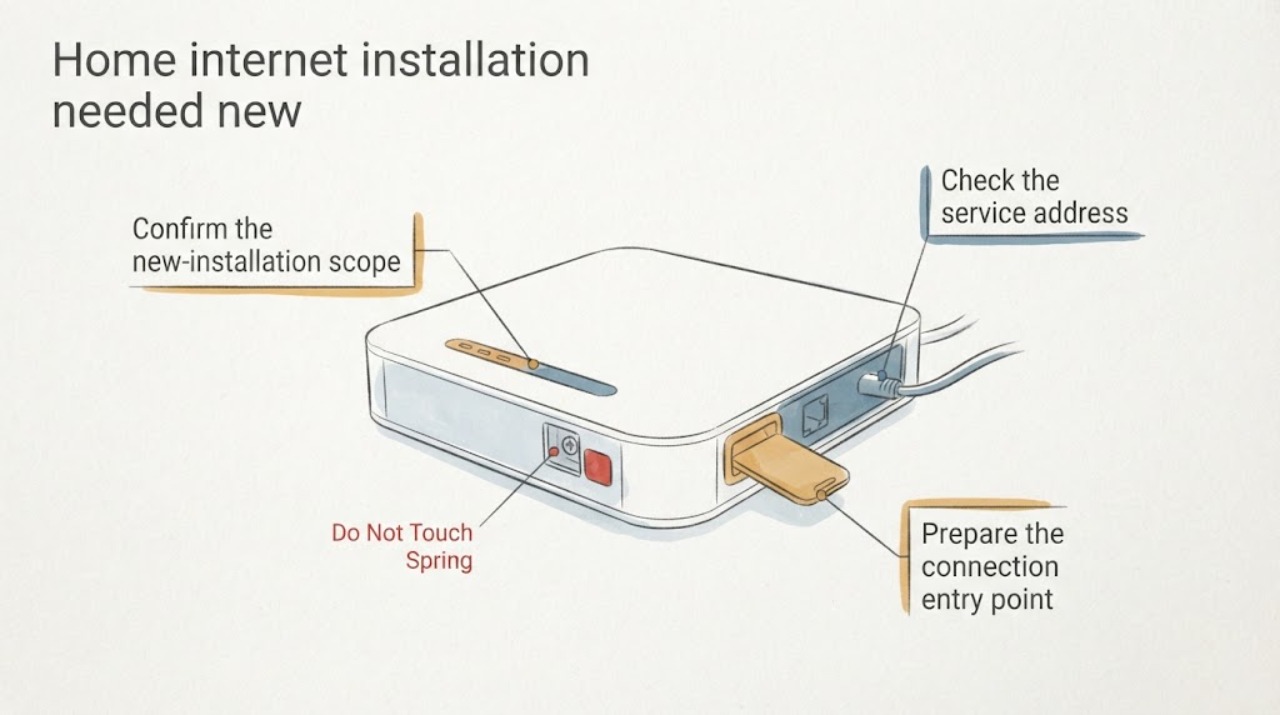
Work through in order
Diagnostic checks
Use only checks that match the exact appliance or system and its official guide.
-
Confirm the new-installation scope
Confirm that the request is for a new home-internet installation at a new service address, not an outage, speed problem, billing question, cancellation, or existing-account support request.
Expected result: The request may be a new connection, a move to a new address, or an existing-account issue that should be routed separately.
Next step: Write down the service address, unit or suite, whether the home is occupied, and the preferred installation window.
Stop if: Stop this planning path if the request is about a live outage, bill, cancellation, account access, or troubleshooting an already installed service.
Why this matters
Why: A new-service installation needs address and site preparation; an existing service problem follows a different support path.
-
Check the service address
Check the service address in the FCC National Broadband Map or another neutral availability reference without entering payment or account information; record the location match and reported fixed-service options.
Expected result: The address may match a residential location, show multiple access methods, be missing, or map to the wrong unit or structure.
Next step: Save the matched address or map result and ask the new-service installer to confirm the access method and site requirements.
Stop if: Do not treat a map result as a guaranteed order, speed, price, or installation date; stop and clarify the address when the map is wrong.
Why this matters
Why: An address point with reported availability supports installation planning, while a missing or mismatched point means the address or building record needs clarification before an appointment.
-
Prepare the connection entry point
From a safe position, identify the likely building entry point for the new connection—such as an existing conduit, utility penetration, demarcation area, or exterior wall path—without drilling, opening a utility box, or removing a cover.
Expected result: The route may be visible and open, present but obstructed, shared with other utilities, or not identifiable from a safe position.
Next step: Photograph the proposed entry area and note wall, basement, crawlspace, attic, or exterior access limits for the installer.
Stop if: Stop for exposed wiring, gas or water lines, structural concerns, height or confined-space access, or any need to cut or open the building.
Why this matters
Why: A visible usable route can simplify installation; a blocked, absent, or inaccessible route may require a site visit, building permission, or qualified construction work.
-
Plan equipment placement and wiring
Choose a practical indoor equipment location by checking for a nearby usable outlet, clear ventilation, stable surface, and a short safe path for the Ethernet or other in-home cable; do not install or rewire anything.
Expected result: The preferred area may have a usable outlet and clear cable route, need a different location, or require electrical or construction work.
Next step: Record the preferred location, alternate location, outlet availability, and any wall, floor, or furniture constraint for the installer.
Stop if: Stop before using damaged outlets, extension cords as permanent wiring, drilling, cutting, moving structural materials, or opening electrical boxes.
Why this matters
Why: A prepared placement reduces avoidable cable runs and access changes, while an unsuitable outlet or route should be resolved before the appointment.
-
Make the installation appointment-ready
Prepare the appointment site by confirming access to the address and entry route, landlord or building permission when needed, parking or gate instructions, pets or occupants that need protection, and any existing conduit or cable information.
Expected result: The site may be ready, need permission, have restricted access, or require a separate qualified trade for structural or electrical work.
Next step: Send the address notes, photos, preferred equipment location, access limits, and permission status with the new-installation request.
Stop if: Stop and reschedule if safe access, permission, or required site work is not available.
Why this matters
Why: Installation delays often come from access or site-readiness gaps rather than the network equipment itself; a complete handoff lets the installer determine what work is allowed.
Use your observations
Decision map
Find the observation that best matches what you see, then follow the next safe action.
-
PATH 01Next step
What you see
The request is for a new service, the service address matches a residential location, and a safe entry route and equipment location are available.
Do this next
Provide the address notes and site-preparation details to the installation scheduler and keep the route accessible for the appointment.
-
PATH 02Next step
What you see
The address is missing, maps to the wrong unit or structure, or reported availability does not match the property.
Do this next
Correct the unit, suite, or building information and request a new-service availability check before arranging site work.
-
PATH 03Next step
What you see
The connection route is blocked or absent, the preferred equipment location lacks a safe outlet or cable path, or building permission is required.
Do this next
Document the constraint and obtain installer or property-manager guidance; do not drill, open utility boxes, rewire, or alter the building as a preparation step.
-
PATH 04Next step
What you see
The planned route requires electrical work, structural changes, confined or elevated access, or construction beyond ordinary site preparation.
Do this next
Arrange the appropriate qualified trade or approved building work before the internet installation; keep the network appointment separate from unrelated repair work.
-
PATH 05Next step
What you see
The request is actually an outage, speed issue, billing or cancellation matter, or support for an existing account rather than a new installation.
Do this next
Use the relevant account or service-support channel; this new-installation planning article does not diagnose or manage those requests.
Helpful context
Understand the symptom
A new home-internet installation is mainly an address and site-readiness decision. Confirm the new-service scope, verify the address record, identify a safe connection entry point, choose equipment placement, and prepare access and permission details.
The FCC National Broadband Map can show the location match and reported fixed-service options, but it does not replace an installationer's confirmation of the actual route, building access, equipment placement, or appointment requirements.
This page covers planning a new connection only. It does not troubleshoot an outage or slow service, handle billing or cancellation, or provide support for an existing account. Do not drill, open utility or electrical boxes, rewire, or make structural changes as preparation.
Safety boundary
Stop conditions
- Do not open utility or electrical boxes, rewire, drill, cut structural materials, or enter confined or elevated areas to prepare an installation.
- Do not use damaged outlets or improvised permanent wiring for network equipment.
- Stop when address, permission, safe access, or required construction work is unresolved.
- Keep this request separate from outage troubleshooting, billing, cancellation, or existing-account support.
Only after diagnosis
Potential parts
- ethernet-cable
Consider this category only after the installer confirms the connection method, equipment, and safe cable path for the new service.
Confirm cable type, length, connector, building route, and installer requirements before selection; a cable does not establish service availability or replace concealed wiring work. - wifi-router
Consider this category only when the installer confirms that customer-supplied Wi-Fi equipment is supported and the service handoff is defined.
Confirm the service equipment, installation method, power requirements, and provider or installer instructions before selection; avoid treating a retail router as a substitute for the new-service installation.
When checks do not resolve it
Need a professional?
Request new-service installation scheduling when the address and site notes are ready. Ask for a site assessment when the entry route, equipment location, permission, or required construction work is unclear. Use separate support for outages, speed issues, billing, cancellation, or existing accounts.
Safety scope: This article covers customer-level planning and observation only. A qualified installer or appropriate trade should handle utility boxes, electrical work, drilling, concealed cable routes, elevated or confined access, structural changes, and the final connection.
Common questions
FAQ
What should I prepare before a new home-internet installation?
Confirm that this is a new connection at the correct address, then check the address match, likely entry point, equipment location, usable outlet, cable route, access, and permission requirements.
Does an availability map guarantee service at my home?
It is a planning signal, not a guarantee of an installation route, speed, price, or appointment. Save the matched address and ask the installer to confirm site requirements.
Where should the internet equipment be placed?
Choose a stable, ventilated location with a usable outlet and a safe cable path. Let the installer or a qualified trade handle any electrical, drilling, structural, or concealed-route work.
What should I tell the installation scheduler?
Record the address and unit details, entry-point photos, preferred and alternate equipment locations, outlet and cable-route constraints, access instructions, permission status, and any work you did not perform.
Does this cover an existing internet problem or account?
This page is for a new connection. Outages, speed issues, billing, cancellation, and existing-account support need their respective service channels.
Read the exact guide
Official sources
- How to Use the FCC’s National Broadband MapFederal Communications Commission · FCC guidance used to check a service address, view reported fixed-broadband availability, and identify location-record issues before a new installation.
Community feedback
Share a repair observation
Share a plain-text repair observation. Accepted observations are published automatically; this page may take a moment to update.