
On this page
Start here
Quick answer
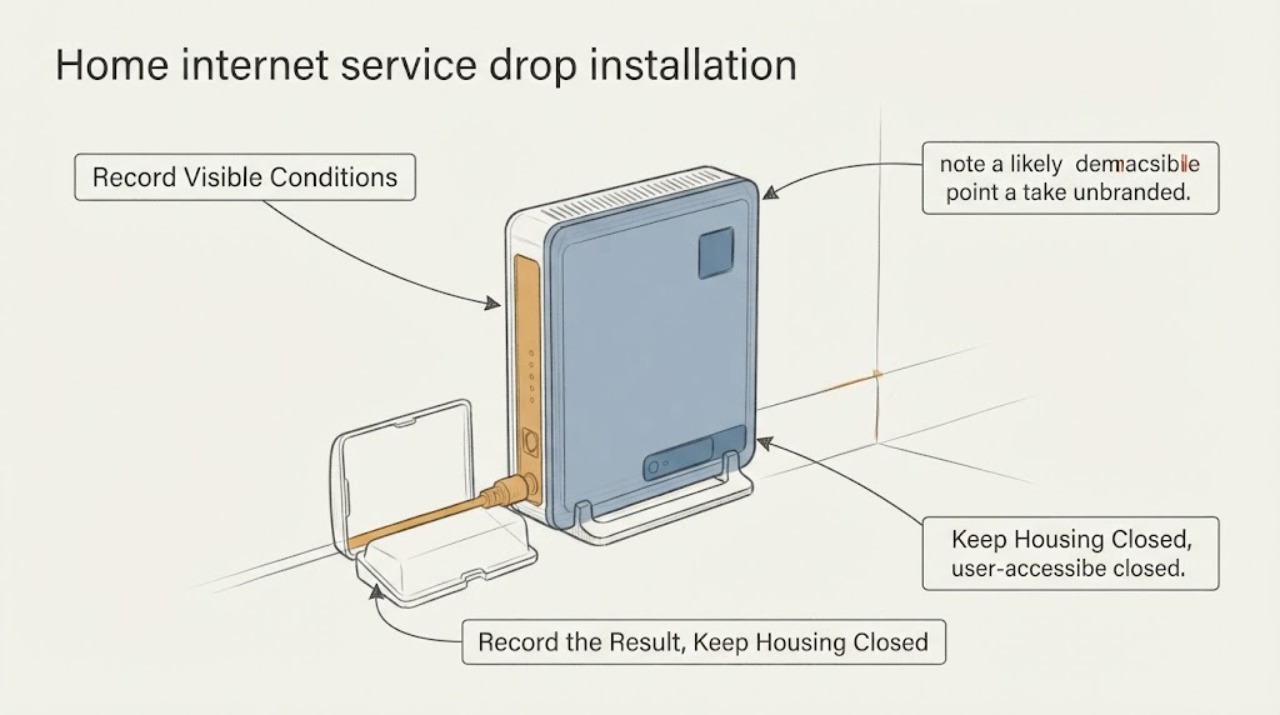
For a new home-internet service drop, first confirm that the exact home is recognized as a serviceable location and note whether the likely technology is fiber, cable, DSL, fixed wireless, or another option. Then make a safe route record from the street, pole or underground utility area, and property boundary toward the likely demarcation point or ONT—without touching lines, opening utility equipment, climbing, or digging. Photograph visible obstacles, gates, access limits, existing entry points, and any property or landlord approval requirement. The provider must confirm the route, ownership, permits, drop type, and installation appointment. Do not treat this as an outage or repair, and do not install or alter the outside line yourself.
Before you begin
Safety first
- Do not touch overhead or underground lines, open a pedestal or ONT, climb, use a ladder, dig, drill, cut, cross an unauthorized property boundary, modify walls or wiring, or attempt live network repair. The provider and qualified utility personnel determine the drop route, clearances, permits, and installation work.
Work through in order
Diagnostic checks
Use only checks that match the exact appliance or system and its official guide.
-
Check 1
Check the exact service address on the FCC National Broadband Map and record the location point, reported fixed technologies, and whether the home appears as a serviceable residential location; do not treat the map as an installation approval.
Expected result: The address may show one or more reported technologies, a missing or mismatched location point, or no reported fixed service at the building.
Next step: Give the provider the exact address, unit information, and any map mismatch and ask its new-installation team to confirm serviceability and the planned network handoff.
Stop if: Stop this check if it requires entering a restricted property or sharing another person's private location information; use only the address and access details you are authorized to provide.
Why this matters
Why: A reported location and technology help frame the provider conversation, but the map reflects provider-submitted availability and does not establish the final service drop route or construction scope.
-
Check 2
From inside the home and without opening equipment, note a likely demarcation point, ONT, coax or network entry, nearby power availability, and the preferred equipment location; do not remove covers, disconnect service, or alter wiring.
Expected result: There may be an existing entry and equipment location, only an empty conduit or wall penetration, or no visible handoff point.
Next step: Photograph only visible, intact equipment and describe the preferred indoor location, access limits, and whether the home is a single unit or multi-unit building.
Stop if: Stop if inspection would expose wiring, require moving electrical equipment, opening a utility enclosure, or disturbing a sealed provider device.
Why this matters
Why: A known handoff location helps the provider plan the installation. No visible point does not prove that the property lacks a route; it may require a provider site assessment or owner-approved work.
-
Check 3
From a safe ground-level position on authorized property, trace the apparent path from the street, pole, pedestal, or underground utility edge toward the home and record gates, trees, walls, paving, water features, construction, and other visible obstacles; do not touch lines, utility equipment, poles, or conduits.
Expected result: The route may appear open, cross a gate or shared boundary, require an overhead span, or disappear underground before reaching the home.
Next step: Send location-stamped route photos only through the provider's authorized installation process and ask which party will assess the final drop path.
Stop if: Stop immediately for overhead conductors, traffic exposure, unstable ground, restricted utility property, or any need to climb, reach, lift, drill, or dig.
Why this matters
Why: Obstacles and uncertain ownership can change the technician's access plan and may require provider construction review or property permission. A visual route is not a clearance measurement and cannot confirm line safety.
-
Check 4
Check the property and access context from documents or a safe conversation: landlord or HOA approval, shared driveway or easement concerns, gate hours, parking limits, and whether the preferred entry point is inside a rented or multi-unit space; do not make an unauthorized alteration.
Expected result: The home may be owner-occupied with clear access, rented or multi-unit with approval required, or affected by a shared boundary or right-of-way.
Next step: Obtain the appropriate written or documented permission and provide the provider with the contact who can authorize access; let the provider define any required permits.
Stop if: Stop planning the route if permission is unclear, a neighbor's land is involved, or the path would require an unapproved wall, surface, or utility alteration.
Why this matters
Why: The service provider may need owner, landlord, HOA, utility, or public-right-of-way coordination before a drop can be placed. Customer control of the account does not grant construction permission over another property.
-
Check 5
Before the appointment, confirm that the provider has classified the request as a new installation or service-drop assessment and has the route photos, access instructions, unit details, and any permission contact; do not diagnose an outage or perform live network repair.
Expected result: The provider may confirm a standard appointment, request a site or construction review, identify missing address data, or say that the proposed path needs additional permission or utility coordination.
Next step: Follow the provider's written installation instructions and keep the route accessible without touching network or utility equipment.
Stop if: Stop and escalate through the provider's installation channel if the route is unsafe, unavailable, disputed, or requires digging or work near energized utilities.
Why this matters
Why: A confirmed installation scope tells you whether to prepare for a technician visit or wait for a construction and serviceability decision. It does not authorize self-installed outside cable.
Use your observations
Decision map
Find the observation that best matches what you see, then follow the next safe action.
-
PATH 01Next step
What you see
The exact address appears as a serviceable location with a reported fixed technology.
Do this next
Use that result as context and ask the provider to confirm the actual service drop, demarcation or ONT location, access, and construction scope.
-
PATH 02Next step
What you see
A visible path exists from the network edge toward the home and the entire route is on authorized, safe property.
Do this next
Document obstacles and access instructions for the installation team without touching the path or measuring clearances yourself.
-
PATH 03Next step
What you see
The preferred indoor entry or ONT location is visible and intact.
Do this next
Share its location and nearby access constraints, but do not open, disconnect, or modify the equipment.
-
PATH 04Next step
What you see
The provider says digging, construction, or a utility crossing may be required.
Do this next
Leave marking, permitting, and installation to the provider and qualified parties; any digging project must follow the applicable utility-locate process before ground is disturbed.
Helpful context
Understand the symptom
A service drop is a route and access question
A new connection may involve a provider network point at the street, pole, pedestal, or underground route, a drop to the property, and a demarcation point or optical network terminal near the home. A map result can indicate reported availability, but it does not confirm the exact route, property rights, construction work, or the provider's final installation decision.
Record the route from safe positions
Walk only on areas you are allowed to use and stay clear of traffic, utility equipment, overhead conductors, and unstable ground. From the ground or a window, note where a line appears to approach the property, where an existing entry or ONT may be located, and what could block a technician. Do not touch a line, open a pedestal, climb a pole, use a ladder, or excavate.
Separate installation from account support
This page is for a new installation or a missing service drop. It is not a guide to an existing outage, billing, cancellation, or live network repair. Ask the provider's new-installation team to validate serviceability, route ownership, permits, construction needs, the indoor handoff point, and what preparation is actually required.
Prepare a clean handoff
Have the service address, unit or building details, property contact, access hours, gate or parking restrictions, visible route photos, and the preferred indoor equipment location ready. Do not promise that a cable can cross a neighbor's property or public right-of-way; the provider and property authorities must confirm those permissions.
Only after diagnosis
Potential parts
- ethernet-cable
Consider an Ethernet cable only after the provider confirms the indoor handoff and the required connection type for the installed service.
Match connector type, cable length, environment, and the provider's equipment guidance; a cable does not replace the outside service drop or authorize wall work. - wifi-router
A router may be relevant only if the provider permits customer equipment after the new service is activated and the gateway arrangement is known.
Confirm provider compatibility, modem or ONT handoff, service technology, and network mode before selecting equipment; do not assume any router can activate a new drop.
When checks do not resolve it
Need a professional?
Use the provider's new-installation channel when the address needs a first connection, the service drop is missing, the route is unclear, a demarcation or ONT is absent, or property and construction coordination may be required. Use the appropriate utility or emergency service for exposed, damaged, or unsafe utility conditions; this article does not handle outages or live repairs.
Safety scope: Do not touch overhead or underground lines, open a pedestal or ONT, climb, use a ladder, dig, drill, cut, cross an unauthorized property boundary, modify walls or wiring, or attempt live network repair. The provider and qualified utility personnel determine the drop route, clearances, permits, and installation work.
Have this ready
- Provide the exact service address and unit details, FCC map result if useful, safe route photos, apparent network-edge and handoff locations, gates and access hours, obstacles, property or landlord contact, permission status, and the preferred indoor equipment location.
Common questions
FAQ
Does a broadband map result guarantee that a new service drop can be installed?
No. The map reports provider-submitted availability at locations, while the provider must still confirm the address, route, property access, handoff point, construction needs, and installation scope.
Can I run the outside internet line from the street to my house myself?
No. Do not touch provider or utility lines, open network equipment, climb, dig, or make an unauthorized crossing. Ask the provider to assess and install the service drop through its new-installation process.
What if the likely route crosses a neighbor's property or a shared driveway?
Do not assume permission. Record the issue from a safe, authorized position, identify the property contact, and ask the provider to coordinate easement, landlord, HOA, or right-of-way requirements.
Do I need to dig before the installation appointment?
No. Leave any excavation, utility locating, permitting, and construction to the provider and qualified parties. If a project will disturb ground, the applicable utility-locate process must be completed before digging.
Read the exact guide
Official sources
- About the Fabric: What a Broadband Serviceable Location Is and Is NotFederal Communications Commission · Supports distinguishing a mapped serviceable location from a guaranteed physical drop or interior handoff.
- 811 Before You DigCommon Ground Alliance · Supports the no-dig boundary and utility-locate handoff if a future installation requires excavation; it does not authorize the homeowner to perform the service drop.
- What’s on the National Broadband MapFederal Communications Commission · Supports explaining that map availability is provider-submitted location-level data and not an exact installation-route guarantee.
- How to Use the FCC’s National Broadband MapFederal Communications Commission · Supports checking the address and reported technology as a planning input; map data does not replace provider installation confirmation.
Community feedback
Share a repair observation
Share a plain-text repair observation. Accepted observations are published automatically; this page may take a moment to update.