
On this page
Start here
Quick answer
An air conditioner may continue briefly after Stop because of an auto-dry or fan-delay routine, but continuous compressor or fan operation is different. Note which part runs, the selected mode, room temperature, timer, and any error light; then use the exact model manual for its stop and delay behavior. If the unit will not stop, trips power, leaks, smells hot, or shows a fault, isolate it when safe and arrange qualified HVAC service.
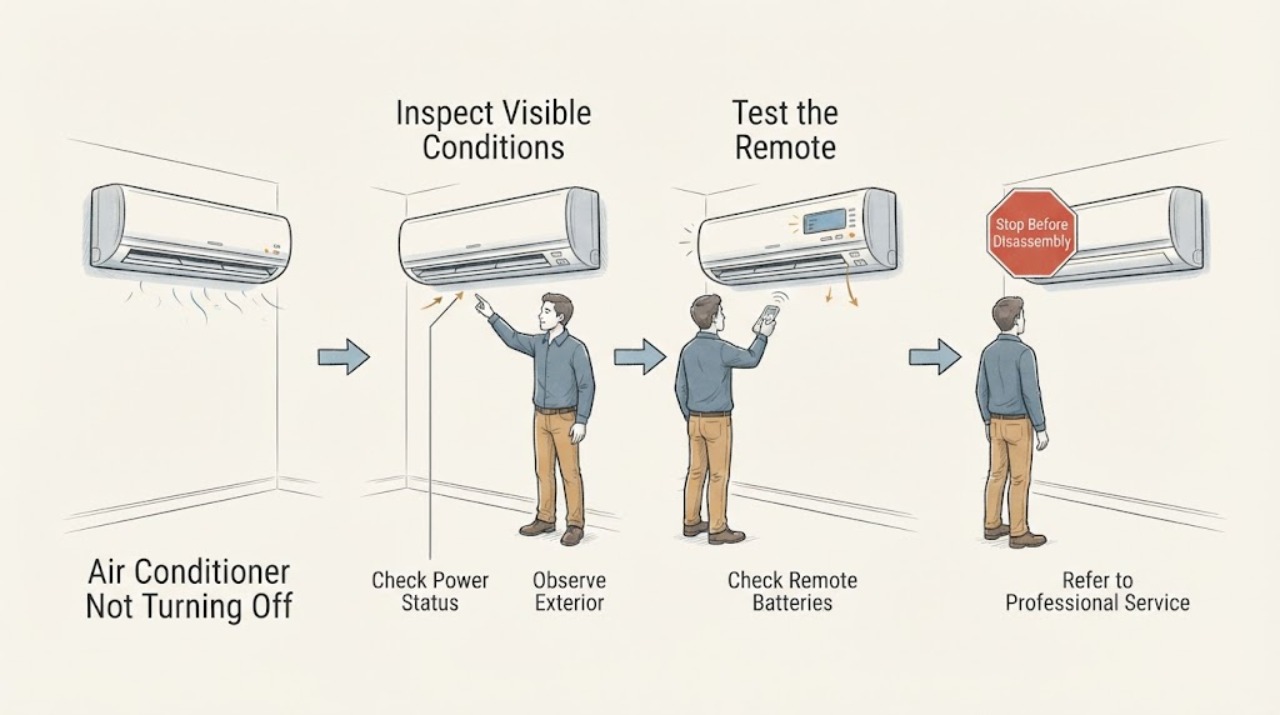
Work through in order
Diagnostic checks
Use only checks that match the exact appliance or system and its official guide.
-
Check 1
Press Stop once using the normal control and observe the indoor fan, outdoor unit, operation light, timer, and error indication without cycling power repeatedly.
Expected result: Only the fan continues briefly, the compressor remains active, or the operation light flashes.
Next step: Check the exact manual for fan-dry behavior. Stop use and arrange service for a flashing fault, persistent compressor operation, leak, odor, or heat.
Why this matters
Why: A fan-dry delay can be normal, while a running compressor or flashing fault suggests a different control or safety condition.
-
Check 2
Check the selected mode, timer/schedule, temperature setting, and remote-control command against the exact model manual; ensure no automatic or maintenance mode is active.
Expected result: A timer, schedule, auto-dry, fan-only, or incorrect mode explains the continued operation, or settings are normal.
Next step: Clear only the confirmed setting and monitor once. Do not open the control panel.
Why this matters
Why: A documented mode can keep a fan running after cooling; normal settings keep a control, sensor, or relay fault possible.
-
Check 3
Inspect only the visible indoor outlet, filter, drain area, and outdoor clearance for blockage, water, or damage; isolate power at the dedicated control only when the manual and conditions make it safe.
Expected result: A filter/outlet is blocked, water is present, outdoor airflow is obstructed, or visible conditions are normal.
Next step: Correct only a manual-approved visible filter or clearance issue. Arrange HVAC service for persistent operation, water, abnormal sound, or poor cooling.
Why this matters
Why: Airflow or drainage issues can affect operation, but clear external conditions do not identify an internal control or refrigerant fault.
Use your observations
Decision map
Find the observation that best matches what you see, then follow the next safe action.
-
PATH 01Next step
What you see
Only the indoor fan runs briefly after Stop and then turns off with no fault or leak.
Do this next
Follow the exact manual and monitor.
Why this path and its safety boundary
Why it matters: A documented drying or fan-delay routine is plausible.
-
PATH 02Next step
What you see
The compressor or fan runs continuously despite normal Stop and settings.
Do this next
Isolate power when safe and arrange qualified HVAC service.
Why this path and its safety boundary
Why it matters: A control, sensor, relay, or operating fault remains possible.
-
PATH 03Next step
What you see
A flashing operation light, leak, burning odor, breaker trip, or abnormal heat accompanies the failure to stop.
Do this next
Stop use and obtain qualified service.
Why this path and its safety boundary
Why it matters: A safety or equipment fault is present.
Helpful context
Understand the symptom
Identify whether only the indoor fan continues, the outdoor unit/compressor continues, or the display shows a timer or error. Some units deliberately run a drying cycle after cooling.
Daikin's official troubleshooting route includes operation-not-stop, operation settings, abnormal lights, and service guidance. Exact delay times and controls are model-specific.
When checks do not resolve it
Need a professional?
Arrange HVAC service for continuous operation after the documented stop behavior, flashing fault indicators, leaks, abnormal heat/odor, repeated breaker trips, or poor cooling.
Common questions
FAQ
Is a fan that runs after Stop always a failure?
No. Some systems run a documented drying or fan-delay routine. Persistent operation or a running compressor needs the exact manual and service.
Read the exact guide
Official sources
- TroubleshootingDaikin · Residential air-conditioner operation-not-stop, mode, indicator, and service troubleshooting
- Operation Manual TroubleshootingDaikin · Daikin air-conditioner delayed operation, safety, and model manual troubleshooting
Community feedback
Share a repair observation
Share a plain-text repair observation. Accepted observations are published automatically; this page may take a moment to update.