
On this page
Start here
Quick answer
If a Bosch oven is not heating, first check the external power supply and make sure an oven mode and temperature have actually been selected. A dark display or a tripped breaker points to a supply problem; a powered display with no heat after a valid Bake or other heating mode is selected points to a control, element, sensor, or other technical fault that needs service. If an E-code appears, record it and follow the manual for that exact model. Do not remove panels or attempt to repair a heating element: Bosch warns that oven repairs involve high-voltage electricity.
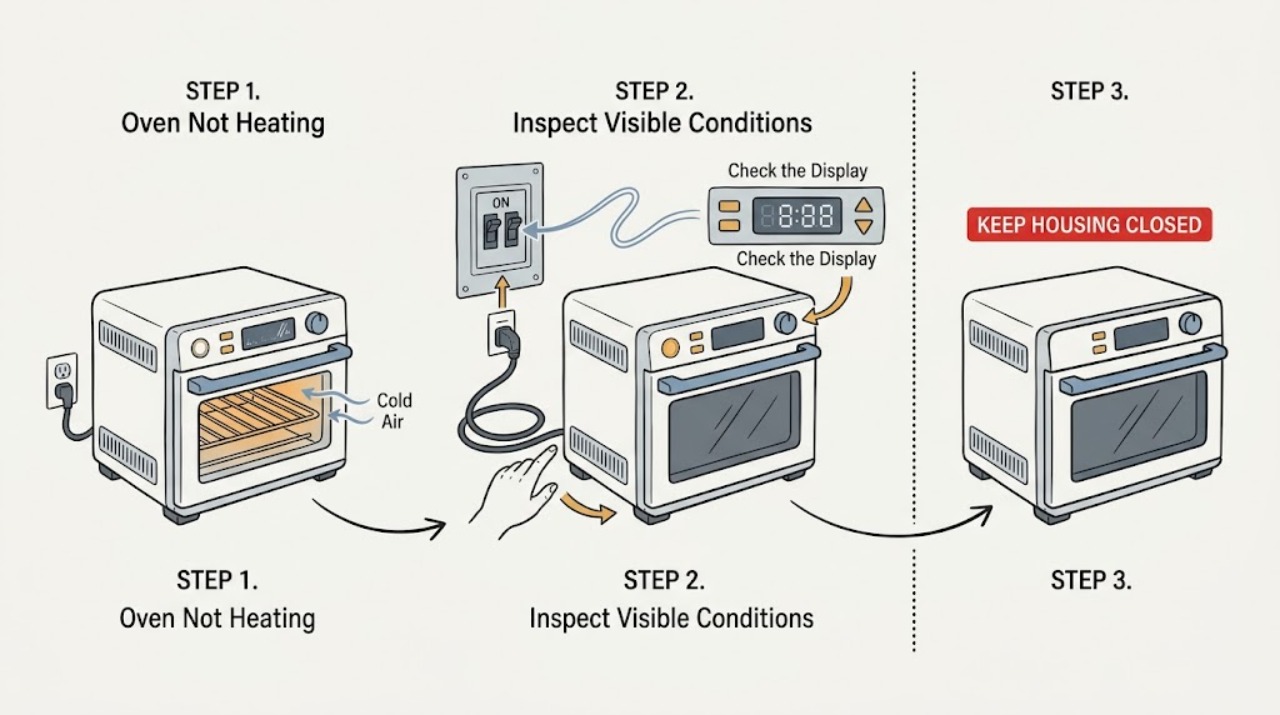
Work through in order
Diagnostic checks
Use only checks that match the exact appliance or system and its official guide.
-
Check 1
Look at the display and control response, then select a normal heating mode such as Bake and set a temperature using the procedure in the oven's own manual.
Expected result: The display is dark or unresponsive, the display works but no temperature was selected, or a heating mode and temperature are shown normally.
Next step: If the display is dark, continue to the breaker and supply check. If no temperature was set, select one and allow the oven to begin preheating. If the settings are correct but there is still no heat, continue to the visible preheat and error-code checks.
Why this matters
Why: Bosch's troubleshooting guide lists power not reaching the oven and temperature not being set as separate explanations for an oven that is not heating. A displayed clock or light does not replace selecting a heating mode and temperature.
-
Check 2
Check the household breaker or fuse panel that supplies the oven, looking only for a clearly tripped breaker or an obvious supply interruption; do not remove the oven's electrical covers.
Expected result: The breaker is tripped or the oven lost power, or the breaker appears normal but the oven remains dark or will not heat.
Next step: If the interruption can be restored safely and there is no smell, heat, smoke, or visible damage, restore it once and recheck the oven settings. If it trips again or the oven remains without power, stop and contact a qualified electrician or Bosch-authorized service provider.
Why this matters
Why: Bosch identifies insufficient electrical power as a possible cause of no heat. A breaker that trips again is evidence of an unresolved electrical fault, not a cue to keep resetting it.
-
Check 3
Start one controlled preheat with the door closed and note whether the oven indicates preheating, whether any heating is felt after the model's normal preheat interval, and whether the oven heats in one selected mode but not another.
Expected result: The oven begins warming, stays completely cold with a powered display, or heats unevenly or only in one mode.
Next step: If it warms normally, continue using the model's rack and temperature guidance. If it stays cold, is uneven, or only one mode works, stop trying modes repeatedly and arrange service; do not open the oven to inspect or repair an element.
Why this matters
Why: Bosch's heating troubleshooting distinguishes the setting and power checks from a technical fault; its temperature guidance also treats malfunctioning elements as a service issue. Mode-specific heat is useful diagnostic information but does not identify a safe user-replaceable part.
-
Check 4
If the oven shows an E-code, a beeping fault message, or a control that does not respond, record the exact display and consult the manual for that model before attempting any reset.
Expected result: No code appears, an E-code persists, or a transient message clears after the model-approved procedure.
Next step: If the code persists or returns, turn the oven off and contact Bosch service with the code and model details. Do not infer a heating-element failure or continue resets from a different model's instructions.
Why this matters
Why: Bosch's error-code guidance treats an E-code and beeping display as a fault condition and says to note the code; the exact reset behavior varies by oven series and model.
-
Check 5
If the oven heats but cooking remains slow or uneven, check only the external cooking setup: use the model's recommended rack position, leave airflow space around the rack, and do not cover the entire rack with foil.
Expected result: The rack or foil was restricting heat circulation, or the oven still heats unevenly despite the correct rack and unobstructed circulation.
Next step: If circulation was the issue, repeat the recipe using the manual's rack and mode guidance. If the oven still cannot reach or hold heat, stop using it for cooking and schedule service.
Why this matters
Why: Bosch notes that rack position and blocked heat circulation can affect cooking results, while suspected malfunctioning elements require service. This check applies only when the oven produces some heat.
-
Check 6
Before any further test, check for a burning smell, smoke, sparking, damaged controls, a hot or damaged power connection, repeated breaker trips, or a door that will not close safely.
Expected result: An electrical, heat, smoke, sparking, door, or repeated-trip warning is present, or none is present and the oven has failed the external checks.
Next step: If any warning sign is present, stop using the oven and disconnect power only if it can be done safely, then arrange qualified service. If no warning sign is present but the oven still does not heat, schedule Bosch-authorized diagnosis rather than removing panels.
Why this matters
Why: These conditions exceed normal setting checks. Bosch says heating-element repairs should be left to experts and directs owners to service for persistent faults.
Use your observations
Decision map
Find the observation that best matches what you see, then follow the next safe action.
-
PATH 01Safety boundary
What you see
The control display is dark or the oven does not respond at all.
Do this next
Check the supplying breaker or fuse panel once. If power cannot be restored safely or the breaker trips again, stop and obtain qualified electrical or appliance service.
Why this path and its safety boundary
Safety stop: The oven has control power; continue with mode, temperature, and preheat checks.
-
PATH 02Safety boundary
What you see
The display works, but no normal heating mode and temperature are active.
Do this next
Select the mode and temperature specified by the model manual, close the door, and observe one preheat attempt.
Why this path and its safety boundary
Safety stop: Continue to the persistent no-heat or mode-specific branch.
-
PATH 03Safety boundary
What you see
The oven warms in at least one mode or cooks unevenly rather than staying completely cold.
Do this next
Check rack position and unobstructed circulation. If one mode remains cold or the oven cannot reach temperature, arrange service rather than replacing an element yourself.
Why this path and its safety boundary
Safety stop: Continue to the error-code and persistent no-heat branch.
-
PATH 04Safety boundary
What you see
An E-code remains, the oven stays cold with correct power and settings, or a breaker trips again.
Do this next
Stop testing, record the exact code and model, and contact Bosch-authorized service. Do not remove panels or test high-voltage components.
Why this path and its safety boundary
Safety stop: If the oven heats normally after the settings or external supply correction, monitor the next use.
Helpful context
Understand the symptom
Separate no heat from poor heating
An oven that never warms after a heating mode is selected is different from one that warms slowly or bakes unevenly. Start with the display, breaker, selected mode, and selected temperature. If the oven can heat in one mode but not another, record that difference; it is more useful to a technician than simply saying the oven is not hot.
Keep the check at user level
Only inspect settings, the household electrical panel, and visible oven-use conditions. Do not remove the oven's covers, test live wiring, or replace a heating element yourself. Bosch specifically directs element repairs to experts because ovens use high-voltage electricity.
When checks do not resolve it
Need a professional?
Use a Bosch-authorized oven service provider for persistent no-heat, uneven heating caused by a suspected element or control fault, recurring error codes, repeated breaker trips, or any repair requiring panel removal.
Common questions
FAQ
Why is my Bosch oven not heating?
Check that the oven has electrical power and that a heating mode and temperature are selected. If the display works but the oven remains cold, or only one mode heats, a technical fault may require Bosch-authorized service.
Can I replace a Bosch oven heating element myself?
No. Bosch warns that ovens use high-voltage electricity and says suspected heating-element repairs should be left to experts. Record the symptom and model details for service instead.
What should I do if my Bosch oven shows an E-code?
Record the exact code, consult the manual for the specific model, and use only its documented reset procedure. If the code remains or returns, turn the oven off and contact Bosch-authorized service.
Why does my Bosch oven heat unevenly instead of not heating at all?
Check the manual's rack position and keep heat circulation open; do not cover the entire rack with foil. If the oven remains uneven or a mode does not heat, arrange service rather than assuming a part will fit.
Read the exact guide
Official sources
- Electric Ovens Quick Reference GuideBosch Home Appliances · Bosch electric built-in wall ovens; consult the exact Use & Care manual for model-specific controls and electrical details.
- Bosch Oven & Microwave Error CodesBosch Home Appliances · Bosch oven and microwave error-code guidance; code meaning and reset procedure vary by model.
- Oven Temperature Is InaccurateBosch Home Appliances · Bosch oven temperature and cooking-result guidance; use the model manual for exact modes and settings.
- Oven Troubleshooting: Broken heating elementBosch Home Appliances · Bosch oven guidance for suspected broken heating elements; exact diagnosis depends on the appliance model.
Community feedback
Share a repair observation
Share a plain-text repair observation. Accepted observations are published automatically; this page may take a moment to update.