
On this page
Start here
Quick answer
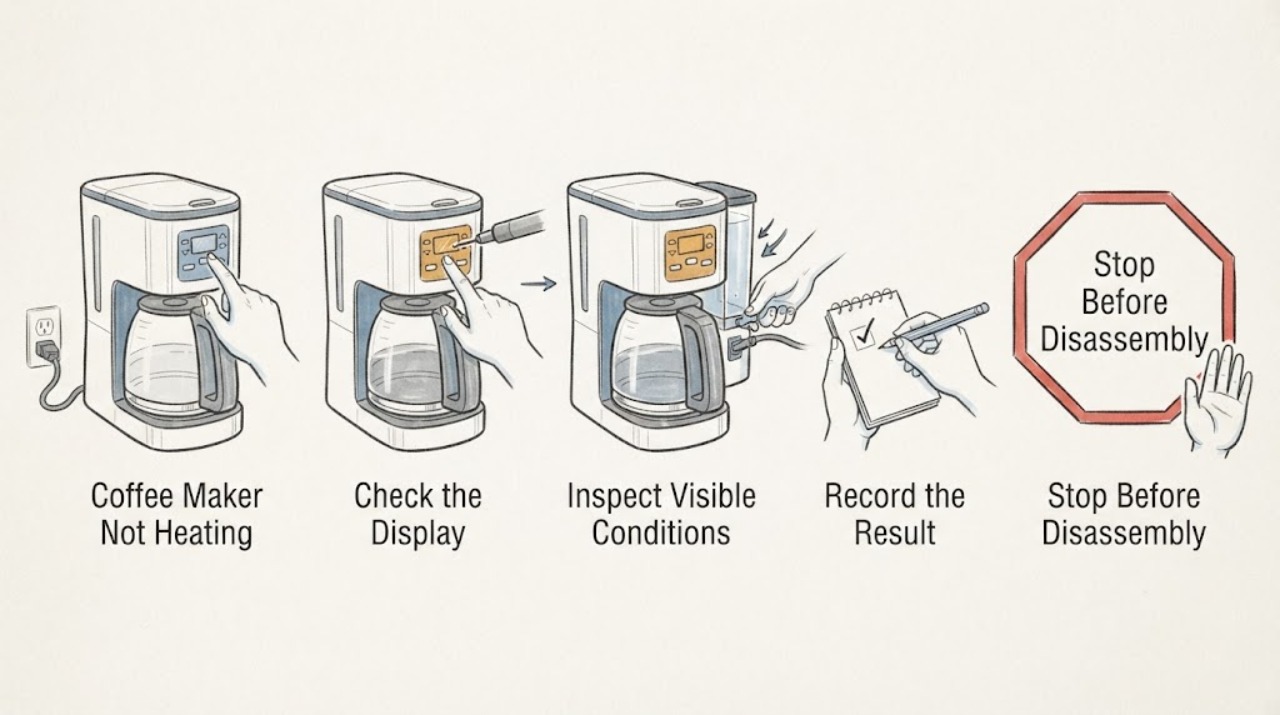
First determine whether the coffee maker has power and is merely in a warm-up or auto-off state, or whether it completes a brew with cold water and a cold plate. Confirm the tank and controls using the manual, run the documented descale cycle when scale is indicated or maintenance is due, and observe whether heating returns. If the machine never heats, trips protection, smells burnt, or remains lukewarm after descaling, stop and arrange service because a thermostat or heating element cannot be safely confirmed from the symptom alone.
Work through in order
Diagnostic checks
Use only checks that match the exact appliance or system and its official guide.
-
Check 1
With the machine cool, confirm the plug is seated, the power indicator responds, the water tank is filled to the manual’s range, and the selected brew or heat control is actually active.
Expected result: The unit is dark, the tank is empty or mis-seated, a warm-up indicator is flashing, or the unit appears active but produces cold water.
Next step: Correct only the external tank or control state shown by the manual and allow the documented warm-up. If the unit remains dark or cold, stop and arrange service.
Why this matters
Why: Power, water supply, or normal warm-up can explain a non-heating report; cold output while the machine indicates active heating needs another branch.
-
Check 2
Observe one supervised brew or hot-water cycle without opening the housing. Note whether water flows, whether the heat indicator changes, and whether the output is consistently cold or only less hot than expected.
Expected result: No water flows; water flows but stays cold; the indicator never reaches ready; or the machine reaches normal heat.
Next step: Use the model’s priming or flow guidance when documented. Do not dismantle the heater; arrange service for persistent no-heat output.
Why this matters
Why: No flow can prevent heating at the outlet, while flow with no heat points toward scale or a heating/control issue. A normal heat cycle shifts attention to cups, carafe or recipe conditions.
-
Check 3
Run the exact model’s documented descale cycle if the manual or maintenance indicator calls for it, then flush with the specified clear water.
Expected result: Heating improves, remains unchanged, or the machine faults during the cycle.
Next step: Do not repeat aggressive cycles. Arrange service when heat does not return or a fault appears.
Why this matters
Why: Improvement supports mineral buildup as a contributor. No change or a fault during descaling leaves an internal heating or control issue possible.
-
Check 4
Record whether the complaint is about the coffee, the hot-water outlet, steam, or a warming plate, and whether the plug, cord or base becomes unusually hot.
Expected result: Only one outlet is affected; all heating functions are cold; or there is abnormal heat, smoke or a burning smell.
Next step: Stop use for abnormal heat, smoke or burning odor. Provide the technician with the affected function and the warm-up observations.
Why this matters
Why: A single-function issue can be model-specific; all functions cold or a safety sign points toward a control, heater or supply problem.
Use your observations
Decision map
Find the observation that best matches what you see, then follow the next safe action.
-
PATH 01Next step
What you see
The machine powers up, shows a normal warm-up state, and produces hot output after the tank and control are corrected.
Do this next
Use the manual’s operating sequence and monitor one normal brew.
Why this path and its safety boundary
Why it matters: A setup or normal warm-up state is more likely than a failed heater.
-
PATH 02Next step
What you see
Water flows but remains cold after the documented warm-up and a model-appropriate descale.
Do this next
Stop owner troubleshooting and arrange qualified service.
Why this path and its safety boundary
Why it matters: A thermostat, heating element, control, or related internal fault remains possible; no single part is proven.
-
PATH 03Next step
What you see
The machine shows abnormal heat, smoke, burning odor, damaged cord, or repeated electrical trips.
Do this next
Unplug when safe and keep the coffee maker out of use pending qualified service.
Why this path and its safety boundary
Why it matters: This is a safety boundary rather than a descaling problem.
Helpful context
Understand the symptom
“Not heating” can mean no power, no water movement, a normal warm-up delay, lukewarm extraction, or a warming plate that does not stay warm. Check which output is cold before choosing a branch.
Coffee maker designs vary between drip, pod, and espresso machines. Follow the exact manual for controls and descaling products; the checks below stay external and symptom-level.
When checks do not resolve it
Need a professional?
Provide the exact model and a concise record of what happened, which controls or indicators responded, and which safe checks changed the symptom.
Common questions
FAQ
Can scale make a coffee maker stop heating?
Breville says mineral buildup can reduce heating performance and recommends descaling. If heat does not return, service may be needed.
Why is the coffee lukewarm even though the machine runs?
Separate normal warm-up, cups or carafe temperature, water flow and scale from a heater fault; use the exact model guidance before service.
Read the exact guide
Official sources
- BES870 Instruction BookBreville · Breville Barista Express operation and troubleshooting
- Espresso machine problems and fixesBreville · Breville espresso machine heating troubleshooting
Community feedback
Share a repair observation
Share a plain-text repair observation. Accepted observations are published automatically; this page may take a moment to update.