
On this page
Start here
Quick answer
A brief squeak when a Crosley dryer starts and the normal sound of the drum turning can be expected, but a continuing squeak, thump, hum, chirp, scraping, or rattling needs a closer check. First identify when the sound occurs, then disconnect power before inspecting the level floor, exposed cabinet screws, lint-filter opening, and drum for loose objects. Do not continue using the dryer if the noise suggests a damaged belt, worn drum support, metal scraping, burning smell, smoke, or another mechanical fault; arrange qualified service instead.
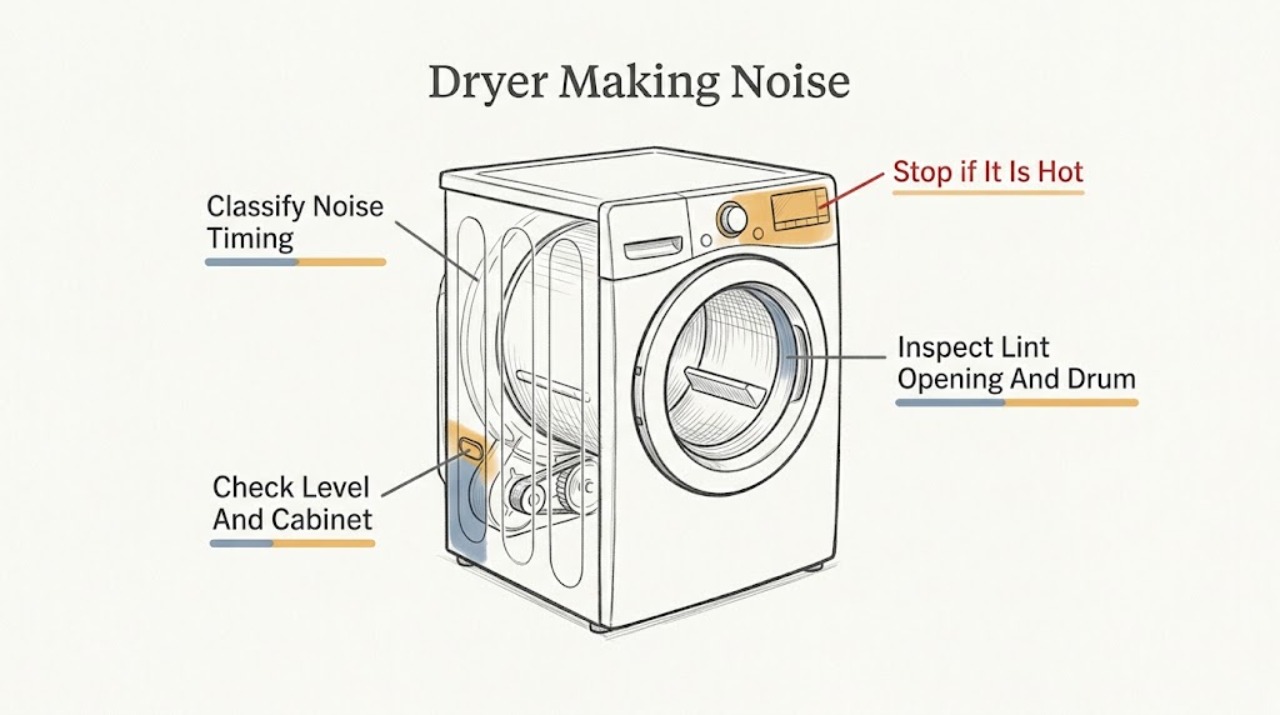
Work through in order
Diagnostic checks
Use only checks that match the exact appliance or system and its official guide.
-
Check 1
From outside the dryer, identify the sound and when it occurs: only during the first seconds of start-up, continuously while the drum turns, only after the dryer heats, at regular short intervals, or when the dryer stops. Do not keep a visibly damaged or smoking dryer running just to classify the sound.
Expected result: Record whether the sound is a brief start-up squeak, a normal drum-turning sound, a thump, hum, heated squeak, repeating chirp, scraping, or rattling; note whether it changes with drum rotation or heat.
Next step: If the sound is brief and disappears, monitor it. If it persists or matches an abnormal pattern, turn the dryer Off, disconnect power, and continue with the external checks only.
Stop if: Stop immediately for smoke, burning odor, a harsh metal scrape, a sudden loud change, or visible movement of the cabinet or drum.
Why this matters
Why: A brief start-up squeak that goes away and the sound of the drum turning can be normal. A thump, hum, heated squeak, repeating chirp, or persistent squeak is an abnormal pattern; scraping or a rhythmic thump raises concern for a foreign object or mechanical wear.
-
Check 2
With the dryer Off, unplugged, and cool, check that it sits firmly on a solid, level floor and that nothing is leaning against it. Inspect accessible exterior cabinet screws for looseness and tighten only screws that are clearly exposed and intended for the cabinet; do not remove panels.
Expected result: Look for rocking, an uneven floor, contact with a wall or object, or an exposed loose screw that can vibrate against the cabinet.
Next step: Correct the visible leveling or contact issue, restore the dryer only when everything is secure, and make one brief observation if there is no hazardous symptom. If the noise continues, stop use and arrange service.
Stop if: Do not tip, disassemble, or move a stacked or gas-connected dryer beyond what can be done safely; stop if the dryer is unstable or the noise persists after the external correction.
Why this matters
Why: An unlevel dryer or a loose cabinet screw can create vibration or squeaking without proving an internal part has failed. If the dryer is stable and the noise remains, move to the foreign-object checks rather than repeatedly adjusting the legs.
-
Check 3
With power disconnected, remove the lint filter and look down into its opening using a flashlight. Check the drum interior for coins, paper clips, buttons, zippers, or other loose objects, and inspect the visible drum front seal for an object caught at the edge. Use work gloves if your hand must enter the lint-filter opening and only remove an object that is plainly accessible.
Expected result: A loose object may move or scrape as the drum rotates; the lint-filter opening may contain an item; a foreign object at the front seal may produce metal scraping. Do not reach past an edge or pull on the seal.
Next step: Remove only a plainly accessible object, replace the lint filter, and perform one brief observation only if the dryer has no other warning signs. If the noise remains or the object is inaccessible, arrange service.
Stop if: Stop if an object is lodged, an edge is sharp, the seal is damaged, or removing it would require opening the cabinet or reaching into moving or heated components.
Why this matters
Why: A removable object can account for a rattle or scrape. A sound that remains after accessible objects are removed, or a worn or loose drum slide or seal area, needs service rather than deeper homeowner disassembly.
-
Check 4
After the safe external checks, decide whether the noise is still present and whether it points to a drive or support problem. Do not remove the cabinet or attempt to inspect or replace the belt, motor, drum slides, bearings, heater, gas burner, or wiring as a homeowner repair.
Expected result: A frayed-belt-type thump, metal scrape from the drum front, persistent hum, or a squeak that appears after heating remains after the dryer is level and free of accessible objects.
Next step: Discontinue use and arrange qualified dryer service. Give the servicer the sound description, when it starts, whether it changes with heat or drum rotation, and what external checks were completed.
Stop if: Stop using the dryer immediately for smoke, burning smell, exposed wiring, scraping metal, a damaged belt visible without disassembly, or repeated breaker trips.
Why this matters
Why: These results are consistent with an internal mechanical or heat-related fault that cannot be confirmed safely from outside. Continued operation can increase wear and may create a fire or injury risk.
Use your observations
Decision map
Find the observation that best matches what you see, then follow the next safe action.
-
PATH 01Safety boundary
What you see
The sound is a short start-up squeak that disappears within the first seconds, or only the normal sound of the drum turning is heard.
Do this next
No repair is indicated by that sound alone; monitor for a change in duration, volume, or timing.
Why this path and its safety boundary
Safety stop: If the squeak continues, returns as a repeating chirp, or appears after heating, stop and use the abnormal-noise branch.
-
PATH 02Safety boundary
What you see
The dryer rocks, touches another object, has an accessible loose cabinet screw, or contains a plainly accessible loose item.
Do this next
With power disconnected and the dryer cool, correct the visible level/contact issue or remove the accessible item, then make one brief observation.
Why this path and its safety boundary
Safety stop: If the sound remains, the item is inaccessible, or the dryer is unstable, discontinue use and arrange service.
-
PATH 03Safety boundary
What you see
A thump, persistent hum, heated squeak, repeating chirp, or metal scraping remains after the external checks.
Do this next
Discontinue use and arrange qualified service; report the sound timing and whether it changes with heat or drum rotation.
Why this path and its safety boundary
Safety stop: Do not open the cabinet or replace drive/support parts without the appropriate qualified service procedure.
-
PATH 04Safety boundary
What you see
There is smoke, a burning odor, exposed wiring, a sudden severe noise, visible belt damage, or repeated breaker operation.
Do this next
Stop the cycle and disconnect power only if it is safe to do so. Keep the dryer out of service until a qualified technician evaluates it.
Why this path and its safety boundary
Safety stop: Do not restart the dryer to verify the symptom and do not work on electrical, gas, heater, or moving components.
Helpful context
Understand the symptom
The sound's timing is more useful than its volume. GE's dryer support guidance, which is linked from a Crosley dryer Owner Center, treats a short start-up squeak and the drum turning as normal, while listing thumping, humming, a squeak that appears after heating, and a repeating chirp as sounds that are not normal. A Crosley care manual likewise recommends checking whether the dryer is level when it shakes or makes noise.
A loose item can make a rattle or scrape without a failed dryer part. Coins, paper clips, buttons, zippers, or an object below the lint filter can move as the drum turns. A foreign object at the front seal, worn or loose drum slides, or a frayed belt is a different branch and should be handled by a qualified servicer.
Before any inspection, disconnect the dryer from its power supply and let hot parts cool. Do not reach into an opening with bare hands if an edge may be sharp, and do not remove the cabinet to reach the motor, belt, drum supports, heater, gas burner, or wiring.
Only after diagnosis
Potential parts
- dryer drum support or drive component
Consider a part only after qualified service identifies an internal support or drive fault that remains after leveling and accessible-object checks.
Confirm the exact Crosley model and manufacturer's fit information before ordering; do not infer compatibility from sound or appearance.
When checks do not resolve it
Need a professional?
Arrange qualified dryer service if an abnormal noise continues after the dryer is level and accessible loose objects are removed, if the noise is a thump, persistent hum, heated squeak, repeating chirp, or metal scrape, or if a belt, drum support, seal, wiring, or other internal component appears damaged. Stop immediately for smoke, burning odor, exposed wiring, severe scraping, or repeated breaker trips.
Common questions
FAQ
Is a squeak from a Crosley dryer normal?
A short squeak at start-up that disappears within the first few seconds can be normal. A squeak that continues, appears after the dryer heats, or repeats every few seconds is not a normal pattern and should be checked and potentially serviced.
Why is my Crosley dryer making a thumping or scraping noise?
Check that the dryer is level and that no loose item is in the drum or accessible lint-filter opening. A persistent thump can indicate a drive issue, while a metal scrape can come from an object at the drum front or worn support parts. Stop and arrange service if the sound remains.
Can a loose object cause a Crosley dryer to rattle?
Yes. Coins, paper clips, buttons, and zippers can rattle or scrape as the drum turns. Disconnect power, let the dryer cool, and remove only an object that is plainly accessible; do not open the cabinet or reach past sharp edges.
Should I keep using a Crosley dryer that makes an unusual noise?
Do not continue using it when the noise is persistent or severe, or when there is smoke, burning odor, exposed wiring, visible belt damage, or metal scraping. Disconnect power if safe and arrange qualified service.
Read the exact guide
Official sources
- Troubleshooting for YFD45GSPMDGGE Appliances · Confirms the official Crosley dryer Owner Center and its Dryer is Noisy support path; model-specific details should be checked against the reader's own manual.
- Dryer - NoisesGE Appliances · Supports normal versus abnormal sound patterns, level and cabinet checks, accessible foreign-object checks, and the stop-use service boundary.
- Crosley Commercial Grade Dryer Use & CareCrosley · Supports the Crosley guidance to check a dryer that shakes or makes noise for level placement and to use a qualified service boundary for internal maintenance.
Community feedback
Share a repair observation
Share a plain-text repair observation. Accepted observations are published automatically; this page may take a moment to update.