
On this page
Start here
Quick answer
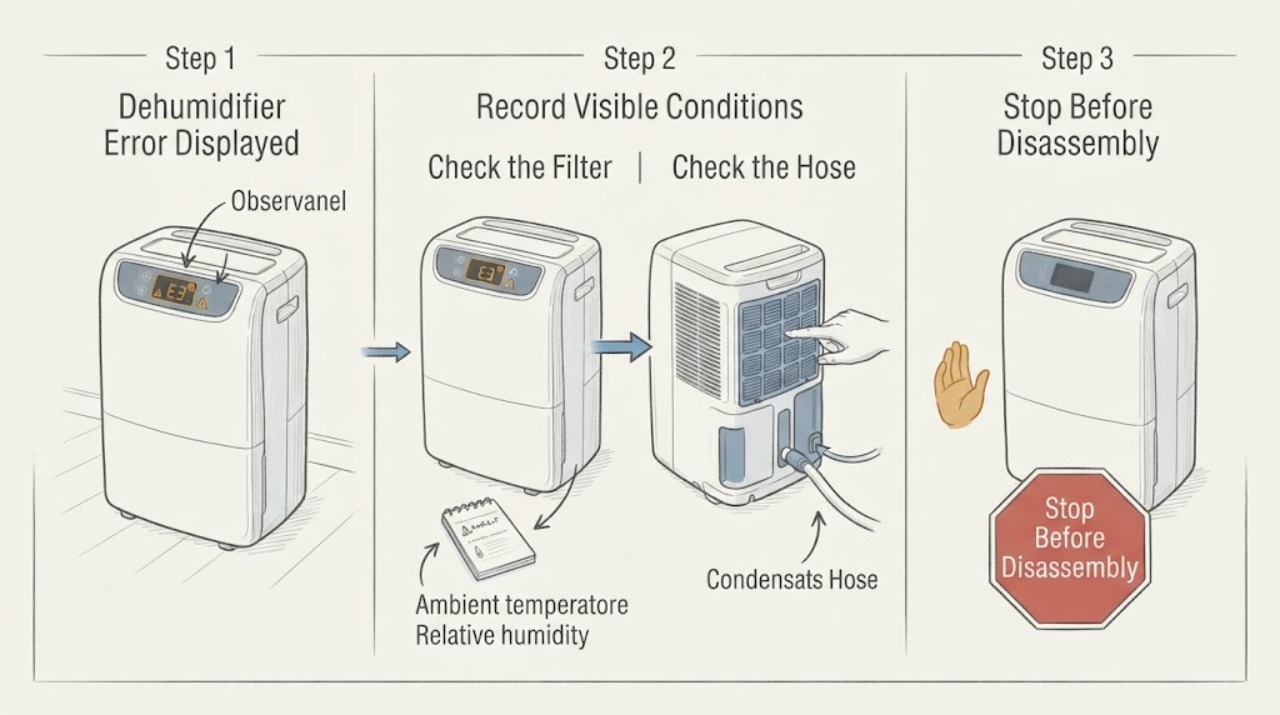
A dehumidifier error display is only useful when the exact code and behavior are recorded. Frigidaire’s official guide routes sensor, sealed-system, and electronic-control codes to service, while some overload or pump-out codes allow filter, clearance, hose, bucket, cool-down, or one restart check. Use the exact model manual and do not open the sealed system.
Work through in order
Diagnostic checks
Use only checks that match the exact appliance or system and its official guide.
-
Check 1
Record the exact letters/numbers, flashing pattern, water level, fan/compressor state, room temperature, and when the code appears.
Expected result: A precise code separates a documented sensor/control/sealed-system route from a pump-out or overload route.
Next step: Do not erase the code with repeated resets; use the model manual.
Why this matters
Why: This observation narrows the likely cause but does not identify an internal part by itself.
-
Check 2
Turn the unit off and unplug it when safe; inspect the plug, cord, bucket seating, filter, clearance, and visible hose for heat, damage, blockage, kink, or freezing.
Expected result: A visible airflow or drain issue can support certain codes; electrical damage or water near controls is a stop condition.
Next step: Correct only model-authorized accessible checks and keep the unit off for hazards.
Why this matters
Why: This observation narrows the likely cause but does not identify an internal part by itself.
-
Check 3
For pump-out or water-related displays, empty/reseat the bucket and inspect the accessible drain hose connection without opening the pump housing.
Expected result: A seated bucket and clear hose may restore a pump-out condition; recurrence leaves pump/control service possible.
Next step: Restart once under normal conditions only if the exact guide permits; stop if the code returns.
Why this matters
Why: This observation narrows the likely cause but does not identify an internal part by itself.
-
Check 4
For overload/frost indications, clean the filter, verify clearance, and allow the unit to cool/thaw naturally; do not use heat tools.
Expected result: Recovery after airflow/cool-down supports a protection state; recurrent frost or code needs diagnosis.
Next step: Use the model manual for ambient limits and arrange service for recurrence.
Why this matters
Why: This observation narrows the likely cause but does not identify an internal part by itself.
-
Check 5
Record the code, model, filter condition, hose/bucket state, frost, restart result, and water collection behavior.
Expected result: This gives service evidence without opening refrigerant or electrical compartments.
Next step: Arrange qualified dehumidifier service for unresolved codes.
Why this matters
Why: This observation narrows the likely cause but does not identify an internal part by itself.
Use your observations
Decision map
Find the observation that best matches what you see, then follow the next safe action.
-
PATH 01Next step
What you see
Code matches a documented sensor, sealed-system, or electronic-control failure.
Do this next
Keep the unit off and arrange qualified service.
Why this path and its safety boundary
Why it matters: The official guide routes these codes to service, not user repair.
-
PATH 02Next step
What you see
Pump-out code clears after bucket/hose/filter checks and one permitted restart.
Do this next
Use only the model’s approved drain setup and service a returning code.
Why this path and its safety boundary
Why it matters: A drain or setup condition is more likely, but monitor for recurrence.
-
PATH 03Next step
What you see
Overload/frost code clears after filter/clearance/cool-down and does not recur.
Do this next
Monitor and maintain; service repeated codes.
Why this path and its safety boundary
Why it matters: Protection from airflow or heat may have operated.
-
PATH 04Next step
What you see
Code returns, unit leaks, smells burnt, trips, or has heavy frost that will not clear.
Do this next
Unplug when safe and arrange service.
Why this path and its safety boundary
Why it matters: An unresolved mechanical, sealed-system, or electrical fault remains.
Helpful context
Understand the symptom
Different codes represent different boundaries: sensor/control/sealed-system codes need service, while pump-out or overload codes may have accessible hose/filter checks. Do not map an unknown display to a guessed part.
Frost, dirty filter, blocked hose, bucket seating, and room temperature can affect operation, but they do not explain every code.
When checks do not resolve it
Need a professional?
Call qualified service for sensor, sealed-system, electronic-control, recurrent pump/overload codes, leaks, or electrical symptoms.
Common questions
FAQ
Should I reset a dehumidifier error?
Record the code first. Some pump/overload conditions allow one model-approved restart after accessible checks; persistent or sensor/control codes need service.
Can a dirty filter cause an error?
It can contribute to airflow/overload or frost conditions, but it does not explain every code. Clean only as the model manual permits.
Can I open the back to inspect the sealed system?
No. Sealed-system and electrical diagnosis require qualified service.
Read the exact guide
Official sources
- Dehumidifier - Frost BuildupFrigidaire · Dehumidifier frost and error-display context: clearance, clean filter, ambient conditions, and manual/service guidance.
- Dehumidifiers Error Code GuideFrigidaire · Dehumidifier error display guidance: sensor, sealed-system, overload, electronic-control, and pump-out codes; safe filter, hose, cool-down, reset and service boundaries.
Community feedback
Share a repair observation
Share a plain-text repair observation. Accepted observations are published automatically; this page may take a moment to update.