
On this page
Start here
Quick answer
If a dishwasher is not heating, first confirm that the selected programme should heat and that the filters and sump are clear. Zanussi’s official support lists wrong programme selection, blocked filters/sump, excess foam, and a faulty heating element as distinct possibilities; a heating error code, when present, narrows the branch but remains model-specific. If the water stays cold or the heater fault persists, stop using the dishwasher, unplug it when safe, and arrange service.
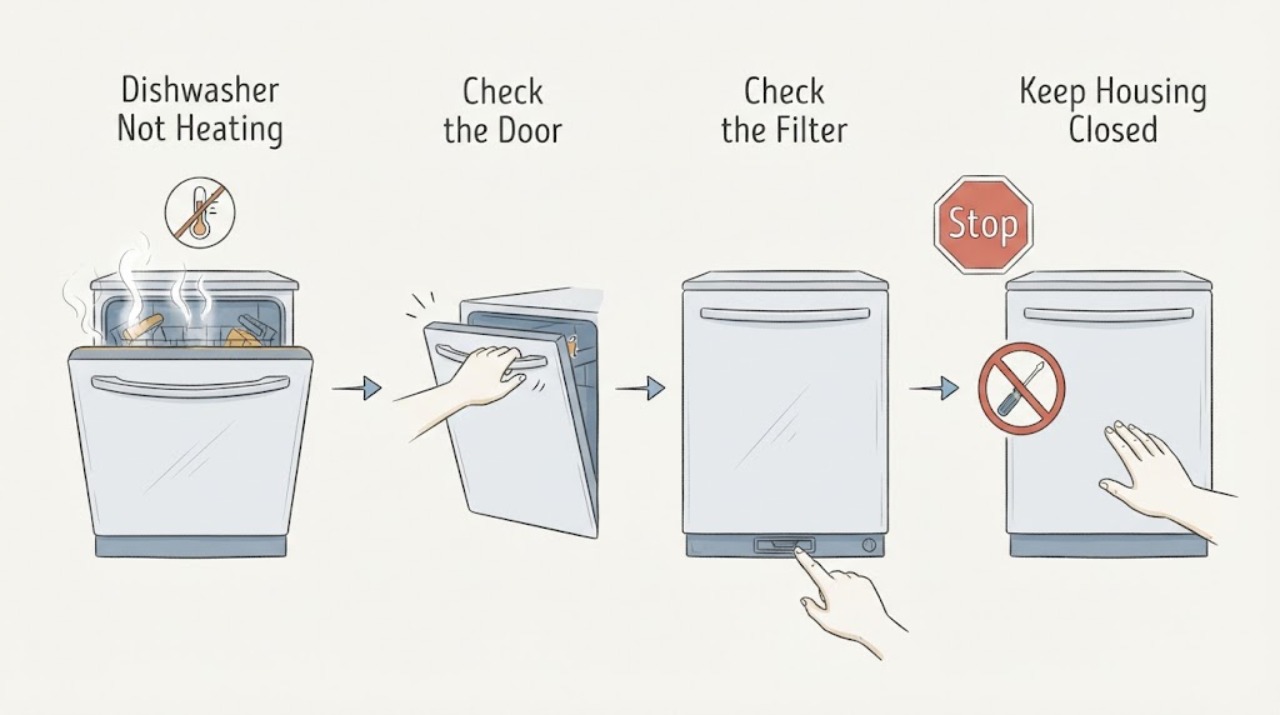
Work through in order
Diagnostic checks
Use only checks that match the exact appliance or system and its official guide.
-
Check 1
Run or review the selected programme and note whether the dishes are cold, there is no steam when the door opens, or the cycle is a short/low-temperature option.
Expected result: The programme is a quick or low-temperature cycle, or a full programme also ends cold with no steam.
Next step: Use the exact manual to choose a programme appropriate to the load; if a full programme remains cold, continue with the filter and foam checks.
Stop if: Stop if the condition becomes unsafe or requires opening the appliance.
Why this matters
Why: Programme choice can explain a cold result, but a full programme ending cold points toward a heating, circulation, sensor, or control problem.
-
Check 2
Switch the appliance off and clean only the user-accessible filters and sump area as the manual directs; remove visible food debris without reaching into hidden pump or heater parts.
Expected result: The filter/sump is blocked, or it is clean but the dishwasher still produces cold results.
Next step: Refit the filters and make one supervised cycle test. If heating remains absent, stop use and arrange service.
Stop if: Stop if standing water is hot, contaminated, or cannot be contained.
Why this matters
Why: Zanussi identifies blocked filters and sump as a possible contributor to poor washing/heating results; a clear path leaves the heater/system branch open.
-
Check 3
Check for foam or detergent residue at the end of the cycle and whether rinse aid was spilled or washing-up liquid entered the appliance.
Expected result: There is excess foam or water/foam at the bottom, or no foam is present.
Next step: Remove foam as the official guidance describes and use the correct dishwasher products; if a technician is required, do not keep running the unit.
Stop if: Stop if the condition becomes unsafe or requires opening the appliance.
Why this matters
Why: Zanussi warns that excess foam can disturb operation; when foam is absent, the heater or another system becomes more likely if the cycle remains cold.
-
Check 4
Record the full display code or flashing pattern if one appears; do not substitute a code from another brand or model.
Expected result: A code in the model’s heating family repeats, or there is no code but the dishwasher remains cold.
Next step: Use the exact manual and arrange authorised service for a repeating heating code or persistent cold water.
Stop if: Stop if the condition becomes unsafe or requires opening the appliance.
Why this matters
Why: Heating codes narrow the affected system but do not identify a replaceable part; no code does not rule out a heater fault.
Use your observations
Decision map
Find the observation that best matches what you see, then follow the next safe action.
-
PATH 01Next step
What you see
Only a short or low-temperature programme ends cold
Do this next
Choose a suitable full programme from the manual and observe one cycle.
Why this path and its safety boundary
Why it matters: The observed result may be normal for that programme rather than proof of a failed heater.
-
PATH 02Next step
What you see
A full programme ends cold after clear filters and no excess foam
Do this next
Stop using the dishwasher, unplug it when safe, and request service.
Why this path and its safety boundary
Why it matters: A heating element or related heating system fault is more likely.
-
PATH 03Next step
What you see
A heating error code repeats
Do this next
Record the full code and arrange authorised service rather than replacing a part by symptom.
Why this path and its safety boundary
Why it matters: The controller is detecting a heating problem, but the exact component remains model-specific.
Helpful context
Understand the symptom
Confirm the cycle before blaming the heater
A quick or low-temperature cycle can make dishes feel cold. A full cycle that stays cold after clear filters and no foam is a different branch and deserves service.
When checks do not resolve it
Need a professional?
Arrange authorised dishwasher service when a full programme remains cold, a heating code repeats, or the heater or wiring would need access. Stop using the appliance for a suspected heater fault and isolate power when safe.
Common questions
FAQ
Can cold dishes prove the heater is broken?
No. Programme selection, blocked filters, and excess foam can also affect the result. A full programme that stays cold after those checks needs service.
Should I keep using the dishwasher without heat?
Zanussi recommends not using the product until a suspected heating fault is fixed and says to unplug it until it is safe to do so.
Read the exact guide
Official sources
- Electrolux Dishwasher Error Codes – Causes and SolutionsElectrolux · Electrolux dishwasher heating error family
- Dishwasher is not heating up waterZanussi · Zanussi integrated and freestanding dishwasher heating support
Community feedback
Share a repair observation
Share a plain-text repair observation. Accepted observations are published automatically; this page may take a moment to update.