
On this page
Start here
Quick answer
A Frigidaire FAD704DWD compressor may run for a long time in a very humid room, and it should stop when the measured relative humidity reaches the selected setpoint. The fan can continue for up to about 3 minutes after the compressor stops. If the compressor stops while the room is still above the setpoint, check the mode, bucket, airflow, filter, room temperature, and visible frost. A repeated H3 or E5 display, heavy frost, repeated thermal stopping, or no compressor response after these external checks needs Frigidaire service; do not open the cabinet or test the sealed system.
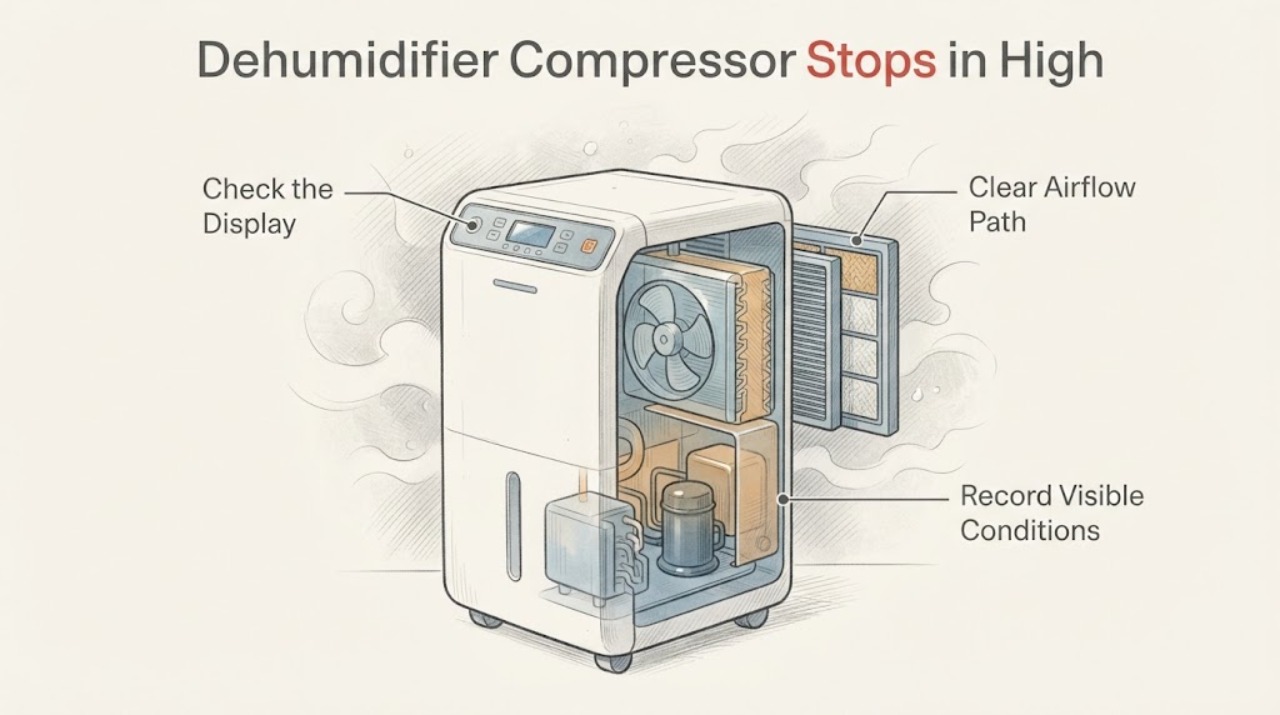
Work through in order
Diagnostic checks
Use only checks that match the exact appliance or system and its official guide.
-
Check 1
From a dry, safe position, note the FAD704DWD display, current RH, selected humidity setpoint, mode including CO if shown, fan sound, compressor hum, and the time from startup to the stop. Record whether the fan continues after the compressor stops and whether any code appears.
Expected result: The compressor stops when RH reaches or falls below the setpoint and the fan runs briefly; RH remains above the setpoint; the whole unit stops; or a code appears.
Next step: If the setpoint has been reached, monitor one normal cycle. If demand remains or a code is present, continue with the mode, airflow, temperature, and frost checks.
Stop if: Do not remove covers, reach into a grille, or keep restarting a unit that smells burned, smokes, overheats, trips protection, or has water near electrical parts.
Why this matters
Why: A stop at the setpoint with a short fan overrun matches Frigidaire's documented humidity control. A stop above the setpoint, a complete stop, or a code is a different branch and cannot be classified from sound alone.
-
Check 2
Check the normal humidity controls without opening the unit. Compare displayed RH with the selected setpoint and verify whether CO/Continuous mode is selected. Make one model-authorized setpoint or mode adjustment; for a very humid room, allow a normal cycle rather than judging the first run immediately.
Expected result: RH is at or below the setpoint; RH is above the setpoint but the compressor stops; CO is selected; or the unit resumes after a valid demand is restored.
Next step: Use a normal humidity target after the room improves, keep nearby doors and windows closed, and continue to the external condition check when demand remains.
Stop if: Do not guess hidden service settings, repeatedly change the target, or treat a control pause as a failed compressor.
Why this matters
Why: Below-setpoint shutdown is expected. CO is designed for short high-humidity use and changes expected compressor behavior. If RH remains above the setpoint and the compressor still stops, a bucket, airflow, temperature, frost, overload, or internal fault becomes more likely.
-
Check 3
With the unit powered off and unplugged from a dry, safe position, check that the bucket is empty and correctly seated, that the front and rear air paths have clearance, and that the accessible filter and grille are clean and dry. Close nearby windows and doors and confirm the room is not below 41°F/5°C.
Expected result: The bucket was full or misseated; airflow or filter was restricted; doors or windows were adding moisture; the room is below 41°F/5°C; or all external conditions are suitable.
Next step: Correct only the external condition described in the exact manual, reinstall a dry filter and bucket, then make one normal run attempt. If suitable conditions remain but demand is not met, continue to the frost and code branch.
Stop if: Do not bypass the bucket interlock, operate with a cracked bucket, scrape coils, or touch a wet electrical area.
Why this matters
Why: A full bucket pauses operation, restricted airflow reduces dehumidification, open openings can keep the room load high, and low temperature can prevent satisfactory operation. These observations do not identify a failed compressor.
-
Check 4
Look through the accessible grille for light or heavy frost without removing panels. If frost is visible, leave the unit off and allow the documented protection behavior to recover naturally; never use a heater, flame, knife, or other tool to defrost it. If H3, E5, EC, F0, a sensor code, or another fault appears, write down the exact code before taking action.
Expected result: No frost is visible; light frost appears and clears; heavy ice remains or returns; H3/E5 clears after cooling; another code appears; or no code appears but the compressor repeatedly stops above the setpoint.
Next step: For a one-time light-frost event or H3/E5, follow the documented cool-down and external checks once. If frost or a code returns, or the compressor still stops under suitable conditions, keep the unit off and contact Frigidaire service.
Stop if: Do not scrape coils, probe wiring, test a compressor or capacitor, add refrigerant, open the cabinet, or restore power while the appliance is wet.
Why this matters
Why: Frigidaire says the coil sensor can stop the compressor to warm the coil and melt light frost. H3/E5 is compressor overload protection, while EC/F0 indicates sealed-system failure and several other codes indicate sensor or control faults.
Use your observations
Decision map
Find the observation that best matches what you see, then follow the next safe action.
-
PATH 01Next step
What you see
The compressor stops at or below the selected RH setpoint, the fan may run for up to about three minutes, and the unit later restarts when RH rises.
Do this next
Leave the unit in a model-authorized mode and monitor whether it controls humidity normally. Check the high-humidity load if the room still feels damp.
Why this path and its safety boundary
Why it matters: This matches Frigidaire's documented humidity-control cycle and does not by itself show a compressor failure.
-
PATH 02Next step
What you see
The room is very damp, nearby doors or windows are open, or the space is large for the unit, and the compressor runs for a long time without a fault code.
Do this next
Close nearby openings, verify airflow and sizing, and allow time for the room to dry before judging the compressor. Use CO only for the short high-humidity period described by Frigidaire, then return to a setpoint.
Why this path and its safety boundary
Why it matters: The moisture load may be keeping the dehumidifier in a long normal cycle; Frigidaire says higher moisture requires more operating time.
-
PATH 03Next step
What you see
The compressor stops while RH remains above the setpoint, the fan behavior is abnormal, or frost appears with a blocked filter, inadequate clearance, or room temperature below the documented range.
Do this next
Correct only the external airflow, filter, temperature, bucket, or setpoint condition, allow frost to clear naturally, and make one normal run attempt. Escalate recurring frost or stopping.
Why this path and its safety boundary
Why it matters: An operating condition or coil-protection response is more likely than a confirmed failed compressor.
-
PATH 04Next step
What you see
H3/E5 returns after cooling and external checks, EC/F0 or a sensor code appears, or the compressor repeatedly stops above the setpoint with suitable bucket, airflow, filter, temperature, and frost conditions.
Do this next
Keep the unit off and arrange Frigidaire service for the exact FAD704DWD. Give the technician the code, RH/setpoint, room temperature, frost observation, and time-to-stop.
Why this path and its safety boundary
Why it matters: A compressor-overload, sealed-system, sensor/control, or other internal fault remains possible, and the external symptom cannot identify a safe replacement part.
Helpful context
Understand the symptom
A compressor stop can be normal
The FAD704DWD should not be judged by sound alone. Frigidaire says the unit shuts off when room relative humidity is below the selected setpoint. When the setpoint is reached, the compressor stops and the fan may continue for up to three minutes to dry the evaporator and improve the next humidity reading. A compressor that pauses at or below the setpoint is different from one that stops while the room remains above the setpoint and the unit still has a demand to run.
High humidity changes the expected runtime
A damp room can require a long first cycle. Frigidaire advises allowing time for the unit to lower moisture, closing nearby windows and doors, and checking that the room is within the unit's capacity. Continuous mode, shown as CO on applicable controls, keeps the compressor running and is intended for only short high-humidity periods; return to a normal humidity setpoint after the room reaches a comfortable range.
Stopping can also be airflow, temperature, or protection behavior
Restricted grille airflow, a dirty filter, low room temperature, or frost can interrupt dehumidification without proving that the compressor has failed. Frigidaire documents a 41°F lower operating limit in its room-dryness guidance and says a coil sensor can stop the compressor to melt frost. H3 or E5 indicates compressor overload protection; that code calls for checking clearance and filter condition, allowing the unit to cool, and seeking support if the condition remains.
The observation that matters is whether demand remains
Record room RH, selected setpoint, operating mode, fan behavior, elapsed run time, visible frost, and any code. If the compressor stops after the setpoint is reached and later restarts when RH rises, that is the documented control pattern. If it stops above the setpoint, repeatedly trips protection, shows H3/E5 or another fault, or never restarts under suitable conditions, the external checks have reached their limit and the exact model should be handled by Frigidaire service.
When checks do not resolve it
Need a professional?
Arrange Frigidaire service when the compressor repeatedly stops while RH remains above the selected setpoint after the bucket, mode, airflow, filter, room-temperature, and frost checks; when H3/E5 returns after the documented cool-down; when EC/F0 or a sensor/control code appears; or when diagnosing the compressor, capacitor, wiring, fan motor, or sealed system would require opening the cabinet. Provide the exact model FAD704DWD, serial information, code, RH and setpoint, room temperature, and observed fan/compressor pattern.
Common questions
FAQ
Why does my Frigidaire FAD704DWD compressor stop in a humid room?
First compare room RH with the selected setpoint. Frigidaire says the compressor stops when the setpoint is reached, and the fan may continue for up to three minutes. If RH is still above the setpoint, check bucket seating, mode, airflow, filter, room temperature, and frost before treating it as a fault.
Should the FAD704DWD run continuously in high humidity?
High humidity can make the normal cycle long. CO/Continuous mode keeps the compressor running and Frigidaire recommends it only for short periods of high humidity; return to a desired RH setpoint after the room improves.
What do H3 and E5 mean on a Frigidaire dehumidifier?
Frigidaire identifies H3 and E5 as compressor overload protection. Check clearance and filter condition, confirm operation is between 41°F and 89°F, unplug the unit, and let it cool. If the code returns, arrange service.
Can I replace the compressor or add refrigerant when it keeps stopping?
No. A stopping compressor can reflect normal setpoint control, frost protection, overload, airflow, temperature, sensor, control, or sealed-system conditions. The displayed symptom does not identify a compatible part or authorize refrigerant work; use Frigidaire service for a recurring fault.
Read the exact guide
Official sources
- Dehumidifier - Not Collecting WaterFrigidaire · Opened Frigidaire support article for dehumidifiers; used for RH range guidance, CO, airflow, bucket, and filter checks relevant to high-humidity operation.
- Dehumidifier - Fan turning on and off periodicallyFrigidaire · Opened Frigidaire support article for dehumidifiers; used for setpoint shutdown, compressor stop, fan overrun, and restart behavior.
- Product Support for Frigidaire 70 Pint Capacity Dehumidifier-FAD704DWDFrigidaire · Opened the official FAD704DWD product-support page to keep model-specific manual and service handling attached to the assigned model; it is not used to generalize an internal component diagnosis.
- Dehumidifier Error Code H3 or E5Frigidaire · Opened Frigidaire support article; used for H3/E5 meaning, clearance/filter check, 41°F–89°F operating range, and cool-down instruction.
- Dehumidifier - Runs too muchFrigidaire · Opened Frigidaire support article for dehumidifiers; used for high-moisture runtime, closed doors/windows, room sizing, clearance, and grille cleaning.
- Dehumidifier - Putting out Hot AirFrigidaire · Opened Frigidaire support article for dehumidifiers; used for normal heat, clearance, safe cool-down, and CO/Continuous Run being limited to short high-humidity periods.
- Dehumidifiers Error Code GuideFrigidaire · Opened Frigidaire error-code guide; used for sensor, sealed-system, compressor-overload, electronic-control, and pump-code distinctions and escalation.
- Dehumidifier - Room is not dry enoughFrigidaire · Opened Frigidaire support article for dehumidifiers; used for setpoint, bucket pause, high moisture, front grille, and 41°F/5°C operating guidance.
- Dehumidifier - Frost BuildupFrigidaire · Opened Frigidaire support article for dehumidifiers; used for coil-sensor compressor shutdown, low-temperature frost, clearance/filter, and heavy-frost escalation.
Community feedback
Share a repair observation
Share a plain-text repair observation. Accepted observations are published automatically; this page may take a moment to update.