
On this page
Start here
Quick answer
Do not start by guessing what a Frigidaire dishwasher code means. Photograph the display or count the flashing lights, write down the complete model number, note whether the message appeared at power-up, after pressing Start, during filling/washing/draining, or after a leak, and record whether the tub contains water or the unit is safe to touch. Frigidaire's official support says some displays are status or instruction messages rather than faults, while its exact FGID2476SF Complete Owner's Guide maps that model's i10 to low fill, i20/i40/iF0 to clogged filters or a restricted drain, i30 to water in the bottom pan, i50 to a drain/wash motor problem, i60 to water-heating trouble, and iC0 to an electronic-control problem. Those meanings are not a universal Frigidaire code chart: use the manual for your exact model, perform only the matching external check, and disconnect power and water before service. A recurring unknown code, leak, burning smell, exposed wiring, or a code that returns after the model-approved reset requires qualified service.
Before you begin
Safety first
- This article covers capturing the code, confirming model identity, distinguishing status from error, checking visible door/power/water conditions, and performing only exact-manual external checks. Pumps, valves, heaters, motors, bottom pans, keypads, electronic controls, wiring, and live electrical testing require qualified service.
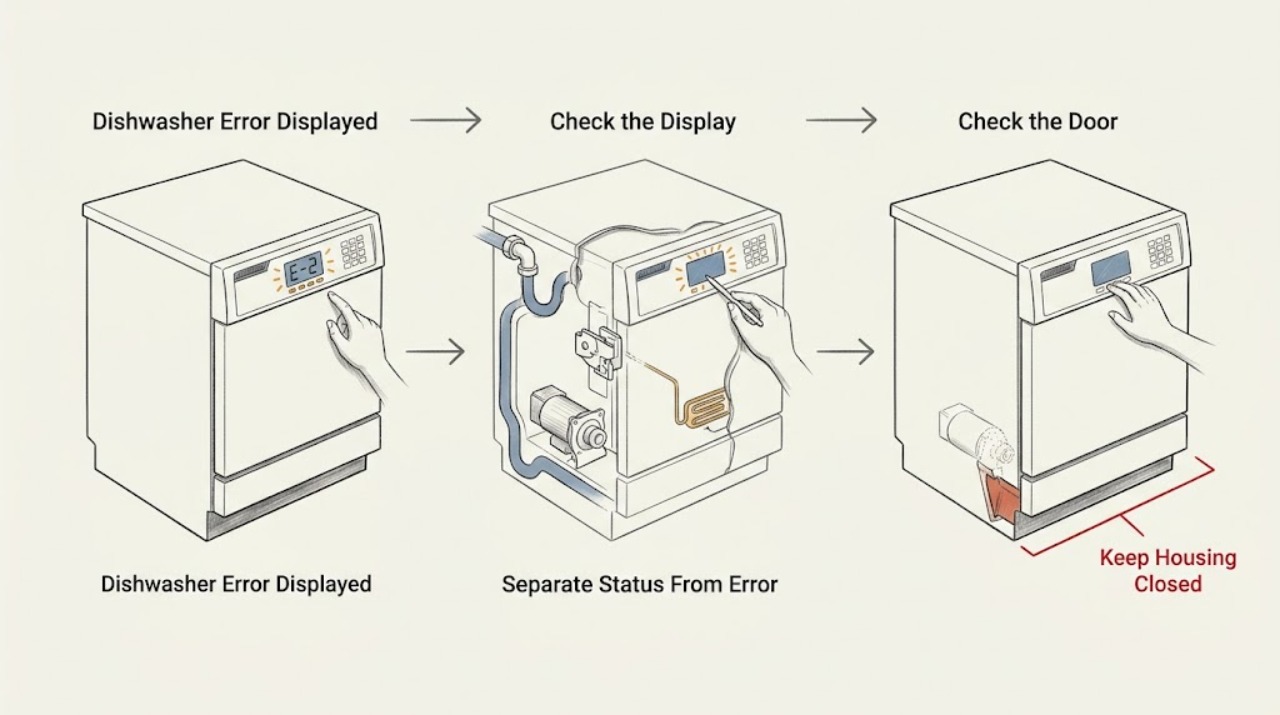
Work through in order
Diagnostic checks
Use only checks that match the exact appliance or system and its official guide.
-
Check 1
Before cancelling or resetting, photograph the display and count any flashing LEDs in order. Record the exact characters, whether they blink or stay on, the complete model number from the inside door or right side of the tub, and the cycle stage when the message appeared.
Expected result: A clear alphanumeric code is shown; only lights flash; the display shows a status/instruction word or number; or the model number cannot yet be confirmed.
Next step: Keep the record and open the exact model's owner guide. If the display is only a status prompt, follow that prompt; if it is an unknown code or sequence, do not use a different model's code table.
Stop if: Do not press random keys, start a cycle to reproduce the code, or reach into the tub while the unit may fill, spray, heat, or drain.
Why this matters
Why: A code, light sequence, status message, and model-specific display cannot be safely treated as interchangeable. Without the model and event stage, a diagnosis would be guesswork and could send the user to the wrong component.
-
Check 2
Compare the recorded display with the exact manual's status and instruction section before treating it as a fault. For the FGID2476SF guide specifically, distinguish delay hours, minutes remaining, CLOSE, rinse-aid levels, and the listed error-code section; for other models, use only their own guide.
Expected result: The display is a delay/countdown or door instruction; the displayed item is a documented error for the exact model; or the message is absent from that model's guide.
Next step: Follow the exact manual's normal instruction when the door and water conditions are safe. If the code is absent from the manual, preserve the record and arrange model-specific support instead of decoding it from a generic list.
Stop if: Do not bypass the door latch, defeat the control lock, or repeatedly press Cancel/Start to force an unknown code to clear.
Why this matters
Why: A status prompt may need a normal button or door action rather than a part. A documented code narrows the next external check. An absent message is an identity or control-data problem, not proof that the closest-looking code has the same meaning.
-
Check 3
With the dishwasher idle, inspect only from outside and at the door opening: check that no rack, dish, or packaging prevents the door from latching; look for water on the floor or below the door; and note whether the display and interior lights have power. If a leak, damaged cord, burning odor, or sparking is present, stop without resetting.
Expected result: The door is not latched; the display shows a door or power-related state; water is present; the display is normal but the code returns; or an electrical hazard is visible or audible.
Next step: Remove only a visible door obstruction and close the door as the exact guide describes. For water, smoke, sparking, or damaged wiring, shut off the water supply and isolate electrical power only from a safe location, then arrange service.
Stop if: Do not open the toe-kick or control panel, touch wet wiring, reset a tripping breaker repeatedly, or continue a cycle after a leak or burning smell.
Why this matters
Why: A door obstruction or power interruption can produce a message or flashing pattern without identifying an internal pump or board failure. Water in or under the machine and electrical symptoms change the priority to stop-use and service.
-
Check 4
If—and only if—the exact model guide assigns the code to a user-accessible check, inspect that external path with power isolated as instructed. For the FGID2476SF example, i10 points to a pinched water line or incomplete shutoff; i20/i40/iF0 point to filters, sump, or drain-hose restriction; and i30 points to water in the bottom pan and leveling/loose inlet connections.
Expected result: The model-matched external cause is found; the path is clear and dry; the code is for a motor/heater/control; or the code belongs to another model and has no matching guide entry.
Next step: Correct only the documented external condition, dry and refit owner-removable filters if the manual permits, and use the model-approved clear/reset procedure once. If the code returns, stop and provide the exact record to service.
Stop if: Do not dismantle the drain pump, inlet valve, heater, sump housing, wiring, or bottom pan, and do not run the dishwasher to test a suspected leak.
Why this matters
Why: A supported external cause can explain the code and gives a bounded correction. A clear path does not prove a pump, valve, heater, or board; motor/heater/control codes and unresolved codes require service. A code from another model cannot be interpreted from this example.
-
Check 5
After one model-approved correction or reset, record whether the display clears, the same code returns immediately, the code returns only during filling/washing/draining/heating, or the unit enters a flashing-light pattern. Do not start repeated cycles solely to reproduce the fault.
Expected result: The message clears and the appliance completes normally; it returns at the same stage; a different code appears; the keypad/indicator sequence continues; or a leak/electrical hazard appears.
Next step: Stop using the dishwasher for a recurring, unknown, motor/heater/control, leak, or electrical fault. Contact Frigidaire or qualified service with the photo, model, stage, water state, reset performed, and recurrence pattern.
Stop if: Do not keep resetting a recurring error, operate with water under the appliance, or perform live electrical tests.
Why this matters
Why: A one-time status or correctable external condition is more likely when the message clears and the cycle completes. Stage-specific recurrence narrows the service report to fill, drain, motor, heat, latch, keypad, or control behavior only when the exact model guide supports that category.
Use your observations
Decision map
Find the observation that best matches what you see, then follow the next safe action.
-
PATH 01Safety boundary
What you see
The display is a delay/countdown or door instruction, or a documented light pattern appears only when Start is pressed and the door is not latched.
Do this next
Use the exact model's normal cancel/start/door instruction and remove only visible obstructions. If the door cannot latch or the message persists with a sound latch, arrange service.
Why this path and its safety boundary
Why it matters: A normal status or door-latch condition is more likely than a failed motor or control. Frigidaire's exact FGID2476SF guide documents delay hours, remaining minutes, and CLOSE; Frigidaire's flashing-lights guidance describes a door-not-closed light pattern.
Safety stop: Do not bypass or hold the latch closed by hand while the dishwasher operates.
-
PATH 02Safety boundary
What you see
The exact model is Frigidaire Gallery FGID2476SF and its guide displays i10, i20, i40, or iF0 after a fill or drain event.
Do this next
With power isolated as the guide requires, perform only the matching external water-line, filter/sump, drain-hose, or disposer-knockout check. Use the guide's reset procedure once; if the code returns, arrange service.
Why this path and its safety boundary
Why it matters: For this exact guide only, i10 is a low-fill indication, while i20/i40/iF0 point to clogged filters, sump soils, or a restricted drain line. This mapping must not be copied to another model.
Safety stop: Do not remove a pump, access internal wiring, or run a cycle when a leak or unsafe water condition is present.
-
PATH 03Safety boundary
What you see
The exact model is FGID2476SF and i30 is displayed, or water is found in/under the dishwasher at the same time.
Do this next
Stop the cycle, shut off the dishwasher water supply, and isolate electrical power only from a safe dry location. Arrange service rather than opening the bottom pan or repeatedly resetting i30.
Why this path and its safety boundary
Why it matters: The FGID2476SF guide defines i30 as a detected leak or overflow in the bottom pan. A leak is a stop-use condition until the water source and electrical safety are controlled.
Safety stop: Do not operate with water under the unit, touch wet electrical parts, or remove the base to search for the leak.
-
PATH 04Safety boundary
What you see
The exact model is FGID2476SF and i50, i60, or iC0 appears, or a model-matched motor, heater, or control error returns after the permitted reset.
Do this next
Leave the dishwasher off and arrange qualified service with the exact code, cycle stage, and any water or odor observations. Do not order a motor, heater, or board from the code alone.
Why this path and its safety boundary
Why it matters: For the FGID2476SF guide, these indicate a drain/wash motor problem, water-heating problem, or electronic-control problem. They are not filter or detergent messages and the guide directs unresolved conditions to service.
Safety stop: Do not open the control or heater area, measure live voltage, or bypass a thermal, latch, or electronic protection.
-
PATH 05Safety boundary
What you see
The model is not FGID2476SF, the code is absent from the exact manual, only an unfamiliar light sequence is visible, or the same message returns after the model-approved check.
Do this next
Preserve the exact photo/light count, model, stage, door/water/power state, and reset history; then contact Frigidaire or qualified service. Do not use a cross-model code table.
Why this path and its safety boundary
Why it matters: The evidence is insufficient for a safe code interpretation. Frigidaire's support material explicitly sends owners to the Owner's Manual for other message codes, and continuing light patterns can indicate a keypad or control issue.
Safety stop: Do not keep running cycles to generate a clearer code or replace a board, keypad, valve, pump, or heater based only on a similar-looking display.
Helpful context
Understand the symptom
An error display is a data-capture problem first
A number in the status window can be delay time or minutes remaining, and a word such as Close can be an instruction rather than a failed component. A flashing light sequence may likewise indicate power loss or a door that is not latched. Before cancelling anything, preserve a photo, exact capitalization, punctuation, light order, and timing. The model number matters because control layouts and code meanings change across Frigidaire families.
The FGID2476SF guide is a scoped example, not a brand-wide decoder
Frigidaire's Gallery FGID2476SF product-support page identifies that exact discontinued model and links its Complete Owner's Guide. In that guide, i10, i20/i40/iF0, i30, i50, i60, and iC0 have the meanings listed below. Treat those entries as valid for the FGID2476SF guide only. If your model differs, stop at the code-recording step and open its own manual rather than borrowing a code meaning.
Use the code to choose one safe check
A fill or drain code can lead to an external water, hose, filter, or sump check; a door message can lead to a latch and obstruction check; a leak indication calls for stopping and checking for water without opening electrical covers. Motor, heater, keypad, and control indications are service boundaries when the model guide does not provide an owner step. Disconnect electrical power before servicing, and do not run a machine with a leak, damaged wiring, or a repeated fault.
Only after diagnosis
Potential parts
- door latch or latch assembly
Consider this only if the exact model guide and service diagnosis confirm that the door cannot latch after visible obstructions are removed and the gasket/door alignment is sound.
Latch geometry and wiring vary by model; match the complete model number before ordering. - filter or glass-trap assembly
Consider this only when the exact model's error guidance identifies a damaged or missing filter/trap after safe cleaning and inspection.
Filter and sump arrangements vary among Frigidaire families; do not use an i20/i40/iF0 example from FGID2476SF for another model without its manual. - drain or wash motor
Consider this only after the exact model's guide and qualified diagnosis link a recurring motor code, such as i50 on the FGID2476SF guide, to the motor circuit.
Motor assemblies and connectors are model-specific; a displayed code alone does not confirm a replacement part. - heater or electronic control
Consider this only after qualified diagnosis confirms a model-specific heating or electronic-control fault, such as i60 or iC0 in the FGID2476SF guide.
Heater and control parts require exact model and revision confirmation and may involve hazardous electrical access.
When checks do not resolve it
Need a professional?
Safety scope: This article covers capturing the code, confirming model identity, distinguishing status from error, checking visible door/power/water conditions, and performing only exact-manual external checks. Pumps, valves, heaters, motors, bottom pans, keypads, electronic controls, wiring, and live electrical testing require qualified service.
Common questions
FAQ
Why does my Frigidaire dishwasher show a number instead of an error?
Some numbers are status information, such as delay hours or minutes remaining, rather than faults. Record the exact display and model first, then compare it with that model's guide. The FGID2476SF guide separately lists delay/countdown information and its error-code section.
What does i20 or i40 mean on a Frigidaire dishwasher?
Do not apply a brand-wide answer. In the exact FGID2476SF Complete Owner's Guide, i20, i40, and iF0 are grouped with clogged filters or a restricted drain line. If your model is different, use its own manual and record the code rather than borrowing this mapping.
What should I do when Frigidaire dishwasher lights flash?
Count and photograph the lights in order, record the model and cycle stage, and check whether the door is fully latched. Frigidaire documents different patterns for power failure, a door that is not closed, and a shorted keypad; a continuing keypad pattern requires service. Do not assume the same sequence applies to every control family.
Can I reset a Frigidaire dishwasher error code?
Only use the reset or Cancel procedure printed in the exact model's guide, and use it once after the matching safe external check. If the code returns, a leak is present, the machine smells burnt, or a control/motor/heater code is shown, leave it off and arrange service instead of repeatedly resetting it.
Where is the Frigidaire dishwasher model number?
Frigidaire says it is commonly along the inside of the dishwasher door or on the right side of the tub, visible with the door open. Capture it before looking up a code because the display meaning can vary by model.
Read the exact guide
Official sources
- Product Support: Frigidaire Gallery 24'' Built-In Dishwasher with EvenDry™ System Stainless Steel-FGID2476SFFrigidaire Canada · Exact discontinued FGID2476SF model page; it is not evidence for other Frigidaire dishwasher control families.
- Dishwasher Use & Care: 117859220Frigidaire · The PDF was linked from the official FGID2476SF product-support page and is scoped to that model family/guide; its code meanings must not be generalized to other Frigidaire dishwashers.
- Dishwashers Flashing LightsFrigidaire · Frigidaire support article marked as applying to dishwashers; exact light behavior can vary by model and control family.
- Where can I find my model and serial number?Frigidaire · Frigidaire support article marked as applying to all appliances; the dishwasher label location is the relevant section.
Community feedback
Share a repair observation
Share a plain-text repair observation. Accepted observations are published automatically; this page may take a moment to update.