
On this page
Start here
Quick answer
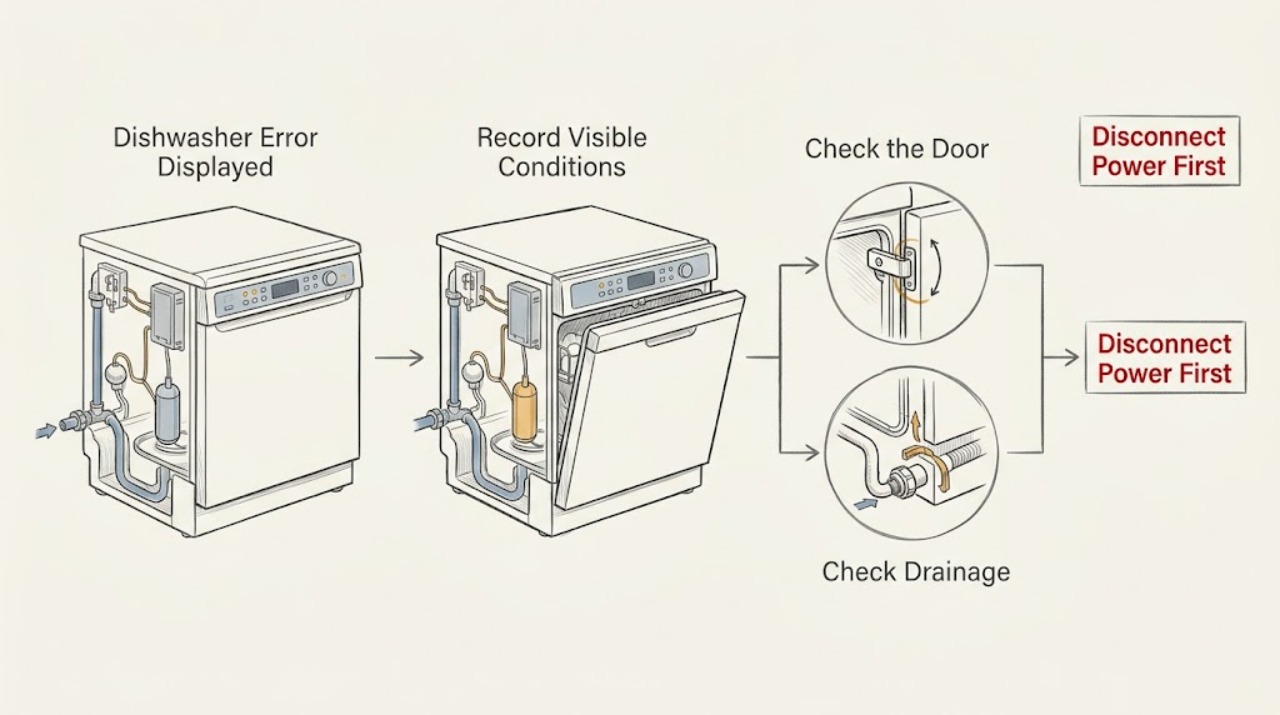
If a GE dishwasher displays an error, record the exact code or words, model number, whether there is standing water or a visible leak, and whether the cycle will start. GE says error, fault, and function codes are not universal across models; most codes need the exact Owner's Manual and many require a technician. Some messages are operating states rather than failures: a number plus H can be Delay Start, PF can indicate a power failure, and Cup Open can mean the detergent cup or start sequence needs attention. Codes such as FTD/F56, C3, H2O, PrS, LEAK DETECTED, or a model-specific 999 can point toward drainage, water, sensor, or leak-protection conditions. Check only the visible door, detergent obstruction, inlet hose, air gap, and accessible controls. Do not remove panels, probe live wiring, bypass a float or leak sensor, or run a leaking machine. Stop for water near electrical parts, smoke, burning odor, sparks, a hot cord, or repeated breaker trips; use the model-specific reset only when the manual or GE guidance permits it.
Before you begin
Safety first
- Do not bypass door, float, pressure, or leak protection; remove panels; probe live wiring; reach into pumps; run a leaking unit; or order a component from a generic code list. Disconnect power only when safe.
Work through in order
Diagnostic checks
Use only checks that match the exact appliance or system and its official guide.
-
Check 1
Record the exact displayed code or words, flashing lights, model number, cycle/option selected, and whether the dishwasher has standing water, a visible leak, or a securely latched door.
Expected result: The display is a number-plus-H, PF, Cup Open, C1-C8, FTD/F56, H2O, PrS, LEAK DETECTED, 999, or an unlisted code/graphic.
Next step: Match only the exact code and model to the Owner's Manual and GE's support article. If it is unlisted, preserve the display and call service rather than guessing.
Stop if: Stop immediately for a leak, water near electrical parts, smoke, odor, heat, sparks, or exposed damage.
Why this matters
Why: The display may be a mode reminder, a power event, or a model-dependent fault. GE says not all codes appear on all models, so the exact model and symptom pattern determine the next safe check.
-
Check 2
If the display is number-plus-H, PF, or Cup Open, check the normal Delay Start/Start control and confirm the detergent cup is not blocked by a dish or utensil. Close and latch the door normally; do not force the latch.
Expected result: Delay Start is active, PF is shown after an outage, the detergent cup is blocked/open, or the controls and door appear normal.
Next step: Cancel Delay Start or select the desired cycle, remove only the visible detergent-cup obstruction, latch the door, and start as the model manual directs. If the message returns, use model-specific support.
Stop if: Do not pry the door latch, defeat the door switch, or remove the dispenser assembly.
Why this matters
Why: These displays can be operating reminders rather than component failures. GE says Cup Open can keep a cycle from starting, while PF indicates a power failure and number-plus-H indicates Delay Start.
-
Check 3
For C1-C5, FTD/F56, or H2O displays, observe the tub water level and inspect only the accessible inlet hose, drain hose, air gap, disposer connection, and visible sump/float area as the exact manual permits. Do not reach into a running pump or remove panels.
Expected result: There is standing water, a kinked hose, a blocked air gap/disposer path, a visibly stuck float cover, a closed supply, or no accessible obstruction.
Next step: Correct only a visible hose, air-gap, disposer, supply, or loose debris issue identified by the applicable model guidance, then run the allowed reset/cycle once. Call service if the code returns or the tub leaks.
Stop if: Do not dismantle the pump or sump, reach under the tub, or run a machine with a leak or exposed wiring.
Why this matters
Why: GE associates these codes with excessive/failed pump-out, low water, float/drain restrictions, or a possible supply issue. A clear external path does not prove the pump, valve, sensor, or wiring is good.
-
Check 4
For C6, C7, or PrS, record incoming-water temperature behavior, cycle selected, and whether the code recurs on every cycle. Confirm only the normal household water supply and controls; do not adjust internal wiring or open the control area.
Expected result: C6 appears with cold incoming water, C7 recurs despite adequate hot water, PrS prevents or cancels a cycle, or the code is absent after a model-approved retry.
Next step: Use the exact model manual for water-temperature and cycle guidance. If the code recurs, stop testing and arrange qualified service; do not compensate by changing an unknown internal setting.
Stop if: Do not open the door during a hot cycle to test temperature, probe sensors, or make live electrical measurements.
Why this matters
Why: GE links C6 to low water temperature, C7 to an inoperative temperature-sensor circuit, and PrS to an invalid pressure-sensor signal. A recurring sensor or harness code is service-level and cannot identify a replaceable part from the display alone.
-
Check 5
For LEAK DETECTED or 999, verify the exact model before taking any reset step. Look only for an obvious external spill or door-area issue without moving the appliance; do not run a suspected leaking dishwasher.
Expected result: LEAK DETECTED is shown, 999 appears on a model listed by GE, 999 appears on a different model, or there is visible water/damage.
Next step: For LEAK DETECTED, visible water, or a listed model that still shows 999 after its exact reset, keep the dishwasher out of service and call qualified service. For an unlisted 999, do not use the published key sequence; consult the manual.
Stop if: Do not bypass floor-protection/leak sensors, remove the toe-kick, restore power to test a wet unit, or continue a leaking cycle.
Why this matters
Why: GE says leak-detection models cancel the cycle and require service. Its 999 reset applies only to a named list of models; other 999 displays need that model's documentation. Water or damage changes this to a stop-use condition.
-
Check 6
Only if there is no leak or electrical hazard and the exact model guidance permits it, press Start/Reset as directed or disconnect appliance power at the breaker for the documented reset interval. Restore power once, select a cycle, and record whether the same code returns.
Expected result: The display clears and the dishwasher runs, the code returns, the dishwasher will not start, or a hazard appears.
Next step: Monitor the first cycle only if it starts without leaks or hazards. If the code returns or the dishwasher remains inoperative, leave it off and contact GE or qualified appliance service with the exact code and model.
Stop if: Do not repeat resets, bypass interlocks, open panels, or make live measurements.
Why this matters
Why: A successful reset may clear a transient control state but does not prove the underlying condition is repaired. GE recommends service when codes persist; most codes indicate technician-level diagnosis.
Use your observations
Decision map
Find the observation that best matches what you see, then follow the next safe action.
-
PATH 01Safety boundary
What you see
The display is number-plus-H, PF, or Cup Open and there is no leak or electrical hazard.
Do this next
Use the normal model controls, remove only a visible cup obstruction, latch the door, and start once. Escalate if the display returns.
Why this path and its safety boundary
Why it matters: A Delay Start, recent power interruption, or detergent-cup/start-state reminder is more likely than a failed internal component.
Safety stop: Do not force the latch or bypass the door switch.
-
PATH 02Safety boundary
What you see
C1-C5, FTD/F56, or H2O appears with standing water, a kinked hose, blocked air gap/disposer, stuck visible float cover, or a closed supply.
Do this next
Correct the model-supported external restriction and run the allowed cycle once. Call service if the code returns or water remains.
Why this path and its safety boundary
Why it matters: A visible drain or supply restriction is more likely than an unexplained control failure, but a recurring code can still require pump, valve, or sensor diagnosis.
Safety stop: Do not reach into the pump, dismantle the sump, or run a leaking unit.
-
PATH 03Safety boundary
What you see
C6, C7, or PrS appears, especially repeatedly, without an accessible water-supply explanation.
Do this next
Follow the exact model manual for water and cycle conditions, then arrange service for a recurring code. Do not open the control area.
Why this path and its safety boundary
Why it matters: Low incoming temperature, a temperature-sensor circuit, or a pressure-sensor/harness issue is more likely; the display does not identify a part.
Safety stop: Do not probe sensors, modify wiring, or use live electrical tests.
-
PATH 04Safety boundary
What you see
LEAK DETECTED appears, visible water is present, or 999 appears on a listed leak-protection model or an unlisted model.
Do this next
Keep the dishwasher off and call service for a leak or persistent listed-model 999. For an unlisted 999, use only that model's manual.
Why this path and its safety boundary
Why it matters: Leak detection requires stop-use; 999 behavior is model-specific and the published reset is not universal.
Safety stop: Do not bypass leak protection, remove panels, or restore power to a wet appliance.
-
PATH 05Safety boundary
What you see
The code is unlisted, returns after one model-approved reset, or the dishwasher will not start despite no visible external obstruction.
Do this next
Leave the dishwasher off and give qualified service the model, exact display, timing, water level, and reset result.
Why this path and its safety boundary
Why it matters: An electronic control, latch, pump, valve, heater, sensor, harness, or other internal fault is possible; safe observations cannot select a component.
Safety stop: Do not keep resetting, order a part from the code alone, or make live measurements.
-
PATH 06Safety boundary
What you see
Water is near electrical parts, or there is smoke, burning odor, sparks, a hot/damaged cord, or repeated breaker trips.
Do this next
Keep clear, isolate power only if safe, call emergency services for active fire, and contact qualified electrical/appliance service.
Why this path and its safety boundary
Why it matters: This is an immediate stop-use condition rather than a code-clearing exercise.
Safety stop: Do not touch wet controls, restore power, remove covers, or continue operating the dishwasher.
Helpful context
Understand the symptom
Capture the exact display before resetting
Photograph or write the exact letters, numbers, symbols, and flashing pattern, then record the model number and whether the dishwasher has standing water, a visible leak, an unlatched door, or a cycle in progress. GE's support pages explicitly say codes and blinking patterns differ by model. A generic code table can narrow a branch, but it cannot replace the model manual.
Separate operating states from fault conditions
A number followed by H can be Delay Start, PF can follow a power interruption, and Cup Open can prevent a cycle from starting. Other displays describe drainage, low water, temperature, pressure-sensor, or leak conditions. Clear only an accessible cause that the applicable code and model guidance support; do not convert a code into a guessed replacement part.
Leak and electrical codes change the priority
If LEAK DETECTED appears, the machine has water on the floor, water is near electrical parts, or there is smoke, burning odor, sparking, a hot/damaged cord, or repeated breaker trips, stop the cycle. Isolate power only if safe, keep clear of wet controls, and arrange qualified service. Never bypass leak, float, door, or electrical protection and never make live measurements.
When checks do not resolve it
Need a professional?
Use the exact GE Owner's Manual for the displayed code. Call qualified service when the code is unlisted or returns after a permitted reset, when C7/PrS or a persistent drain/temperature fault appears, or when LEAK DETECTED/visible water is present. Stop immediately for electrical or fire hazards.
Safety scope: Do not bypass door, float, pressure, or leak protection; remove panels; probe live wiring; reach into pumps; run a leaking unit; or order a component from a generic code list. Disconnect power only when safe.
Have this ready
- Complete model and serial information, exact code/words and flashing pattern, selected cycle/options, whether the door latches, tub water level, visible leak, inlet/drain/air-gap observations, reset result, and timing of recurrence.
Common questions
FAQ
Are GE dishwasher error codes the same on every model?
No. GE says not all listed error, fault, and function codes appear on all models and directs owners to the exact Owner's Manual. Treat a generic code table as a starting point, not a universal diagnosis.
What does PF mean on a GE dishwasher?
GE identifies PF as a power-failure indication. Select the desired cycle and options and press Start as the model instructions direct. If other symptoms or a recurring code appear, arrange model-specific support.
Can I reset a GE dishwasher error code?
Sometimes. GE describes Start/Reset or a brief breaker power reset for certain conditions, but the exact manual and code control the procedure. Use one permitted reset only when there is no leak or electrical hazard; a returning code needs service.
What should I do if LEAK DETECTED appears?
Stop the cycle and do not continue running the dishwasher. GE says leak-detection models cancel the cycle and require service. Keep clear of wet electrical areas and isolate power only if safe.
Can I use the GE 999 reset on any dishwasher?
No. GE publishes the 999 key sequence only for a specific list of models. Verify the model first; for an unlisted model, use its Owner's Manual or service rather than applying another model's reset.
Read the exact guide
Official sources
- Dishwasher - Blinking Lights or Beeping SoundsGE Appliances · Electronic GE dishwashers; light and sound meanings vary by model.
- Dishwasher - Error, Fault or Function CodesGE Appliances · GE electronic dishwashers; not all listed codes appear on all models, and exact model documentation controls.
- Troubleshooting for GSD2600GWWGE Appliances · Exact GSD2600GWW model identity and support layout only; included to demonstrate model-specific documentation.
- Frequently Asked Questions About GE DishwashersGE Appliances · GE dishwasher owners; exact code meanings remain model-specific.
- Dishwasher - 999 Error Code Appears in DisplayGE Appliances · Only GDT225SGLBB/GDT225SGLWW/GDT225SSLSS, PDT145SGLBB/PDT145SGLWW/PDT145SSLSS, ZDT165SILII, and ZDT165SSLSS as listed by GE.
Community feedback
Share a repair observation
Share a plain-text repair observation. Accepted observations are published automatically; this page may take a moment to update.