
On this page
Start here
Quick answer
“Keypad short” is a symptom description, not a confirmed GE diagnosis. If a GE microwave keypad ignores presses, repeats inputs, beeps by itself, or starts a function without the intended command, stop using it and do not open the cabinet. GE's touch-panel guidance supports checking the grounded three-prong supply, clock and incomplete or delayed programming, then removing power for 30 seconds and trying the program again. If the behavior returns, the display is dead, or the microwave runs or heats without a deliberate command, unplug it and arrange service. GE warns that microwave repairs involve high voltage that can remain after unplugging; do not test the keypad, interlocks or control board internally.
Before you begin
Safety first
- Do not open the cabinet, probe keypad or control-board wiring, perform live or continuity tests, bypass door interlocks, or keep running a microwave that activates unexpectedly. Unplug it and use qualified service.
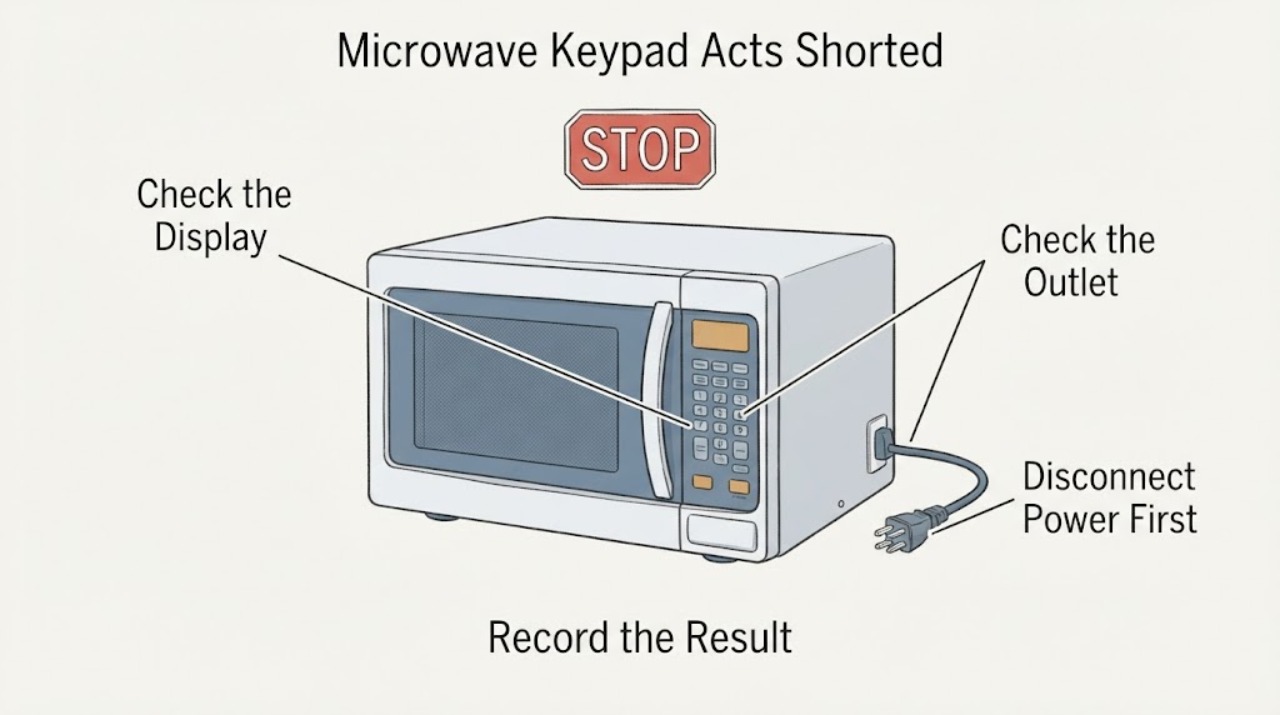
Work through in order
Diagnostic checks
Use only checks that match the exact appliance or system and its official guide.
-
Check 1
Stop cooking and unplug the microwave if the keypad activates by itself, repeats inputs, starts a function unexpectedly, or the unit responds unpredictably. Do not hold a key down, tape a key, open the control panel, or continue heating to reproduce the symptom.
Expected result: The keypad is merely unresponsive, or the microwave activates/changes settings without a deliberate command.
Next step: Keep the microwave unplugged when activation is unexpected or the oven is damaged, and arrange qualified service. If it is only nonresponsive, continue with the external checks below without opening the unit.
Why this matters
Why: A nonresponsive panel can have an external power or program explanation, but unexpected activation is not a safe user-test condition. GE's internal repair boundary applies because microwave circuitry can retain high voltage.
-
Check 2
From outside the appliance, confirm the plug is fully seated in a grounded three-prong outlet and check the household breaker or fuse. Do not defeat grounding or use internal wiring as a test point.
Expected result: The outlet or breaker is faulty, the microwave has no display, or the outlet works and the display/keypad remains abnormal.
Next step: Correct a household supply problem through a qualified electrician. If supply is present and the microwave remains abnormal, continue only with the documented external program check and then service.
Why this matters
Why: GE says a grounded outlet is required and that a dead microwave with no display can result from a blown fuse or tripped breaker. A working outlet does not prove a keypad short or control-board failure.
-
Check 3
Check whether the clock is set and whether a cooking, delay-start or other programming sequence was entered but not completed. Clear the visible program using the normal user controls shown in the exact model manual; do not guess a service mode or keypad combination.
Expected result: The keypad becomes normal after the incomplete/delayed program is cleared, or it continues to ignore/repeat keys.
Next step: Use the microwave normally only if all controls behave predictably. If the keypad remains erratic, stop using the unit and record the exact model and display behavior for service.
Why this matters
Why: GE says an improper program sequence or delay start can make the touch panel appear nonresponsive. Recovery from a program state does not establish an electrical short; persistence moves the issue to service.
-
Check 4
If the exact model manual permits a user power reset, turn the microwave off and remove power for 30 seconds as GE's touch-panel guidance describes, then restore power and try one normal program. Do not repeat resets or run a heating test if the keypad activates unexpectedly, the door is damaged, or the display shows a fault.
Expected result: The keypad works normally after one reset, or the same erratic behavior returns.
Next step: If the symptom returns, unplug the microwave and request service. Do not remove the cabinet, measure the keypad, bridge the door interlocks or inspect the high-voltage section.
Why this matters
Why: A reset can clear an unfinished control state, but recurrence means the external check did not resolve the symptom. It does not identify a keypad membrane, board, fuse or firmware problem.
-
Check 5
Give service the full model and serial, countertop or over-the-range format, exact keys or functions affected, whether the display is blank, whether any function starts without a command, breaker/reset history, and the door/interlock condition. Do not select a keypad or control board from the phrase 'short'.
Expected result: The keypad remains abnormal after the external checks, the display is dead, the microwave starts or heats unexpectedly, or any next step would require opening the cabinet.
Next step: Keep the microwave unplugged and use qualified GE appliance service. Do not perform live tests, keypad continuity checks, control-board work, or interlock bypasses at home.
Why this matters
Why: GE's opened material routes unresolved panel behavior to service and explicitly withholds DIY microwave repair advice because of high voltage and diagnostic complexity.
Use your observations
Decision map
Find the observation that best matches what you see, then follow the next safe action.
-
PATH 01Next step
What you see
The clock or an incomplete/delayed program was the only abnormal condition and the keypad behaves normally after it is cleared.
Do this next
Use the exact model's normal controls and monitor for recurrence; stop and seek service if inputs become erratic.
Why this path and its safety boundary
Why it matters: GE identifies program state as a possible cause of apparent keypad nonresponse; this does not confirm a short.
-
PATH 02Next step
What you see
The outlet is not grounded/working or the breaker/fuse has operated, while the microwave display is dead.
Do this next
Have the household supply corrected safely; do not open the microwave or alter grounding.
Why this path and its safety boundary
Why it matters: The symptom may be household power rather than a keypad defect.
-
PATH 03Next step
What you see
Power and program checks are normal, but keys still repeat, fail, or activate the wrong function.
Do this next
Unplug the microwave and arrange qualified service. Do not diagnose or replace an internal keypad, board or fuse from the symptom alone.
Why this path and its safety boundary
Why it matters: The external checks are exhausted; the GE source does not identify which internal control component is at fault.
-
PATH 04Next step
What you see
The microwave starts or heats without an intended command, the door/interlock is abnormal, or the display/control is damaged.
Do this next
Keep the unit unplugged and do not test it again; qualified service must inspect it.
Why this path and its safety boundary
Why it matters: Unexpected operation or an interlock condition requires the high-voltage and microwave-safety boundary to be respected.
Helpful context
Understand the symptom
Do not treat 'short' as a confirmed part failure
A keypad that repeats, ignores or activates unexpectedly can be described as shorted, but the opened GE support article does not identify a keypad component from that symptom. First separate an ordinary program or power state from a persistent control-panel fault; do not remove the control panel to inspect a ribbon cable or board.
Use only the external checks GE supports
Confirm the microwave is on a grounded three-prong outlet, check that the clock is set, and cancel or finish any incomplete or delayed program. A safe power reset can be attempted as GE describes, but it is not a repair and should not be repeated as a substitute for service.
Protect the door and high-voltage boundary
The microwave should not be tested if it starts, heats or responds unpredictably, or if the door and its safety interlocks are not normal. GE documents safety interlock switches in the door and says microwave repair requires qualified service because high voltage may remain after unplugging.
When checks do not resolve it
Need a professional?
Use qualified service if the keypad remains erratic after the grounded-power, clock/program and one model-appropriate reset check, if the display is dead, if the microwave activates or heats without a deliberate command, or if any internal inspection would be needed. Keep the microwave unplugged in unsafe conditions.
Safety scope: Do not open the cabinet, probe keypad or control-board wiring, perform live or continuity tests, bypass door interlocks, or keep running a microwave that activates unexpectedly. Unplug it and use qualified service.
Have this ready
- Provide the exact model and serial, appliance format, keys/functions affected, display state, unexpected activation history, power/program reset history, and door/interlock observations.
Common questions
FAQ
Does 'keypad short' prove that the keypad membrane is bad?
No. GE's opened support guidance does not diagnose a keypad component from the symptom. Check only the external supply and program conditions it lists, then use service if the behavior persists.
Can I open the panel to test the keypad ribbon or control board?
No. GE says it offers no DIY microwave repair advice because a capacitor can retain high voltage even after the oven is unplugged. Keep the unit unplugged and use qualified service.
What if the microwave starts or changes settings by itself?
Stop using it, unplug it, and arrange service. Do not tape down a key, bypass an interlock or repeat a heating test to see whether the symptom returns.
Read the exact guide
Official sources
- Microwave - Door DesignGE Appliances · Opened GE Appliances' official door-design article. It identifies two safety interlock switches and one monitor switch in the door and directs owners to service; it is used only to support the interlock safety boundary, not to infer a door fault or component replacement.
- Microwave Do-It-Yourself Repair RecommendationsGE Appliances · Opened GE Appliances' official microwave repair-safety article. It says GE offers no DIY microwave repair advice because the capacitor can retain high voltage after unplugging, the circuitry is complex, and special diagnostic equipment is needed.
- Microwave - Touch Control Panel Not Operating CorrectlyGE Appliances · Opened GE Appliances' general microwave support article. It addresses a keypad that is not responding or working properly and supports grounded power, clock/program checks, a 30-second power removal and service escalation; it does not diagnose a keypad short or an internal component for an unspecified model.
Community feedback
Share a repair observation
Share a plain-text repair observation. Accepted observations are published automatically; this page may take a moment to update.