
On this page
Start here
Quick answer
For the GE JVM3160DF4WW over-the-range microwave, first identify which light and which fan are running. The underside cooktop light is a user-controlled three-position function: press Surface Light once for bright, twice for night light, and a third time to turn it off. The vent fan has high, low, and off selections, but GE says its automatic heat-protection fan cannot be turned off manually while the microwave is too hot; the exact owner's manual says it may run for 30 minutes or more after the controls are off. If the fan stops after the control area cools and the light responds to its own control, that points to normal operation or a selected setting—not a no-heat diagnosis. If a light remains on with a closed door after the correct light control, the fan runs indefinitely while cool, the display or keys do not respond, the microwave starts by itself, or there is smoke, arcing, burning odor, a damaged door, or a breaker trip, stop using it and isolate power only from a safe position before qualified microwave service. Do not remove the cover or perform live testing: the microwave has hazardous high-voltage parts. The title's “solved” wording and the task's not-heating label are not proof of a repair or of a heating failure.
Before you begin
Safety first
- Do not remove the microwave cover, touch the high-voltage section, bypass a door interlock, enter service mode, run the cavity empty, or perform live voltage/continuity testing. If power must be removed, use the plug or breaker only from a dry, safe position and only when there is no need to approach smoke, flame, exposed wiring, or a hot/damaged appliance.
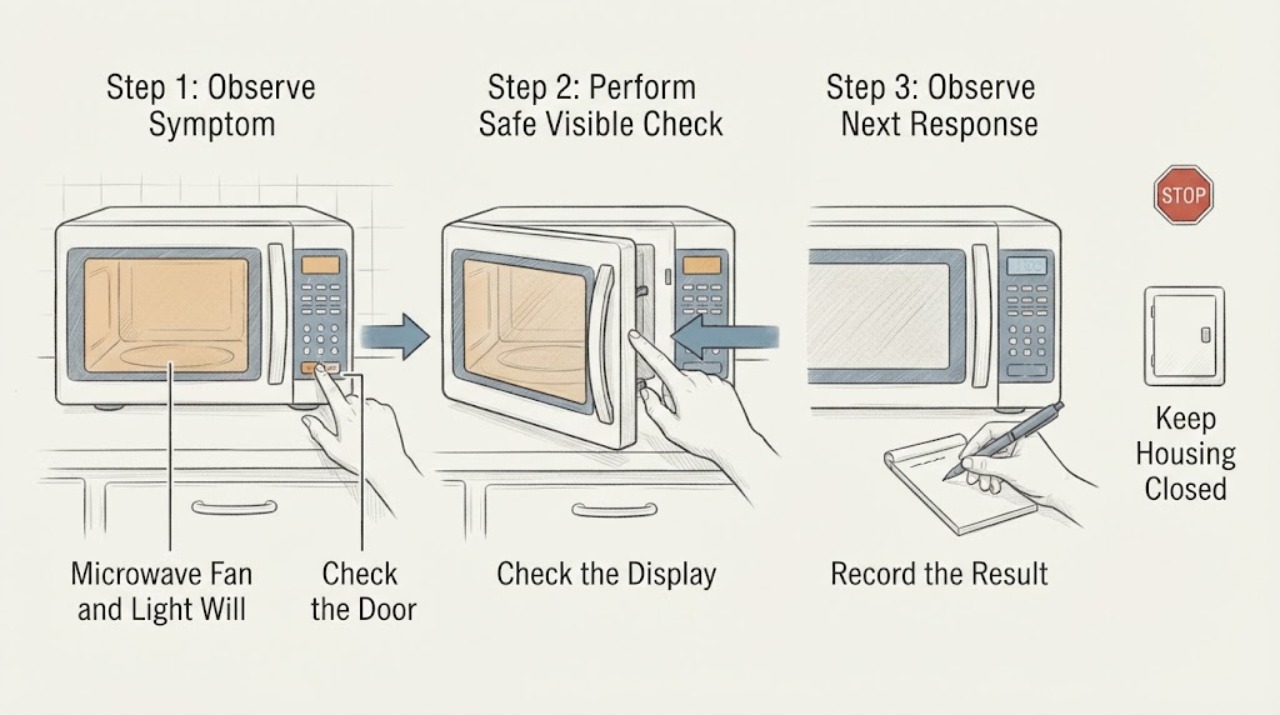
Work through in order
Diagnostic checks
Use only checks that match the exact appliance or system and its official guide.
-
Check 1
From a safe position, press Cancel/Off once if a cooking countdown is present, then identify the light: is it the underside cooktop/surface light, the cavity light seen through the door, or only a reflection? Do not reach into the cavity or touch a hot lamp, door, or cooktop.
Expected result: Only the underside light is on, the cavity light is on with the door closed, both lights are on, or no lamp is on and the complaint is only fan noise.
Next step: Continue with the matching light control only if the exterior and door are intact and nothing is scorching. Treat a cavity light that remains on with a closed door, a light that ignores its control, or any smoke/arcing as a stop-use condition and arrange service.
Stop if: Stop immediately for smoke, sparks, burning odor, melted plastic, a bent door, broken latch, damaged seal, or a lamp area that cannot be approached safely.
Why this matters
Why: The JVM3160 manual gives the surface light its own three-position control; a light seen through the closed door is a different symptom. Fan sound alone does not establish microwave heating, and a surface lamp can make the cavity floor feel warm.
-
Check 2
With the microwave and cooktop no longer producing heat, use the exact JVM3160 manual's surface-light control: press Surface Light once for bright, twice for night light, and a third time for off. Watch only from outside; do not remove the light cover or bulb while powered.
Expected result: The light steps through bright, night, and off, or it stays at one level, flickers, or ignores all three presses.
Next step: Leave a responsive light in the desired off position. If it cannot be turned off after the documented sequence, stop using the microwave and arrange qualified service; do not remove the cover or substitute a bulb without model-specific instructions and safe power isolation.
Stop if: Stop if the control panel becomes hot, smells burnt, sparks, or operates another function unexpectedly.
Why this matters
Why: A light that follows the documented three-position sequence is a selected setting rather than evidence of a no-heat fault. A light that ignores the control can indicate a control, lamp, or wiring problem, but the owner should not identify the part from the symptom alone.
-
Check 3
Distinguish the manually selected vent fan from GE's automatic heat-protection fan. If the fan was selected manually, press Vent Fan once for high, twice for low, and three times for off as specified for this manual. Do not repeatedly press buttons if the control panel is hot or unresponsive.
Expected result: The fan changes speed and turns off, or it will not turn off while the control area is hot, or it continues at one speed after the microwave and cooktop are cool.
Next step: If the fan is in automatic cooldown, turn off the cooktop and leave the unit undisturbed while it cools. If it remains on indefinitely while cool or the controls do not respond, stop use and arrange service without opening the case.
Stop if: Stop for a hot/discolored case, smoke, burning odor, arcing, grinding, electrical buzzing, or a breaker trip.
Why this matters
Why: The manual allows the fan to be selected at high, low, or off. GE says automatic protection can override the off command until heat around the control panel falls below its threshold; persistent fan operation while cool is not explained by that normal condition.
-
Check 4
Record the timing and context without running another microwave cycle: whether the range burners or a hot pan were recently used, whether the fan began during surface cooking, how long it has run after the controls were off, whether the display is normal, and whether the door is closed and undamaged.
Expected result: The fan began after hot cooktop use and gradually stops, or it starts with no hot cooktop, remains on after the unit is cool, the display freezes, or the door/lock behavior is abnormal.
Next step: Keep the microwave out of use for persistent or unexplained fan/control behavior and request qualified service. Do not bypass the door interlock, enter a service mode, or test the microwave empty to decide whether it heats.
Stop if: Stop and isolate power only from a safe position if there is smoke, fire, arcing, a damaged cord, water near electricity, or repeated breaker operation.
Why this matters
Why: Heat from the cooktop is consistent with GE's automatic fan protection. A cool-unit fan that persists, a frozen control, unexpected start, or a door/interlock symptom is a service branch and cannot be safely diagnosed by continued cycling.
-
Check 5
If the original concern was also that food did not heat, do not infer that from the fan or light. When the oven is intact, cool, and otherwise safe, document whether a real Cook Time program had counted down, whether the turntable moved, whether the door closed squarely, and whether a safe load was previously warm. Do not repeat a high-power test solely to make the fan or light change.
Expected result: Only the fan/light behavior is abnormal, or the microwave counts down and turns but food stays cold, the door does not engage, or the result is uncertain.
Next step: For persistent no heat, a door/interlock concern, or uncertain results, keep the microwave out of service and arrange qualified microwave service. Do not use a thermometer inside the cavity, run the cavity empty, open the cover, or perform live measurements.
Stop if: Stop at any arcing, smoke, burning smell, abnormal electrical sound, damaged door/seal, or breaker trip.
Why this matters
Why: Fan and surface-light operation are separate from microwave energy production. A genuine no-heat result during a valid cooking program is a different branch from a normal automatic fan or selected light; the observed controls do not identify a high-voltage component.
Use your observations
Decision map
Find the observation that best matches what you see, then follow the next safe action.
-
PATH 01Next step
What you see
The underside surface light responds to the documented bright/night/off sequence, the fan stops after the control area cools, and there is no cavity activity, odor, damage, or unexpected microwave start.
Do this next
Leave the surface light off and let the fan complete its cooldown. No repair is indicated for this observation alone; monitor only for recurrence while the unit remains otherwise safe.
Why this path and its safety boundary
Why it matters: This pattern is consistent with an ordinary light setting plus GE's automatic fan protection or cooldown, not proof that the microwave is heating when it should be off.
-
PATH 02Next step
What you see
The fan started after hot cooktop use and stops once the control area cools, while the light can be controlled separately.
Do this next
Turn off the cooktop, keep the vents and filters unobstructed from the outside, and allow cooling. If the fan does not stop after the appliance is cool, obtain service rather than repeatedly cycling power.
Why this path and its safety boundary
Why it matters: GE describes this as the automatic fan feature: it protects internal components and cannot be manually turned off until the appliance cools.
-
PATH 03Next step
What you see
The microwave is cool but the fan remains on, the surface light ignores its own control, the display or keys freeze, or the cavity light stays on with the door closed.
Do this next
Stop using the microwave, isolate power only if it is safe to do so, and arrange qualified GE-compatible microwave service. Do not remove the cabinet or bypass an interlock.
Why this path and its safety boundary
Why it matters: The normal automatic-fan explanation no longer fits, and the separate control/light symptom requires a qualified diagnosis. It still does not identify a particular relay, fan motor, lamp, or board.
-
PATH 04Next step
What you see
The fan/light complaint is accompanied by smoke, arcing, burning odor, scorch marks, a hot or damaged case, a damaged door or seal, exposed wiring, water near the appliance, or a breaker trip.
Do this next
Leave the area safe and disconnect power only from a safe position; contact qualified appliance or electrical help, and emergency help for fire or smoke. Do not touch the appliance or restore power for another test.
Why this path and its safety boundary
Why it matters: This is an immediate fire, electrical, or microwave-energy safety boundary. Normal fan or lamp settings cannot explain away those signs.
-
PATH 05Next step
What you see
The fan/light behavior is normal, but a valid cooking program still runs without heating food or the door does not engage reliably.
Do this next
Keep the microwave out of service and arrange qualified service using the exact JVM3160DF4WW identity. Do not perform an empty-cavity run, live voltage test, cover removal, or switch bypass.
Why this path and its safety boundary
Why it matters: That is a separate no-heat or door/interlock branch. Fan and light operation do not demonstrate that microwave energy is present or absent, and they cannot select the failed internal part.
Helpful context
Understand the symptom
A fan and a light staying on after a GE over-the-range microwave stops cooking do not by themselves prove that the microwave is still heating or that the magnetron has failed. On the JVM3160 family, the underside cooktop light is separate from the vent fan, while the automatic fan can be forced on by heat rising from the range below. Start by naming the exact light, checking the control response, and noting whether the control area is still hot.
The exact JVM3160DF4WW model page and its linked manual establish the appliance identity. Do not use a generic button sequence from another GE series, and do not open this microwave to inspect a relay, capacitor, fan motor, lamp circuit, or door switch. A fan-only cooldown is a different branch from a fan that runs while the unit is cool, a light that ignores its own control, or any microwave activity with the door closed.
When checks do not resolve it
Need a professional?
Use qualified microwave service for a fan that remains on while cool, a light or control that ignores the exact manual, a frozen or self-starting unit, a door/interlock concern, or genuine no heat during a valid cooking cycle. Use emergency or electrical help for smoke, fire, arcing, damaged supply wiring, water near electricity, or a breaker that will not remain on.
Safety scope: Do not remove the microwave cover, touch the high-voltage section, bypass a door interlock, enter service mode, run the cavity empty, or perform live voltage/continuity testing. If power must be removed, use the plug or breaker only from a dry, safe position and only when there is no need to approach smoke, flame, exposed wiring, or a hot/damaged appliance.
Have this ready
- Provide the exact model JVM3160DF4WW, serial number if safely visible, which light is involved, the light-control response, fan speed and timing, recent cooktop use, display and door behavior, whether the turntable/countdown ran, and any odor, spark, heat damage, or breaker history.
Common questions
FAQ
Why does the GE JVM3160DF4WW fan stay on after I turn the microwave off?
If the cooktop or microwave made the control area hot, GE's automatic fan can override the off command until the appliance cools. The JVM3160 manual says it may remain on for 30 minutes or more. A fan that stays on while the unit is cool needs service, especially if the display or controls also misbehave.
How do I turn off the light under this GE microwave?
For the surface/cooktop light, press Surface Light once for bright, twice for night light, and a third time for off on the JVM3160 manual. If the light ignores all three positions, stop using the unit and arrange service rather than opening the lamp compartment while powered.
Does a running fan mean the microwave is heating?
No. The vent fan can remove cooktop steam or run automatically for heat protection, and the manual also gives it an independent control. Fan noise does not prove microwave energy is being produced.
What if the light and fan are on but the microwave does not heat?
Treat the no-heat symptom separately. Confirm only from outside that a real cooking program and intact door were involved, then stop and request qualified service for persistent no heat. Do not run the cavity empty, open the cover, bypass the door switch, or perform live measurements.
Can I remove the cover to disconnect the fan or lamp?
No. GE's manual says the appliance should be serviced only by qualified personnel and warns about electrical shock and microwave-energy exposure. The light/fan symptom does not justify accessing the high-voltage or interlock areas yourself.
Read the exact guide
Official sources
- Over-the-Range Microwave - Replacing the Cooktop LightGE Appliances Product Support · Used only for the external cooktop-light distinction and the requirement to disconnect power before lamp work; exact JVM3160DF4WW lamp details remain in its owner documentation.
- GE JVM3160 Family Owner's Manual, 49-7000339 Rev. 0GE Appliances · The PDF was opened through the exact JVM3160DF4WW official model-parts page; it covers the JVM3160 family and provides the documented Surface Light, Vent Fan, automatic fan, door, and service boundaries.
- Microwave - Normal Operational CharacteristicsGE Appliances Product Support · GE operational-characteristics guidance used to separate fan/light behavior from microwave heating and to identify abnormal door, control, or electrical symptoms requiring support.
- Over-the-Range Microwave - Automatic Fan FeatureGE Appliances Product Support · General GE over-the-range guidance used to explain why the vent fan may ignore an off command while the control area is hot; it does not diagnose a particular internal component.
- Model Search | JVM3160DF4WWGE Appliances Parts · Exact model identity; the opened GE page labels JVM3160DF4WW as a 1.6-cu-ft over-the-range microwave and links the owner manual.
Community feedback
Share a repair observation
Share a plain-text repair observation. Accepted observations are published automatically; this page may take a moment to update.