
On this page
Start here
Quick answer
When a GE washer-dryer leaves clothes wet, first identify whether it is a vented dryer, a stacked washer-dryer, or a ventless combo, then check the load, selected dry setting, lint filter, airflow, and the washer's final spin. A GE Profile UltraFast ventless combo can leave clothes feeling slightly damp or cool at the end because it uses lower heat in a sealed drum; very wet clothes, a clogged filter or pump path, poor venting, or an interrupted heating system are different symptoms. Stop using the appliance for smoke, a burning odor, overheating, exposed wiring, repeated breaker trips, or a disconnected gas-dryer vent, and arrange qualified service when external checks do not restore drying.
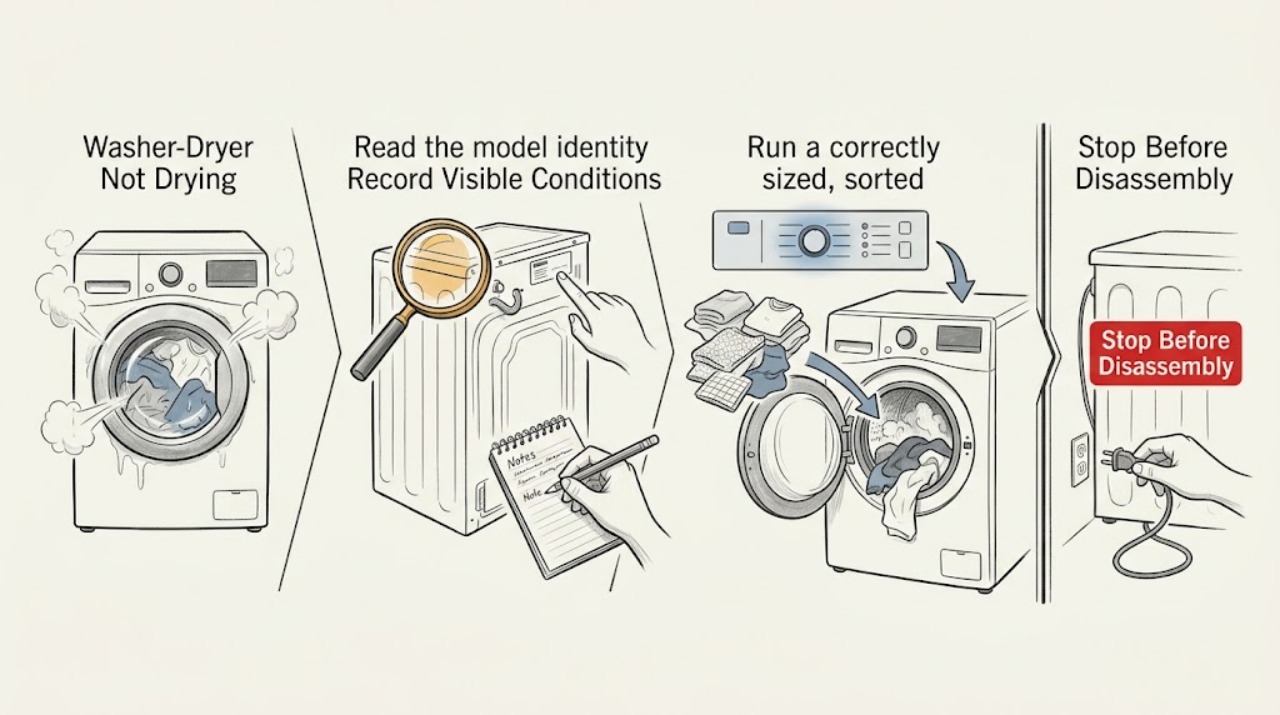
Work through in order
Diagnostic checks
Use only checks that match the exact appliance or system and its official guide.
-
Check 1
Read the model identity and classify the appliance as a vented dryer, stacked washer-dryer, or ventless GE Profile UltraFast combo.
Expected result: The unit has an exhaust duct to an outside wall cap, or it has a sealed-drum ventless design with combo-specific filters and drain components.
Next step: Follow the branch for the identified design and keep the model identity for every later check or service request.
Why this matters
Why: Vented drying depends on exhaust airflow; ventless combo drying uses different airflow, heat, and moisture behavior. Applying a vented-dryer test to a ventless unit can give a false conclusion.
-
Check 2
Inspect the finished load and record whether it is slightly damp, very wet, cool, hot, or unchanged from the washer.
Expected result: Items are only slightly damp or cool at the end, or they are very wet and water can be squeezed from them.
Next step: For a combo, shake out slightly damp items and use the model's More Dry option if needed. For very wet items, test washer spin and drainage before repeating dry cycles.
Why this matters
Why: Slight dampness and a cool feel can be expected on a low-heat sealed combo. Very wet items point toward washer spin, drainage, load balance, or a drying fault rather than normal feel alone.
-
Check 3
Run a correctly sized, sorted load with a heat and dryness setting suitable for its fabric, and avoid combining heavy hard-to-dry items with lightweight items.
Expected result: The result improves with a smaller or better-sorted load, or it remains wet despite a suitable load and setting.
Next step: Use one wash load at a time and the correct setting. If the controlled test still fails, continue to filter and airflow checks.
Why this matters
Why: Load size, fabric, and initial wetness change drying time. If a controlled load remains wet, the issue is less likely to be simple sorting or overload.
-
Check 4
Check whether Eco Dry or eDry is selected on a GE sensor cycle and compare the result with the model's available dryness setting.
Expected result: Eco Dry or eDry is active and the load is slightly damp, or the load is very wet even after a normal dryness setting.
Next step: If appropriate for the fabric, select a higher dryness level such as Dry or More Dry. Do not use a setting change to mask a hot, blocked, or unsafe dryer.
Why this matters
Why: GE says Eco Dry can leave items slightly damp when the sensor cycle finishes. Very wet clothing after a suitable setting needs a separate washer, airflow, drainage, or service diagnosis.
-
Check 5
Remove and clean the lint filter as directed for the model; on a ventless combo, clean the accessible lint-filter assembly and check for a displayed filter-cleaning notification.
Expected result: The filter is covered with lint or residue, an alert indicates low airflow, or the filter is clean and the load remains wet.
Next step: Clean only the user-accessible filter areas using the owner instructions. If the alert returns or drying does not improve, inspect the relevant vent or pump path and arrange service if needed.
Why this matters
Why: Lint or residue reduces airflow and can lengthen drying. GE's combo guidance also identifies a restricted pump filter as a cause of clothes staying wet after the dry cycle.
-
Check 6
For a vented dryer, inspect the rear exhaust hose for a kink or collapse and check the outside wall cap or damper for lint, snow, ice, or another obstruction.
Expected result: Airflow at the outside cap is weak or absent, the hose is kinked, or the wall cap opens freely with strong airflow.
Next step: Unplug before cleaning or disconnecting the duct, then clear the duct and cap only as the installation instructions allow. Never run a gas dryer with its vent disconnected.
Why this matters
Why: Restricted exhaust traps heat and humidity, lengthens drying, can make the cabinet hot, and can allow lint to accumulate. Strong airflow makes an external vent blockage less likely but does not prove the dryer is healthy.
-
Check 7
If the model has a user-accessible pump filter or drain hose, inspect and clean it according to the combo owner's instructions and confirm the hose is not kinked or pressed down too far.
Expected result: A pump-filter message appears, the filter contains debris, the drain hose is kinked, or the drain path is clear.
Next step: Restore the drain path without opening the cabinet. If the filter is inaccessible, the message returns, or water still does not drain, arrange service or plumbing assessment as appropriate.
Why this matters
Why: GE states that restricted drainage can leave clothes wet after drying, and a kinked or poorly installed drain hose can prevent proper draining. A clear path shifts suspicion toward another fault.
-
Check 8
Check the washer portion's final spin and redistribute the load if it was out of balance before the drying stage.
Expected result: The washer leaves clothes much wetter than normal, the Spin indicator records an out-of-balance event, or a rinse-and-spin cycle extracts more water.
Next step: Redistribute the load and run Rinse & Spin. Use similar materials and an appropriate load size. If clothes still emerge squeeze-wet, the washer may need service.
Why this matters
Why: A low or interrupted final spin leaves more moisture for the dryer to remove. GE's combo guidance says an out-of-balance load can prevent full-speed spinning and extend drying.
-
Check 9
For a GE Profile UltraFast combo, avoid repeatedly opening the door to check progress and allow the dry cycle to run under its sealed-drum low-heat design.
Expected result: The door has been opened repeatedly, the cycle restarts after each opening, or items become dry after being removed and shaken.
Next step: Keep the door closed during the test, remove and shake slightly damp items at the end, and use More Dry when appropriate. Very damp or wet items require the load, filter, drain, and service branches.
Why this matters
Why: GE says repeated door openings can affect drying capability and restarting can take several minutes. Slight humidity or coolness at the end can be expected for this design.
-
Check 10
Check the household breaker or fuse and verify that the dryer has power; do not open the appliance or test fixed wiring.
Expected result: The breaker is tripped, the appliance has no display or response, or it powers on but produces no normal drying result.
Next step: If safe, reset a tripped breaker once. If it trips again, the unit has no power, or it runs without heat after correct external checks, stop using it and arrange qualified service.
Why this matters
Why: A power interruption can stop or limit the drying system. For an electric dryer, an incorrect supply can also greatly lengthen drying, but the supply must be verified by qualified service when external checks are insufficient.
-
Check 11
Stop immediately for smoke, a burning smell, a cabinet that is unusually hot, exposed wiring, repeated breaker trips, or a gas dryer whose vent is disconnected or blocked.
Expected result: Any heat, electrical, lint, gas-vent, or fire-risk warning is present, or the appliance is not drying while overheating.
Next step: Turn the appliance Off, disconnect power only through a safe accessible control, leave a gas appliance's fuel and vent work to qualified professionals, and arrange service. Do not restart it to repeat the test.
Why this matters
Why: Blocked airflow and lint buildup can create a safety issue, and live wiring or gas exhaust is outside safe user troubleshooting.
-
Check 12
Prepare a service record containing the model, appliance design, load type, selected cycle, filter and vent or drain results, washer spin result, and any alert or hazard.
Expected result: You can state whether the load was slightly damp, very wet, hot, or cool and which external checks changed the result.
Next step: Give the record to the appliance technician and request model-specific diagnosis before selecting a component.
Why this matters
Why: These observations separate normal low-heat combo behavior and wet-load causes from airflow, heating, sensor, pump, control, or sealed-system faults.
Use your observations
Decision map
Find the observation that best matches what you see, then follow the next safe action.
-
PATH 01Next step
What you see
Clothes are slightly damp or cool at the end of a GE Profile UltraFast combo cycle
Do this next
Remove and shake each item; use More Dry if needed. Escalate if items remain very wet or drying never improves.
Why this path and its safety boundary
Why it matters: The sealed-drum, lower-heat design can make items feel less warm or dry on first touch.
-
PATH 02Next step
What you see
Clothes are very wet and water can be squeezed from them after the wash
Do this next
Redistribute the load, run Rinse & Spin, and check the user-accessible pump filter and drain hose on a combo. Request service if the washer remains squeeze-wet.
Why this path and its safety boundary
Why it matters: The washer may not have removed enough water during final spin, or drainage may be restricted.
-
PATH 03Next step
What you see
A vented dryer has a kinked hose or weak airflow at the outside wall cap
Do this next
Unplug before cleaning and clear the approved duct path. Do not operate a gas dryer without its vent connected.
Why this path and its safety boundary
Why it matters: An exhaust restriction is likely lengthening the cycle and retaining heat and humidity.
-
PATH 04Next step
What you see
The vented dryer's filter is coated with lint or residue
Do this next
Clean the filter after each use as the model instructions direct and retest a suitable load.
Why this path and its safety boundary
Why it matters: Restricted filter airflow can reduce drying performance.
-
PATH 05Next step
What you see
The combo displays a pump-filter warning or has a blocked drain hose
Do this next
Clean the filter and correct the hose installation under the owner instructions; request service if the restriction returns.
Why this path and its safety boundary
Why it matters: Restricted drainage can leave clothes wet even after a dry cycle.
-
PATH 06Next step
What you see
Eco Dry or eDry is active and the load is only slightly damp
Do this next
Try a suitable higher dryness level such as Dry or More Dry, respecting the fabric instructions.
Why this path and its safety boundary
Why it matters: That option may finish a sensor cycle with some residual dampness by design.
-
PATH 07Next step
What you see
The load is out of balance or the washer spin was reduced
Do this next
Redistribute the load and run Rinse & Spin; use similar fabrics and an appropriate load size.
Why this path and its safety boundary
Why it matters: More water remains in the clothing, adding to the drying burden.
-
PATH 08Next step
What you see
The breaker trips again or the dryer powers on but never produces normal drying
Do this next
Leave the appliance Off and arrange qualified service without opening the cabinet.
Why this path and its safety boundary
Why it matters: A supply, heating, control, or wiring fault needs diagnosis rather than repeated resets.
-
PATH 09Next step
What you see
The appliance is hot to the touch, smells burned, smokes, sparks, or has exposed wiring
Do this next
Stop operation, isolate power only when safe, keep clear, and obtain professional assessment.
Why this path and its safety boundary
Why it matters: The symptom may involve a lint, airflow, electrical, or heating hazard.
-
PATH 10Next step
What you see
External load, filter, airflow, drain, spin, and setting checks do not change drying
Do this next
Arrange appliance service and provide the complete symptom record; do not choose a component from the symptom alone.
Why this path and its safety boundary
Why it matters: A model-specific heating, fan, sensor, pump, control, or sealed-system fault remains possible.
Helpful context
Understand the symptom
Identify the drying system before testing it
Check the model label and note whether the appliance is a separate vented dryer, a stacked unit, or a GE Profile UltraFast ventless heat-pump combo. A vented dryer depends on an exhaust duct and outside wall cap; the ventless combo uses a sealed drum and different airflow and moisture handling. Also record whether the clothes are slightly damp, very wet, cool, hot, or unchanged from the washer. Those observations select different checks.
Load, cycle, and moisture checks
Dry one appropriate load at a time, avoid mixing heavy items with lightweight fabrics, and use the heat and dryness setting suitable for the load. Eco Dry or eDry may intentionally finish with items slightly damp on some GE sensor cycles. If the load is very wet before drying, the washer may not have removed enough water during its final spin.
Airflow, lint, and drain paths
For a vented dryer, lint-filter cleanliness and an unobstructed metal exhaust path are central to drying. For a ventless combo, use the model's instructions to clean the lint filter and pump filter, and check the drain hose for kinks or a poor connection. Do not treat a ventless combo like a ducted dryer or disconnect a gas-dryer vent for testing.
When service is the right next step
If a suitable load, correct setting, clean user-accessible filters, clear airflow or drain checks, and an adequate washer spin do not change the result, the remaining possibilities include a heating, fan, sensor, control, pump, or sealed-system fault. These require model-specific diagnosis rather than a guessed component.
Only after diagnosis
Potential parts
Only after inspection confirms the exact airflow restriction or model-specific filter issue; cleanable blockages do not automatically require a replacement.
Only after a qualified technician confirms a no-heat or restricted-heat fault for the exact model and fuel type.
Only after airflow is correctly installed and a technician confirms a fan or sensor fault.
Only after a combo's drain restriction or pump failure is confirmed; first follow the owner instructions for accessible filter cleaning.
Only after GE Profile UltraFast combo diagnosis confirms a sealed drying-system fault; this is not a user-level filter replacement decision.
When checks do not resolve it
Need a professional?
Arrange qualified appliance service when a suitable load remains wet after the filter, vent or drain, setting, and washer-spin checks., Arrange service when the appliance has no normal heat, a recurring filter or pump alert, repeated breaker trips, persistent imbalance, or a sealed-combo fault that external checks do not resolve., Stop immediately for smoke, a burning odor, overheating, exposed wiring, a damaged cord, or a gas dryer with a disconnected or blocked vent.
Have this ready
- The full model identity, fuel type if applicable, and whether the unit is vented, stacked, or a ventless combo
- Load size and fabrics, selected cycle and dryness setting, and whether clothes are slightly damp, very wet, hot, or cool
- Lint-filter, vent airflow or wall-cap, pump-filter, drain-hose, and washer-spin observations
- Any Eco Dry or eDry setting, combo notification, out-of-balance indication, or repeated door opening
- Breaker behavior, heat behavior, smoke, burning odor, visible lint buildup, gas-vent concern, or water leakage
Common questions
FAQ
Why does my GE Profile UltraFast combo leave clothes feeling damp?
Its ventless heat-pump system uses lower heat in a sealed drum, so clothes and the drum air may feel slightly humid or cool at cycle end. Remove and shake items, then use More Dry if needed; very wet clothes need the load, spin, filter, and drain checks.
Why is my GE dryer taking too long to dry?
Check load size and fabric mix, selected setting, lint filter, exhaust hose, outside wall cap, and washer spin. GE identifies restricted venting and clothing that enters the dryer unusually wet as common causes of long drying.
Can I disconnect the vent to test a GE dryer?
GE describes a disconnected-vent performance test for electric models, but warns not to operate a gas dryer without its vent because combustion fumes could enter the room. Unplug before maintenance and follow the exact model instructions; service is safer when the test is not clearly permitted.
Why are clothes wet after my GE combo's dry cycle?
A clogged pump filter, kinked drain hose, or poor final spin can leave too much water in the load. Redistribute an unbalanced load, run Rinse & Spin, and follow the owner instructions for the accessible pump filter and drain path.
Read the exact guide
Official sources
- GE Profile™ UltraFast Combo with Ventless Heat Pump Technology Washer/Dryer - FAQsGE Appliances · Applies to GE Profile UltraFast combo models; normal feel and sealed-system construction are model-family guidance.
- Dryer - Check Vent Sensor AlertGE Appliances · Applies only to models with this alert, but the airflow and lint-safety guidance is relevant to comparable vented dryers.
- GE Profile™ UltraFast Combo Washer/Dryer - Clothes Not Dry When Drying Cycle is CompleteGE Appliances · Applies to GE Profile UltraFast combo models; filter names, notifications, drain installation, and controls vary by model.
- Dryer - Taking Too Long To Dry Clothes or Not Drying at AllGE Appliances · Applies to GE dryers; exact heat source, sensor options, load limits, and controls vary by model.
- Dryer - Things To Check For A Venting IssueGE Appliances · Applies to dryers with exhaust ducting; gas-dryer safety and exact duct requirements depend on the model and installation.
Community feedback
Share a repair observation
Share a plain-text repair observation. Accepted observations are published automatically; this page may take a moment to update.