
On this page
Start here
Quick answer
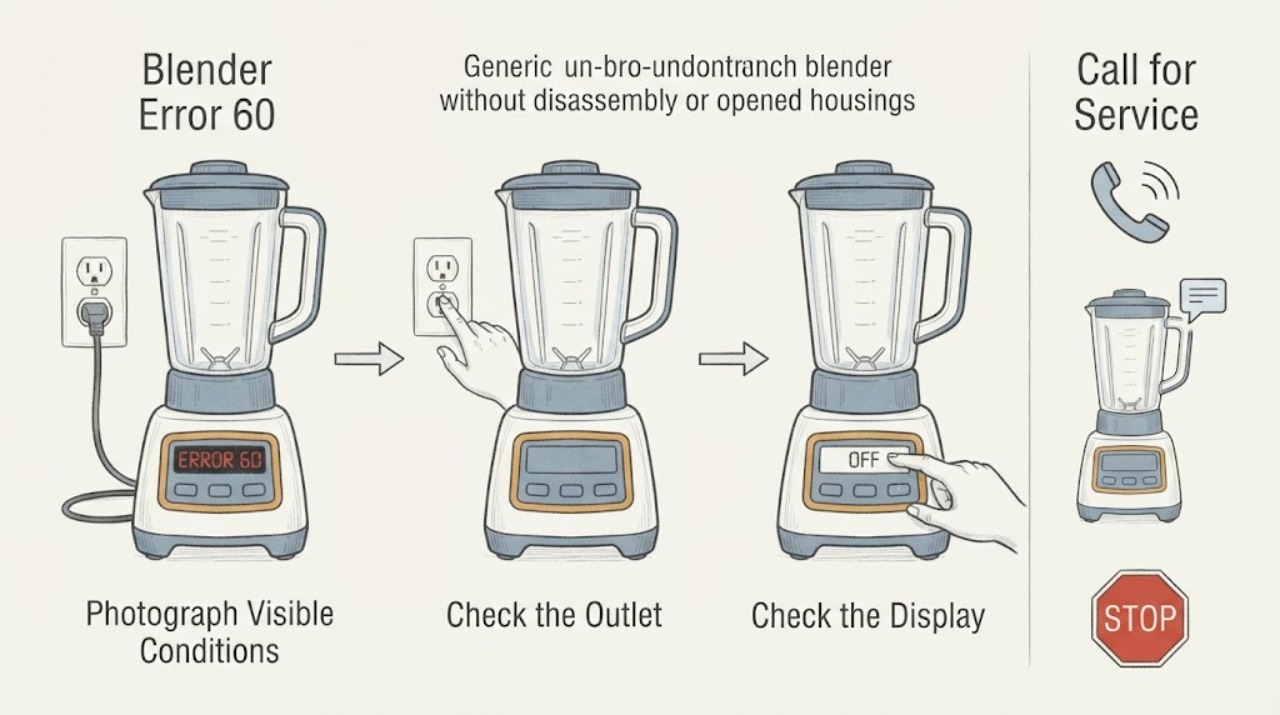
Hamilton Beach error 60 is documented in the manufacturer's HBH850 Series M+ technical sheet, where display error 60 or 62 is associated with defective or corrupt EEPROM data and routed to board and display repair. First verify that the blender is an HBH850 Series M+ and that the complete display really shows 60. If the model or code differs, use its own manual. If it matches, switch the blender off and unplug it when safe, do not open the base or attempt a reset or part swap, and arrange qualified Hamilton Beach commercial service.
Work through in order
Diagnostic checks
Use only checks that match the exact appliance or system and its official guide.
-
Check 1
Turn the blender off if its controls respond, then photograph the complete display and record the exact code, including any second number or message. Read the model, type, and series from the rating label without removing the housing.
Expected result: The label confirms an HBH850 Series M+ blender and the display clearly shows 60, or the model, series, or code is different or cannot be confirmed.
Next step: For a confirmed HBH850 Series M+ and error 60, continue to the safety stop and service handoff. If the identity is different or uncertain, use the exact model manual or Hamilton Beach support instead of guessing.
Stop if: Do not deliberately recreate the error, enter a service menu, or press controls repeatedly to make the code change.
Why this matters
Why: The manufacturer's error 60 mapping is specific to the HBH850 Series M+ technical document. Another Hamilton Beach platform may use a different code table, so a similar number must not inherit the same diagnosis.
-
Check 2
With the blender switched off and unplugged, inspect only the accessible cord, plug, outlet, base exterior, jar, and surrounding counter for liquid, scorching, a hot or damaged plug, a cracked jar, or impact damage. Keep hands away from the cutter assembly.
Expected result: The exterior is dry and intact, or there is liquid, scorching, a damaged cord or plug, a hot outlet, a cracked jar, smoke, or a burning smell.
Next step: If any warning sign is present, keep the blender unplugged and arrange qualified appliance or electrical service. If the exterior is safe, keep it unplugged while arranging the code-specific service visit.
Stop if: Do not reconnect a wet or damaged blender, remove the base cover, touch exposed conductors, or reach into the jar or blade area.
Why this matters
Why: A clean exterior permits a clear service handoff but does not test the display electronics. Liquid, heat, smoke, burning odor, or physical damage is an immediate stop-use condition and cannot be resolved by clearing error 60.
-
Check 3
Compare the confirmed model and display with the HBH850 Series M+ technical entry for error 60 or 62. Do not substitute a generic power reset, cool-down routine, or blade and jar check for the manufacturer's code-specific service direction.
Expected result: The model and code match HBH850 Series M+ error 60, or the display and model do not match that entry.
Next step: For a match, stop owner diagnosis and contact qualified Hamilton Beach commercial service. For a mismatch, use the exact model's documentation and report the complete display rather than applying this article's code meaning.
Stop if: Do not open the base, replace a board or display yourself, alter firmware, bypass protection, or purchase a component solely from error 60.
Why this matters
Why: For the matching HBH850 entry, Hamilton Beach attributes 60 or 62 to defective or corrupt EEPROM data and identifies display electronics for repair. A mismatch means the document cannot establish the cause or next step for that blender.
-
Check 4
Prepare the service handoff with the model, type, series, error photograph, date and operating context, whether the display is blank or readable, and any power event, liquid exposure, odor, noise, or trip. Keep the unit isolated until service advises otherwise.
Expected result: The error is repeatable, intermittent, or has cleared but the display electronics behaved abnormally; or the unit has an active safety warning.
Next step: Contact Hamilton Beach commercial support or a qualified appliance technician and provide the recorded information. Use qualified electrical help for a damaged outlet or supply issue.
Stop if: Do not keep operating the blender to collect more occurrences, perform live tests, or dismantle the housing for a technician's diagnosis.
Why this matters
Why: Hamilton Beach's warranty guidance says model, type, and series information helps service handle the product. A cleared code does not prove the EEPROM or display issue is repaired, while a safety warning raises the urgency of keeping the blender isolated.
Use your observations
Decision map
Find the observation that best matches what you see, then follow the next safe action.
-
PATH 01Next step
What you see
The blender is not an HBH850 Series M+ or the display does not clearly show error 60.
Do this next
Use the exact model's Use & Care guide or contact Hamilton Beach with a complete display photograph and model, type, and series. Do not borrow the error 60 diagnosis.
Why this path and its safety boundary
Why it matters: The opened code-specific manufacturer document does not apply, and Hamilton Beach does not provide one universal error table for every blender platform.
-
PATH 02Next step
What you see
The model is HBH850 Series M+ and the display clearly shows error 60 or 62.
Do this next
Switch off and unplug the blender when safe, keep the housing closed, and arrange qualified Hamilton Beach commercial service. Provide the code and model details.
Why this path and its safety boundary
Why it matters: Hamilton Beach's technical sheet associates this display condition with defective or corrupt EEPROM data and routes it to display-electronics repair; it is beyond a safe owner reset or blade and jar check.
-
PATH 03Next step
What you see
Error 60 appears together with smoke, burning odor, liquid exposure, a hot or damaged plug, a cracked jar, arcing, or a protective trip.
Do this next
Keep clear, isolate power only if safe, leave the blender unplugged, and arrange prompt qualified appliance or electrical service. Do not reconnect it to test whether the code clears.
Why this path and its safety boundary
Why it matters: The display error is accompanied by an electrical, fire, liquid, or mechanical safety warning that cannot be safely separated from the electronics fault.
-
PATH 04Next step
What you see
The code cleared once but the display is blank, fragmented, intermittent, or error 60 returns.
Do this next
Stop repeated operation and give service the complete symptom history. Do not select a replacement display, board, or firmware action without qualified model-specific diagnosis.
Why this path and its safety boundary
Why it matters: A temporary change does not prove the display electronics or stored data fault is gone; the technical document's code-specific service path still applies when the model matches.
Helpful context
Understand the symptom
Error 60 is model-specific
The opened Hamilton Beach technical sheet applies to the HBH850 Series M+ 230V commercial blender. It lists display error 60 or 62 with a defective or corrupt EEPROM data condition and directs repair of the display electronics. That does not establish that every Hamilton Beach blender uses the same code or cause. Check the model, type, and series before using this interpretation.
What you can check safely
The useful owner-level work is limited to documenting the display and checking the outside of the unplugged blender for obvious cord, plug, outlet, liquid, heat, or impact damage. Error 60 is not a blade, jar, or recipe diagnosis, and the code alone cannot justify buying a replacement component.
Prepare a complete service handoff
Hamilton Beach asks for model, type, and series information to provide faster warranty service. Give the technician a photograph of error 60, whether the blender still powers up, when the code appeared, and whether there was a power event, liquid exposure, odor, or protective trip. Keep the housing closed.
When checks do not resolve it
Need a professional?
For a confirmed Hamilton Beach HBH850 Series M+ blender showing error 60 or 62, arrange qualified Hamilton Beach commercial service because the manufacturer's technical sheet routes the condition to display-electronics repair. Contact service as well when the code returns, the display is blank or fragmented, the model cannot be matched, or any liquid, smoke, burning odor, cracked jar, damaged cord, hot plug, or protective trip is present. Do not open the base, perform live tests, alter firmware, or choose a part from the code alone.
Common questions
FAQ
What does error 60 mean on a Hamilton Beach blender?
On the manufacturer's HBH850 Series M+ technical sheet, display error 60 or 62 is associated with defective or corrupt EEPROM data and routed to display-electronics repair. Verify the exact model before applying that interpretation to another Hamilton Beach blender.
Can I reset Hamilton Beach error 60 at home?
The opened code-specific document does not provide a safe owner reset for error 60. Switch off and unplug the matching blender when safe, keep the housing closed, and arrange qualified service rather than repeatedly cycling power.
What information should I give Hamilton Beach service?
Provide the model, type, and series, a photograph of the complete display, when the code appeared, whether it returned, and any power event, liquid exposure, odor, noise, or protective trip. Hamilton Beach's warranty guidance specifically asks owners to locate the model, type, and series.
Read the exact guide
Official sources
- Technical Data Sheet — HBH850 Series M+Hamilton Beach Brands, Inc. · Hamilton Beach blender display error 60 or 62, EEPROM data condition, and display-electronics service path
- Hamilton Beach Blender WarrantyHamilton Beach · Hamilton Beach blender service handoff and model, type, and series identification
Community feedback
Share a repair observation
Share a plain-text repair observation. Accepted observations are published automatically; this page may take a moment to update.