
On this page
Start here
Quick answer
Do not treat Hamilton Beach error 62 as a universal code for every blender. First record the exact model, type, and series from the rating label and the complete display pattern. In the opened Hamilton Beach technical document for the HBH850-230V series, #62 is associated with an internal display/control data fault; that finding is model-scoped and is a service diagnosis, not a user repair. With the blender unplugged, check only for obvious damage, heat, smoke, odor, or a binding jar/blade. If the code returns on the confirmed model, leave the unit off and give Hamilton Beach or qualified service the model and display details.
Work through in order
Diagnostic checks
Use only checks that match the exact appliance or system and its official guide.
-
Check 1
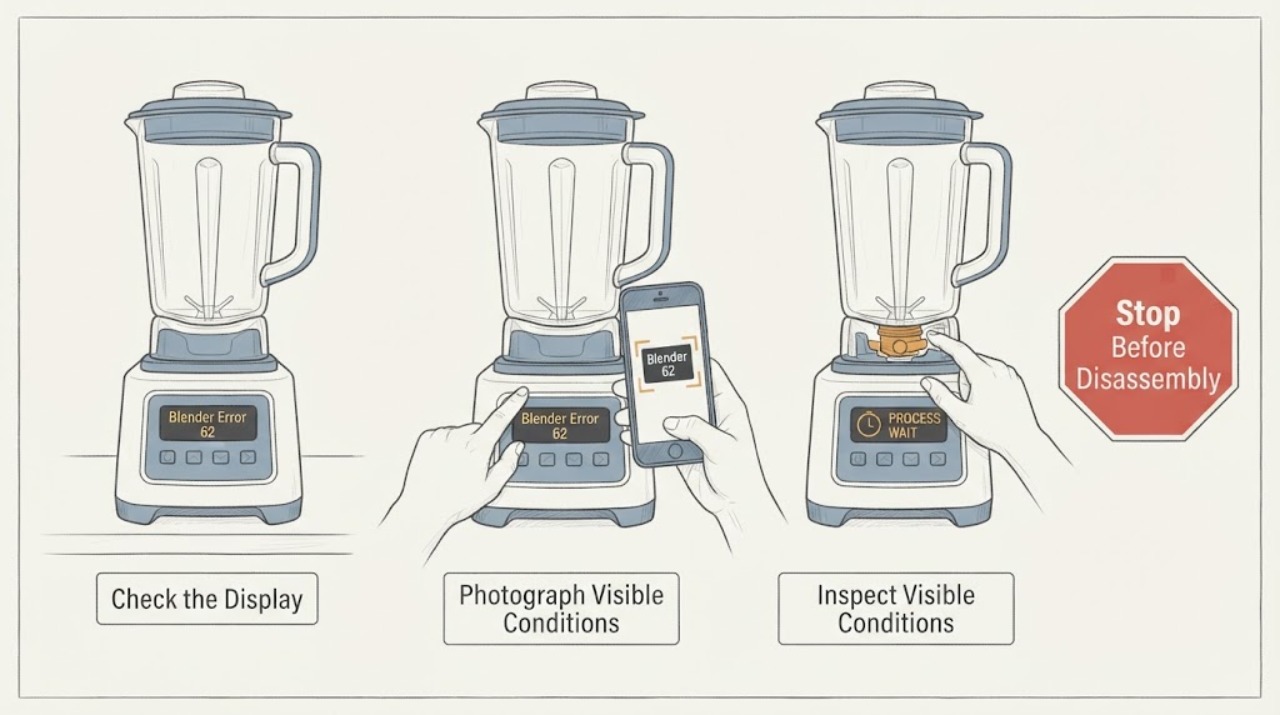
With the blender switched off, photograph the complete display and record whether it shows 62, 60, another number, or a combination of flashing buttons. Read the model, type, series, and wattage from the rating label on the bottom or rear of the motor housing.
Expected result: The label confirms HBH850-230V, another identifiable Hamilton Beach model, or an unknown model; the displayed pattern is #62, a different code, or unclear.
Next step: Continue with the HBH850-specific service boundary only when the label matches. Otherwise obtain the exact model manual or contact Hamilton Beach with the photograph and identity information.
Stop if: Do not keep pressing buttons, enter a hidden diagnostic mode, or deliberately recreate the code before the model is confirmed.
Why this matters
Why: The opened technical document's #62 mapping is specific to the HBH850-230V series. A different or unconfirmed model cannot safely inherit that meaning.
-
Check 2
From outside the appliance, inspect the plug, cord, base, jar, lid, and visible cutter area after disconnecting power. Look for smoke, a persistent burning odor, a cracked jar, a loose or damaged blade, liquid on the base, heat damage, or a motor that stopped while binding.
Expected result: The blender is cool, dry, intact, and free of an electrical or mechanical warning, or one of those hazards is present.
Next step: If a hazard is present, keep the blender unplugged and arrange qualified appliance or electrical service. If it is intact, continue without opening the base or reaching toward the blades.
Stop if: Do not restore power to a smoking, damaged, wet, or binding blender, and do not put hands or tools into the cutter assembly.
Why this matters
Why: An intact unit can proceed only to identity-specific guidance. Smoke, damage, liquid, abnormal heat, or binding is a stop-use condition that a code check cannot make safe.
-
Check 3
If the label confirms the HBH850-230V series and the display clearly shows #62, compare the code with the opened Hamilton Beach technical information and stop at the model's service boundary. Do not remove the housing or attempt to replace a display board yourself.
Expected result: #62 remains on the confirmed HBH850-230V, the code clears but returns, or the code does not match the series or exact manual.
Next step: Leave the unit off and contact Hamilton Beach or qualified service with the model, type, series, complete display, and whether the motor stopped. For another model, use only its own documentation.
Stop if: Do not open the motor base, probe live electronics, bypass protection, or order a board from error 62 alone.
Why this matters
Why: For HBH850-230V, the technical document associates #62 with an internal display/control data fault. A returning or unmatched code requires model-specific diagnosis; it does not identify a safe owner-replaceable part for every Hamilton Beach blender.
-
Check 4
If the exact model manual shows that the stop was caused by motor overheating or provides a cool-down procedure, follow only that documented procedure with the blender off and the container removed as instructed. Do not use a generic cool-down or reset sequence to interpret #62.
Expected result: The exact manual identifies an overload or cool-down message, the blender returns to normal after the documented procedure, or #62 remains or reappears.
Next step: If the exact manual's procedure clears the overload but #62 returns, stop and request service. If no model-specific procedure is available, skip the reset and send the recorded code to support.
Stop if: Do not repeatedly cycle power, restart a hot or damaged motor, or substitute another model's reset time.
Why this matters
Why: Some Hamilton Beach commercial blender manuals provide a specific cool-down cycle for an overheated motor, while the HBH850 technical #62 finding concerns the display/control system. These are separate observations and should not be merged.
-
Check 5
Prepare the service report with the model, type, series, wattage, exact display text, flashing sequence, whether the motor stopped, what was in the jar, and any heat, odor, noise, or visible damage. Keep the unit unplugged while arranging help if the code returns.
Expected result: The code is documented for the exact model and remains after the model's safe external guidance, or the pattern is undocumented or recurring.
Next step: Contact Hamilton Beach customer service or qualified appliance service. Use qualified electrical service when the outlet, cord, plug, or circuit protection is involved.
Stop if: Do not keep operating the blender to collect more symptoms and do not perform internal electrical tests.
Why this matters
Why: The service technician needs the exact platform and event pattern because Hamilton Beach blender controls and code meanings vary by model. A recurring #62 cannot be narrowed to a safe part by the code alone.
Use your observations
Decision map
Find the observation that best matches what you see, then follow the next safe action.
-
PATH 01Next step
What you see
The rating label confirms HBH850-230V and the display repeatedly shows #62 without smoke, liquid, cracked parts, or binding.
Do this next
Leave the blender unplugged, provide the model and display photograph to Hamilton Beach or qualified service, and do not open the housing.
Why this path and its safety boundary
Why it matters: The official technical document's model-specific interpretation is an internal display/control data fault, so the useful next decision is qualified service rather than a generic blender reset.
-
PATH 02Next step
What you see
The model is not HBH850-230V, the display is not clearly #62, or the pattern is a different code or flashing-button sequence.
Do this next
Use the exact model's manual or contact Hamilton Beach with the model label and complete display pattern. Do not borrow the #62 interpretation or reset from another model.
Why this path and its safety boundary
Why it matters: The HBH850 #62 finding does not establish the meaning on another Hamilton Beach platform. The uncertainty is about model-specific documentation, not a confirmed universal board failure.
-
PATH 03Next step
What you see
The exact model manual identifies a motor-overload or cool-down message, and the blender is otherwise intact and cool enough to follow that manual.
Do this next
Follow only the exact manual's cool-down procedure. If #62 or abnormal operation returns, stop using the blender and arrange service.
Why this path and its safety boundary
Why it matters: An overload or thermal protection event is a different branch from the HBH850 display/control data fault. A documented cool-down may address the overload state, but it does not prove a returning #62 is repaired.
-
PATH 04Next step
What you see
There is smoke, a persistent burning smell, liquid on the base, a cracked jar, a loose or damaged blade, binding, a hot or damaged cord, or a protective power trip.
Do this next
Keep clear and leave the blender unplugged when safe. Arrange qualified appliance service, or qualified electrical service for the supply, cord, plug, outlet, or breaker condition.
Why this path and its safety boundary
Why it matters: This is an electrical, fire, shock, or mechanical safety warning. Error 62 cannot make continued operation safe and the visible symptom cannot identify a DIY repair.
Helpful context
Understand the symptom
What error 62 can mean
The opened Hamilton Beach technical document for the HBH850-230V blender series lists display errors #60 and #62 with a display/control data fault. That is useful evidence for this specific series, but it is not a universal Hamilton Beach blender code table. A consumer blender with a different model may use a different display or fault scheme, so confirm the identity before applying the interpretation.
Why the model check comes first
Hamilton Beach places the model, type, series, and wattage on the rating label on the bottom or rear of the motor housing. Photograph that label and the complete display before pressing buttons again. This prevents an HBH850-230V service finding from being transferred to a countertop, personal, or commercial blender with different controls.
A code that returns needs service
Error 62 is not a reason to open the motor base or replace a board from a search result. If the exact model is the HBH850-230V series and #62 remains after the unit is safely powered down, treat it as a service-level display/control fault. For another model, use its own manual; when that manual does not document #62, give the manufacturer the exact model and the recorded pattern instead of borrowing a reset sequence.
Only after diagnosis
Potential parts
- model-specific display/control assembly
Consider this category only after the exact model is confirmed and qualified service verifies the recurring #62 display/control fault. The opened technical document is series-specific and does not justify ordering a board from the code alone.
Confirm the full model, type, series, revision, and manufacturer fit information before any part is selected; a different Hamilton Beach blender may use a different control system.
When checks do not resolve it
Need a professional?
Contact Hamilton Beach or qualified appliance service when #62 returns on the confirmed HBH850-230V series, when another model's exact manual does not document the pattern, or when the panel, motor, wiring, interlock, or control system needs inspection. Use qualified electrical service for a damaged cord, plug, outlet, or breaker. Keep the blender unplugged for smoke, burning odor, liquid ingress, cracked parts, loose blades, binding, or repeated protective trips.
Common questions
FAQ
Does error 62 mean the same thing on every Hamilton Beach blender?
No. The opened Hamilton Beach technical document ties #62 to a display/control data fault on the HBH850-230V series. Confirm the model before applying that finding; another blender may use different code meanings.
Where can I find the model needed for error 62 support?
Hamilton Beach says the model, type, series, and wattage are on the rating label on the bottom or rear of the blender motor housing. Photograph it with the complete display so support can match the correct documentation.
Can I replace the display board myself when the blender shows 62?
Do not choose or replace an internal board from #62 alone. On the confirmed HBH850-230V series, the code points to an internal display/control diagnosis that should be handled by qualified service; for any other model, use its own documentation.
Read the exact guide
Official sources
- Hamilton Beach FAQsHamilton Beach · Opened official FAQ states where blender model, type, series, and wattage are found and directs model-specific use and care guidance.
- HBH850-230V Blender Technical Information Series A-NHamilton Beach Brands, Inc. · Opened official technical document for the HBH850-230V series; its #62 mapping is series-specific and is not a universal Hamilton Beach blender code table.
- HBH750/HBH755 Series Bar Blender Operation ManualHamilton Beach Commercial · Opened official commercial manual used only for its model-scoped safety boundary and documented cool-down distinction; it is not used to assign #62 to other models.
Community feedback
Share a repair observation
Share a plain-text repair observation. Accepted observations are published automatically; this page may take a moment to update.