
On this page
Start here
Quick answer
Hamilton Beach's opened 58770-IN Professional Juicer Mixer Grinder guide assigns display error E01 to food jamming the blade. That is model-specific, not a universal Hamilton Beach blender code. First photograph the display and read the full model and voltage from the rating label. If the label matches 58770-IN and there is no smoke, burning odor, damaged jar or blade, or other hazard, switch the unit off, unplug it, remove the jar and lid, and use the supplied scraper to loosen food as the guide directs; keep hands and tools away from the blade. If E01 returns, the model is different, or the blade, jar, cord, or base is damaged, leave the blender unplugged and contact Hamilton Beach or qualified service.
Work through in order
Diagnostic checks
Use only checks that match the exact appliance or system and its official guide.
-
Check 1
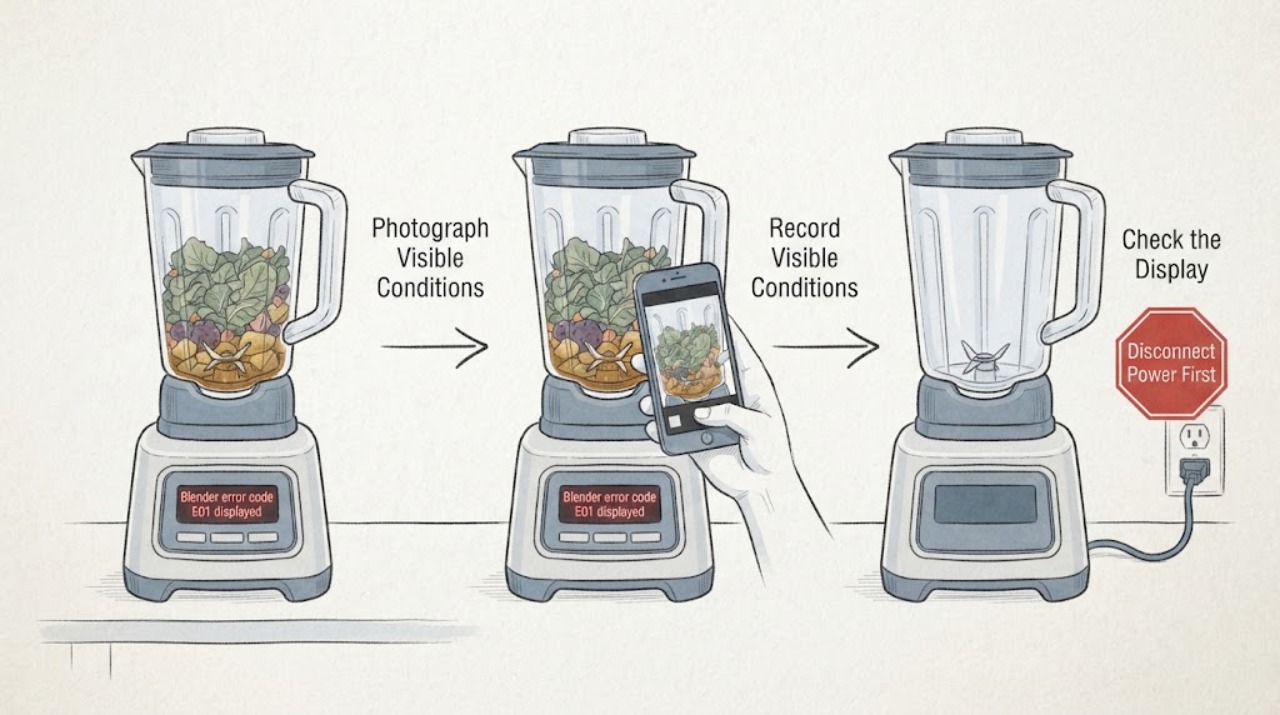
With the blender stopped, photograph the complete display and record whether it reads E01, E1, or another message; note whether the motor stopped during blending or the message appeared at startup. Keep hands away from the blade assembly.
Expected result: The display is exactly E01, the code has different characters, the panel is blank, or the motor stopped with no readable message.
Next step: Continue only after the code and model can be matched. Otherwise use the exact model's guide or contact Hamilton Beach; do not keep restarting to reproduce the message.
Stop if: Stop immediately for smoke, burning odor, a hot plug or base, unexpected speed, a damaged jar or blade, or repeated power trips.
Why this matters
Why: The opened source documents E01 only in the 58770-IN guide. A different display format or an unreadable panel cannot safely inherit that blade-jam interpretation.
-
Check 2
Read the rating label on the motor housing and record the complete model, suffix, voltage, and region. Compare it with the official 58770-IN guide before applying the E01 instruction.
Expected result: The label matches 58770-IN and the guide; it says 58770 with a different voltage or suffix; it identifies another Hamilton Beach blender; or it cannot be read.
Next step: Use the E01 blade-jam branch only when the exact 58770-IN identity and guide match. For another or uncertain model, keep the unit off and obtain its matching Use & Care guide or model-specific support.
Stop if: Do not remove the base or housing to find a label, and do not apply a 58770-IN instruction to a different voltage or model.
Why this matters
Why: The product pages distinguish 58770 and 58770-IN variants, and Hamilton Beach lists many separate blender models. Brand-level code transfer is therefore not reliable.
-
Check 3
If the label and guide confirm 58770-IN, turn the controls off and unplug the blender. Remove the jar and lid only by their normal release path, then use the supplied scraper to loosen food as the guide directs; never use fingers, a metal utensil, or a tool against the blade.
Expected result: A large or compacted food mass is visible, the jar and blade appear normal, the jar will not release normally, or the jar/blade is cracked, loose, or damaged.
Next step: Remove only loose food that can be cleared without contacting the blade or forcing parts. If the jar will not release normally, or any component is damaged, leave the blender unplugged and arrange service.
Stop if: Do not reach into the jar, hold the blade while loosening food, force the jar or collar, open the motor base, or bypass an interlock.
Why this matters
Why: A visible food jam is consistent with the model-specific E01 instruction. Resistance or damage changes this from a safe external clearing step to a stop-use condition; E01 alone does not identify whether the cutter, drive, or control is damaged.
-
Check 4
After the jam is cleared, inspect the removable jar, lid, and visible blade area from outside the assembly for cracks, looseness, residue that prevents normal seating, or a blade that is visibly damaged. Refit only as the matching guide permits and do not test under load if any defect is present.
Expected result: The jar and blade are intact and seat normally, the blade or jar is damaged, the assembly remains stuck, or E01 returns immediately after the documented clearing step.
Next step: If the exact guide allows one safe repeat and the blender remains cool and undamaged, follow that guide only. If E01 returns or the visible assembly is not normal, stop and contact Hamilton Beach or qualified appliance service.
Stop if: Do not order a blade, motor, sensor, or control board from E01 alone, and do not run repeated cycles to see whether the error disappears.
Why this matters
Why: Normal visible seating after one cleared jam supports a limited model-authorized retest; damage, a stuck assembly, or an immediate repeat means the code is not resolved and may involve the cutter, drive, interlock, sensor, or control.
-
Check 5
Before service, record the model and voltage, code photo, load and quantity, when E01 appeared, whether the motor stopped or became hot, jar and lid seating, any noise or odor, and whether the code returned after the guide's external clearing step.
Expected result: E01 persists, the model cannot be matched, the motor is hot or noisy, the panel does not respond, or a cord, plug, outlet, jar, blade, or base shows damage.
Next step: Leave the blender unplugged and provide the recorded information to Hamilton Beach or qualified appliance service. Use qualified electrical service for a damaged outlet, cord, plug, or repeated protective-device trip.
Stop if: Do not open the base, perform live or continuity tests, change a breaker rating, or reconnect a smoking, damaged, or repeatedly faulting blender.
Why this matters
Why: These observations help service distinguish a documented 58770-IN food-jam path from overload, interlock, drive, electrical, or control symptoms, but they do not select an internal part.
Use your observations
Decision map
Find the observation that best matches what you see, then follow the next safe action.
-
PATH 01Next step
What you see
The rating label and matching guide confirm Hamilton Beach Professional 58770-IN, E01 is shown, and the unplugged jar can be removed normally with no damage or hazard.
Do this next
Follow the guide's unplugged jar-and-lid removal and scraper instruction once. Stop if food cannot be cleared without blade contact or force, then arrange service.
Why this path and its safety boundary
Why it matters: The official 58770-IN guide supports a food-jam interpretation and a scraper-based external clearing step for this model.
-
PATH 02Next step
What you see
The blender is another Hamilton Beach model, the suffix or voltage is unknown, or the display is not exactly E01.
Do this next
Stop code-specific troubleshooting, obtain the exact Use & Care guide or contact Hamilton Beach with the rating-label details, and keep the unit unplugged if it stopped or became hot.
Why this path and its safety boundary
Why it matters: The 58770-IN code mapping is outside its documented scope; another platform may use a different message and reset or safety procedure.
-
PATH 03Next step
What you see
The jar or blade is cracked, loose, seized, or cannot be released normally, or E01 returns immediately after the documented external clearing step.
Do this next
Leave the blender unplugged and arrange qualified Hamilton Beach or appliance service. Do not select a replacement part from E01 alone.
Why this path and its safety boundary
Why it matters: The visible symptom no longer supports a simple food jam; a cutter, drive, interlock, sensor, control, or other internal fault is possible.
-
PATH 04Next step
What you see
E01 is accompanied by smoke, persistent burning odor, a hot or damaged cord, plug, outlet, or base, unexpected speed, or repeated power trips.
Do this next
Do not reconnect the blender. Keep away from the blade assembly and obtain qualified appliance or electrical help.
Why this path and its safety boundary
Why it matters: This is an immediate electrical, fire, or uncontrolled-mechanical safety boundary; clearing food cannot make continued testing safe.
Helpful context
Understand the symptom
What E01 means when the model matches
The official Hamilton Beach Professional Juicer Mixer Grinder 58770-IN Use & Care guide has a troubleshooting entry for display error E01. It says food is jammed with the blade, then directs the owner to remove the jar and lid, use the scraper to stir the food, and repeat blending; it sends a persistent problem to customer service. This evidence is limited to the 58770-IN guide. Hamilton Beach publishes many other blender models, so a household blender that merely carries the Hamilton Beach name should not inherit this meaning without its matching manual.
The safe owner check
E01 does not justify reaching into a cutter assembly, forcing a stuck jar, or opening the motor base. Stop the controls, unplug the blender, and work only with the removable jar, lid, and the model-supplied scraper if the jar can be removed without force. Do not continue if the jar or blade is cracked, loose, or damaged, or if the motor is smoking, unusually hot, or smells of burning.
Why the model gate matters
Hamilton Beach's product archive identifies separate blender models and the official product page identifies 58770 as a Professional 2.2 HP 120V Juicer Mixer Grinder. The India product page identifies the 58770-IN variant and its jar-and-lid interlock. These are model and market details, not proof that E01 applies to every blender in the catalogue. If the label, suffix, voltage, or guide differs, stop using the 58770-IN E01 procedure and retrieve the exact guide instead.
When checks do not resolve it
Need a professional?
Arrange Hamilton Beach or qualified appliance service when E01 returns after the exact 58770-IN guide's safe clearing step, the model or voltage cannot be matched, the jar or blade is damaged or stuck, or the unit needs internal testing. Stop immediately for smoke, persistent burning odor, a hot or damaged cord or plug, unexpected speed, or repeated power trips.
Have this ready
- Exact display photo, complete model and suffix, voltage and region, load and quantity, onset and timing, whether the motor stopped or overheated, jar and lid seating, visible damage, noise or odor, and whether E01 returned after the guide's external clearing step.
Common questions
FAQ
What does E01 mean on a Hamilton Beach blender?
The opened Hamilton Beach Professional Juicer Mixer Grinder 58770-IN guide assigns display E01 to food jamming the blade and directs the owner to remove the jar and lid and use the supplied scraper. This is not a universal Hamilton Beach blender code; confirm the exact model and guide first.
Can I reach into the jar to clear E01?
No. Switch the unit off, unplug it, and use only the model-supplied external scraper procedure. Keep hands and metal tools away from the blade. Stop for a stuck, cracked, loose, or damaged assembly and arrange service.
Does E01 apply to every Hamilton Beach blender?
No. The evidence is for the 58770-IN Professional Juicer Mixer Grinder guide. Hamilton Beach lists multiple blender models, so another model or voltage may use a different message or procedure.
Read the exact guide
Official sources
- Professional Juicer Mixer Grinder 58770-IN, 1400 Watt Rated Motor, Triple Overload Protection, 3 Stainless Steel Leakproof Jars, 2 Lids, Triple Safety Protection, Intelligent ControlsHamilton Beach India · Opened official Hamilton Beach India product page confirming the 58770-IN model and its jar-and-lid interlock; it does not establish E01 for other models.
- Hamilton Beach Professional Juicer Mixer Grinder (58770-IN) - Use & CareHamilton Beach · Exact official 58770-IN guide; its E01 entry and scraper instruction are limited to the documented model and must not be generalized to other Hamilton Beach blenders.
- Hamilton Beach® Professional 2.2 HP 120V Juicer Mixer Grinder - 58770Hamilton Beach · Opened official product page for the related 58770 product listing; used only to show model/voltage scope and safety-interlock context, not to transfer the E01 meaning to the US listing.
- Blenders Product ArchiveHamilton Beach · Opened official catalogue showing that Hamilton Beach has multiple distinct blender models; it does not define E01.
Community feedback
Share a repair observation
Share a plain-text repair observation. Accepted observations are published automatically; this page may take a moment to update.