
On this page
Start here
Quick answer
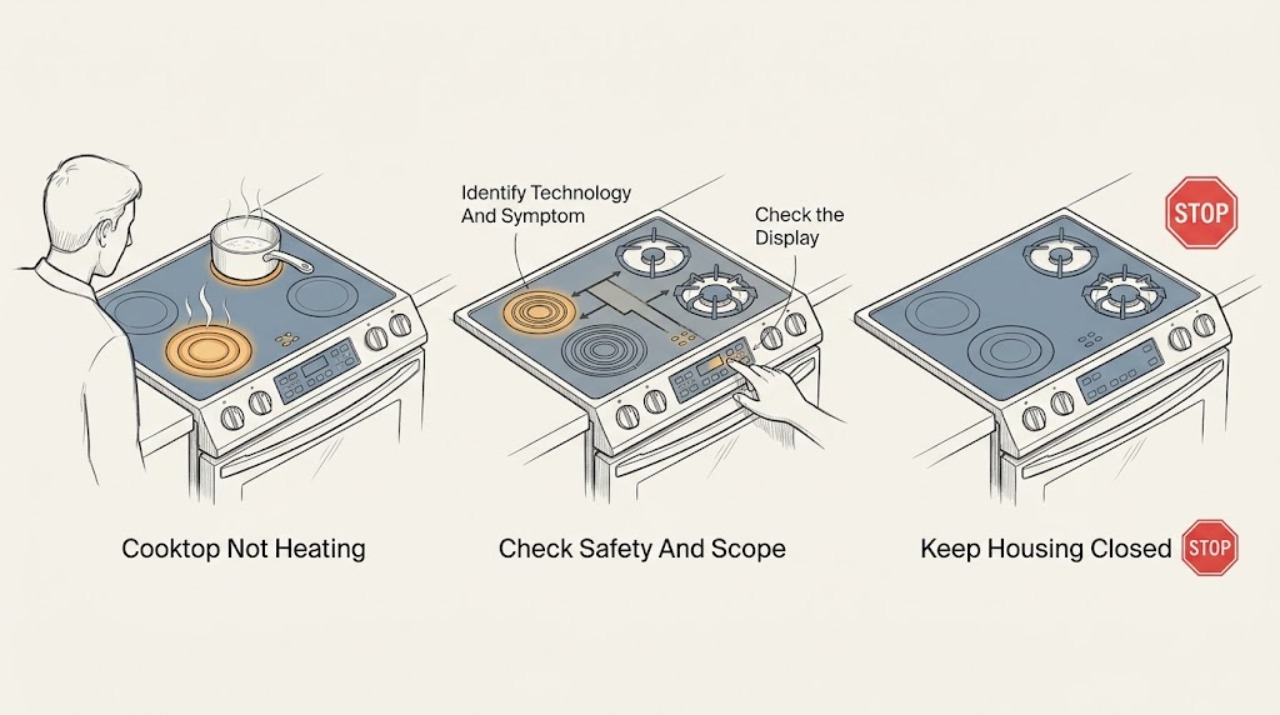
First identify whether the KitchenAid cooktop is gas, electric radiant, or induction and whether one zone or every zone is affected. Stop for a gas odor, smoke, sparks, arcing, a damaged cord or receptacle, a cracked glass surface, or controls that behave erratically. If there is no hazard, confirm that the correct control is selected, a control lock or demonstration mode is not active, and the cookware matches the technology. KitchenAid's official induction guidance says an induction pan must be ferromagnetic, centered, and suitably sized; those checks do not apply to a gas or radiant zone. Let an overheated cooktop cool and confirm the ventilation path is not blocked. If the exact model guide permits a power reset, use it once only. If the zone still does not heat, an error returns, all zones fail, the glass is damaged, or diagnosis requires opening the cabinet or testing live wiring, stop and arrange qualified appliance service.
Before you begin
Safety first
- This article supports ordinary-access observation and model-approved controls only. Do not open the cooktop, expose terminals, perform live gas or electrical testing, relight repeatedly, or alter protective controls.
Work through in order
Diagnostic checks
Use only checks that match the exact appliance or system and its official guide.
-
Check 1
Stop cooking and inspect only from a safe distance for gas odor, smoke, sparks, arcing, scorching, a cracked or shattered glass surface, a hot or damaged cord or receptacle, or controls that turn on by themselves; turn controls off normally only when no hazard is present.
Expected result: Record whether the issue affects one zone or all zones, whether the display is normal, and whether any gas, fire, glass, electrical, or unexpected-motion hazard is present without touching a hot or damaged area.
Next step: For gas odor, smoke, sparks, arcing, damaged glass, or electrical damage, keep the appliance off and arrange qualified emergency, gas, electrical, or appliance service; otherwise record the model and technology.
Stop if: Do not continue testing a gas-smelling, smoking, sparking, cracked, wet, or electrically damaged cooktop.
Why this matters
Why: A hazard overrides heat diagnosis. A normal-looking appliance with one weak zone permits the external checks below, while every zone failing or erratic controls makes a supply or control fault more likely.
-
Check 2
From the normal rating label or model documentation, identify whether the cooktop is gas, electric radiant, or induction, then record the affected zone, control setting, display or indicator, and whether heat was never produced or stopped after warming.
Expected result: Note whether gas ignition clicks or produces a stable flame, a radiant element glows or warms, an induction zone recognizes a pan, and whether the remaining zones operate normally.
Next step: Open the exact KitchenAid model guide and follow only the checks for that technology and symptom; do not transfer an induction code or gas procedure to another cooktop type.
Stop if: Stop when the model or technology cannot be established without removing panels or disturbing wiring.
Why this matters
Why: Technology and scope determine the safe next check. One zone failing suggests a zone, burner, sensor, or control path; all zones failing suggests shared power, lock, control, or installation conditions. A symptom alone does not identify a replacement part.
-
Check 3
With the surface clear and cool enough to touch, confirm that the intended zone and heat control are selected, the control panel is dry and unobstructed, and any key lock or demonstration mode is cleared only by the exact model guide.
Expected result: Record whether the control responds, a lock or demonstration indication is visible, a timer rather than a heat setting is active, and whether the display changes when the correct control is pressed normally.
Next step: Correct only the documented control state and retry once with the appropriate cookware or burner setting; if the control remains unresponsive or the zone still does not heat, stop and arrange service.
Stop if: Do not pry at touch controls, bypass a lock, use tools on the panel, or continue when controls behave erratically.
Why this matters
Why: A locked, demonstration, wet, or incorrectly selected control can make a healthy zone appear not to heat. A responsive control with no heat, a returning error, or a control that changes by itself points toward a zone, sensor, power, or control fault.
-
Check 4
For an induction model only, place a dry, suitable ferromagnetic pan centered on the matching zone and sized according to the model guide; for a gas model, observe ignition and flame only from normal use without reaching near the burner; for a radiant model, use a flat compatible pan and allow the element to respond normally.
Expected result: On induction, record whether the pan is recognized and heats evenly; on gas, record whether ignition occurs and the flame is stable; on radiant, record whether the element warms. Compare with a known-good zone only if the guide permits it.
Next step: Use the model guide's compatible cookware or burner-use guidance once; if the correct pan or normal burner setting still produces no heat, keep the appliance off and request service.
Stop if: Do not heat an empty pan to force a test, touch hot surfaces, relight a failed gas burner repeatedly, or open the burner, element, or induction assembly.
Why this matters
Why: Induction pan material, size, and placement can prevent recognition, while a gas ignition or flame problem and a radiant element that remains cold point to different service paths. A successful pan test does not prove hidden electrical or gas components are healthy.
-
Check 5
If the zone stopped after extended heating or the display indicates a hot condition, switch it off normally, let the cooktop cool without covering it, and check from ordinary access that the model-specified ventilation openings are not blocked by objects, linens, or stored items.
Expected result: Record whether heat returns after the documented cool-down, whether the same zone shuts down again, and whether nearby clearances or ventilation paths were obstructed.
Next step: Restore only the specified clearance and perform one manual-approved test after cooling; if heating does not return or the shutdown recurs, stop using the cooktop and arrange service.
Stop if: Do not cover the cooktop, add a fan aimed into the cabinet, remove trim, or continue cooking through an overheat shutdown.
Why this matters
Why: Temporary thermal protection or poor ventilation can reduce or stop heating on applicable models. A repeated shutdown with clear ventilation, a hot control area, or a zone that never recovers suggests a thermal, control, power, or component fault.
-
Check 6
Only when there is no gas, fire, heat, glass, water, or electrical hazard and the exact model guide permits it, perform the documented power reset at the accessible disconnect, then wait the guide's interval before restoring power and testing normally.
Expected result: Record whether the controls and zone operate, whether the display or error returns, and whether the same zone or every zone remains cold after the one reset.
Next step: Stop repeating resets and provide the technician with the model, technology, affected zone, display, cookware or flame result, cool-down result, and reset outcome.
Stop if: Do not reset a gas-smelling, smoking, sparking, cracked, wet, or overheating cooktop, and do not open the disconnect enclosure or cabinet.
Why this matters
Why: A one-time recovery can indicate a transient control state, but a returning error or persistent no-heat condition requires diagnosis. A reset cannot identify a failed element, burner, igniter, sensor, module, or wiring.
Use your observations
Decision map
Find the observation that best matches what you see, then follow the next safe action.
-
PATH 01Safety boundary
What you see
Gas odor, smoke, sparks, arcing, scorching, cracked glass, a hot or damaged cord, or erratic controls is present.
Do this next
Keep the cooktop off and arrange qualified gas, electrical, or appliance service; leave the area for a gas or fire hazard.
Why this path and its safety boundary
Why it matters: This is a safety stop, not an ordinary heat check.
Safety stop: Do not reset, relight repeatedly, remove panels, or continue cooking.
-
PATH 02Safety boundary
What you see
The model is induction, the control works, but the zone does not recognize or heat a pan.
Do this next
Use a dry suitable ferromagnetic pan centered on the matching zone and follow the model guide's control procedure once.
Why this path and its safety boundary
Why it matters: Pan material, size, partial magnetic base, placement, or an active lock or mode may be preventing induction operation.
Safety stop: If a suitable pan still is not recognized or an error returns, stop and request service; do not open the induction assembly.
-
PATH 03Safety boundary
What you see
The zone heated initially, then stopped or showed a hot condition, and the model's ventilation path may be obstructed.
Do this next
Allow natural cooling, restore only the specified clearance, and perform one manual-approved test.
Why this path and its safety boundary
Why it matters: Thermal protection or ventilation can limit heating on applicable models, but repeated shutdown is not normal troubleshooting territory.
Safety stop: If the zone remains cold, overheats again, or the control area becomes unusually hot, stop using the cooktop and arrange service.
-
PATH 04Safety boundary
What you see
One zone or burner remains cold after correct controls, compatible cookware or normal burner use, cooling, and any permitted one-time reset.
Do this next
Keep the affected zone off and arrange model-specific appliance service with the test results and display information.
Why this path and its safety boundary
Why it matters: A zone element, burner, igniter, sensor, control, or local wiring fault is possible, but the observation does not identify the part.
Safety stop: Do not swap internal parts, open the cooktop, or perform live electrical or gas testing.
-
PATH 05Safety boundary
What you see
Every zone fails to heat or the display is blank or unstable while external power appears normal.
Do this next
Follow only the model guide's external power check and one-time reset, then arrange qualified service if operation does not return.
Why this path and its safety boundary
Why it matters: A shared power, lock, control, installation, or internal fault is more plausible than one pan or one element.
Safety stop: Do not remove the cooktop, expose terminals, or test supply voltage as an ordinary-user step.
Helpful context
Understand the symptom
Separate a normal surface-hot indication from a heating failure
A hot-surface indicator can remain visible after a zone is switched off, while a zone that never warms, heats only at the edge, or stops under load needs a different diagnosis. Record whether the control display works, whether one zone or every zone is affected, and whether a pan, burner flame, or radiant element responds. Do not assume that an induction code or cookware check applies to a gas or radiant model.
Induction cookware and control state matter only on induction models
KitchenAid says an induction zone may not recognize a pan that is not ferromagnetic, is too small, is off-center, or has only part of its base made from a suitable material. Its guidance also identifies a key lock and demonstration mode as possible control-state issues on applicable models. Use the model guide to identify the technology and controls before trying a pan or button sequence.
Heat protection and power conditions can stop a zone
KitchenAid notes that poor ventilation can cause an induction cooktop to overheat and shut down, and recommends following the installation instructions for venting. Let the surface and controls cool naturally, keep the specified clearance open, and do not cover the appliance with cookware or objects. A power reset can clear a transient control state only when the exact model guide permits it; a repeat failure needs service rather than repeated resets.
Gas and electrical hazards end ordinary troubleshooting
A gas odor, flame that behaves abnormally, smoke, sparks, arcing, scorching, a cracked glass surface, or a hot or damaged cord is a stop condition. Turn controls off only when it is safe and normal to do so, leave the area for a gas odor or fire hazard, and obtain qualified gas or electrical service. Do not remove the cooktop, expose terminals, or test live voltage as a homeowner check.
Safety boundary
Stop conditions
- Stop for gas odor, smoke, sparks, arcing, scorching, a cracked or shattered glass surface, a hot or damaged cord or receptacle, water near controls, or controls that operate unexpectedly.
- Do not touch hot surfaces, force cookware off a hot zone, relight a failed gas burner repeatedly, or heat an empty pan to force a test.
- Do not remove the cooktop, open panels, access terminals, perform live electrical or gas testing, or replace an element, burner, igniter, module, sensor, or control based only on the symptom.
- Do not bypass a lock or protective control, cover ventilation openings, or continue cooking through a thermal shutdown.
- Stop repeating resets when the zone remains cold, an error returns, all zones fail, or the exact model guide does not explain the result.
When checks do not resolve it
Need a professional?
Arrange qualified KitchenAid or appliance service when a correct control setting, technology-appropriate cookware or burner check, natural cool-down, and one model-approved reset do not restore heating; when one or all zones remain cold; when an error returns; or when the cooktop has gas, fire, glass, water, or electrical damage. Provide the exact model and serial information, technology, affected zone, display, cookware or flame observation, ventilation and cool-down result, and reset outcome.
Safety scope: This article supports ordinary-access observation and model-approved controls only. Do not open the cooktop, expose terminals, perform live gas or electrical testing, relight repeatedly, or alter protective controls.
Read the exact guide
Official sources
- Fan Not Turnnig On - Downdraft - Product HelpKitchenAid · KitchenAid's official cooktop support page; it is used here for the general model-manual and service route and documented reset pattern, not as proof that every cooktop uses the same controls.
- Not Operating Correctly - Induction Cooktop - Product HelpKitchenAid · KitchenAid's official induction-cooktop support page; its cookware and induction-specific behavior apply only to induction models, while its model-number and service guidance supports product-specific troubleshooting.
Community feedback
Share a repair observation
Share a plain-text repair observation. Accepted observations are published automatically; this page may take a moment to update.