
On this page
Start here
Quick answer
An LG cooktop that is not heating may have a control or power problem, an unsuitable or incorrectly positioned pan on an induction zone, a burner cap or head that is wet or misassembled on a gas model, or an electric element that is cycling normally or has failed. First identify whether the issue affects one burner or all of them, then switch the controls off and check for a cracked surface, smoke, burning smell, gas odor, liquid in the controls, or damaged wiring. For electric models, verify power only from a safe user-accessible point and follow the model's breaker-reset guidance; for gas models, check only that the cap and head are dry, clean, and seated, and never continue if gas is present without ignition. If a suitable pan or correctly assembled burner still does not heat after safe model-directed checks, stop using the cooktop and arrange qualified service.
Work through in order
Diagnostic checks
Use only checks that match the exact appliance or system and its official guide.
-
Check 1
Turn every cooktop control off and let the surface and cookware cool enough to inspect. From outside, check for a cracked or shattered glass surface, smoke, burning or gas smell, sparks, liquid entering the control area, or damaged or scorched wiring or power parts. Keep clear of hot surfaces and do not touch a wet or damaged appliance.
Expected result: An immediate fire, gas, heat, glass, liquid, or electrical hazard is present, or the cooktop is intact, dry, and safe for external checks.
Next step: If a hazard is present, stop using the cooktop; if gas is suspected, avoid electrical switches and leave the area as appropriate, then contact the relevant emergency or qualified service provider. If no hazard is present, identify the cooktop type and affected burner.
Why this matters
Why: A safety hazard must be resolved before testing heat. Continuing ignition, heating, or touching damaged parts can worsen fire, gas, burn, or shock risk.
-
Check 2
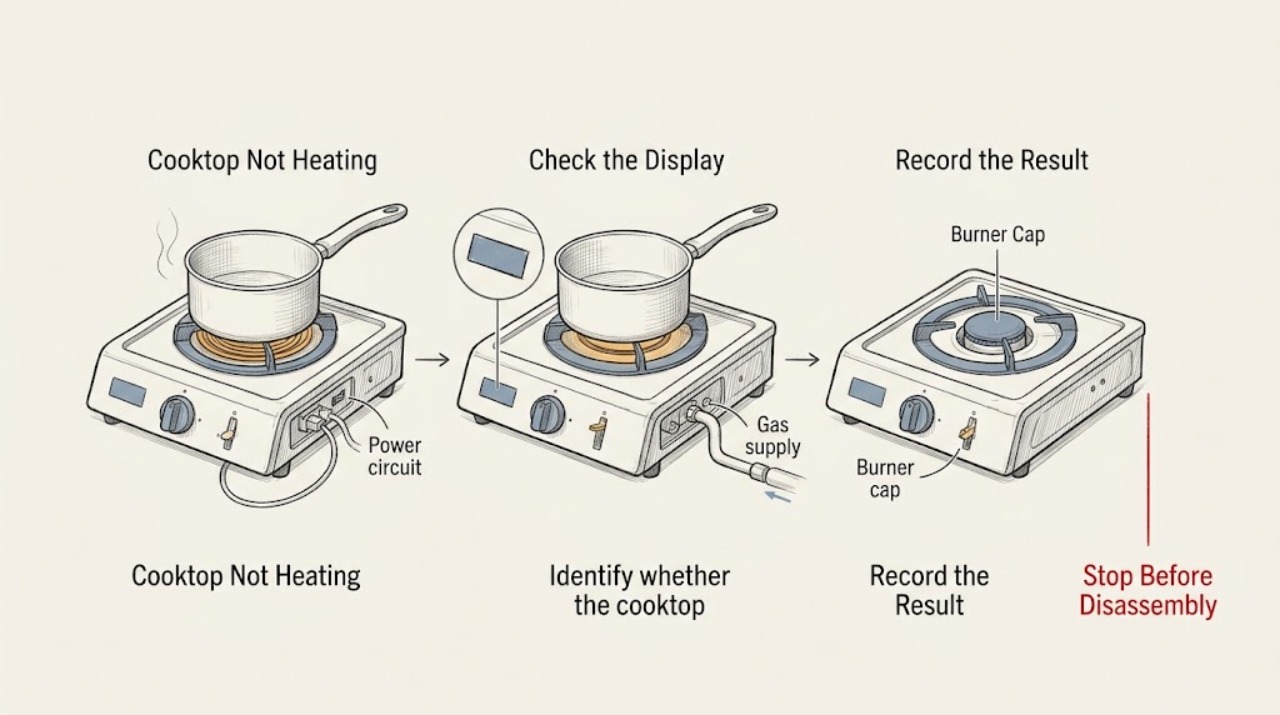
Identify whether the LG cooktop is gas, electric radiant, or induction, and whether the problem affects one zone, several zones, or all zones. For an induction zone, use a clean, flat, centered pan designed for induction; for an electric radiant zone, use a flat pan that matches the element; for gas, remove the pan before inspecting the burner.
Expected result: Only one burner is cold, all burners are cold, or a test pan or burner behaves differently from the original complaint.
Next step: Use the gas, electric, or induction branch that matches the appliance. If the model type is uncertain, stop before disassembling anything and use the model guide or arrange service.
Why this matters
Why: The affected-area pattern changes the diagnostic path. A pan that is unsuitable or too small can make an induction zone appear cold, while a single dead electric element or gas burner suggests a local component or assembly issue.
-
Check 3
For an electric or induction cooktop, check that the controls are set to the intended burner and heat level, the control lock is not active if the model has one, and the cooktop is connected to its intended power supply. Use a circuit breaker only as the exact model instructions allow and only if you can do so safely; never remove a cover or inspect live terminals.
Expected result: The control display responds and another zone heats, the house supply is interrupted, or the controls and zones remain cold after a safe model-directed power check.
Next step: If the supply is interrupted, have the electrical issue corrected by a qualified person. If only one zone remains cold or the issue returns after the model-directed reset, stop testing and arrange service.
Why this matters
Why: A working zone with one cold zone points toward a local element, sensor, or control. No response across zones points toward supply, installation, or main control, while a transient control state may clear after the documented reset.
-
Check 4
For an induction zone, remove the pan after it is cool enough to handle and check the base for a flat surface, magnetic or induction-ready marking, and a size and position that match the zone. Retry with a known compatible pan centered on the affected zone, without using an empty pan as a heat test.
Expected result: The compatible centered pan heats, or the cooktop still does not detect or heat it while another zone works.
Next step: If the compatible pan heats, use suitable cookware and the zone that matches it. If it remains cold, stop repeated tests and arrange qualified service; do not lift the glass or access the induction coil.
Why this matters
Why: Induction transfers energy through suitable cookware, so material, base shape, size, and position can prevent heating without a cooktop failure. A compatible pan that fails on one working-controlled zone moves the issue toward local service diagnosis.
-
Check 5
For a gas cooktop, with every knob off and the surface cool, check that the burner cap and head are seated flat in the correct location and are dry and free of visible food or debris. Clean only with a soft brush or cloth as the model guide allows, let parts dry fully, and do not enlarge ports, probe deeply, or remove gas fittings.
Expected result: The cap or head was tilted, wet, dirty, or in the wrong position and the burner produces a normal stable flame afterward, or the burner still will not ignite or has an abnormal flame.
Next step: If the flame is stable and normal, use the burner normally while monitoring it. If there is gas odor, no ignition, abnormal flame, or repeated clicking, turn the knob off, ventilate without operating switches where gas may be present, and arrange qualified gas or appliance service.
Why this matters
Why: LG identifies misassembled caps or heads and moisture or debris around the cap, ignitor, sensing rod, or burner opening as causes of ignition or flame problems. A yellow, lifting, very large, uneven, or sooty flame can indicate combustion or fuel-conversion trouble.
-
Check 6
After the appropriate branch is corrected, run one cautious heat check with the area attended: an electric or induction zone with suitable cookware, or a gas burner with a correctly seated dry cap and head. Observe whether heat or flame begins normally, stays stable, and stops when the control is turned off. Do not continue if the zone overheats, the flame changes unexpectedly, or the display shows an error.
Expected result: The selected zone heats or lights normally and turns off correctly, or it stays cold, repeatedly shuts down, shows an error, or produces abnormal heat or flame.
Next step: If normal, monitor the next use and keep the surface and ventilation area clean. If not normal, stop using the cooktop and request qualified service with the model, burner, appliance type, and observations.
Why this matters
Why: A normal single test after a specific correction supports a cookware, control, or burner-assembly cause. Persistent no-heat or abnormal operation indicates a local element, ignitor, valve, sensor, power, or control fault that cannot be confirmed safely by the owner.
Use your observations
Decision map
Find the observation that best matches what you see, then follow the next safe action.
-
PATH 01Next step
What you see
One induction zone is cold but a known compatible, centered pan heats on another zone
Do this next
Stop comparing unsuitable cookware and arrange service for the affected zone if it remains cold. Do not access the coil or wiring.
-
PATH 02Next step
What you see
All electric or induction zones are cold and the controls show no normal response
Do this next
Check only the safe, user-accessible supply indication and model-directed breaker procedure. If the supply is present but the cooktop remains cold, use qualified electrical or appliance service.
-
PATH 03Next step
What you see
A gas burner lights after its cap and head are cleaned, dried, and seated correctly
Do this next
Use the burner normally while watching for stable flame behavior. Stop if the flame becomes yellow, red, very large, uneven, or sooty.
-
PATH 04Next step
What you see
All gas burners fail to ignite or there is no gas supply indication
Do this next
Turn the knobs off and check only the accessible gas-supply valve if safe and permitted. Do not work on a gas circuit breaker or fuel connection; arrange qualified help if supply is uncertain.
-
PATH 05Next step
What you see
The cooktop is hot, shuts down, or displays an overheat or error indication
Do this next
Turn the control off and let the appliance cool. Follow only the exact model's guidance; if the condition recurs, stop using the cooktop and arrange service.
-
PATH 06Next step
What you see
Gas odor, smoke, sparks, an abnormal flame, cracked glass, liquid in controls, or damaged wiring is present
Do this next
Stop immediately. Avoid switches where gas may be present, leave the area as appropriate, isolate utilities only when safe, and contact the appropriate emergency or qualified service provider.
Helpful context
Understand the symptom
Start by separating one burner from all burners
A single cold burner points toward its local element, coil, burner cap, ignitor, control, or cookware. When every burner is cold, the supply, control, or installation becomes more important. LG's support flow explicitly asks whether all elements, one element, or a burner group is affected before choosing a correction.
Gas and electric checks are not interchangeable
On an electric or induction cooktop, a suitable pan, power connection, control setting, and temperature protection determine whether heat reaches the cookware. On a gas cooktop, the cap, head, ignitor, burner ports, and gas supply determine whether a stable flame can form. Do not use a gas-cleaning step on an electric unit, and do not open an electrical enclosure or gas circuit to test a theory.
Stop for a gas, fire, or electrical hazard
Turn controls off and stop immediately for an uncontained flame, gas odor, smoke, burning smell, sparks, a cracked glass surface, liquid inside the controls, or exposed or scorched wiring. Do not operate electrical switches where gas may be present, do not keep clicking an ignitor with unlit gas, and do not perform live voltage or gas-pressure tests. A qualified appliance or gas professional should handle the next step.
Only after diagnosis
Potential parts
- surface heating element or induction coil assembly
Consider this category only after qualified service confirms that one electric or induction zone fails with correct controls, suitable cookware, and normal power.
Elements and coils are model-specific and may require access below the cooktop. Do not remove the glass or perform live tests. - gas burner cap, ignitor, or burner valve assembly
Consider this category only after qualified service confirms a local ignition or gas-valve fault after cap, head, moisture, debris, and supply checks.
Gas and ignition parts are model-specific and safety-critical. Do not alter or probe gas ports or replace a valve from a symptom alone. - cooktop control, sensor, or power module
Consider this category only when qualified service confirms a control, sensor, or supply-side fault affecting one or more zones.
Control and power components are mains-connected and model-specific. Internal electrical diagnosis belongs to qualified service.
When checks do not resolve it
Need a professional?
Stop and seek professional help for gas odor, uncontained or abnormal flame, smoke, burning smell, sparks, cracked glass, liquid in controls, damaged wiring, repeated overheat shutdown, or no heating after safe cookware, control, power, and burner-assembly checks.
Have this ready
- Provide the full model identity, gas/electric/induction type, affected burner or zones, whether all controls respond, cookware or cap and head observations, power or gas-supply history, displayed errors, and the result of each model-directed check. Do not open panels, probe live wiring, bypass safety controls, or alter gas fittings.
Common questions
FAQ
Why is my LG cooktop not heating?
First determine whether it is gas, electric, or induction and whether one or all zones are affected. Check suitable cookware and controls on electric or induction models; check a dry, correctly seated cap and head on gas models. Persistent failure needs service.
What should I check if an LG induction cooktop does not heat a pan?
Use a flat induction-compatible pan, confirm its base attracts a magnet or has the appropriate marking, and center it on the matching zone. If a known compatible pan remains cold while another zone works, arrange service rather than opening the cooktop.
Why does one LG gas cooktop burner not light or heat?
With the controls off and the surface cool, check that the burner cap and head are dry, clean, level, and in the correct position. Moisture or debris around the cap, ignitor, or burner opening can prevent ignition. Stop for gas odor or an abnormal flame.
When should I stop troubleshooting an LG cooktop?
Stop for gas odor, an abnormal or uncontained flame, smoke, burning smell, sparks, cracked glass, liquid in the controls, damaged wiring, repeated overheating, or a burner that remains cold after safe model-directed checks. Arrange qualified service.
Read the exact guide
Official sources
- LG Range – Why is My Electric Cooktop Not Heating?LG USA Support · LG electric and induction cooktops; affected-zone split, power connection, breaker reset, heat setting, and service
- Burner Flames Yellow or Red - Gas Cooktops - RangesLG USA Support · LG gas cooktops and ranges; gas conversion, cap and head seating, flame ports, ignitor, and abnormal combustion boundary
- LG Range - Why Won't My Burner LightLG USA Support · LG gas range cooktops; gas valve, burner cap and head, moisture, debris, ignitor, and supply checks
- LG Gas and Electric Ranges: Cook Top Burners or Eyes Not WorkingLG USA Support · LG gas and electric range cooktops; issue selection for not heating, burners not lighting, and uneven flames
- [LG Gas Range/Cooktop] The display does not light up or the text appears distortedLG USA Support · LG gas range and cooktop display, outlet and breaker checks, and service boundary
Community feedback
Share a repair observation
Share a plain-text repair observation. Accepted observations are published automatically; this page may take a moment to update.