
On this page
Start here
Quick answer
Turn the dishwasher off, clean the filter, inspect the drain hose for a kink, and check the sink air gap or disposal connection. If standing water or an OE code remains after these accessible checks, keep the unit off and request service.
Before you begin
Safety first
- Turn the unit off before handling filters or the air gap; beware sharp filter edges.
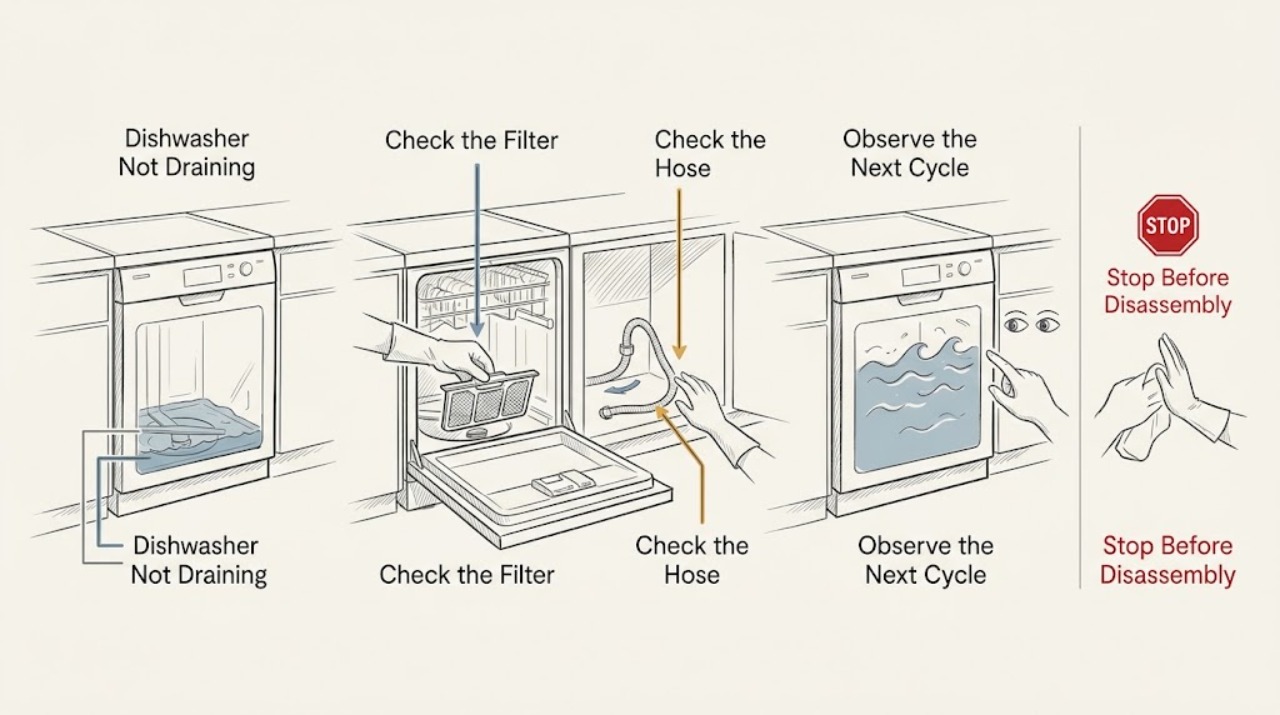
Work through in order
Diagnostic checks
Use only checks that match the exact appliance or system and its official guide.
-
Check 1
Turn the unit off, let hot water cool, remove the lower rack, and check the tub and filter for food debris or foreign objects.
Expected result: Debris covers or blocks the filter area.
Next step: Clean with a soft brush under running water and reinstall securely.
Why this matters
Why: LG identifies food debris and a clogged filter as common causes of poor drainage.
-
Check 2
Inspect the drain hose under the sink for crushing, kinks, a loose connection, or a recently installed disposal knockout plug.
Expected result: The hose is pinched/disconnected or the disposal connection is new.
Next step: Straighten an accessible hose and verify the installation instructions; do not improvise plumbing changes.
Why this matters
Why: A restricted hose or installation issue can prevent drainage.
-
Check 3
Clear accessible debris from the air gap or disposal inlet, reassemble the filter, and run one empty test cycle without detergent.
Expected result: The tub drains, drains slowly, or remains full/returns OE.
Next step: Stop repeated cycles and request service.
Why this matters
Why: A clear external path with continued standing water suggests a deeper blockage or drain-component fault.
Use your observations
Decision map
Find the observation that best matches what you see, then follow the next safe action.
-
PATH 01Next step
What you see
Filter or hose clearing restores drainage
Do this next
Keep the filter clean and monitor the next cycle.
Why this path and its safety boundary
Why it matters: A blockage or installation restriction was likely.
-
PATH 02Next step
What you see
External path is clear but water remains or OE returns
Do this next
Keep the unit off and arrange LG service.
Why this path and its safety boundary
Why it matters: An internal blockage or drain fault remains possible.
When checks do not resolve it
Need a professional?
Arrange service for persistent drainage failure.
Safety scope: Turn the unit off before handling filters or the air gap; beware sharp filter edges.
Common questions
FAQ
What does OE mean?
LG uses OE for a drain issue. Check the filter, hose, and air gap/disposal first; persistent OE needs service.
Should I keep running a full dishwasher?
No. Turn it off and perform the accessible checks safely; request service if standing water remains.
Read the exact guide
Official sources
- How to Fix an LG Dishwasher That Is Not Draining (OE Error)LG USA Support · LG dishwashers
Community feedback
Share a repair observation
Share a plain-text repair observation. Accepted observations are published automatically; this page may take a moment to update.