
On this page
Start here
Quick answer
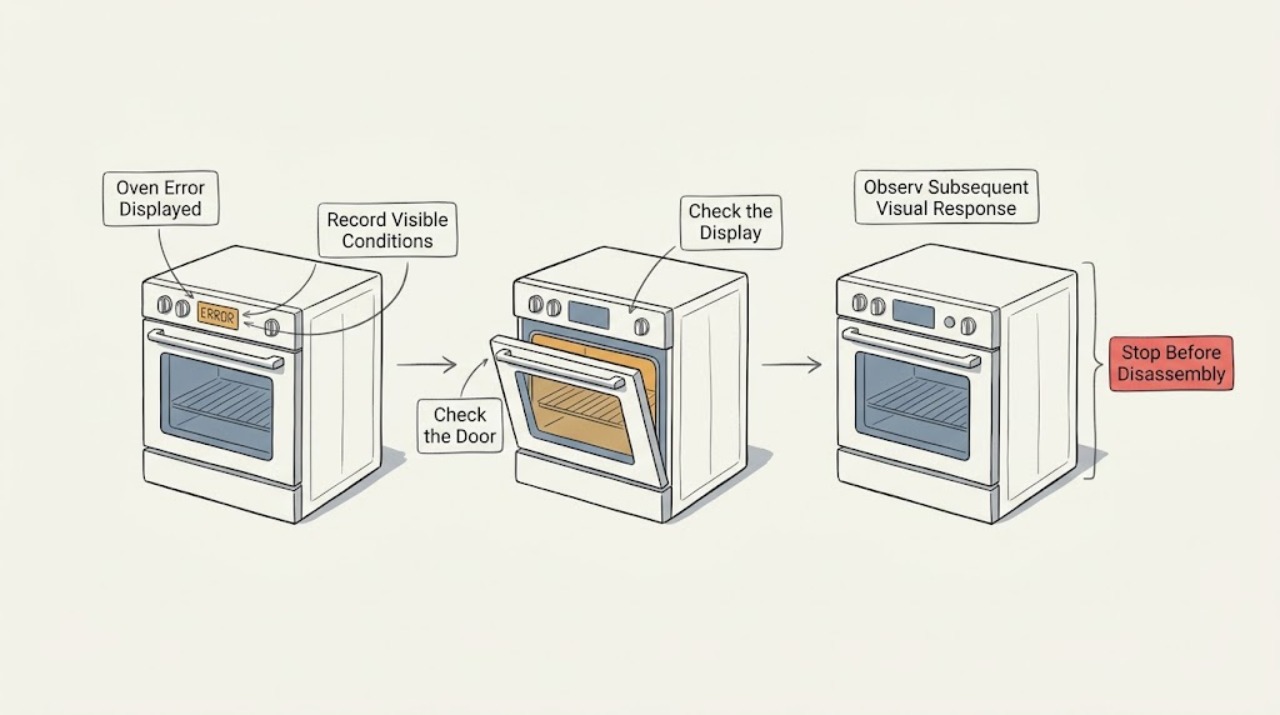
When an LG oven displays an error, photograph or write down the complete code, the exact model, whether the appliance is electric or gas, the cooking mode and what happened immediately before the message. Do not interpret a code from another LG model or from a cooktop as an oven diagnosis. If there is a gas smell, smoke, flame outside the oven, arcing, burning odor, abnormal heat, a shock, a locked hot door or a repeated breaker trip, stop using the appliance and get qualified help; do not keep resetting it. For a non-hazardous code, use the LG error-code page or the exact owner's manual, perform only the page's single power or Clear/Off step if it applies, and call for service when the code returns or the underlying oven function remains affected.
Work through in order
Diagnostic checks
Use only checks that match the exact appliance or system and its official guide.
-
Check 1
Stop the cooking cycle and record the complete message exactly as shown, including letters, numbers, dashes and flashing indicators. Note the exact LG model, whether it is an electric or gas appliance, the selected mode, oven cavity, temperature setting, door state and what happened immediately before the message. Do not clear the display before recording it.
Expected result: The code is complete and repeatable, only part of it is visible, no code is shown, or the display is blank or flickering.
Next step: Use the exact model and complete message in the LG support material. If the panel is blank with heat, smoke, odor, spark, shock or repeated trips, keep the oven off and arrange qualified service instead of trying to recover the display.
Why this matters
Why: A complete code and model allow the official LG lookup to select the appropriate appliance type and meaning. A partial code, blank display or flicker may indicate a power or display problem rather than the same fault as a readable code.
-
Check 2
Check for immediate safety boundaries before any reset. From a safe position, note whether there is a gas smell, flame outside the cavity, smoke, a burning or hot-plastic odor, visible arcing, abnormal heat, a shock, a hot door that will not release, or a breaker that trips again. Do not touch a hot surface, open a suspected gas connection, or reach into a hot or smoking oven.
Expected result: A gas or burning odor, smoke, outside flame, arc, shock, abnormal heat, repeated trip or unsafe hot locked door is present, or none of these signs is present.
Next step: Stop using the oven for any hazard symptom, isolate gas or power only when safely reachable, leave the area for a suspected gas or smoke emergency, and obtain qualified help. Continue only with the low-risk identity and code lookup when no hazard is present.
Why this matters
Why: These signs can represent gas, fire, electrical, burn or pressure hazards and take priority over the displayed code. The absence of a visible sign does not make a code safe if the oven repeatedly overheats or the message returns.
-
Check 3
Select the matching LG support path by appliance type and code, not by a similar-looking display from another LG product. Compare the message with the official LG range error-code list and the exact owner's manual, and note whether the listed issue concerns a sensor, heating, fan, door lock, control or power condition. Do not assume a code shown on a radiant cooktop or another model applies to this oven.
Expected result: The exact code and appliance type are listed, the code is listed only for another appliance type, or the code is not listed.
Next step: Follow only the resolution attached to the exact code and appliance type. For an unlisted or mismatched code, keep the record and request LG or qualified service rather than borrowing a diagnosis.
Why this matters
Why: LG's support list is organized around range type and displayed code; a mismatch or unlisted message means the published resolution may not apply. A code category identifies a service direction, not a permission to replace a sensor or board.
-
Check 4
For a powered oven that will not run with no hazard sign, inspect the displayed control state from outside: look for Control Lock, Child Lock, Oven Lockout, Delay Start, Sabbath or a paused cycle, and confirm that the intended mode and Start command were accepted. Do not force the door, bypass a lock or press controls repeatedly while the cavity is hot.
Expected result: A lock or delay state is displayed, the oven starts after a model-authorized cancellation, the door remains locked while hot, or the panel still ignores the command.
Next step: Use only the exact LG manual's single unlock or cancellation instruction. Wait for a hot cavity to cool; if the lock remains, the panel is damaged or the code returns, leave the oven off and arrange service.
Why this matters
Why: A control state can make an oven appear to have failed even when power is present. A door that remains locked while hot may be protecting against burns; persistent lock or control failure needs the exact manual or service.
-
Check 5
If the code points toward heating, temperature sensing, a fan or a door system, record the related symptom without opening the appliance: no heat, continuous heat, wrong temperature, fan noise, door-lock behavior or a failure limited to one cavity. For a gas model, do not test ignition or burner operation when gas odor, delayed ignition, abnormal flame or smoke is present; for an electric model, do not inspect energized elements or wiring.
Expected result: The code repeats with one function, multiple functions fail, the oven overheats or remains on, the door system is involved, or the appliance shows no related symptom after one authorized reset.
Next step: Keep the oven out of service for overheating, continuous heat, gas or electrical symptoms. Otherwise provide the code, model, mode and affected function to qualified service instead of removing covers or testing live circuits.
Why this matters
Why: The affected function helps service narrow the sensor, heating, fan, lock, control or power path, but an error code does not identify a user-replaceable part. Overheating, persistent heating or gas ignition symptoms are safety boundaries.
-
Check 6
Only when the exact LG guidance allows it and no hazard is present, perform the one stated Clear/Off or power-reset step. Restore the appliance once, observe whether the display returns before starting a cooking cycle, and do not keep cycling the breaker or repeating the reset. If the code returns, photograph it again and stop.
Expected result: The code clears and the oven remains normal, the code returns immediately, another code appears, or the oven still overheats, will not heat, will not lock or will not respond.
Next step: Do not run another cooking cycle to prove the reset. Keep the oven off and request qualified service with the code history, model, appliance type, mode and safety observations.
Why this matters
Why: A cleared display can indicate a transient control or power event, but it does not prove that the underlying fault is repaired. A returning or changing code, or a persisting function failure, requires model-specific service.
Use your observations
Decision map
Find the observation that best matches what you see, then follow the next safe action.
-
PATH 01Next step
What you see
The display is blank or flickering, the breaker trips again, or the plug, receptacle or control area is hot, damaged, smoky or arcing.
Do this next
Stop using the oven and obtain qualified appliance or electrical service. Do not keep resetting the breaker or open the control area.
Why this path and its safety boundary
Why it matters: The problem may be power, wiring or control hardware rather than a normal code condition.
-
PATH 02Next step
What you see
The panel works and shows Control Lock, Child Lock, Oven Lockout, Delay Start, Sabbath or a paused state with no safety symptom.
Do this next
Use only the exact LG manual or support instruction for one cancellation or unlock step; request service if the state returns or the door remains locked after cooling.
Why this path and its safety boundary
Why it matters: A model-specific control state may be preventing operation rather than an internal component failure.
-
PATH 03Next step
What you see
The complete code is listed for the exact LG range type and the support page gives a one-time Clear/Off or power-reset instruction.
Do this next
Perform it once only when no hazard is present. If the code returns or the affected oven function remains abnormal, keep the oven off and call for service.
Why this path and its safety boundary
Why it matters: LG treats that action as a limited diagnostic or recovery step, not as proof that a sensor, heater or board is good.
-
PATH 04Next step
What you see
The code is unlisted, belongs to another appliance type, returns after the authorized reset, or is accompanied by a heating, locking, ignition or temperature failure.
Do this next
Provide the exact model, code, appliance type, mode and symptom history to qualified LG or appliance service; do not guess a replacement part or open the appliance.
Why this path and its safety boundary
Why it matters: The published generic resolution is insufficient to identify the model-specific fault.
-
PATH 05Next step
What you see
There is gas odor, flame outside the cavity, smoke, burning odor, continuous heating, abnormal heat, arcing, shock, a repeated breaker trip or a carbon-monoxide alarm.
Do this next
Stop using the appliance. Leave for a suspected gas, smoke or CO emergency and contact emergency services or the appropriate utility from a safe location; otherwise isolate power safely and obtain qualified service.
Why this path and its safety boundary
Why it matters: This is a gas, fire, burn, electrical or combustion-safety boundary, not a code lookup branch.
Helpful context
Understand the symptom
An error code is a clue, not a universal diagnosis
LG range and oven families use different controls, heating systems and display messages. The same letter and number can have different implications across models, and a message from an induction cooktop or another appliance should not be transferred to an oven. Capture the complete code and model before clearing the display.
Classify the appliance before choosing a troubleshooting path
The LG support flow separates electric and gas cooking appliances. A power, sensor, heating, door-lock or control issue may be handled differently depending on the model and energy type. Do not open the control area, inspect live wiring or work on a gas connection to identify a code.
A reset is a diagnostic boundary, not a repair
LG's published code guidance often allows one Clear/Off or power interruption step for a listed, non-hazardous code, then directs the owner to service if the message returns. Repeated resets can hide a persistent heating, sensing, lock, wiring or control fault. Stop immediately for smoke, gas odor, flame, arc, shock, abnormal heat or a recurring breaker trip.
When checks do not resolve it
Need a professional?
Call qualified LG or appliance service when the code is unlisted or model-mismatched, returns after the exact one-time reset, or is associated with heating, temperature, fan, door-lock, ignition, power or control failure. Use emergency or utility help first for gas odor, smoke, flame, a carbon-monoxide alarm or immediate electrical danger.
Common questions
FAQ
What should I do first when my LG oven shows an error?
Record the complete code, exact model, electric or gas type, mode, cavity and what happened immediately before the message. Then use the matching LG range type and exact code. Stop immediately for gas odor, smoke, flame, abnormal heat, arcing, shock or repeated breaker trips.
Can I use an LG error-code explanation from another oven?
No. LG's code list separates range types, and model controls and code meanings vary. Match the exact model and complete displayed code; use an unlisted or mismatched result as a reason to request service, not to guess a part.
Should I reset the breaker for an LG oven error?
Only when the exact LG support instruction allows that one-time step and there is no gas, smoke, heat, arc, shock or repeated-trip symptom. If the code returns or the oven still behaves abnormally, keep it off and arrange service instead of repeating the reset.
Why is my LG oven locked after an error?
The oven may still be hot or a lockout state may be active, and the exact release method varies by model. Do not force the door. Allow it to cool where safe and follow only the exact LG manual; request service if the lock remains or the code returns.
Read the exact guide
Official sources
- LG Range - Error Codes ListLG USA Support · Official LG support guidance for range and oven code lookup; the exact model and displayed code control, and some entries are for specific range types.
- CPSC Guide to Home Wiring HazardsU.S. Consumer Product Safety Commission · General electrical safety guidance for stopping use of an appliance with smoke, sparks, heat, shock or repeated breaker trips; it is not an LG oven diagnosis.
- LG Range, Oven, Electric Cooktop: Powers On, Won't RunLG USA Support · Official LG support guidance for a powered cooking appliance that will not run; select the electric or gas path and use the exact model for controls.
- LG Range – Troubleshooting the Control PanelLG USA Support · Official LG control-panel guidance; exact buttons and lock behavior can vary by model.
- Carbon Monoxide Fact SheetU.S. Consumer Product Safety Commission · General fuel-burning appliance and carbon-monoxide safety guidance; it does not diagnose an LG oven.
Community feedback
Share a repair observation
Share a plain-text repair observation. Accepted observations are published automatically; this page may take a moment to update.