
On this page
Start here
Quick answer
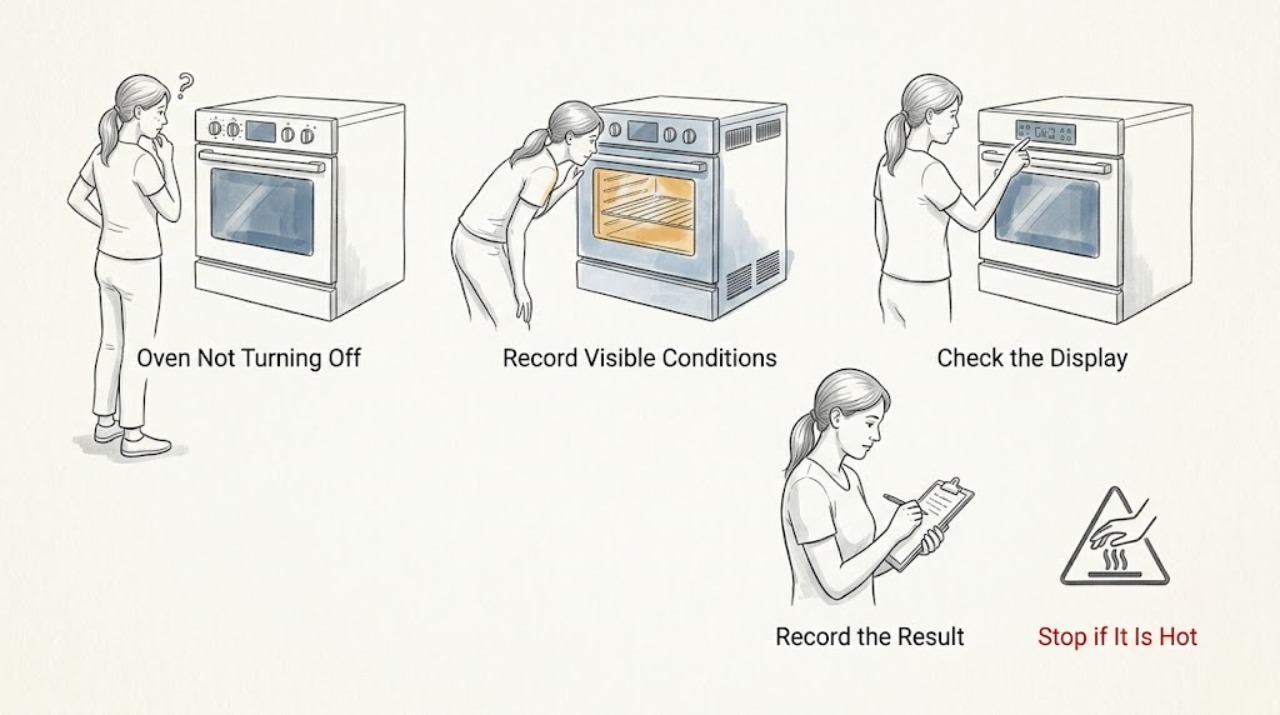
First identify what is still operating. A cooling fan, display, or hot-surface indicator can remain active after an LG oven is turned off while the cavity or surface cools. A self-clean cycle can also keep the door locked until the oven reaches a safe temperature. Press CLEAR/OFF or the model's normal cancel control, confirm that the heating element is no longer glowing or the gas burner is no longer firing, and check for Keep Warm, timed cooking, delay, or self-clean states. If heat continues, the burner or element stays on, the controls do not respond, or an error returns, stop using the oven and isolate power only from a dry, safe position if it can be done without touching hot or damaged equipment. On a gas model, do not work on the gas connection; gas odor, delayed ignition, smoke, arcing, uncontrolled heat, or a repeated power trip requires immediate escalation.
Work through in order
Diagnostic checks
Use only checks that match the exact appliance or system and its official guide.
-
Check 1
Record the full LG model number, electric or gas configuration, selected mode, whether the display is active, what remains operating, and whether the symptom began after cooking, Keep Warm, timed or delayed cooking, Self Clean, or EasyClean.
Expected result: Only a fan or indicator remains active, the display shows a timed or cleaning state, the heating element remains visibly active, the gas burner continues, or smoke, gas odor, arcing, or abnormal heat is present.
Next step: Use the fan/cooling, timed-control, cleaning-lock, electric-heating, gas-heating, or hazard branch below. Do not keep running a cycle to make the symptom clearer.
Why this matters
Why: A cooling or lock state can be normal after heat, while continued element or burner operation is an abnormal heating-control symptom. The exact model and fuel type determine which controls and safety states exist.
-
Check 2
Press the model's normal CLEAR/OFF, Cancel, or Stop control once, without forcing a locked door or repeatedly pressing buttons. Confirm whether the heating source stops while a fan or hot-surface indicator remains.
Expected result: The element or burner stops and only the fan remains, the display changes to cooling or standby, the heating continues, or the control panel does not respond.
Next step: If only cooling remains, allow the exact model to finish its cooling state. If heat continues or controls do not respond, stop use and proceed to safe isolation and service.
Why this matters
Why: A stopped heating source with residual fan operation is consistent with normal cooling. Continued heating or an unresponsive panel indicates a control, relay, sensor, or fuel-control fault rather than a normal cooldown.
-
Check 3
Check the display and controls for Keep Warm, timed cooking, Delay Start, a programmed end time, or another active mode using the exact owner manual. Do not change settings while the oven is dangerously hot and do not use an unfamiliar mode as a test.
Expected result: A timed, delayed, warming, or programmed mode is active, the display is in ordinary bake or roast, or the mode cannot be canceled.
Next step: Cancel the mode once using the exact manual. If the oven continues to heat, the display is abnormal, or the cancel action fails, isolate power only when safe and arrange service.
Why this matters
Why: A programmed mode can make the oven appear to ignore an ordinary off action. A mode that remains active after its documented cancel sequence, or a mode that continues heating unexpectedly, requires model-specific diagnosis.
-
Check 4
If the symptom followed Self Clean or EasyClean, keep the door closed until the model indicates a safe temperature and do not force the latch. Check whether the oven is locked and whether only the cooling fan is active.
Expected result: The door is locked while the cavity cools, the lock releases after cooling, the fan continues without heating, or the lock remains after the oven is cool or an error appears.
Next step: Wait for safe cooling and use only the exact manual's unlock procedure. If the lock persists, smoke or fire occurs, or the control reports an error, stop using the oven and arrange qualified service.
Why this matters
Why: LG states that a self-clean door remains locked until the oven cools and that the cooling fan can continue after turn-off. A persistent lock after safe cooling is a service condition, not a reason to pry the door open.
-
Check 5
For an electric or dual-fuel oven, observe only through the closed door whether an element remains glowing or whether heat continues to rise after CLEAR/OFF. Do not touch the element, remove panels, or perform live electrical checks.
Expected result: The element stops, an element remains active, the oven heats again without a command, the display is unresponsive, or a breaker trips.
Next step: Stop using the oven. Isolate power only from a dry, safe position if possible, then arrange qualified appliance or electrical service with the model and observation recorded.
Why this matters
Why: A glowing element after cancellation or heat returning without a command can indicate a stuck relay, control, sensor, or safety fault. A breaker trip adds an electrical stop condition; it is not a reason to reset repeatedly.
-
Check 6
For a gas or dual-fuel oven, do not relight, inspect internal burners, or repeatedly cycle controls when heating continues or ignition is abnormal. From a safe position, note whether there is gas odor, delayed ignition, an unstable flame, smoke, or a combustion concern.
Expected result: Gas odor or abnormal flame is present, the burner appears to continue after cancellation, ignition is delayed, or no fuel-side warning is present and only cooling remains.
Next step: For gas odor or abnormal combustion, stop using the oven, avoid flames and electrical switching, leave clear if needed, and seek appropriate gas-safety help. Do not restart until cleared by a qualified professional.
Why this matters
Why: Fuel-side symptoms can create fire or combustion risk and require qualified diagnosis. LG treats gas supply and ignition as model-dependent paths and directs users to the exact manual; fan operation alone is different from a continuing burner.
Use your observations
Decision map
Find the observation that best matches what you see, then follow the next safe action.
-
PATH 01Next step
What you see
Only the cooling fan or a hot-surface indicator remains after cooking
Do this next
Allow the exact model to cool and monitor without touching hot parts. Arrange service if the fan continues beyond the model's expected state or if heating returns without a command.
-
PATH 02Next step
What you see
Keep Warm, timed cooking, delay, or another programmed mode is active
Do this next
Use the exact manual to cancel the mode once. If the oven continues heating or the cancel action fails, isolate power safely and arrange service.
-
PATH 03Next step
What you see
The oven is locked after Self Clean or EasyClean
Do this next
Do not force the door. Wait for safe cooling and use only the model-approved unlock procedure; a lock that persists after cooling requires service.
-
PATH 04Next step
What you see
An electric element continues glowing or heat continues after CLEAR/OFF
Do this next
Stop using the oven and isolate power only if safe. Do not perform live tests or open the cabinet; arrange qualified appliance or electrical service.
-
PATH 05Next step
What you see
A gas burner continues, ignition is delayed, the flame is abnormal, or gas odor is present
Do this next
Stop ignition attempts, avoid flames and electrical switching, move clear, and seek appropriate gas-safety help. Do not restart until cleared.
-
PATH 06Next step
What you see
Smoke, fire, burning smell, arcing, uncontrolled heat, water near electrical parts, or repeated power trips occurs
Do this next
Stop using the oven, keep clear of the hazard, isolate power only if safe without touching damaged equipment, and seek appropriate emergency or qualified help. Do not restart it.
Helpful context
Understand the symptom
Fan noise is not the same as continued heating
After a cooking or cleaning cycle, an LG oven may run a cooling fan while the cavity or surrounding parts cool. A hot-surface indicator can also remain on. The meaningful check is whether the oven is still producing heat: look only through the normal viewing area for continued element glow or burner operation, without opening a hot door or touching parts.
If the heat will not stop, make safety the first step
Press the normal CLEAR/OFF or cancel control once. If heating continues or the controls are unresponsive, keep people away, isolate power from a dry and safe position only if that does not expose you to heat, water, or damaged equipment, and arrange qualified service. Never remove panels, bypass a lock, or dismantle a gas connection.
Safety boundary
Stop conditions
- Do not force a Self Clean or EasyClean door lock or bypass an interlock.
- Do not remove panels, probe live electrical parts, or touch hot elements or wiring.
- Do not relight, dismantle, or repeatedly test a gas oven with odor, delayed ignition, or abnormal flame.
- Do not keep resetting power or cycling controls after continued heating or a repeated trip.
- Do not restart after smoke, fire, burning smell, arcing, uncontrolled heat, water near electrical parts, or a gas-safety concern.
Only after diagnosis
Potential parts
- electronic oven control or relay assembly
Consider only when qualified service confirms that a control or relay is keeping an electric heating circuit energized or is ignoring the normal cancel command.
Control assemblies are model- and revision-specific and require qualified diagnosis and installation. - oven heating element or gas burner ignition assembly
Consider only after service confirms a failed electric element or gas ignition component and verifies the exact fuel configuration.
Electric and gas heating components are not interchangeable. Confirm exact model and approved component before replacement. - cooling fan or temperature sensor
Consider only when service confirms abnormal cooldown or temperature sensing after normal fan behavior and user controls are ruled out.
Verify exact model, cavity configuration, and approved replacement; do not defeat thermal protection.
When checks do not resolve it
Need a professional?
Use qualified service for an element, burner, relay, control, sensor, cooling fan, lock, or timer fault that remains after the exact model's normal cancel and safe cooling steps. Use gas-safety help for any fuel odor or combustion concern and electrical service for repeated circuit operation or damaged wiring.
Have this ready
- complete model number
- electric, gas, or dual-fuel configuration
- selected mode and any Keep Warm, timer, delay, or cleaning state
- whether CLEAR/OFF stopped the heating source
- whether only a fan or indicator remained active
- door-lock behavior and cavity cooling state
- any error code and when it appeared
- gas odor, abnormal flame, smoke, arcing, abnormal heat, or power-trip details
Common questions
FAQ
Is it normal for an LG oven fan to keep running after I turn it off?
It can be normal for a cooling fan to continue after cooking or Self Clean while the oven cools. Confirm that the element or burner is no longer heating. If heat continues, the fan runs abnormally for the model, or an error appears, stop use and arrange service.
Why is my LG oven still hot after I press CLEAR/OFF?
Residual heat and cooling can remain after the heating source stops. Check only through the normal viewing area and allow safe cooling. Continued element glow, burner operation, or rising uncontrolled heat is not normal; isolate power if safe and arrange service.
Why is my LG oven locked after Self Clean?
LG says the door remains locked until the internal temperature returns to a safe level. Do not force it. Use only the exact model's unlock procedure after cooling; a lock that persists or an error appears requires service.
What should I do if my LG gas oven will not turn off?
Press the normal cancel control once without repeated ignition attempts. If the burner continues, the flame is abnormal, ignition is delayed, or gas odor is present, stop using the oven, avoid flames and electrical switching, move clear, and seek appropriate gas-safety help.
Should I reset an LG oven that keeps heating?
Only use a power cycle when the exact model guidance permits it and only once after the appliance is safely isolated. Do not reset after smoke, arcing, gas odor, uncontrolled heat, water near electrics, or a repeated circuit trip; arrange qualified service instead.
Read the exact guide
Official sources
- LG Range - Troubleshooting A Locked OvenLG USA Support · LG range locked-oven cooling, model-dependent unlock, and single power-cycle guidance.
- LG Electric Range / Gas Range: Power IssuesLG USA Support · LG range no-power and powered-but-not-working supply, lockout, delay, and service guidance.
- LG Range – How to Clean Your Oven Using Self CleanLG USA Support · LG range Self Clean operation, door-lock cooling behavior, cancel action, and post-cycle fan behavior.
- Oven Not Heating - Gas RangesLG USA Support · LG gas-range gas-valve, ignition, error, and model-specific oven-heating guidance.
- LG Range, Oven, Electric Cooktop: Powers On, Won't RunLG USA Support · LG electric and gas appliance setting, lockout, delay, supply, error, and service checks.
Community feedback
Share a repair observation
Share a plain-text repair observation. Accepted observations are published automatically; this page may take a moment to update.