
On this page
Start here
Quick answer
Check the dustbin and filter first, then the vacuum path, main brushes, side brush, and cleaning settings. iRobot says a full bin, dirty or blocked filter, hair on the rubber brushes, or a blocked vacuum path can cause poor pickup or leave debris behind; care steps vary by Roomba series. Empty and clean only the accessible parts, keep washable items completely dry before reinstalling, and request support if suction or movement does not recover.
Before you begin
Safety first
- Use only series-specific care steps; keep filters and washable bins dry as directed and leave internal repairs to qualified support.
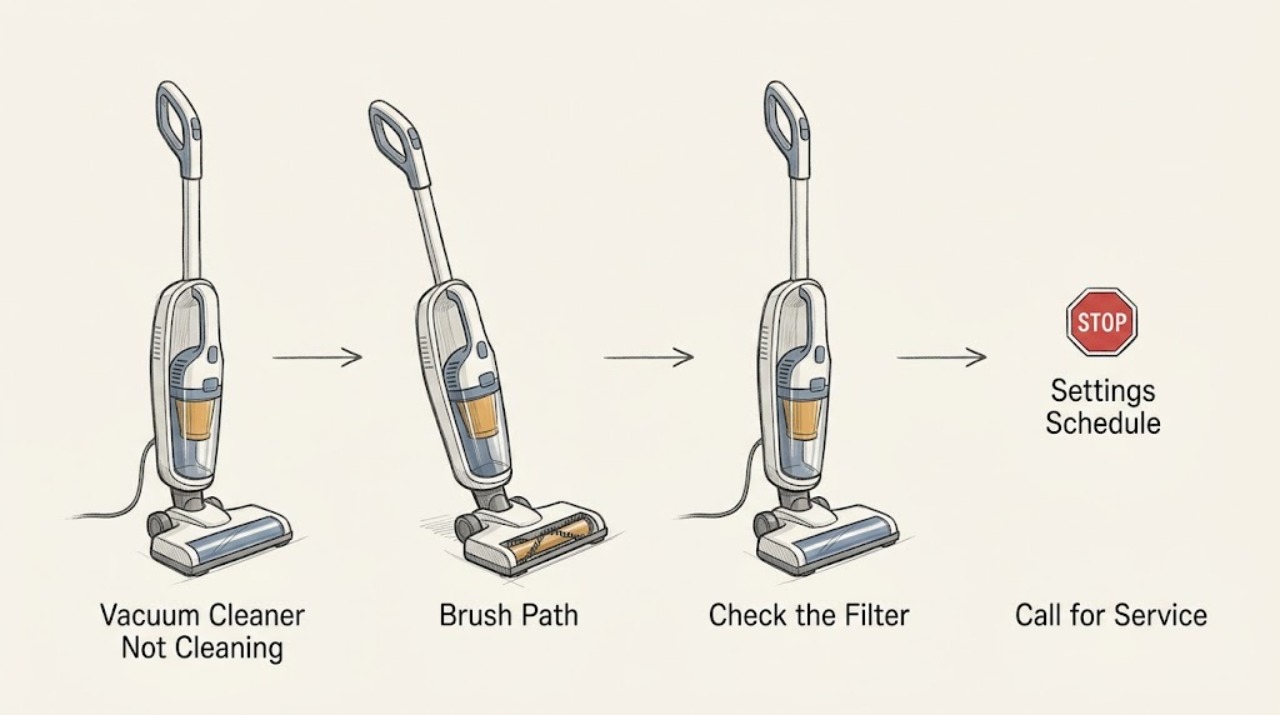
Work through in order
Diagnostic checks
Use only checks that match the exact appliance or system and its official guide.
-
Check 1
Remove the bin using the series instructions, empty it, and inspect the filter and full-bin openings for dust; keep a filter dry unless the exact guide says the bin is washable without the filter.
Expected result: The bin is full, the filter is blocked, the sensors are dirty, or these areas are clear.
Next step: Clean or replace the filter only as the series guide directs and reinstall a completely dry bin.
Why this matters
Why: iRobot links a full bin and blocked filter or sensor openings with reduced pickup and premature stops; clear areas shift the check to the brush path.
-
Check 2
With the robot stopped, remove and inspect the main brushes, end caps, bearings, side brush, and vacuum path for hair or debris, then reinstall them in the correct orientation.
Expected result: Hair or debris blocks a brush or path, a brush does not rotate freely, or the assembly is clear.
Next step: Run a brief supervised test only after all bearings, covers, and brushes are correctly installed.
Why this matters
Why: iRobot says brush buildup can affect cleaning and damage the robot; a free, clear assembly makes airflow or settings the next consideration.
-
Check 3
Check the app's cleaning preference, pass setting, room selection, and bin-full behavior, and note whether the robot is skipping an area or completing with little pickup.
Expected result: The robot is using a reduced pass or stopping on a full-bin setting, or the cleaning preference is normal.
Next step: Use the desired documented preference and empty the bin before a new run; do not infer a failed motor from one room.
Why this matters
Why: iRobot says cleaning preferences affect passes and a full-bin setting can stop a job before it finishes; normal settings shift attention to hardware or floor conditions.
-
Check 4
Run one short test on a known area and observe whether debris is picked up, the brushes turn, the robot moves normally, and no error appears.
Expected result: Pickup improves, the brushes or movement remain abnormal, or an error returns.
Next step: Record the series, floor, bin and filter state, and any error, then contact iRobot if the symptom persists.
Why this matters
Why: Improvement after care supports a maintenance restriction; persistent poor pickup with normal movement may need a model-specific airflow or cleaning-head diagnosis.
Use your observations
Decision map
Find the observation that best matches what you see, then follow the next safe action.
-
PATH 01Next step
What you see
The bin or filter was full or blocked and pickup improves after correct cleaning and dry reinstallation.
Do this next
Empty the bin and maintain the filter at the frequency in the exact series guide.
Why this path and its safety boundary
Why it matters: Restricted dust capacity or airflow caused the poor cleaning.
-
PATH 02Next step
What you see
Hair or debris was found on the brushes, bearings, side brush, or vacuum path and the robot improves after cleaning.
Do this next
Keep the assembly clear and correctly installed; replace a part only after the exact model diagnosis.
Why this path and its safety boundary
Why it matters: A cleaning-head restriction caused the symptom.
-
PATH 03Next step
What you see
Bin, filter, cleaning path, brushes, settings, and a short test are normal but Roomba still leaves debris, stops, or reports an error.
Do this next
Stop repeated testing and contact iRobot support with the series and maintenance results; do not open the robot.
Why this path and its safety boundary
Why it matters: A sensor, cleaning head, suction, navigation, or internal fault remains possible.
Helpful context
Understand the symptom
Poor pickup has a maintenance pattern
A Roomba that moves but leaves debris is different from one that stops, cannot turn its brushes, or reports an error. Record which symptom you see before ordering a part.
When checks do not resolve it
Need a professional?
Provide the Roomba series, floor and cleaning mode, bin and filter condition, brush and path findings, error message, and whether pickup changed after maintenance.
Safety scope: Use only series-specific care steps; keep filters and washable bins dry as directed and leave internal repairs to qualified support.
Common questions
FAQ
Why is my Roomba moving but not picking up dirt?
Empty the bin, clean or replace the filter as the series guide directs, and clear hair from the brushes and vacuum path. If pickup remains poor, request support rather than guessing at a part.
Can a full bin stop a Roomba before cleaning is complete?
Yes. iRobot says the app can be set to pause a job when the bin is full. Empty the bin and check that setting before treating the stop as a hardware failure.
Read the exact guide
Official sources
- Features and Functionality in the iRobot® HOME AppiRobot · iRobot HOME App features; available controls vary by model
- Poor Pickup: Roomba® e, i, and j series, and Combo 10 MaxiRobot · Roomba e, i, j, and Combo 10 Max series; verify other series guides
- The Roomba 800 series error messages chart.iRobot · Roomba 800 series; other series require their own chart
- Cleaning the Roomba® 800 and 900 series filter.iRobot · Roomba 800 and 900 series; filter care varies by series
- Main Brush Care: All Roomba® ModelsiRobot · All Roomba models; shapes and release methods vary
Community feedback
Share a repair observation
Share a plain-text repair observation. Accepted observations are published automatically; this page may take a moment to update.