
On this page
Start here
Quick answer
A vacuum cleaner that is not cleaning usually has a full dust cup, blocked hose/nozzle, dirty filter, jammed brushroll, wrong tool/mode, or loss of battery power. Turn it off and unplug or remove the battery before clearing accessible parts. If suction remains poor after filters are fully dry and paths are clear, arrange service.
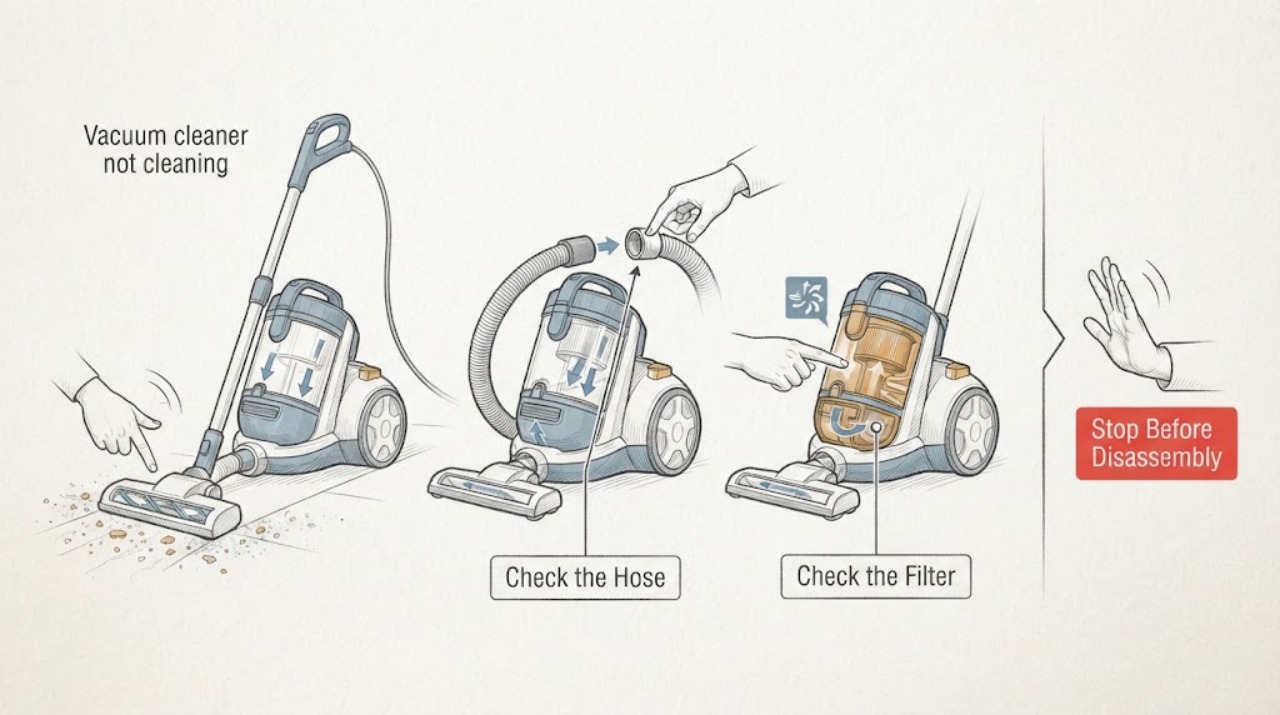
Work through in order
Diagnostic checks
Use only checks that match the exact appliance or system and its official guide.
-
Check 1
Run briefly and identify whether suction is weak, brushroll does not spin, airflow is blocked, or battery/power cuts out.
Expected result: One function is weak or the whole machine is inactive.
Next step: Stop, unplug/remove battery, and inspect only accessible parts.
Why this matters
Why: Different symptoms lead to dust/airflow, brush, battery, or motor branches.
-
Check 2
Empty dust cup/bin at or before its fill mark and inspect inlet, hose, wand, and nozzle for clogs.
Expected result: Cup is full or path blocked, or path is clear.
Next step: Clear only accessible debris and refit parts securely.
Why this matters
Why: Shark and Dyson link full bins and blockages with poor pickup/suction.
-
Check 3
Remove and clean the model-approved filters, then air-dry completely before reinstalling.
Expected result: Filter is dirty/wet or clean and dry.
Next step: Follow the exact model interval and dry fully before a retest.
Why this matters
Why: A loaded filter restricts airflow; a wet filter must not be run.
-
Check 4
Inspect brushroll/tool for hair and debris, select the correct mode, charge fully, and run one controlled test.
Expected result: Pickup returns, brush remains stalled, or suction/runtime remains poor.
Next step: Arrange service for persistent poor cleaning or any heat/smoke/electrical symptom.
Why this matters
Why: Improvement supports maintenance or mode; recurrence with clear paths points to motor, battery, sensor, or body service.
Use your observations
Decision map
Find the observation that best matches what you see, then follow the next safe action.
-
PATH 01Next step
What you see
Dust cup/filter/path is blocked and performance returns after cleaning.
Do this next
Maintain the model’s filter and brush schedule.
Why this path and its safety boundary
Why it matters: An airflow/maintenance condition explains poor cleaning.
-
PATH 02Next step
What you see
Suction is normal but brushroll/tool does not agitate.
Do this next
Clear accessible hair only; arrange service if brush remains stalled.
Why this path and its safety boundary
Why it matters: Brushroll jam, belt/drive, or nozzle control needs model-specific diagnosis.
-
PATH 03Next step
What you see
Filters are dry and paths clear but suction remains weak or runtime is short.
Do this next
Stop repeated tests and arrange manufacturer/qualified service.
Why this path and its safety boundary
Why it matters: Battery, motor, seal, or control fault is possible.
-
PATH 04Next step
What you see
Motor overheats, smoke/sparks, cord/battery is damaged, or liquid was ingested.
Do this next
Stop, isolate power/battery only if safe, and obtain service.
Why this path and its safety boundary
Why it matters: Immediate electrical/fire boundary.
Helpful context
Understand the symptom
Cleaning performance is not the same as motor power: first identify weak suction, no brush agitation, or short runtime.
Filters must be completely dry before reinstalling; do not run a wet filter.
When checks do not resolve it
Need a professional?
Arrange vacuum service when cleaning, dry filters, clear paths, correct tool/mode, and charge do not restore pickup or a motor, battery, seal, or brush drive needs diagnosis.
Common questions
FAQ
Why does my vacuum have no suction?
Empty the bin, clean/dry filters, and clear hose/wand/nozzle blockages. Persistent low suction needs service.
Can a dirty filter stop cleaning?
Yes. Both manufacturer guides link filter condition with airflow/performance; dry it fully before reuse.
Why is the brush not picking up?
Check hair/debris, brushroll seating, and tool selection. A clear but stalled brush needs model service.
Read the exact guide
Official sources
- Support | Dyson V15 Detect vacuumDyson · vacuum cleaner filter, bin, tools, battery and service context
Community feedback
Share a repair observation
Share a plain-text repair observation. Accepted observations are published automatically; this page may take a moment to update.