
On this page
Start here
Quick answer
On the Samsung DW80R5060US, OC means the dishwasher has detected more water than it should, not a confirmed failed drain pump. If it continues filling or draining, first stop the cycle; if there is overflow or water around the appliance, close the dishwasher's water-supply valve and disconnect power only from a safe, dry position. Do not tilt the machine or open the base. Once safe, note whether the rinse cycle left standing water, strong foam, a continuous fill sound, or only a drain/backflow symptom. Samsung's OC guidance points to detergent/foam, filter cleanliness, standing water, a kinked or pinched drain hose, and the drain connection; its drain guide also calls out a blocked sink/disposal, missing disposal knockout, missing high loop/air gap, and a hose trapped under the dishwasher. Correct only an obvious accessible issue. If OC returns, water keeps entering, the base is wet, or the cause is not clear, stop repeated resets and request Samsung service.
Before you begin
Safety first
- If water is overflowing or visible under the dishwasher, close the water-supply valve and isolate power only from a safe, dry position. Do not touch wet electrical parts, tilt or pull the appliance, remove the base, probe the pump, bypass water-level or leak sensors, or keep resetting the code.
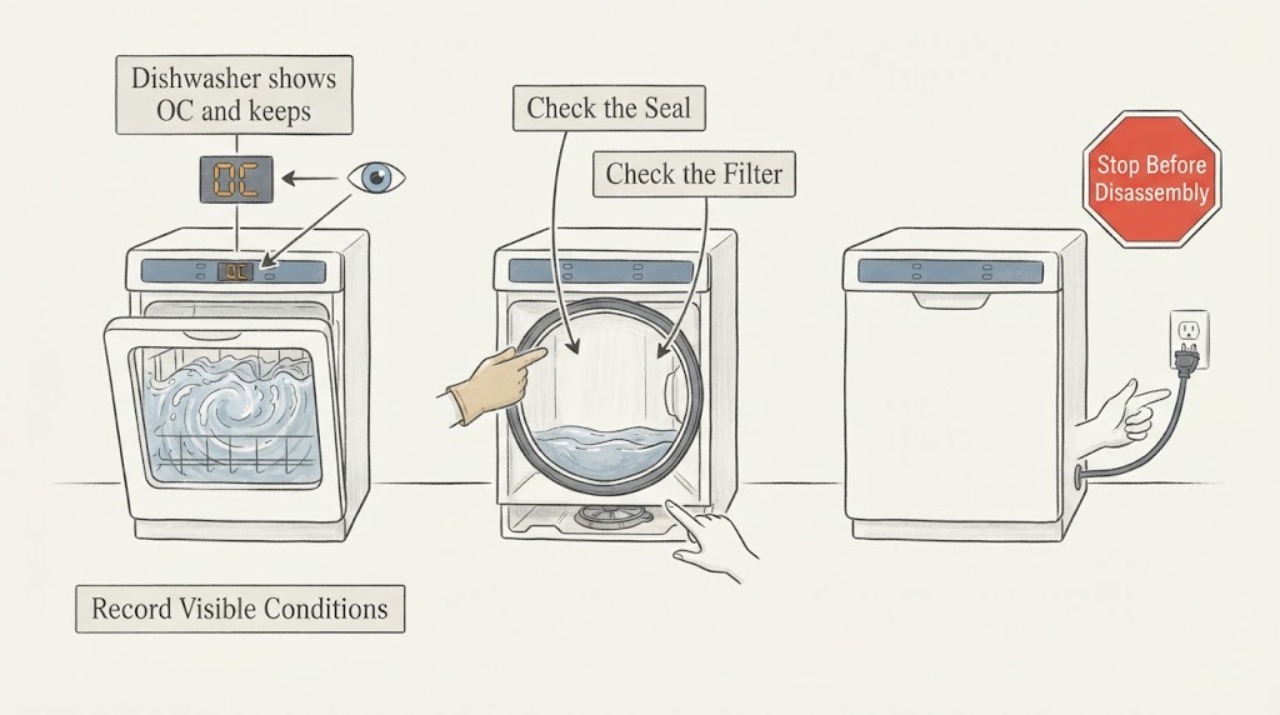
Work through in order
Diagnostic checks
Use only checks that match the exact appliance or system and its official guide.
-
Check 1
Stop the rinse cycle and record the complete rating-label model, including any /AA suffix, the exact display characters (OC, 0C, or oE), when the code appeared, and whether the sound is filling, draining, or both. If water is overflowing or visible under the dishwasher, close the dishwasher water-supply valve and disconnect power only from a safe, dry position.
Expected result: The appliance is dry with a code after the rinse phase, or there is standing water, a puddle, foam, or water still entering.
Next step: Keep the machine stopped while distinguishing the pattern. For overflow or moisture, keep water and power isolated and arrange service; do not restart to see whether the code clears.
Stop if: Do not touch wet plugs, wiring, or the base, tilt the dishwasher, or continue a cycle while water is entering unexpectedly.
Why this matters
Why: Samsung defines OC/0C/oE as over-level water. A dry exterior with a code is different from an active overflow or a wet base; the latter adds an immediate water and electrical safety issue.
-
Check 2
From outside the machine, inspect the visible door edge, lower lip, and toe-kick area for a puddle, foam trail, or rack/tall item that could keep the door seal from closing. Note whether the tub has strong suds and whether only dishwasher detergent was used; do not pull the dishwasher out.
Expected result: There is heavy foam, detergent outside the dispenser, a distorted door seal, an obstruction, or no visible foam/leak.
Next step: Remove only a plainly visible loading obstruction and correct detergent use on the next documented cycle; do not run a confirmation cycle while water is actively entering or the base is wet. Escalate a damaged seal or recurring OC.
Stop if: Do not add household soap, pour chemicals into the tub, pry the door, or reach into a wet base or pump area.
Why this matters
Why: Samsung's OC guidance lists wrong or excessive detergent, door-area conditions, and standing water as possible parts of the over-level symptom. Foam or an obstructed seal can create water behavior that looks like a failed drain component, but absence of visible foam does not rule out a drain or fill problem.
-
Check 3
With power isolated and only if the filter and drain area are accessible exactly as the DW80R5060US manual shows, inspect for visible food or debris and verify the filter is seated correctly. Keep hands away from sharp debris and do not remove a base cover or pump.
Expected result: The filter/drain area is visibly obstructed or incorrectly seated, or it is clean and correctly assembled.
Next step: Correct only the accessible filter or debris issue described by the exact manual. If the code returns, the drain area is not user-accessible, or water remains, stop and request service.
Stop if: Do not reach into a sump with standing water, use tools to probe the pump, remove the toe-kick or base, or perform a live drain test.
Why this matters
Why: Samsung's OC and drain guidance includes filter cleanliness and correct reassembly because a restricted or incorrectly fitted drain area can leave excess water. A clean filter does not prove the drain pump or valve is good or bad.
-
Check 4
Inspect the visible drain-hose route under the sink without pulling the dishwasher: check for a sharp kink, crushing where the dishwasher rests on the hose, a loose or incorrect sink/disposal connection, and the presence of the locally required high loop or air gap. If a garbage disposal was recently installed, verify its dishwasher inlet knockout was removed by the installer.
Expected result: The hose is kinked/pinched, lacks the required high loop or air gap, the sink/disposal is blocked, the disposal knockout may remain, or the route looks correct.
Next step: Correct only an obvious accessible routing or sink blockage issue, following local plumbing rules. Have an installer or plumber correct a concealed connection, missing knockout, or noncompliant route; request dishwasher service if OC persists.
Stop if: Do not disconnect a pressurized water line, pull or tilt the dishwasher, cut the hose, or dismantle the disposal connection while wet.
Why this matters
Why: Samsung says installation-related hose routing is a common drain issue and that a missing high loop or air gap can allow backflow. A blocked sink or retained disposal cap can make the dishwasher appear unable to drain; a correct route makes an external installation cause less likely but does not identify an internal part.
-
Check 5
Run water at the connected sink for about 30 seconds only if there is no appliance overflow or wet electrical area, and observe whether the sink itself drains. Record whether the rinse-cycle symptom looks like water backing from the sink, residual tub water, or continued filling from the appliance.
Expected result: The sink drains slowly or backs up, the sink drains normally but the dishwasher retains water, or the dishwasher continues filling while stopped.
Next step: Call a plumber for a sink/disposal that will not drain. For normal sink drainage with retained dishwasher water, or any unexplained continued fill, keep the dishwasher isolated and request Samsung-qualified appliance service.
Stop if: Do not run another rinse cycle to reproduce the symptom, open the base, or continue if water is rising or the area becomes wet.
Why this matters
Why: Samsung distinguishes a home-plumbing drain restriction from a dishwasher drain problem. Continued filling while the dishwasher is stopped is a different observation from residual water or backflow and requires the water supply to remain closed until service can assess it.
-
Check 6
Only after the water, foam, filter, sink, and hose observations are resolved and the appliance is dry, use Samsung's documented reset once: remove power or switch off the circuit breaker, wait for the specified discharge period, restore power, and observe one normal start without repeating resets.
Expected result: OC clears and the next cycle behaves normally, or OC returns / filling or draining continues.
Next step: If OC returns, water continues entering, the pump runs continuously, or the control remains stopped, close the water valve, isolate power safely, and request service with the exact code and observations.
Stop if: Do not cycle power repeatedly, enter service mode, bypass a water-level or leak sensor, or select a valve/pump from the code alone.
Why this matters
Why: Samsung warns that resetting before troubleshooting can leave the cause unaddressed; it specifically notes that OC/OE drain issues often involve drain-hose installation. A returning code means the condition remains or is not identified.
Use your observations
Decision map
Find the observation that best matches what you see, then follow the next safe action.
-
PATH 01Next step
What you see
OC appears with water actively entering, overflow, a puddle under the dishwasher, or a wet base.
Do this next
Close the dishwasher water-supply valve and isolate power only if safe from a dry position. Do not restart, tilt, or open the base; arrange qualified appliance service and electrical help if water has reached electrical connections.
Why this path and its safety boundary
Why it matters: This is an active over-level or leak-related safety condition, not a normal rinse-cycle status and not proof of a specific valve or pump failure.
-
PATH 02Next step
What you see
There is strong foam or detergent misuse, but no active overflow and the door-area seal is visibly unobstructed.
Do this next
Stop the affected cycle, correct detergent use according to the exact manual, and do not perform another cycle until the tub/base is dry and no water is entering unexpectedly. Escalate a returning OC.
Why this path and its safety boundary
Why it matters: Excess or incorrect detergent can contribute to the OC pattern, but this observation alone cannot rule out drain routing, backflow, or an internal fault.
-
PATH 03Next step
What you see
The sink or disposal backs up, the drain hose is kinked/pinched, the dishwasher rests on it, or the high loop/air-gap route is missing.
Do this next
Have the accessible hose or sink issue corrected under local plumbing requirements; use a plumber or qualified installer for concealed or noncompliant connections. Do not pull the dishwasher to reach them.
Why this path and its safety boundary
Why it matters: An external drain or backflow path is more likely than a confirmed dishwasher pump failure. Samsung says these installation and plumbing conditions can prevent proper draining.
-
PATH 04Next step
What you see
The water supply is closed, the machine is dry, the filter and visible hose route are correct, the sink drains normally, and OC returns or the dishwasher keeps trying to drain/fill.
Do this next
Keep the dishwasher out of service and request Samsung-qualified appliance service with the full model, exact display, rinse-cycle stage, water level, foam, and hose observations.
Why this path and its safety boundary
Why it matters: The external checks do not explain the over-level indication; an internal fill, drain, level-sensing, leak-protection, or control problem remains possible, but the code does not identify one part.
Helpful context
Understand the symptom
OC is a water-level decision, not a diagnosis of a particular valve or pump. Samsung's US error list defines OC, 0C, and oE as over-level water, while its detailed guidance describes a dishwasher that may stop mid-cycle, continue to fill, show foam, or have a small puddle. The fact that it happened during a rinse cycle helps locate when to observe the symptom, but it does not prove which component is at fault.
A unit that keeps trying to fill or drain can be reacting to true overfill, poor drain routing, sink or disposal backflow, foam, or moisture at the base. If water is overflowing or visible under the machine, shut the water supply and isolate power only when it can be done safely without touching wet electrical parts. Do not tilt the dishwasher, remove the base, bypass a sensor, or keep clearing the code without finding the condition.
The DW80R5060US product specification identifies a digital leak sensor and a Rinse Only cycle, but the displayed OC still needs to be interpreted against the full model number and the observed water behavior. Use the exact user manual for any filter-area access; no result here justifies naming a pump, inlet valve, level sensor, or control board as the failed part.
When checks do not resolve it
Need a professional?
Call Samsung-qualified appliance service for recurring OC, unexplained continuous filling/draining, a wet base, internal access, or a code that remains after the documented external checks. Call a plumber for sink/disposal blockage or concealed drain faults; call a qualified installer for hose routing or high-loop/air-gap installation problems.
Safety scope: If water is overflowing or visible under the dishwasher, close the water-supply valve and isolate power only from a safe, dry position. Do not touch wet electrical parts, tilt or pull the appliance, remove the base, probe the pump, bypass water-level or leak sensors, or keep resetting the code.
Have this ready
- Provide the full DW80R5060US model and any suffix, exact display characters, rinse-cycle stage, whether water was entering or draining, tub/base water level, foam or detergent observations, filter status, sink/disposal behavior, drain-hose route, and photos taken only from a dry safe position.
Common questions
FAQ
Does OC on the Samsung DW80R5060US prove the drain pump is bad?
No. Samsung defines OC/0C/oE as over-level water and directs owners to check detergent/foam, filter cleanliness, standing water, drain-hose kinks, hose routing, and connected sink/disposal drainage. A pump, valve, level sensor, or control fault cannot be selected from OC alone.
Why does the dishwasher keep filling or draining after it is stopped?
With OC, continuous filling can accompany excess water, foam, or a fill-side problem; continuous draining can be the response to an over-level or leak-protection condition. Close the water valve if water is entering or overflowing, isolate power safely, and do not tilt or open the base. Record the exact behavior for service.
Can I just reset the Samsung dishwasher after OC appears?
Only after the accessible water, foam, filter, sink, and drain-hose checks are complete and the appliance is dry. Samsung warns that resetting before troubleshooting can leave the cause unresolved, especially for OC/OE drain and hose-installation problems. If the code returns, stop repeating resets and request service.
Read the exact guide
Official sources
- How to reset your Samsung dishwasherSamsung · Official Samsung US reset guidance used only for the once-after-troubleshooting boundary. It explicitly notes that OC/OE drain issues often involve drain-hose installation and that reset alone does not fix the cause.
- What do the error codes on my Dishwasher mean?Samsung UK · Official Samsung dishwasher code table used for the OC symptom pattern and accessible checks. Market/model differences remain possible, so the full DW80R5060US manual and US support route take priority for any conflict.
- Samsung dishwasher is displaying an error codeSamsung · Official Samsung US error-code reference. It identifies OC/0C/oE as over-level water and routes the reader to drain/overflow guidance; exact model manuals remain controlling for access steps.
- Samsung dishwasher is not drainingSamsung · Official Samsung US drain guide explicitly covering OC/OE. It supports external sink/disposal, hose-routing, high-loop/air-gap, filter, and plumbing branches; it does not authorize base disassembly or part diagnosis.
- DW80R5060US/AA warrantySamsung · Official Samsung US model-specific support page for DW80R5060US/AA, used only to preserve exact identity and service routing; it does not identify the OC cause.
- DW80R5060 Samsung StormWash 48 dBA DishwasherSamsung Electronics America · Official Samsung US specification sheet listing DW80R5060US and its Rinse Only cycle, digital leak sensor, and dishwasher identity. It does not define OC or authorize internal service.
Community feedback
Share a repair observation
Share a plain-text repair observation. Accepted observations are published automatically; this page may take a moment to update.