
On this page
Start here
Quick answer
On a Samsung DW80M2020US/AA/00, a blinking Normal light with the dishwasher not working is not proof that flushing the hot-water heater caused a control-board or valve failure. Samsung's US blinking-light guide maps the Normal-only pattern to moisture detected by the leak sensor, and says the dishwasher may turn itself on and keep trying to drain. First confirm that only Normal is blinking, then stop water and power when safe, inspect accessible supply and drain connections for moisture or disturbance from the plumbing work, and let a suspected splash dry. Do not tilt the built-in dishwasher, open the base or electrical covers, enter service mode, or disconnect a pressurized water line. If the pattern returns after the safe external checks, request model-specific service.
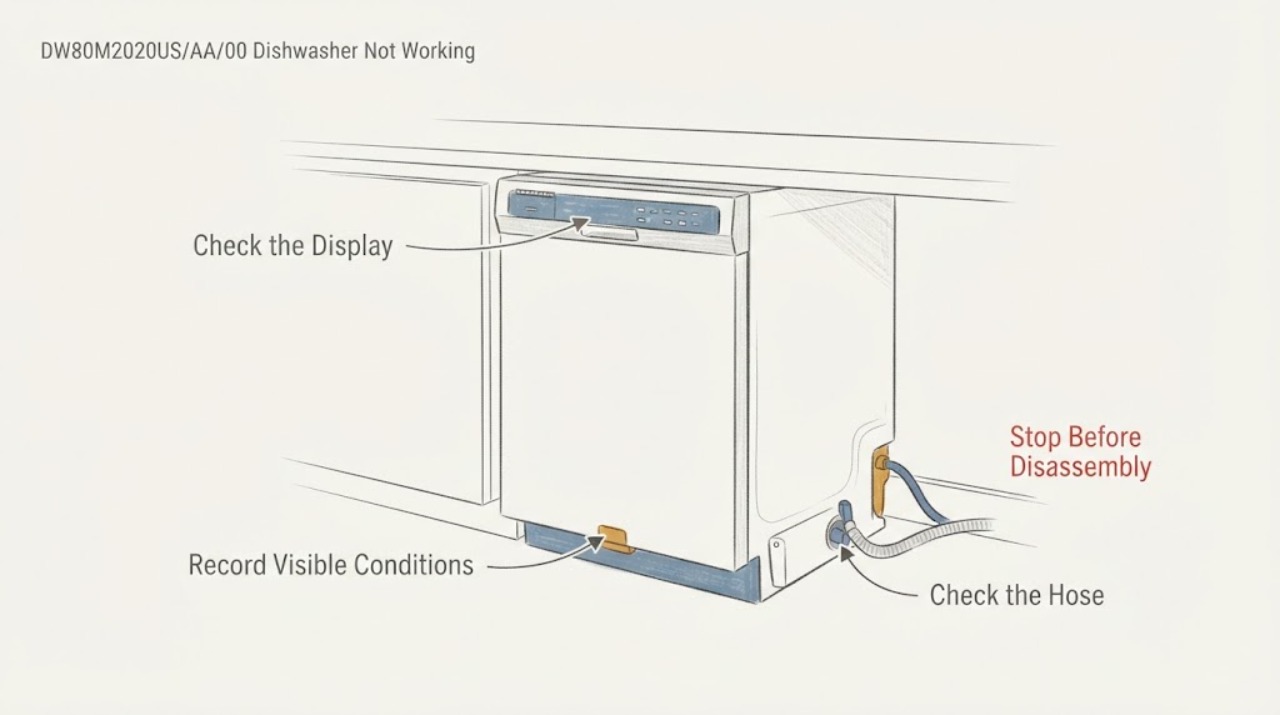
Work through in order
Diagnostic checks
Use only checks that match the exact appliance or system and its official guide.
-
Check 1
Read the full label on the dishwasher before applying model instructions. Confirm whether the label is Samsung DW80M2020US/AA/00, and record whether only Normal blinks or Normal blinks with Auto, Heavy, Delicate, or Express 60. Also note beeps, a pump that keeps running, water left in the tub, and whether the panel responds.
Expected result: Only Normal blinks, or a different combination is present; the machine may be idle, stopped, continuously draining, or otherwise operating normally.
Next step: Photograph the panel and nameplate. Do not reset, use a service sequence, or infer a part until the exact pattern and regional model code are confirmed.
Why this matters
Why: Samsung assigns different meanings to individual and combined light patterns. Normal alone is listed as leak-sensor moisture in the US guide; a combination must be remapped rather than interpreted as the Normal-only condition.
-
Check 2
If Normal alone is blinking or the dishwasher starts draining by itself, stop the dishwasher at the control and remove power at the breaker when safely accessible. Close the dishwasher water shutoff if there is visible moisture or a confirmed leak; do not reach into wet electrical areas.
Expected result: The unit becomes quiet with power removed, or it continues to show the pattern only after power is restored; visible moisture may or may not be present.
Next step: Keep power and water off for a visible leak, wet base area, or damaged hose. Do not tilt the built-in unit, remove panels, or restart it to reproduce the event.
Why this matters
Why: Samsung says a leakage condition can turn the dishwasher on and keep it draining until moisture is gone, even when the source is not obvious. Removing power prevents repeated operation while the condition is investigated.
-
Check 3
With power off and from accessible positions only, inspect the visible water-supply hose and its shutoff connection, the drain-hose connection at the sink or disposal, and the floor or cabinet edge for fresh moisture, a loose-looking connection, a kink, or evidence that plumbing work disturbed the area. Do not loosen any fitting or pull the dishwasher out.
Expected result: Everything is dry and intact, or water/dampness, hose damage, a kink, or a disturbed connection is visible.
Next step: For visible water or hose damage, keep the dishwasher off and have the water supply or appliance service assessed. Never perform a pressurized hose repair or use the plumbing work as a reason to bypass the sensor.
Why this matters
Why: A real leak or plumbing disturbance can activate the sensor and can also prevent operation; a dry exterior does not prove that the internal base is dry or that no intermittent leak exists. The sequence after heater flushing is a reason to inspect, not proof that the dishwasher caused or suffered a specific failure.
-
Check 4
Check the household hot-water result without touching the dishwasher's internal plumbing: note whether a nearby hot-water fixture has normal flow after the heater was flushed, and verify that the dishwasher shutoff is plainly open only if it is dry and safely accessible. Do not change the water heater to an extreme setting or measure live appliance voltage.
Expected result: Hot-water flow is normal, weak or absent, unusually hot, or the dishwasher supply valve cannot be safely confirmed.
Next step: Have a plumber address a house hot-water or pressure problem and have an appliance professional assess an inaccessible dishwasher connection. If water is unusually hot, stop using the dishwasher until the supply is corrected.
Why this matters
Why: Water pressure or temperature can prevent a dishwasher from filling, but a Normal-only blink is separately defined by Samsung as a leak-sensor condition. A plumbing-work timing relationship therefore cannot by itself identify a fill valve, board, or heater fault.
-
Check 5
After any visible moisture is cleaned up and the area has had time to dry, inspect the sink drain, disposal connection, and the accessible drain-hose routing for a kink or backflow path. If the tub contains standing water, observe its level without reaching into the pump or removing hidden parts.
Expected result: The tub is empty, has only a small residual amount, or has substantial standing water; the sink drains normally or backs up.
Next step: Correct only an obvious external hose kink or sink blockage. Do not remove the sump, pump, or base panel; request service for persistent standing water, recurring blinking, or any inaccessible blockage.
Why this matters
Why: Standing water or a backed-up sink points toward a drain or household-plumbing branch, while an empty tub with a Normal-only pattern keeps leak-sensor moisture or an internal sensor condition in consideration. A drain observation does not prove a failed pump.
-
Check 6
Once the supply area is dry, there is no visible leak, and the exact pattern has been recorded, restore power once and observe whether the dishwasher remains off, starts and drains, or returns to Normal blinking. Do not run repeated cycles or a service-mode test.
Expected result: The light clears and a cycle operates normally, or Normal returns / the pump runs / the dishwasher still will not start.
Next step: Stop repeated resets. Keep the appliance off and request Samsung or qualified appliance service with the model suffix, light pattern, plumbing-work timing, moisture findings, and drain result.
Why this matters
Why: A one-time clear after drying can be consistent with transient moisture, but recurrence means the underlying condition remains. The observation cannot distinguish a leak, sensor, wiring, or control failure without model-specific diagnosis.
Use your observations
Decision map
Find the observation that best matches what you see, then follow the next safe action.
-
PATH 01Next step
What you see
Only Normal blinks, the dishwasher powers itself or continuously drains, and there is visible moisture or a wet/altered water or drain connection after the heater work.
Do this next
Leave water and power off, protect the area from further water damage, and arrange qualified appliance or plumbing service. Do not tilt the unit or reopen the event to test it.
Why this path and its safety boundary
Why it matters: This matches Samsung's Normal-only leak-sensor meaning more closely than a confirmed board or valve failure; the plumbing timing makes the external water path an important first inspection.
-
PATH 02Next step
What you see
Only Normal blinks but no moisture is visible, the tub is not overfilled, and the accessible supply and drain connections are dry.
Do this next
Allow the safe external area to dry, restore power only once, and request service if Normal returns or the unit keeps draining. Do not open the base or use a reset sequence as a repair.
Why this path and its safety boundary
Why it matters: The sensor may still be detecting moisture in an inaccessible base area, or the sensor circuit may need diagnosis; a dry exterior does not clear the leakage condition.
-
PATH 03Next step
What you see
Normal blinks together with other lights, or the dishwasher is otherwise working normally despite a blink.
Do this next
Record the complete combination and consult the exact model and regional guide. Do not substitute the Normal-only leak branch or assume the heater flush caused it.
Why this path and its safety boundary
Why it matters: The Normal-only interpretation no longer applies. Samsung documents separate meanings for combinations and notes that some blinking can be ordinary cycle status.
-
PATH 04Next step
What you see
The supply or hot-water flow is abnormal, the tub remains full, the sink backs up, or the drain hose is visibly kinked, while the panel pattern is not a confirmed Normal-only signal.
Do this next
Correct only a plainly visible external hose or sink issue; otherwise involve a plumber or qualified appliance technician. Keep the machine off if water is leaking or reaching electrical areas.
Why this path and its safety boundary
Why it matters: A water-supply or drainage path can prevent starting or completing a cycle, but it does not prove a failed inlet valve, pump, heater, or control board.
Helpful context
Understand the symptom
What the Normal light means here
Samsung distinguishes the Normal-only blink from combinations such as Normal with other cycle lights. For the US guide, Normal alone means the leak sensor detects moisture; it does not identify a particular valve, pump, sensor, or board. The hot-water-heater work is an important time marker for checking accessible plumbing and moisture, but timing alone does not establish the failed part or the cause.
When checks do not resolve it
Need a professional?
Request qualified service if Normal returns after the safe drying and external checks, the dishwasher keeps turning on or draining, any leak or standing water persists, the control panel is unresponsive, or the full model/pattern cannot be matched. Stop immediately for water near electrical parts, damaged supply or drain hoses, smoke, burning odor, or any need to tilt the built-in dishwasher, open covers, enter service mode, or disconnect a pressurized water line.
Read the exact guide
Official sources
- Lights are blinking on the Samsung dishwasherSamsung US · Samsung US dishwashers using blinking lights as information or error indications
- Water supply requirements for your Samsung dishwasherSamsung Canada · Samsung dishwasher water temperature, pressure, connection, and leak-prevention guidance; page notes Canadian scope
- Samsung dishwasher is leaking or has a leakage error codeSamsung US · Samsung US dishwasher visible-leak and leakage-sensor troubleshooting
- DW80M2020US Dish Washer with Hybrid TubSamsung Canada · Samsung DW80M2020US dishwasher support page for regional model code /AC; use only for base-model identity and manual lookup, not to infer AA/00 regional behavior
- Samsung dishwasher is displaying an error codeSamsung US · Samsung US dishwasher error-code and blinking-light cross-reference
- DW80M2020US/AASamsung US · Samsung dishwasher model DW80M2020US/AA; the task also supplies a service suffix /00 that must be confirmed on the appliance label
- Steps to take if your Samsung dishwasher is not drainingSamsung Canada · Samsung dishwasher external drain and standing-water checks; page notes Canadian scope
Community feedback
Share a repair observation
Share a plain-text repair observation. Accepted observations are published automatically; this page may take a moment to update.