
On this page
Start here
Quick answer
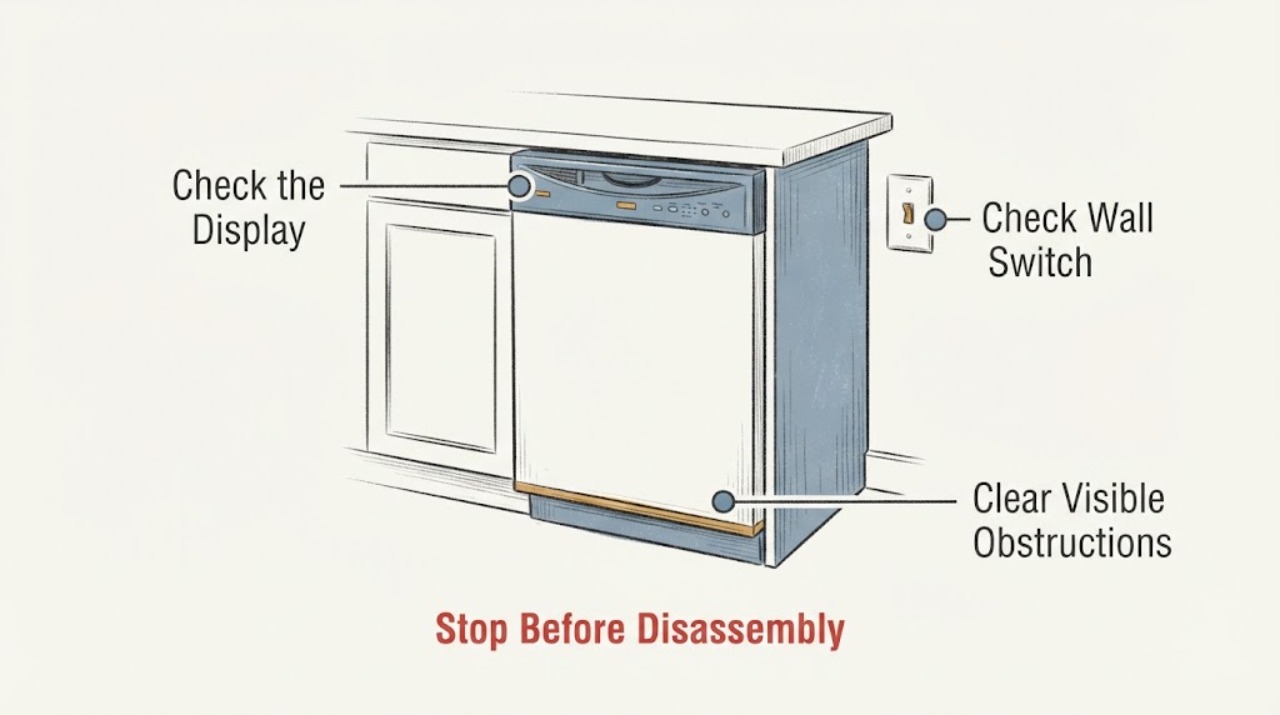
Do not treat a repair person's claim that the Samsung DW80R2031US has a hypersensitive sensor as a diagnosis. First identify whether the dishwasher has no control-panel power or has power but will not begin a cycle. In a new condo, check the dedicated breaker or nearby wall switch, then use dry hands on the clean hidden controls. If the panel powers on, confirm the door and latch close fully, make sure Child Lock and Delay Start are not active, press Start briefly, and allow the normal initial drain before deciding it is not running. If the breaker trips again, the panel stays dead, the door will not latch, or the dishwasher still will not start after these external checks, stop and request Samsung or qualified service.
Work through in order
Diagnostic checks
Use only checks that match the exact appliance or system and its official guide.
-
Check 1
With dry hands, touch Power once and gently wipe the hidden control area with a soft, slightly damp cloth if it is dirty; do not spray liquid into the panel. Note whether the display or indicators respond.
Expected result: The panel remains completely dark, or Power responds and the panel lights normally.
Next step: For a dark panel, continue only with the external breaker and wall-switch check. For a powered panel, continue with the door, lock, delay and Start checks.
Why this matters
Why: A dark panel is a supply or control-power problem. A responding panel means the dishwasher has power and the next checks should address cycle selection, latch and start conditions rather than assume a sensor failure.
-
Check 2
In the new condo, check the dishwasher's labeled breaker and any nearby wall switch that controls its power. If the breaker is tripped, switch it fully off and back on once; do not keep resetting it if it trips again.
Expected result: The breaker or wall switch is off, the breaker trips again, or the dishwasher remains dark while the circuit appears on.
Next step: If the breaker trips again, leave it off and contact an electrician or the condo installer. If the circuit is stable but the panel remains dead, request Samsung service without opening the dishwasher.
Why this matters
Why: An off switch can explain a dead dishwasher. A repeat trip indicates an unresolved electrical fault, while a stable circuit with a dead panel leaves an appliance-side fault for service; neither pattern proves a hypersensitive sensor.
-
Check 3
With the racks pushed fully in, check that no dish or utensil protrudes into the door, then close the door firmly until the latch engages. Look for rubbing or a visible obstruction; do not force the latch or remove its cover.
Expected result: The door closes and latches, or it stays ajar, rubs the tub, or the controls indicate that the door is open.
Next step: Rearrange only the obstructing load and try the normal close once. If the latch still will not engage or the door rubs, stop and arrange service; do not bypass the interlock.
Why this matters
Why: Samsung states that an open or improperly latched door prevents a cycle from starting. A door that cannot close correctly needs alignment or service assessment, not a sensor diagnosis.
-
Check 4
Look for a padlock or Delay Start indication. Use the DW80R2031US owner manual's exact control sequence to clear Child Lock or Delay Start, select a cycle, and press Start briefly rather than holding it.
Expected result: A lock or delay indication clears and the cycle begins, or the controls remain unresponsive or the display shows a blinking indicator.
Next step: If the controls remain unresponsive or an indication persists, use the exact model manual or request service. Do not guess a code meaning from another Samsung series.
Why this matters
Why: Child Lock, Delay Start or holding Start too long can prevent an immediate wash; Samsung says a long Start press can cancel and drain. Blinking lights may be a model-specific information indication, not proof of a sensor fault.
-
Check 5
After a valid cycle selection and brief Start press, listen for the initial drain before expecting water to enter. Confirm the dishwasher's water-supply valve is open and that the external supply line is not visibly kinked; do not disconnect the line.
Expected result: The unit drains briefly and then fills, or it never progresses beyond the initial phase and the water supply is open.
Next step: Allow the normal start sequence once. If it still will not run, stop troubleshooting, preserve any displayed lights or code, and request Samsung or qualified dishwasher service.
Why this matters
Why: Samsung describes an initial drain as normal and says a water-supply issue can stop filling. If the unit has power, a closed door and open supply but still will not progress, the remaining cause requires service and cannot be assigned to a sensor from these observations.
Use your observations
Decision map
Find the observation that best matches what you see, then follow the next safe action.
-
PATH 01Next step
What you see
The control panel is dark, the condo breaker or wall switch is off, or the breaker trips again after one reset.
Do this next
Leave a repeatedly tripping breaker off and contact an electrician or the installer. If the circuit is stable but the dishwasher remains dark, request Samsung service without opening the appliance.
Why this path and its safety boundary
Why it matters: The immediate problem is the electrical supply or an unresolved power fault, not a verified hypersensitive sensor.
-
PATH 02Next step
What you see
The panel responds, but the door cannot close and latch fully because of a rack, dish, rubbing alignment or latch problem.
Do this next
Remove only the external loading obstruction and try one normal close. If the latch still will not engage, arrange service and do not bypass it.
Why this path and its safety boundary
Why it matters: Samsung's start guidance treats the closed door as a start requirement; the dishwasher should not be operated with a defeated or damaged interlock.
-
PATH 03Next step
What you see
The panel is active, the door latches, and Child Lock or Delay Start was active or Start had been held too long.
Do this next
Clear the setting using the exact DW80R2031US manual, select a cycle and press Start briefly. If a blinking indication remains, preserve it and use model-specific service guidance.
Why this path and its safety boundary
Why it matters: The no-run symptom has a documented control or cycle-selection explanation; it does not establish a sensor fault.
-
PATH 04Next step
What you see
The dishwasher has power, the door latches, the supply valve is open and it still never completes the normal initial drain/start sequence.
Do this next
Stop and request Samsung or qualified dishwasher service with the exact model, the observed lights and whether the unit drains. Do not remove panels or bypass a safety device.
Why this path and its safety boundary
Why it matters: The external checks did not isolate the fault. The opened sources do not support naming a sensor, board, pump or valve from this pattern.
Helpful context
Understand the symptom
Separate no power from no cycle
A dishwasher that is completely dark needs a supply and control check. A dishwasher whose panel lights up but does not wash may still be waiting for a closed latch, a cancelled delay, a brief Start press or the normal first drain. Samsung's opened materials for the DW80R2031 family list hidden touch controls, Control Lock and Delay Start. They do not confirm that a sensor is over-sensitive, so this page keeps the explanation at the observable decision points.
A new-condo installation changes the first check
If the problem has existed since move-in, Samsung directs the owner to have the installer verify the electrical requirements. A nearby wall switch may control a newer dishwasher, and a repeatedly tripping breaker is an electrical-service issue. Do not remove panels or bypass a latch or sensor to test the installation.
When checks do not resolve it
Need a professional?
Call the condo installer or an electrician for a breaker that trips again, a missing or unsafe supply, or an installation-origin power issue. Request Samsung or qualified dishwasher service when the panel stays dead, the door will not latch, or the powered dishwasher still will not start after the model-bounded external checks.
Common questions
FAQ
Did Samsung confirm that the DW80R2031US has a hypersensitive sensor?
No opened official Samsung source confirms that diagnosis. The product materials list a leakage sensor, but a listed feature does not establish that it is causing a no-run symptom. Check the observable power, door, lock, delay, start and water conditions first, then use service if the sequence still fails.
Why does the dishwasher make noise but not fill immediately?
Samsung says a selected cycle initially drains excess water from a previous cycle. That phase can sound like operation before filling begins; allow the initial drain to finish before deciding the wash did not start.
What is the first check in a new condo?
If the issue existed since installation, Samsung directs the owner to have the installer verify the electrical requirements. Also check the labeled dishwasher breaker and any nearby wall switch, but stop resetting a breaker that trips again.
Read the exact guide
Official sources
- Steps to get your Samsung dishwasher starting and filling with waterSamsung · The opened Samsung Canada support article states that its advice is universal Samsung guidance tailored to Canadian customers. It supports external start/fill decisions: initial drain, door/latch, Child Lock, Delay Start, brief Start press, breaker reset and service. Exact button sequences remain manual-specific.
- Hidden Touch Control 55 dBA DishwasherSamsung · The opened Samsung product page identifies model DW80R2031US/AC, hidden touch control, leakage sensor, Delay Start and Child Lock. It is used to scope the assigned DW80R2031US family and avoid claiming an unverified sensor diagnosis.
- Samsung dishwasher will not turn onSamsung · The opened Samsung U.S. support article covers a dishwasher that will not turn on: dry hands and clean the Power control, check the breaker and nearby wall switch, contact the installer when the problem dates from installation, and request service if it persists. It does not diagnose a sensor.
- DW80R2031Samsung Electronics America · The opened Samsung U.S. product specification identifies the base DW80R2031US model and lists integrated digital touch controls, Control Lock, Delay Start and a digital water leakage sensor. It is identity and feature evidence, not an internal diagnostic guide.
Community feedback
Share a repair observation
Share a plain-text repair observation. Accepted observations are published automatically; this page may take a moment to update.