
On this page
Start here
Quick answer
Treat a Samsung gas oven that is leaking as a source-identification problem, not as one generic fault. If you smell gas, hear hissing, or suspect a gas connection or burner leak, stop using the range, leave the area, avoid flames and electrical switches, do not move or test the appliance, and contact the gas supplier or emergency service from a safe location. If the report means water or liquid, turn the oven off and let it cool; then identify whether the liquid is a food spill, condensation, steam-clean residue, a model-specific reservoir or drain issue, or water escaping around a door. Wipe only cool accessible surfaces with the Samsung-approved method. A damaged door, persistent liquid, smoke, burning odor, abnormal flame, carbon-monoxide concern, hot electrical area, or repeated fault needs qualified service.
Before you begin
Safety first
- Keep the oven off for gas odor or hissing, smoke, burning odor, carbon-monoxide concern, abnormal flame, liquid near electrics, arcing, severe heat, damaged door parts, or repeated breaker trips. Do not move the range, open panels, loosen gas fittings, or repeat ignition tests.
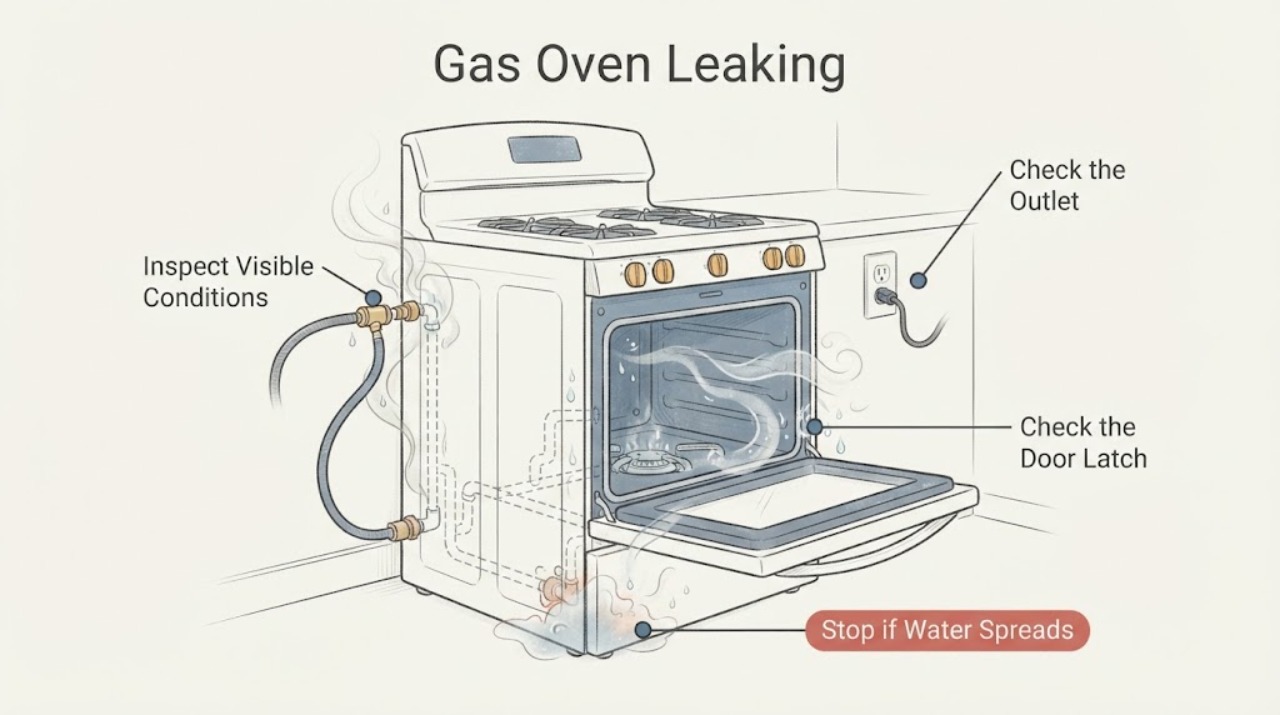
Work through in order
Diagnostic checks
Use only checks that match the exact appliance or system and its official guide.
-
Check 1
Stop cooking and observe from a safe position. Record whether the oven is a Samsung gas range or a dual-fuel model, the full model number, whether the symptom is an odor, sound, liquid, steam, or hot air, where it appears, and whether the oven is on, cooling, or in a cleaning mode. Look for gas odor, hissing, an abnormal flame, smoke, burning odor, carbon-monoxide concern, a hot plug or control area, or liquid near electrics.
Expected result: Gas odor or hissing is present; an abnormal flame, smoke, burning odor, carbon-monoxide concern, hot electrical area, or liquid near electrics is present; or the source cannot be safely identified.
Next step: Stop immediately, leave the area, keep away from flames and electrical switches, do not move or test the range, and contact the gas supplier or emergency service from a safe location. If water has reached electrics, do not touch the appliance or stand in the water; obtain qualified help.
Why this matters
Why: The condition may involve fire, explosion, poisoning, burn, shock, or water-damage risk and is not a routine leak cleanup.
-
Check 2
If there is no gas odor or other hazard and the symptom is liquid, turn the oven off at its controls and wait until the cavity, door, racks, and visible liquid are cool. Without removing panels or the door, trace the liquid from a safe distance: food spill, cleaner residue, condensation at the door, water on the cavity floor, a reservoir or drain outlet, or a line behind the range.
Expected result: The liquid is a one-time food spill or cool condensation, hot water or steam remains, water appears after Steam Clean or a reservoir cycle, or liquid returns during ordinary baking.
Next step: Wipe only cool accessible surfaces with the exact Samsung cleaning method. Do not pour more water into the oven, use harsh chemicals, open a hot door, or run another cycle to reproduce the leak. Arrange service for recurring liquid, a wet control area, or a suspected internal water or gas path.
Why this matters
Why: A spill or condensation can be cleaned after cooling, while hot steam, a model-specific water system, or recurring liquid needs the matching manual and possibly service.
-
Check 3
With the oven cool and off, inspect the door perimeter, gasket, glass, hinge area, and latch from the outside. Confirm that racks and any divider are fully seated and not preventing closure. Do not dismantle the door, handle hinges under tension, or press a latch against resistance.
Expected result: The door closes evenly and the liquid was only a surface spill or condensation, the door does not close fully, the gasket or glass is damaged, or the latch remains in a locked or displaced position.
Next step: Clear only a cool, visible rack or food obstruction. If the door, gasket, hinge, glass, or latch is damaged or remains misaligned, keep the oven off and arrange qualified service; never force the door or continue gas heating.
Why this matters
Why: A closure or seal problem can let hot air and condensation escape, but physical damage or a latch fault is a service boundary rather than a user repair.
-
Check 4
If the symptom is steam or hot air at the front but no gas hazard, compare its timing with normal cooking, preheating, cooling, or a Samsung cleaning function. Check whether the model has Steam Clean, Hybrid Clean, a reservoir, or a documented drain function, and read the exact manual before touching any water left in the cavity.
Expected result: The symptom occurs only during a documented steam or cleaning cycle, a small amount of condensation appears while cooking, or steam or liquid escapes during ordinary baking or from an unlisted location.
Next step: Let the oven cool completely and follow only the exact manual's cleanup or drain step. Stop for scalding steam, a damaged seal, liquid near controls, or a recurring escape and arrange service.
Why this matters
Why: A model-specific cleaning process can leave hot water and steam, while recurring escape during ordinary use may indicate a door seal, vent, water-system, or installation fault.
-
Check 5
If gas is suspected but no odor is currently detectable, do not relight the burner, move the range, loosen a connector, apply a flame, or use a soap test unless a qualified professional directs and performs the inspection. From a safe position, record whether the issue began after installation, movement, conversion, or a burner or oven ignition attempt.
Expected result: The odor returns, a connection or burner area is suspected, the range was recently installed or moved, or the gas system has not been verified for the model and fuel type.
Next step: Keep the gas appliance off and arrange the gas supplier or a qualified gas-appliance professional. Do not inspect behind the range, tighten fittings, or perform repeated ignition tests.
Why this matters
Why: A gas connection, valve, regulator, conversion, or burner issue requires qualified gas-appliance assessment; absence of odor at one moment does not prove the system is safe.
-
Check 6
Read the complete display code or icon and record the fuel type, model, cooking mode, and moment it appeared. Compare it with the exact Samsung error-code guide and user manual. Do not infer a gas leak, door fault, or water fault from a code that is not listed for this model.
Expected result: The display identifies a door, partition, power, temperature, communication, or other documented condition, or the code returns after the manual's one safe reset.
Next step: Perform only the corresponding low-risk check in the exact manual. If the code returns, the oven leaks during normal use, or any gas or electrical hazard is present, leave the oven off and arrange service.
Why this matters
Why: A code may explain why heating stopped or why a door or vent is monitored, but code meanings and reset steps are model-specific.
-
Check 7
Only after the oven is cool, dry, free of gas odor or hissing, free of smoke or burning odor, and safe to access, perform at most one power reset authorized by the exact Samsung manual. Isolate power only from a safe dry location, reconnect once, and do not use the reset to clear a recurring leak or safety symptom.
Expected result: The display returns normally and no leak recurs, the same code or leak returns, or the range trips a breaker or shows abnormal heat or odor.
Next step: Keep the oven off and arrange qualified service for a returning code, recurring leak, breaker trip, abnormal flame, or failed control. Do not repeat resets or open the appliance.
Why this matters
Why: A reset can clear a temporary control state but cannot repair a gas path, door seal, water system, wiring, or damaged control.
Use your observations
Decision map
Find the observation that best matches what you see, then follow the next safe action.
-
PATH 01Next step
What you see
Gas odor, hissing, abnormal flame, or suspected gas leakage is present.
Do this next
Leave immediately, do not light anything, touch electrical switches, move the range, or test for the leak, and contact the gas supplier or emergency service from a safe location.
Why this path and its safety boundary
Why it matters: This is an immediate gas-safety event, not a water-leak troubleshooting branch.
-
PATH 02Next step
What you see
The symptom is a small cool food spill or condensation on an accessible exterior surface, with no odor, smoke, electrical symptom, or recurring flow.
Do this next
Keep the oven off until cool, wipe with the Samsung-approved method, dry the area, and monitor without opening panels. Arrange service if liquid returns or reaches controls.
Why this path and its safety boundary
Why it matters: The source may be cooking residue or humidity rather than an internal gas or water-system failure.
-
PATH 03Next step
What you see
Water or steam appears after a Samsung Steam Clean, Hybrid Clean, reservoir, or drain function that the exact model supports.
Do this next
Wait for complete cooling and follow only the exact model manual's wipe or drain procedure. Stop for scalding steam, recurring leakage, or wet controls.
Why this path and its safety boundary
Why it matters: The cleaning or steam system can leave hot water in the cavity or route water to a model-specific reservoir; this is different from a gas leak.
-
PATH 04Next step
What you see
Liquid or hot air escapes from the door during ordinary baking, the door does not close, or the gasket, hinge, glass, or latch is damaged.
Do this next
Stop using the oven, do not force or dismantle the door, and arrange Samsung or qualified appliance service with the model and observations.
Why this path and its safety boundary
Why it matters: A door alignment or sealing fault may be allowing heat and moisture to escape and can affect safe operation.
-
PATH 05Next step
What you see
The range was recently installed, moved, converted between fuel types, or has an unverified connector or gas line.
Do this next
Do not move the range or loosen the connection. Keep it off and have the gas supplier or a qualified installer verify the installation and fuel type.
Why this path and its safety boundary
Why it matters: Installation or fuel-configuration errors can create gas or electrical hazards that cannot be confirmed by a casual visual check.
-
PATH 06Next step
What you see
A code or icon returns, heating is abnormal, the oven smokes during ordinary use, or the source remains unexplained after safe checks.
Do this next
Leave the oven off and arrange qualified service. Provide the exact model, fuel type, code, mode, timing, leak location, and any odor, sound, heat, or flame observation.
Why this path and its safety boundary
Why it matters: A sensor, control, vent, door, gas, water, or wiring fault may require model-specific diagnosis.
-
PATH 07Next step
What you see
Smoke, burning odor, carbon-monoxide concern, electrical arcing, hot controls or plug, liquid near electrics, severe heat, or a repeated breaker trip occurs.
Do this next
Stop immediately, leave if fumes or gas may be present, isolate power only from a safe dry location, and obtain emergency or qualified help. Do not restart the range.
Why this path and its safety boundary
Why it matters: Continued operation could cause fire, poisoning, burn, shock, or further property damage.
Helpful context
Understand the symptom
First decide what is leaking
The word leaking can describe gas, water or cooking liquid, steam or condensation, or hot air escaping around the door. Ask what was seen or smelled, where it appeared, and whether the oven was running, cooling, or using a cleaning or steam feature. A gas odor or hissing sound is an emergency branch. A small amount of water after a model-specific Steam Clean cycle can have a different explanation, but liquid near controls or electrical parts is not a reason to keep cooking.
Samsung models and fuel systems differ
Samsung sells gas and dual-fuel ranges as well as other oven configurations. Some models have Steam Clean, Hybrid Clean, a reservoir, or a drain function, while others do not. Use the full model number and the exact user manual before using any cleaning, draining, lock, or reset sequence. Never generalize a water-system procedure to a gas oven that does not have that feature.
Door and seal clues are different from a gas leak
Steam or hot air at the front can be normal during cooking, but liquid tracking from the door, a door that will not close, a damaged gasket, or a latch that stays out of position can allow heat and moisture to escape. Samsung's door guidance points to racks, hinges, the latch, and physical damage as model-specific checks. Do not remove the door, force the latch, or continue heating to see whether a suspected leak changes.
Safety boundary
Stop conditions
- If gas odor, hissing, abnormal flame, or suspected gas leakage occurs, stop using the range, leave immediately, avoid flames and electrical switches, do not move or test the appliance, and obtain gas or emergency help from a safe location.
- Do not open a hot oven, touch hot water or steam, pour water into a hot cavity, or wipe liquid near energized controls. Wait for complete cooling and a dry safe area.
- Stop for smoke, burning odor, carbon-monoxide concern, arcing, hot controls or plug, liquid near electrics, abnormal heating, a damaged door or gasket, or repeated breaker trips. Do not restart to reproduce the symptom.
- Do not remove the door, loosen a gas connector, inspect behind the range, apply a flame, bypass a safety device, open panels, or transfer a reset or leak procedure from another Samsung model.
Only after diagnosis
Potential parts
- oven door gasket, seal, latch, or hinge component
Consider this only after qualified diagnosis links recurring heat or liquid escape to a damaged or misaligned door sealing or latching component.
Samsung door parts and procedures vary by gas range, dual-fuel range, wall oven, and model. Confirm the exact model and diagnosis before selecting a part. - steam reservoir, drain, or water-path component
Consider this only when the exact model has a steam or reservoir function and qualified diagnosis confirms a recurring water-path fault after the documented cool cleanup or drain step.
Many Samsung gas ovens do not have the same steam features. Confirm that the feature exists on the exact model and do not substitute a water component by appearance. - gas valve, regulator, connector, or ignition component
Consider this only after a qualified gas-appliance professional identifies a specific gas or ignition component; a gas smell is not a basis for choosing a part.
Fuel type, pressure, conversion, and model-specific safety controls must be verified by a qualified professional. Do not handle or test gas components as a household repair.
When checks do not resolve it
Need a professional?
Request service for a suspected gas path or connector issue, recurring water or steam leakage, damaged door or gasket, abnormal flame or heating, recurring error, or any electrical or fire symptom.
Safety scope: Keep the oven off for gas odor or hissing, smoke, burning odor, carbon-monoxide concern, abnormal flame, liquid near electrics, arcing, severe heat, damaged door parts, or repeated breaker trips. Do not move the range, open panels, loosen gas fittings, or repeat ignition tests.
Common questions
FAQ
What should I do first if my Samsung gas oven smells like gas?
Stop using the range and leave the area immediately. Do not light anything, touch electrical switches, move the range, loosen a connector, or try to find the leak. From a safe location, contact the gas supplier or emergency service and follow its instructions.
Why is water coming out of my Samsung oven door?
It may be condensation, a food spill, or water left by a model-specific Steam Clean or reservoir function, but a damaged gasket, latch, or door can also let heat and moisture escape. Turn the oven off, wait until it is fully cool, identify the source without removing the door, and use only the exact model manual. Recurring liquid or liquid near controls needs service.
Can I move my Samsung gas range to inspect a leak?
No. Do not move a gas range or loosen its connector to investigate. Movement can damage a connector or gas connection. Keep the appliance off and have the gas supplier or a qualified gas-appliance professional inspect it.
Is steam from a Samsung oven door always a leak?
No. Steam or condensation can occur during cooking or a supported cleaning function, and a cleaning cycle can leave hot water in the cavity. It is not normal to ignore recurring liquid during ordinary baking, a damaged door seal, a door that will not close, or steam accompanied by gas odor, smoke, burning odor, or electrical symptoms.
Read the exact guide
Official sources
- Home Appliance Terms and ConditionsSamsung Support · Samsung appliance safety guidance used for gas-odor and qualified-repair boundaries; the exact range manual controls model-specific procedures.
- Odor or smoke from Samsung ovenSamsung Support · Samsung oven odor guidance used to separate ordinary residue from persistent smoke or odor that needs service.
- Samsung range or wall oven error codesSamsung Support · Samsung code guide; only codes and steps listed for the exact model should be applied.
- Certain Older Gas Connectors May Be DangerousU.S. Consumer Product Safety Commission · General U.S. gas-appliance safety guidance; it does not identify a Samsung model or authorize user gas repair.
- How to clean your Samsung ovenSamsung Support · Samsung oven cleaning overview; features, water amounts, and drain steps vary by exact model.
- Door will not close on Samsung ovenSamsung Support · Samsung oven and range door guidance; the exact user manual controls removal and reattachment.
- Samsung oven temperature issuesSamsung Support · Samsung range and oven temperature guidance; gas-pressure and model procedures require the exact manual or a professional.
- Install your Samsung gas or electric rangeSamsung Support · Samsung range installation overview; exact gas connection and fuel conversion instructions remain model-specific.
Community feedback
Share a repair observation
Share a plain-text repair observation. Accepted observations are published automatically; this page may take a moment to update.