
On this page
Start here
Quick answer
If a Samsung gas oven will not heat, first note the exact model, selected mode, display, and whether the cooktop burners ignite normally. Confirm the oven door is closed, Demo mode is off, and a Bake or other supported mode was actually started. If the cooktop burners also fail, treat the symptom as a gas-supply problem; if a burner lights but the oven does not, Samsung directs you to compare oven behavior with the cooktop and request service rather than adjust gas pressure yourself. A brief cycle of the oven burner can be normal while temperature is maintained, but no ignition, delayed ignition with a boom, yellow or abnormal flame, gas odor, smoke, a carbon-monoxide alarm, sparks, overheating, or a tripped breaker requires stopping immediately and obtaining emergency or qualified help.
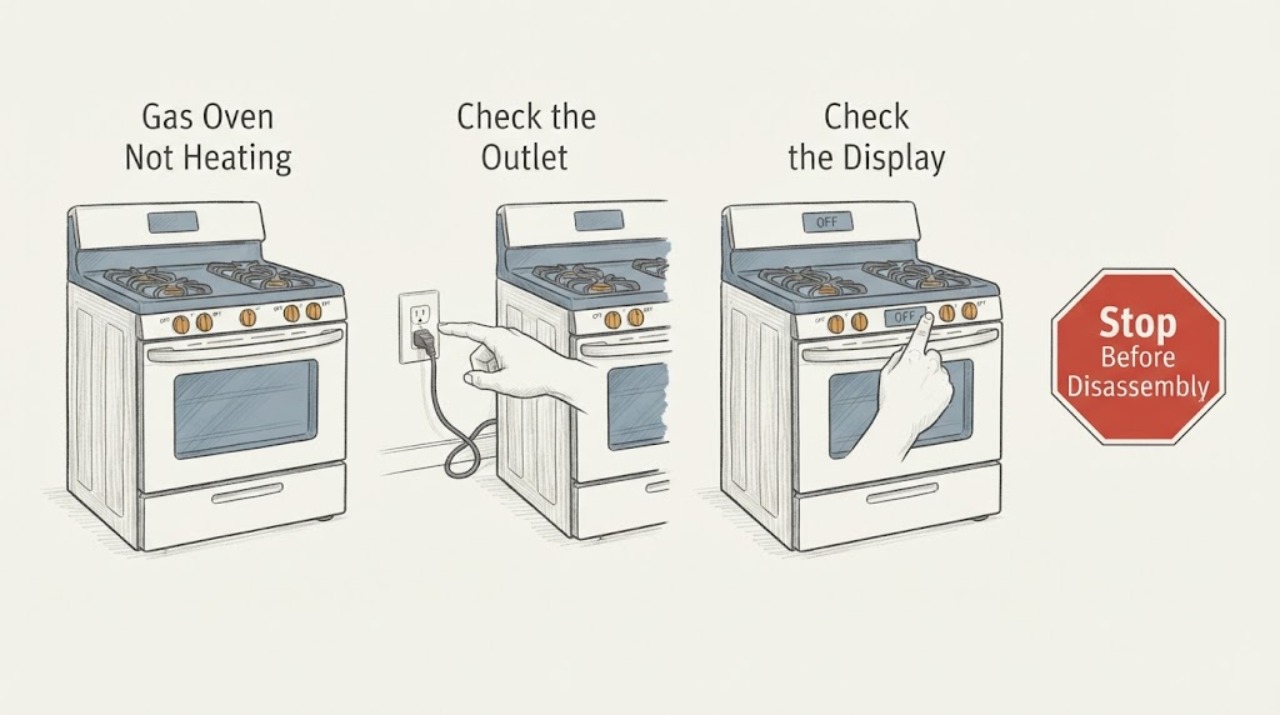
Work through in order
Diagnostic checks
Use only checks that match the exact appliance or system and its official guide.
-
Check 1
Stop the oven and assess from a safe position for a gas odor, hissing, delayed ignition or boom, yellow or unstable flame, smoke, a carbon-monoxide alarm, sparks, a burning electrical odor, a hot or discolored outlet, or a tripped breaker.
Expected result: Any gas odor, hissing, delayed ignition, abnormal flame, smoke, carbon-monoxide alarm, arc, hot electrical part, or repeated trip is present.
Next step: Do not relight, operate switches, use a phone inside, reset the breaker, or search for the leak. Leave the area and contact emergency services or the gas utility from a safe location; for a non-gas electrical warning, keep the range out of service and obtain qualified help.
Why this matters
Why: The condition may involve fire, explosion, carbon-monoxide, or electrical risk; another ignition attempt or reset could make it worse.
-
Check 2
Record the full Samsung model number, whether it is a freestanding range or wall oven, the cooking mode, set temperature, display message, and whether the symptom is no heat at all or a slow preheat.
Expected result: The display shows a mode or error such as Demo indication, door warning, power-connection warning, or temperature-rise warning; the model manual may also show a different code.
Next step: Use the exact model manual to interpret the display and preserve a photo of the code. Do not use a gas-range code from another model as a diagnosis.
Why this matters
Why: Samsung's published troubleshooting is model- and code-dependent. Demo mode prevents heating, a door code points to closure or the door switch, and a recurring or unlisted code should not be guessed across models.
-
Check 3
With the oven cool enough to handle safely, close the door fully, remove any obstruction from the opening, select a supported Bake mode, and confirm the start command; check the control for a Demo indication such as tESt, tE5t, a D, or DEMO.
Expected result: The door is not fully closed, the display indicates Demo mode, or the control accepts the mode only after the correct start sequence; alternatively, the oven remains cold with a closed door and normal mode.
Next step: Follow only the exact manual's procedure to disable Demo mode or correct a door condition. If the door will not close or the panel will not respond, stop and request service; do not defeat a door switch or latch.
Why this matters
Why: Samsung says the oven can shut off when the door is left open too long and that Demo mode leaves the oven and cooktop unable to heat even though a gas cooktop may still ignite.
-
Check 4
From a dry, safe position, verify that the range is connected to its intended power supply and inspect only the accessible plug, outlet, and breaker status; do not remove a cover, and never test live voltage.
Expected result: The display is blank or incorrect, the breaker is visibly tripped, the plug or outlet is hot/discolored, or the display works but the oven remains cold.
Next step: If there is no warning and the exact Samsung guide authorizes one power cycle, follow that guide once. If the breaker trips again or there is heat, odor, smoke, sparks, or water near the connection, stop and obtain qualified electrical or appliance service.
Why this matters
Why: The oven's ignition and controls need electrical power, but a hot outlet, damaged connection, or repeated trip is a hazard rather than a simple reset condition.
-
Check 5
Only if there is no gas odor, no abnormal flame, and the cooktop is otherwise safe, observe whether a normal cooktop burner ignites using the ordinary control; do not repeatedly attempt ignition or alter a valve, regulator, or connector.
Expected result: The cooktop burners also fail to ignite, or a burner lights normally but the oven still does not ignite or heat.
Next step: For a cooktop-wide failure, stop and contact the gas utility or a qualified professional. For an oven-only failure, leave the oven off and request service; never use a burner as a workaround for a non-heating oven.
Why this matters
Why: If the burners also fail, Samsung directs attention to the home's gas supply. If the cooktop works but the oven does not, the oven's ignition, burner, pressure, or control path needs model-specific service; gas pressure must not be adjusted by the user.
-
Check 6
If the oven is safe to operate and the exact manual permits a preheat check, use an empty, room-temperature oven with the prescribed rack arrangement, set the manual's test temperature, and watch only for the normal preheat indication; do not open the door repeatedly or use an inaccurate household thermometer as the pass/fail test.
Expected result: The display remains at the initial preheat value, the oven never signals the expected preheat, or it reaches the target and then cycles normally; a vent or cookware obstruction may also be visible from outside.
Next step: Stop the test if any odor, smoke, abnormal flame, overheating, or electrical warning appears. Otherwise, if preheat remains abnormal, record the time and display behavior and request Samsung or qualified appliance service.
Why this matters
Why: Samsung uses preheat behavior to distinguish no heating from normal cycling and warns that repeated door opening loses heat. A persistent failure after safe external checks points to service-level ignition, burner, sensor, control, or gas-pressure diagnosis.
Use your observations
Decision map
Find the observation that best matches what you see, then follow the next safe action.
-
PATH 01Next step
What you see
There is a gas odor, hissing, delayed ignition with a boom, abnormal flame, smoke, a carbon-monoxide alarm, or illness symptoms during operation.
Do this next
Stop immediately, do not create a spark or flame or operate electrical switches, leave the area, and call emergency services or the gas utility from outside or another safe location.
-
PATH 02Next step
What you see
The display indicates Demo mode, a door warning, Control Lock, an unavailable mode, or a door that does not close fully.
Do this next
Follow the exact model manual for the supported mode, door closure, or Demo setting; do not bypass a switch or latch, and request service if the door or panel remains abnormal.
-
PATH 03Next step
What you see
The display is blank, the power connection is incorrect, a breaker is tripped, or the outlet/cord is hot, damaged, or discolored.
Do this next
Use only the exact Samsung power-reset instruction when no hazard is present; otherwise stop and obtain qualified electrical or appliance help without opening the range.
-
PATH 04Next step
What you see
The cooktop burners also fail to ignite or gas supply is unavailable.
Do this next
Stop ignition attempts and have the gas supply checked by the gas utility or a qualified professional; never test for a leak with a flame or alter pressure.
-
PATH 05Next step
What you see
The cooktop operates normally, Demo and door conditions are clear, power is normal, and the oven still does not ignite or preheat.
Do this next
Leave the oven off and request model-specific qualified service for the ignition, burner, sensor, control, or gas-pressure path.
Helpful context
Understand the symptom
A Samsung gas oven can appear not to heat for several different reasons: the control is in Demo mode, the door or selected mode prevents heating, the range has a power problem, the household gas supply is unavailable, or the ignition and temperature-control system needs service. Gas ovens also cycle the burner on and off during normal cooking, so a flame that is not continuously visible does not by itself prove a failure. Identify the exact model and what happens during preheat before deciding which branch applies.
Do not remove the oven floor, burner, regulator, gas connector, or control panel, and do not measure live voltage or gas pressure. A gas odor, delayed ignition, boom, abnormal flame, smoke, carbon-monoxide alarm, or electrical warning changes this from a user check to an immediate stop and professional or emergency response.
Only after diagnosis
Potential parts
- oven igniter
Consider this category only after a qualified diagnosis confirms that the exact Samsung gas model has an ignition fault rather than a mode, gas-supply, pressure, or control issue.
Confirm the complete model and the manufacturer's fit information before ordering any part. - oven temperature sensor
Consider this category only when the exact model's service diagnosis links the persistent temperature or error symptom to its sensor.
Do not infer compatibility from the Samsung brand alone; verify the complete model and service documentation. - oven burner or gas valve assembly
Consider this category only after qualified gas-appliance diagnosis confirms the oven-only ignition or gas-control fault and the correct model configuration.
Gas components require exact model verification and qualified installation; do not adjust or replace them as a user-level check.
When checks do not resolve it
Need a professional?
Have this ready
- Give the technician the full model number, gas type if known from the installation documentation, selected mode and temperature, preheat display behavior, exact error text, cooktop ignition result, door status, breaker history, and any odor, flame, smoke, CO, or electrical observations.
Common questions
FAQ
Why does my Samsung gas oven ignite but not stay hot?
The oven burner can cycle on and off while maintaining temperature. If it never reaches the set temperature, check the door, Demo mode, selected mode, gas-supply comparison, and model-specific error display. A persistent no-heat symptom needs service rather than gas-pressure adjustment.
What does it mean if the Samsung cooktop works but the gas oven does not heat?
It makes a whole-house gas outage less likely, but it does not identify the failed oven component. Samsung directs users to compare this behavior and request service; do not adjust the regulator or gas pressure yourself.
Can I keep trying to ignite a Samsung gas oven that does not light?
No. Stop immediately for gas odor, delayed ignition, a boom, an abnormal flame, smoke, or a carbon-monoxide alarm. Leave the area and call from a safe location; without those warnings, use only the exact model's safe checks and request service if the oven still does not heat.
Read the exact guide
Official sources
- Samsung range or wall oven panel is blank, blinking, or incorrectSamsung Electronics · Samsung range or wall-oven power-display and safe control-reset guidance
- CPSC Guide to Home Wiring HazardsU.S. Consumer Product Safety Commission · General household electrical warning signs and qualified-professional boundary
- Range SupportSamsung Electronics · Samsung range model lookup, manuals, and repair-support entry point
- Samsung range or wall oven error codesSamsung Electronics · Samsung range and wall-oven error-code meanings, model-specific manual boundary, Demo mode, door, power, and temperature-rise examples
- Odor or smoke from Samsung ovenSamsung Electronics · Samsung oven odor and smoke distinctions for first use, self-clean, and normal operation
- STAY ALIVE! 4 Deadly Hazards to Avoid After the StormU.S. Consumer Product Safety Commission · Gas-explosion and electrical-contact emergency boundaries, including gas odor and equipment in water
- Samsung oven temperature issuesSamsung Electronics · Samsung oven and gas-range temperature, Demo mode, gas-supply comparison, circuit-breaker, and preheat guidance
- Recognizing and Responding to Pipeline EmergenciesU.S. Department of Transportation, Pipeline and Hazardous Materials Safety Administration · Natural-gas emergency response: ignition sources, electrical switches, evacuation, and calling from a safe location
- Flame issues on Samsung gas cooktop or rangeSamsung Electronics · Samsung gas cooktop or range flame appearance and gas-pressure/service boundary
Community feedback
Share a repair observation
Share a plain-text repair observation. Accepted observations are published automatically; this page may take a moment to update.