
On this page
Start here
Quick answer
A Samsung oven door commonly remains locked because the oven is still hot after Self Clean, the cleaning cycle is still active, Control Lock or Oven Lock is enabled, power was interrupted during a lock condition, or the latch or door is physically out of position. Wait until the oven is fully cool and follow the exact model manual before trying a control reset. Never force, pry, or pull the door open. If the oven is still heating, the door will not close, smoke or a burning odor is present, gas is suspected, a carbon-monoxide alarm sounds, or the electrical supply is hot, sparking, or repeatedly tripping, stop using the appliance and obtain emergency or qualified help.
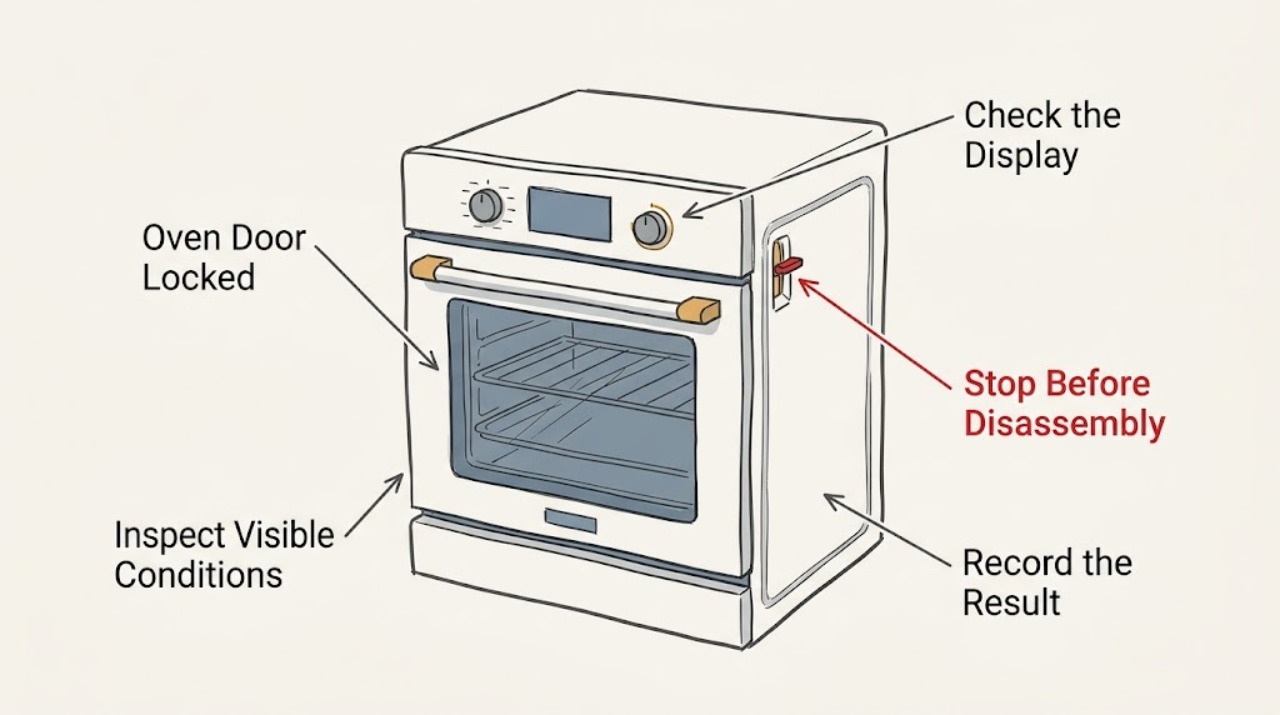
Work through in order
Diagnostic checks
Use only checks that match the exact appliance or system and its official guide.
-
Check 1
From outside the range, note whether Self Clean, Steam Clean, cooking, or cooling is active and look for Hot, a lock icon, Loc, an Oven Lock indication, a door message, or another code; do not touch the glass or handle if the oven is hot.
Expected result: Self Clean is active or recently completed, the display indicates Hot or a lock, or the oven is still warm; alternatively, the oven is fully cool but the lock remains.
Next step: Wait for the exact model's cool-down period and use its normal cancel or OFF control once safe. Never force the door; if it stays locked after the oven is cool, continue with the control and power checks.
Why this matters
Why: An automatic lock can be normal during high heat and can remain until the temperature falls to the model's safe threshold. A cool oven with a persistent lock shifts attention to Control Lock, power interruption, latch position, or service.
-
Check 2
Read the complete display and identify the exact Samsung model; compare any code or lock indication with that model's user manual rather than a generic Samsung code list.
Expected result: The display shows Loc or a padlock, door, tESt or tE5t, bAd LinE, C-24, or a code not listed for the model.
Next step: Follow only the exact model manual for clearing a lock or code. If the code returns, the door remains locked while cool, or the code is not supported by the manual, request service instead of experimenting with the latch.
Why this matters
Why: Samsung documents different meanings: Control Lock can make the panel unresponsive, door indicates a closure or switch condition, Demo mode prevents heating, bAd LinE indicates a power connection issue, and C-24 indicates an unusually rapid temperature rise. The same code should not be generalized to every model.
-
Check 3
When the oven is cool and no hazard is present, check the control panel for Control Lock or Oven Lock and use the model-labeled unlock control; wipe the panel with a soft, dry cloth if touch buttons are not responding.
Expected result: The lock icon or Loc clears and the panel responds, or the panel remains locked despite the documented unlock command.
Next step: If the panel unlocks, allow the door to open normally without pulling. If it does not, do not pry or bypass the lock; proceed to one safe model-authorized power check or request service.
Why this matters
Why: Control Lock is separate from the high-temperature automatic door lock. A dirty or still-locked panel can prevent the normal unlock command, while a panel that remains unresponsive needs service-level diagnosis.
-
Check 4
If the oven is fully cool, no gas or burning warning is present, and the exact Samsung guide permits it, perform one documented power reset at the circuit breaker; keep clear of a hot, wet, damaged, or sparking electrical connection.
Expected result: The lock clears after the authorized reset, or the door remains locked and the panel or code returns.
Next step: Use the manual's one-time reset only; if the lock or code returns, leave the appliance off and request qualified service. Never remove covers or test live voltage.
Why this matters
Why: A power interruption can leave the control and automatic lock out of sequence, but a recurring lock or error is not fixed by repeated resets and may indicate a latch, sensor, control, or wiring fault.
-
Check 5
Inspect the closed door from the outside for a rack, divider, cookware, debris, or visible physical damage preventing full closure; do not remove the door or operate the latch by force.
Expected result: The door cannot close fully, a rack or divider projects into the opening, the latch appears out of position, or the door was recently removed or damaged.
Next step: When fully cool, remove only an obvious loose obstruction without touching the latch mechanism. Use the exact manual for any approved door reattachment; if the latch or hinges are damaged or still misaligned, request service and do not operate the oven.
Why this matters
Why: Samsung notes that a door that was removed or a latch left in the locked position can prevent normal closure and lock operation; an obstruction or physical damage changes the path from an electronic reset to model-specific service.
-
Check 6
After the door opens normally, confirm that the oven is no longer heating and that no smoke, gas odor, abnormal flame, carbon-monoxide alarm, sparks, or electrical smell occurred; record when the lock appeared and whether it followed Self Clean, a power outage, or cooking.
Expected result: The door works normally after cool-down or reset, or it relocks, stays closed, or the oven continues heating unexpectedly.
Next step: Leave the oven off and arrange Samsung or qualified appliance service for a recurring or abnormal lock. Keep people away until the appliance is cool if it continues heating; stop immediately for any gas, smoke, CO, or electrical warning.
Why this matters
Why: A normal cool-down lock can clear without repair. A persistent or unexpected lock, especially with continued heat, points to a latch, temperature-safety, control, or wiring issue that should not be reproduced by repeated cycles.
Use your observations
Decision map
Find the observation that best matches what you see, then follow the next safe action.
-
PATH 01Next step
What you see
Self Clean or another high-heat operation is active or just finished and the oven is still hot.
Do this next
Wait for the model's cool-down and use the normal cancel or OFF controls. Do not force the door or restart cleaning while it is locked.
-
PATH 02Next step
What you see
The oven is cool but Loc, a padlock, Oven Lock, or a documented mode indication is shown.
Do this next
Use the exact model manual's unlock or Demo/setting procedure. If the code returns or the panel stays unresponsive, request service.
-
PATH 03Next step
What you see
The lock appeared after an outage, blank or blinking display, bAd LinE indication, or a tripped breaker without other hazard signs.
Do this next
Follow the exact Samsung guide for one safe power reset. Do not repeat it if the breaker trips, the outlet is hot, or the lock returns.
-
PATH 04Next step
What you see
The oven is cool but the door will not close, the latch is visibly out of position, the door was removed, or physical damage is present.
Do this next
Do not force or operate the oven. Follow only model-specific door instructions and request qualified service for a persistent latch or hinge problem.
-
PATH 05Next step
What you see
The oven keeps heating unexpectedly, there is smoke, a burning smell, gas odor, abnormal flame, a CO alarm, sparks, a hot outlet, or repeated trips.
Do this next
Stop immediately. Leave the area for suspected gas or CO, avoid switches and flames, and obtain emergency or qualified help from a safe location.
Helpful context
Understand the symptom
A locked Samsung oven door is often a deliberate safety state, not a broken latch. Self Clean raises the cavity temperature and uses the automatic lock; the lock can remain engaged after the cycle ends while the oven cools. A separate Control Lock or Oven Lock can also prevent normal controls from responding. Start with the display, cycle, and temperature, then use only the controls documented for the exact model.
Do not pry, pull hard, insert tools, remove the door, or manipulate the latch while the oven is hot or energized. If the door is locked while the oven keeps heating, or if smoke, burning odor, gas odor, an abnormal flame, a carbon-monoxide alarm, sparks, a hot outlet, or repeated breaker trips occur, leave the appliance out of service and follow the appropriate emergency or professional-service path.
Only after diagnosis
Potential parts
- automatic door-lock assembly
Consider this category only after a qualified diagnosis confirms a lock mechanism fault on the exact Samsung model and rules out normal high-temperature operation, Control Lock, power interruption, and physical obstruction.
Confirm the complete model and the manufacturer's fit information before ordering any part. - door latch or hinge hardware
Consider this category only when the exact model has a documented latch or hinge fault and the door cannot close or return from a lock position without force.
Gas and high-temperature door hardware requires exact model verification and qualified installation. - temperature sensor or control component
Consider this category only after qualified service links a recurring temperature or lock code to the exact model's sensor or control system.
Do not infer compatibility from the Samsung brand alone; verify the complete model and service documentation.
When checks do not resolve it
Need a professional?
Have this ready
- Give the technician the full model number, range or wall-oven configuration, exact display or code, whether Self Clean or cooking was active, cool-down status, outage or breaker history, door/latch observations, and any gas, flame, smoke, CO, or electrical warning.
Common questions
FAQ
Why is my Samsung oven door locked after Self Clean?
The automatic lock normally stays engaged during Self Clean and until the oven cools to a safe model-specific temperature. Wait for cool-down and use the documented cancel or OFF control; never force the door.
What does Loc mean on a Samsung oven?
Loc commonly indicates Control Lock, but the exact display and unlock sequence vary by model. Use the model manual or panel instructions. If the oven is cool and the lock remains, request service rather than bypassing the latch.
What should I do if the Samsung oven door stays locked when the oven is cool?
Record the model and any code, check for Control Lock or a power interruption, and use one model-authorized reset only when no hazard is present. A recurring lock, damaged latch, or door that will not close needs qualified service; do not pry it open.
Read the exact guide
Official sources
- Self Clean or other buttons do not light up or respond, or panel is locked on Samsung ovenSamsung Electronics · Samsung oven panel lock, Control Lock, Hot state, function availability, and model-specific reset guidance
- STAY ALIVE! 4 Deadly Hazards to Avoid After the StormU.S. Consumer Product Safety Commission · Gas-explosion and electrical-contact emergency boundaries, including gas odor and equipment in water
- Door will not close on Samsung ovenSamsung Electronics · Samsung oven and range door, rack, hinge, latch, physical-damage, and service guidance
- Samsung oven temperature issuesSamsung Electronics · Samsung oven no-heat, gas-range comparison, Demo mode, door, breaker, and preheat guidance
- Recognizing and Responding to Pipeline EmergenciesU.S. Department of Transportation, Pipeline and Hazardous Materials Safety Administration · Natural-gas emergency response, ignition-source avoidance, evacuation, and safe-location calls
- Range SupportSamsung Electronics · Samsung range model lookup, manuals, and repair-support entry point
- Samsung range or wall oven error codesSamsung Electronics · Samsung range and wall-oven error-code meanings, Demo mode, door, power, temperature-rise, and recurring-code service boundaries
- CPSC Guide to Home Wiring HazardsU.S. Consumer Product Safety Commission · General household electrical warning signs and qualified-professional boundary
- How to clean your Samsung ovenSamsung Electronics · Samsung oven Self Clean and Steam Clean safety, automatic door locking, cool-down, and no-force guidance
- Samsung range or wall oven panel is blank, blinking, or incorrectSamsung Electronics · Samsung range and wall-oven power-display and model support guidance
Community feedback
Share a repair observation
Share a plain-text repair observation. Accepted observations are published automatically; this page may take a moment to update.