
On this page
Start here
Quick answer
A Samsung washer may move briefly while it senses weight, but walking, repeated hard impacts, or severe shaking during spin is not something to ignore. Stop the cycle and first separate a tangled or very small load from an installation problem: confirm the load is distributed, the floor is solid, all feet contact the floor, and a new front-load machine has had its shipping bolts removed. Check the drain hose and excess suds only from safe, external points, then use the exact model's calibration or short test procedure if available. If the empty drum still bangs, the tub will not spin, the washer leaks, a cord or outlet gets hot, or there is smoke, burning odor, arcing, or repeated tripping, stop using it and arrange qualified Samsung appliance service.
Work through in order
Diagnostic checks
Use only checks that match the exact appliance or system and its official guide.
-
Check 1
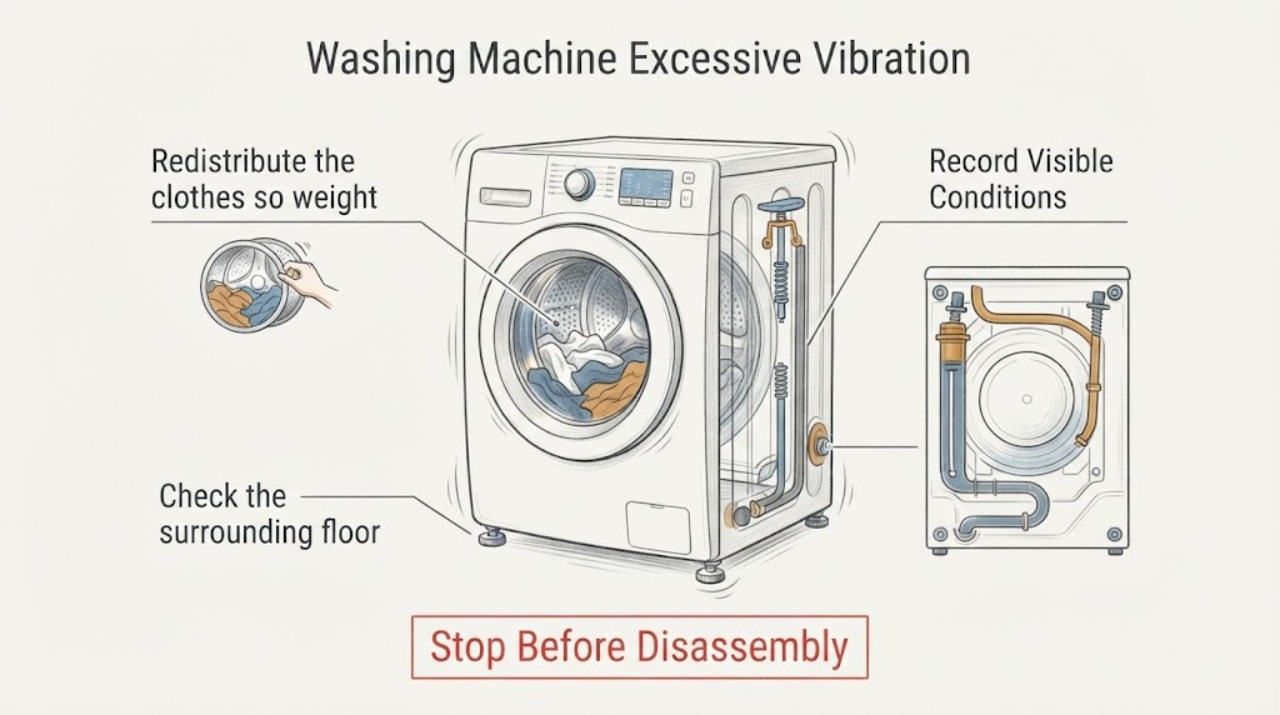
Stop the cycle and record the full Samsung model number, washer type, cycle phase, spin setting, load type, and exactly when the movement begins. Note whether it is a brief weight-sensing wobble, a balanced spin vibration, walking across the floor, or hard cabinet impact.
Expected result: The vibration is only brief at the beginning, appears only during high-speed spin, follows one blanket or other bulky item, occurs with every load, or is accompanied by leaking, scraping, smoke, or an electrical symptom.
Next step: Keep the washer stopped for leaks, smoke, burning odor, arcing, hot electrical parts, or repeated tripping. Otherwise continue with the load and installation checks below.
Why this matters
Why: Timing separates normal sensing or load imbalance from installation or internal-fault clues. A safety symptom takes priority over all ordinary checks.
-
Check 2
With the drum stopped, redistribute the clothes so weight is not gathered on one side. Separate a tangled sheet, blanket, or other absorbent bulky item and select a lower spin or the model-recommended cycle. Do not wash an item that the model manual excludes.
Expected result: A small load was bunched together, a large item was tangled and water-heavy, the load was clearly excessive, or the load was already balanced and appropriate for the cycle.
Next step: Run only a short, attended test after the load is corrected. Stop if the washer walks, strikes the cabinet, leaks, or produces a new noise.
Why this matters
Why: Samsung notes that both underloaded and overloaded or tangled loads can create an uneven mass during spin. If a balanced appropriate load still causes impact, move to installation rather than adding random items.
-
Check 3
Check the surrounding floor and washer position with the machine stopped. Confirm the floor is solid and dry, the appliance is not on a soft or slippery surface, and the washer does not rock when gently tested at its corners. Do not shove or drag a loaded machine.
Expected result: One corner rocks, a foot does not contact the floor, the floor is soft or slippery, the unit has shifted into a wall or dryer, or the washer is firm and clear of nearby objects.
Next step: If the model instructions permit, adjust the visible leveling feet with the washer empty and secure the locking nuts afterward. If the floor or installation is damaged, arrange installation or appliance help instead of forcing the unit into position.
Why this matters
Why: Samsung identifies stable flooring and firm contact at all corners as prerequisites for reducing vibration. A shifted or unstable appliance can make a good load appear faulty and can damage hoses or surrounding surfaces.
-
Check 4
If the washer is a recently installed front loader, check the installation record and the rear of the machine for shipping bolts only as described in the Samsung manual. For a safe external clue, an empty drum should have some spring-supported give when gently pressed; do not remove rear hardware unless the manual and installation conditions are clear.
Expected result: Shipping bolts are confirmed removed, their status is unknown, the drum feels almost rigid like it is fixed in place, or the washer is a top loader or an older machine that was not recently moved.
Next step: Do not run a new front loader with shipping bolts installed. Follow the model installation manual or have the installer remove and store them safely; do not improvise hardware removal while the machine is connected or unstable.
Why this matters
Why: Samsung states that shipping bolts are for front-load transport and can cause a newly installed machine to shake a lot if left in place. Top-load models do not use those bolts, and an older washer with new rigidity needs service or installation review.
-
Check 5
Inspect the drain hose and visible drain connection for kinks, pinching, an airtight fit, a slipped holder, a low or unstable route, or water escaping. Check for excessive suds only when the machine is stopped and the area is safe; do not remove the rear hose screw or open a wet pump area as a vibration experiment.
Expected result: The drain hose is visibly restricted or displaced, water leaks, the washer leaves heavy suds, drainage is slow, or the external drain path and suds level appear normal.
Next step: Correct only a plainly visible external hose position according to the manual. If water is near electrics, the hose is damaged, the pump cannot drain, or suds persist, stop and arrange service rather than repeating spin tests.
Why this matters
Why: Samsung says incorrect drain routing can cause drain errors, leaks, and retained water, and excessive detergent buildup can contribute to vibration and extended cycles. A clear drain path with violent spin motion points back to load, leveling, or service diagnosis.
-
Check 6
After the washer is empty, stable, and safe, check the exact manual for a calibration mode or an approved short Rinse and Spin test. Use the model's documented procedure only; do not guess a button combination or run a full unattended cycle.
Expected result: The tub completes the approved calibration or short test without walking, it still vibrates when empty or balanced, the tub does not spin, or an error returns.
Next step: Stop if the tub does not spin, impacts the cabinet, leaks, or an error returns. Keep the washer out of use and provide the model and test result to qualified service.
Why this matters
Why: Samsung provides calibration and short test guidance for applicable models, but button sequences vary. Failure with an empty or balanced test shifts the problem toward installation, drive, suspension, sensing, or another model-specific fault.
-
Check 7
After one safe correction, observe one short attended test from a dry, clear position. Confirm that the washer remains in place, all four feet stay planted, the drum spins without hard impact, the drain completes, and there is no leak, hot electrical smell, smoke, or repeated trip.
Expected result: The washer stays stable and completes the test, or it walks, bangs, scrapes, leaks, fails to spin, overheats, smells of burning, sparks, or trips protection.
Next step: Stop using the washer for the abnormal result. Arrange qualified Samsung appliance service and report the model, load, phase, installation history, drain observations, test result, and any visible damage.
Why this matters
Why: A stable test after a load or installation correction supports that cause. Persistent motion or any hazard is evidence that further user cycles could worsen damage or create a safety risk.
Use your observations
Decision map
Find the observation that best matches what you see, then follow the next safe action.
-
PATH 01Next step
What you see
A brief movement occurs only during initial weight sensing and the washer remains stable during spin.
Do this next
Monitor the next cycle without touching the moving cabinet. Escalate if movement becomes sustained, the washer shifts, or new impact or scraping begins.
Why this path and its safety boundary
Why it matters: The observed motion may be normal sensing behavior rather than excessive vibration.
-
PATH 02Next step
What you see
The washer vibrates only with a small, bunched, or bulky water-heavy load and improves after redistribution or a lower spin selection.
Do this next
Use the cycle and load guidance for that fabric or item. Stop if a corrected balanced load still causes walking or hard impact.
Why this path and its safety boundary
Why it matters: Load imbalance is the leading explanation.
-
PATH 03Next step
What you see
One corner rocks, the floor is unstable or slippery, feet do not all contact the floor, or the unit has shifted against nearby equipment.
Do this next
With the washer empty and the area safe, follow the exact model's leveling instructions and secure the feet. Arrange installation help if the floor or appliance position cannot be made stable.
Why this path and its safety boundary
Why it matters: Installation or leveling is likely contributing to the movement.
-
PATH 04Next step
What you see
A newly installed front loader has shipping bolts installed or the drum feels nearly rigid when checked safely while empty.
Do this next
Do not continue running the washer. Follow the model installation manual or have the installer remove the shipping hardware; do not improvise with the washer unstable or connected.
Why this path and its safety boundary
Why it matters: Transport hardware may still be restraining the tub.
-
PATH 05Next step
What you see
Drainage is slow, the hose is kinked or improperly routed, water leaks, or heavy suds appear with the vibration.
Do this next
Make only a safe external hose correction or detergent-use correction documented for the model. Stop for pooled water, wet electrics, a damaged hose, or a pump that does not drain.
Why this path and its safety boundary
Why it matters: A drain or detergent condition may be affecting the cycle and spin balance, but the exact model controls what can be corrected.
-
PATH 06Next step
What you see
The washer vibrates with an empty or balanced test, the tub fails to spin, the impact is metallic or repeated, or the problem returns after load and leveling checks.
Do this next
Keep the washer out of use and arrange qualified Samsung appliance service. Do not remove panels, reach under a moving tub, or keep running cycles to identify an internal part.
Why this path and its safety boundary
Why it matters: A suspension, bearing, drive, sensing, control, or installation fault remains possible and needs model-specific diagnosis.
Helpful context
Understand the symptom
Stop the violent motion and identify when it happens
A small movement at the start of a cycle can be weight sensing, but a washer that walks, bangs, or repeatedly strikes the cabinet needs attention. Note whether the vibration occurs while filling, washing, draining, or only at high-speed spin. Stop the cycle before inspecting the load or floor, and do not hold the cabinet while the drum is moving.
Load and installation usually come before internal parts
A single bulky wet item, a tiny load collected on one side, a soft or slippery floor, loose leveling feet, or shipping bolts left in a new front loader can all create strong vibration. Samsung's installation guidance also treats drain routing and calibration as model-dependent. Correct only visible, low-risk conditions and use the exact manual for any button sequence or hardware step.
Persistent empty-drum impact is a service clue
If a correctly loaded, stable washer still shakes with an empty drum or a small balanced test, suspect a condition that is not solved by moving clothes around. Repeated impact, metallic scraping, a tub that does not spin, a leak, or electrical and burning symptoms should end user testing. A technician can distinguish suspension, bearing, drive, control, or installation damage without unsafe cabinet work.
Only after diagnosis
Potential parts
- leveling foot or locking hardware
Consider only when installation inspection confirms a damaged foot or locking component is preventing firm contact with the floor.
Foot and lock designs vary by model; confirm the complete model and the manufacturer's fit information before ordering. - suspension or tub-support component
Consider only after qualified diagnosis finds persistent empty-drum impact or abnormal tub movement after load, leveling, shipping, and drain causes are excluded.
Suspension parts and service procedures are model-specific and may require safe lifting or cabinet access; do not substitute or install without qualified service. - drain pump or drain-path component
Consider only when the approved drain check confirms a persistent pump or drain-path fault that affects the cycle or leaves water behind.
Pump, filter, hose, and sensor layouts vary by model; confirm fit and safe procedure before any replacement.
When checks do not resolve it
Need a professional?
Arrange qualified Samsung appliance or installation service when vibration persists with a balanced or empty test, the washer walks or strikes the cabinet, shipping hardware status is uncertain, the tub will not spin, the drain or pump does not clear water, leveling cannot make all feet stable, or there is a leak, smoke, burning odor, arcing, hot electrical part, damaged housing, or repeated trip.
Common questions
FAQ
Why is my Samsung washing machine walking during spin?
Start with a stopped washer and check for a tangled or very small load, an overloaded bulky item, an unstable floor, rocking feet, or a machine that has shifted. A new front loader can shake severely if shipping bolts remain installed. If a balanced load and stable installation do not solve it, stop using the washer and arrange service.
Can shipping bolts cause excessive Samsung washer vibration?
Yes, on applicable new front-load models. Samsung says shipping bolts left in place can make a washer shake a lot. Confirm their status with the installation manual or installer; top-load models do not use those bolts.
Can too much detergent cause a Samsung washer to vibrate?
Samsung says excessive detergent buildup can contribute to vibration and longer cycles. Use only the type and amount specified for the model and load, and treat heavy suds, slow draining, or repeated vibration as a reason to check the drain path and stop for service when the problem persists.
Read the exact guide
Official sources
- Install a Samsung washing machine in your homeSamsung Support · Samsung washer drain routing, leveling, test cycle, shipping-bolt, and calibration installation guidance
- Samsung washing machine is shaking too muchSamsung Support · Samsung washer vibration, load balance, leveling, calibration, test-cycle, and service guidance
- Samsung washing machine spins poorlySamsung Support · Samsung washer leveling, drain hose, pump-filter, calibration, and spin troubleshooting
- Samsung washing machine is leakingSamsung Support · Samsung washer hose, door-seal, drain-path, water-leak, and service checks
- Samsung washing machine or laundry smells badSamsung Support · Samsung washer drain, detergent buildup, suds, vibration-related performance, and burning-odor service guidance
- Samsung washing machine is shakingSamsung Support · Samsung washer shipping bolts, load imbalance, and normal initial weight-sensing movement
Community feedback
Share a repair observation
Share a plain-text repair observation. Accepted observations are published automatically; this page may take a moment to update.