
On this page
Start here
Quick answer
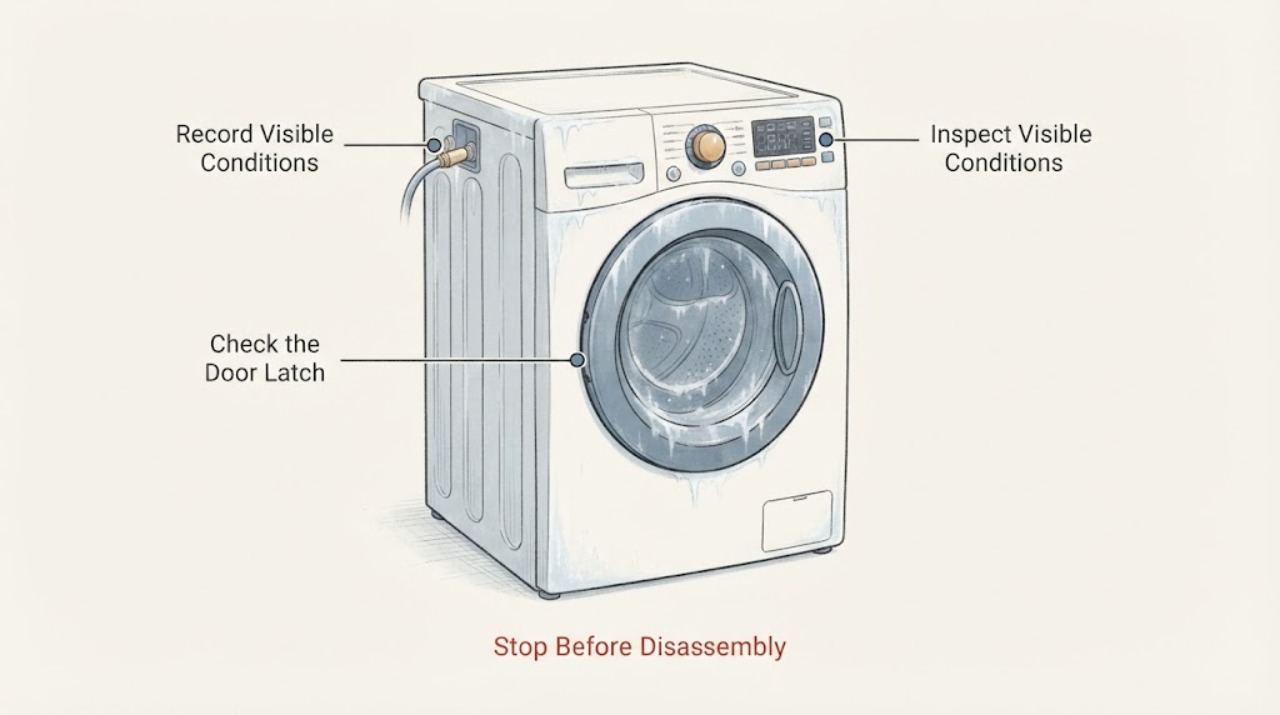
“Freezing” can mean a Samsung washer is literally iced up in a cold room, or that its display or cycle has stopped responding. First note whether the display is dark, whether the Child Lock icon is lit, whether water remains, and whether a code or blinking light is shown. In a cold location, switch the washer off and unplug it before warming the water connections; in a normal-temperature room, check power, the lock state, the drain path, and the load before trying one power cycle. Do not open the cabinet or force an iced hose. If the same freeze returns after these checks, arrange service.
Work through in order
Diagnostic checks
Use only checks that match the exact appliance or system and its official guide.
-
Check 1
Leave the washer in a safe state and record whether the display is lit, whether any button responds, whether water is visible in the tub, and whether a code or blinking light is present.
Expected result: The display is dark; the display is lit but all controls are ignored; only some options are unavailable; or the timer is lit while the cycle is stopped.
Next step: Use the power check for a dark display, the lock-and-moisture check for a lit unresponsive panel, or the drain and load checks when water or a rinse/spin pause is involved.
Why this matters
Why: A dark display points first to power. A lit panel with every button ignored makes Child Lock, panel moisture, or a temporary control glitch more likely. A single unavailable option can be normal for the selected cycle, while a lit timer with standing water shifts attention to draining.
-
Check 2
If the display is dark or the washer turned off by itself, check that the plug is fully seated, test the outlet with a small appliance, look for a tripped breaker, and confirm the washer is not connected through a surge protector. Do not remove the plug cover or cabinet.
Expected result: The outlet is dead, the breaker trips again, the cord is damaged, or the washer comes back on after the supply is restored.
Next step: If the outlet remains dead, the breaker trips again, or the cord is damaged, stop and use an electrician or appliance professional. If power returns normally, continue to the code and door checks.
Stop if: If the outlet is working and the washer still has no display, stop at the accessible checks and request service; do not open the control area.
Why this matters
Why: A dead outlet or repeat breaker trip indicates a household electrical problem that should not be chased through repeated resets. A restored display after power returns is consistent with a supply interruption; it does not prove the washer is repaired.
-
Check 3
If the panel is lit but taps are ignored, look for a Child Lock or control-lock indicator, check whether the door is fully latched, and let a visibly damp panel dry before trying again. Use the exact lock-button instructions in the washer's manual rather than guessing a button pair.
Expected result: The lock icon clears and controls work; the panel works on another cycle but not this one; moisture is visible; or every control remains unresponsive.
Next step: Run a short, empty test only when the door is safely closed and the panel responds. If every control remains frozen, power-cycle once after preserving any code, then arrange service if the symptom returns.
Why this matters
Why: A cleared lock icon identifies a setting rather than a failed board. A setting unavailable only on one cycle may be normal. Moisture can interfere with panel input. Persistent failure after the panel is dry and the lock is cleared is a service symptom, not a reason to disassemble the panel.
-
Check 4
If the washer is in a freezing location or a hose appears iced, turn off the water taps, switch the washer off, and unplug it. Let the room and connections warm naturally; when the hose can be released without force, follow the model manual's warm-water recovery procedure, keeping water away from the electrical connection.
Expected result: The hose loosens as the area warms and the washer later fills and drains, or the hose remains rigid, split, leaking, or impossible to release.
Next step: If the hose is still rigid, damaged, or leaking, keep the water supply off and stop; arrange appliance service. Do not use a flame, heat gun, or forceful tool.
Stop if: If the connections warm and the washer operates, run only the model-approved empty test cycle and keep the installation area above freezing to prevent a repeat.
Why this matters
Why: A cold-room symptom that clears with gentle warming makes frozen water in a connection or drain path more likely. A split hose, leak, or hose that will not release can cause water damage and needs professional handling.
-
Check 5
If the controls work but the timer hangs during draining or the tub still holds water, switch the washer off and inspect the accessible drain hose for a kink, crushing, blockage, or ice. On a front-loader, use the manual's pump-filter procedure with a tray and towel; do not open it immediately after a hot cycle because the water may be hot.
Expected result: Water drains after the hose or filter is cleared; a 5C/5E-style drain indication appears; or the washer still will not drain at the start of a test cycle.
Next step: Refit the filter and hose securely, then run the model's short empty test. If it still cannot drain, stop and request service. If a hot cycle recently ran, allow the water to cool before opening any drain access.
Why this matters
Why: Improved drainage points to a restricted drain path. A persistent no-drain result after the hose and model-approved filter check makes a pump or other internal fault more likely, and the washer should not be repeatedly restarted with water trapped inside.
-
Check 6
If the tub is empty but the cycle pauses at rinse or spin, pause the washer, redistribute mixed-weight or single bulky items, close the door, and run the model's Rinse + Spin or equivalent test with a balanced load; do not enter service mode.
Expected result: The cycle completes after redistribution, the time keeps pausing while the drum struggles to balance, or the empty drum never rotates after filling.
Next step: Use lighter, evenly distributed loads if balancing fixes the symptom. If the empty test still will not rotate, or the same freeze returns, stop using the washer and arrange service.
Why this matters
Why: Improvement after balancing supports an unbalanced-load interruption. A drum that never rotates when empty, or a freeze that returns on several cycles with no drain or load issue, points beyond a simple balance correction.
Use your observations
Decision map
Find the observation that best matches what you see, then follow the next safe action.
-
PATH 01Next step
What you see
The panel is dark, the outlet test fails, or the breaker trips again.
Do this next
Stop resetting the washer. Keep it disconnected and have the outlet checked by an electrician; use appliance service for a damaged cord or a washer that remains dark on a known-good outlet.
Why this path and its safety boundary
Why it matters: The pattern makes a supply or cord problem more likely than Child Lock or a frozen user interface.
-
PATH 02Next step
What you see
The display is lit, the lock icon is on or controls are ignored, and no water or cold-room evidence explains the stop.
Do this next
Use the manual's lock instructions, dry the accessible panel, preserve any code, and power-cycle once. A panel that remains frozen after that sequence needs service rather than cabinet removal.
Why this path and its safety boundary
Why it matters: Child Lock, control-lock behavior, moisture, or a temporary panel glitch is more likely than a drain or motor fault. If only one option is unavailable on one cycle, it may be a normal cycle restriction.
-
PATH 03Next step
What you see
The room or hoses are below freezing, or a frozen hose appears together with standing water or a drain indication.
Do this next
Keep the water supply off until the connection is sound, follow only the model manual's recovery steps, and call for service when warming does not restore safe filling or draining.
Why this path and its safety boundary
Why it matters: Ice in a water or drain connection is more likely. If gentle warming restores flow, the cold location likely contributed; if the hose is split, leaking, or stays rigid, damage or a concealed restriction remains possible.
-
PATH 04Next step
What you see
The panel and power are normal, the tub drains, but the timer repeatedly pauses around rinse or spin; or an empty test never rotates.
Do this next
Stop using the washer and request a qualified service inspection. Give the technician the model number, the exact stage and time remaining, any code, whether water remained, and what changed after one power cycle.
Why this path and its safety boundary
Why it matters: A load-balance interruption is plausible when redistribution fixes it. A persistent pause on an empty drum, a recurring no-code freeze, burning odor, water leak, or repeated breaker trip is less consistent with a user-load correction and more consistent with an internal or electrical fault.
Helpful context
Understand the symptom
Separate a literal freeze from a frozen-looking cycle
If the washer is in an unheated garage, porch, or other space that has gone below freezing, remaining water can freeze in a hose or the washer. Samsung's storage guidance treats freezing temperatures as a damage risk. If the room is not cold, use “freezing” to mean a frozen display, an unchanged time remaining, or a cycle that stopped; those symptoms can come from a lock, power interruption, drain problem, or load-sensing decision rather than ice.
Record the state before resetting
Take a photo of the display if it is safe to do so, and write down any code, blinking pattern, time remaining, and whether the drum contains water. A power cycle may clear a minor glitch, but Samsung warns that resetting does not repair the underlying problem and can clear stored error history. Preserve that information for the model manual or technician.
Model differences matter
Samsung washer controls and lock-button combinations vary by model and region. Use the manual for the exact washer before using a control-lock shortcut, opening a filter, or attempting an emergency drain. The checks below deliberately stay at the accessible symptom level and do not require removing panels or testing live electrical parts.
Only after diagnosis
Potential parts
- drain pump or pump-filter assembly
Consider this category only if the accessible hose and model-approved filter check are clear but the washer still leaves water or fails the empty drain test.
Confirm the full washer model and the manufacturer's fit information before ordering; no universal part fit is assumed. - user-interface or control-panel assembly
Consider this category only when power is stable, the panel is dry, Child Lock is cleared, and every control remains unresponsive after one documented power cycle.
Control assemblies are model-specific; match the exact model and revision through Samsung or a qualified service provider. - washer water or drain hose
Consider a hose only when warming reveals a split, leak, crushing, or other physical damage rather than treating cold weather alone as proof that a hose needs replacement.
Confirm hose routing, connection style, and exact model requirements before ordering or fitting.
When checks do not resolve it
Need a professional?
The washer remains unresponsive after the lock, moisture, power, and one-cycle reset checks., The washer cannot drain, the drum will not rotate empty, or a hose is leaking or split., There is a burning smell, repeated breaker trip, or any need to open the cabinet or test live parts.
Have this ready
- The complete model number and whether the washer is front-load or top-load.
- A photo or transcription of the display, code, blinking pattern, and time remaining.
- Whether the room was below freezing, water remained, and which safe check changed the symptom.
Common questions
FAQ
Does a frozen Samsung washer display prove that the control board has failed?
No. Samsung lists Child Lock, panel moisture, power problems, cycle-specific unavailable settings, and temporary glitches among the reasons controls may not respond. Clear the lock according to the exact manual, let the accessible panel dry, and preserve any code before one power cycle; persistent failure needs service.
Should I keep resetting the washer until it starts?
No. Samsung describes a power cycle as a way to clear a minor glitch, not a repair, and warns that resetting can clear error history. Record the code or blinking pattern first and use one documented power cycle; if the symptom returns, troubleshoot the specific branch or request service.
What should I do if a cold Samsung washer is locked with water inside?
Keep the washer off and unplugged while the area warms. Do not force the door or an iced hose. For a front-loader, Samsung says the model's emergency drain hose by the pump filter may be used when applicable; follow that model manual and stop if the water may be hot, a hose leaks, or the door remains locked after the water is gone.
Can I use a flame, heat gun, or boiling water to thaw the washer?
Do not apply a flame, heat gun, or forceful heat to the washer or its hoses. Samsung's model guidance uses a switched-off, unplugged washer and warm water around the tap or a disconnected hose; use the exact manual procedure, keep water away from the electrical connection, and call for service if the hose will not release safely.
Read the exact guide
Official sources
- What to do if Samsung washing machine stops during operationSamsung · Samsung washer operation-stop symptoms; control layouts and steps vary by model
- Samsung washing machine buttons won't workSamsung · Samsung washing machine control panels
- Storing the Washer in Freezing TemperaturesSamsung · Samsung washer storage and prevention in freezing temperatures
- Samsung washing machine will not drainSamsung · Samsung washer no-drain and overflow symptoms
- How to reset your Samsung washing machineSamsung · Samsung washer reset and troubleshooting guidance
- What to do if your washing machine is not spinningSamsung · Samsung washer rinse and spin interruptions; model instructions may vary
- Power issues with Samsung washing machineSamsung · Samsung washing machine power and unexpected-stop troubleshooting
- Samsung washing machine will not start or fill with waterSamsung · Samsung washer start, fill, and locked-door symptoms
- What to do when a washing machine control panel doesn't respondSamsung · Samsung Hong Kong products only; control sequences vary by location and model
Community feedback
Share a repair observation
Share a plain-text repair observation. Accepted observations are published automatically; this page may take a moment to update.