
On this page
Start here
Quick answer
First decide whether the issue is dirty clothes, residue or odor in the washer, or a real filling, draining, spinning, or error problem. For dirty clothes, use a cycle and temperature suited to the fabric, sort and pretreat stains, avoid overloading, and use the correct amount of HE detergent in the model's correct compartment. If the washer has poor water flow, unusual filling, an error, or weak spinning, follow the matching Samsung guide instead of adding more detergent. Clean the dispenser and, where the model provides it, the pump filter; use Self Clean or Pure Cycle only as the manual describes and without laundry. Do not mix cleaning chemicals, handle very hot water, or keep operating with a leak or electrical symptom.
Work through in order
Diagnostic checks
Use only checks that match the exact appliance or system and its official guide.
-
Check 1
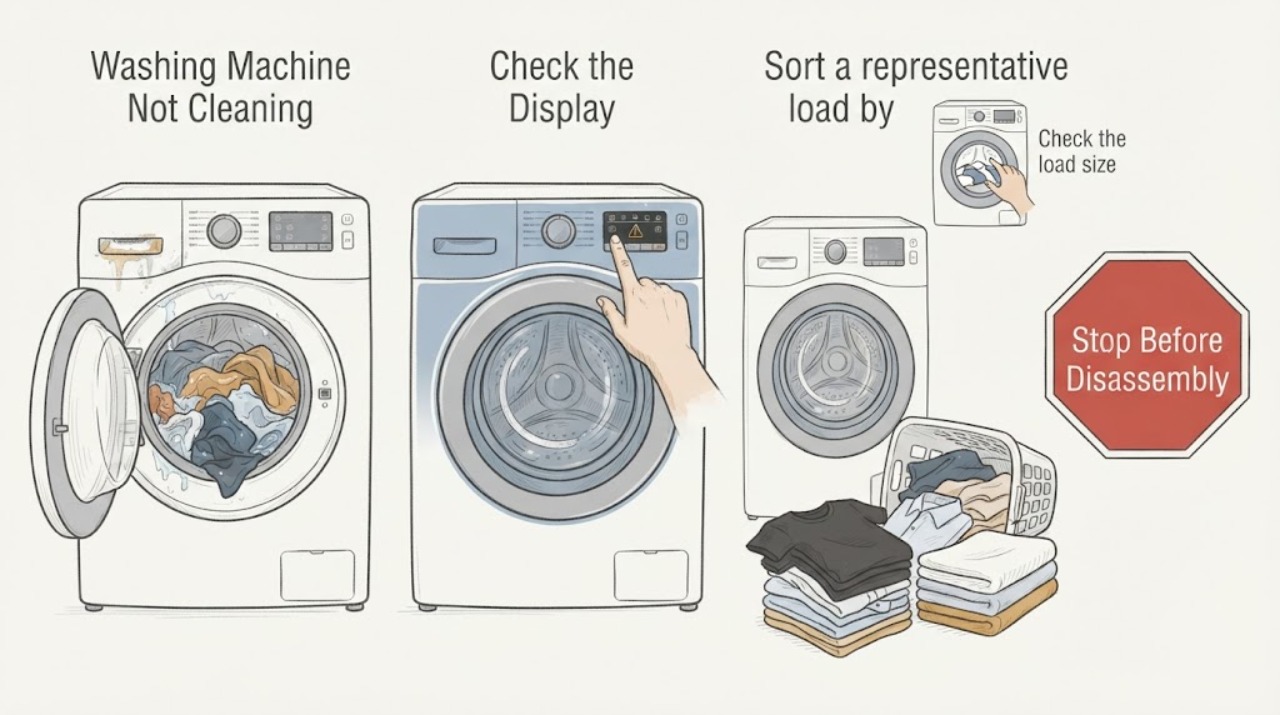
Screen for a washer fault before changing the wash recipe: check for standing water or an active leak, a fill or drain problem, a drum that never spins, an error display, smoke, burning odor, damaged wiring, or a repeated power trip. If water is near electrical parts, do not touch the appliance or water.
Expected result: The washer has a fill, drain, spin, leak, error, fire, or electrical symptom, or it completes the cycle normally with only poor cleaning.
Next step: For a safety symptom, use only a safe external water or power shutoff and arrange qualified service. For a fill, drain, spin, or error symptom, use the matching Samsung guide. Otherwise continue with the laundry checks.
Why this matters
Why: A performance fault can prevent cleaning even when the detergent and cycle are appropriate; a safety symptom requires stopping rather than another test.
-
Check 2
Sort a representative load by fabric, color, soil, and care label, then select the Samsung cycle and temperature intended for that group. Pretreat a persistent stain according to the garment and product instructions rather than expecting a normal cycle to remove a dried stain.
Expected result: The load contains mixed fabric needs or dried, heavy stains, or it already matches the selected cycle and still comes out dirty.
Next step: Run a smaller, correctly sorted load on the matching cycle. If results remain poor and the washer has no mechanical symptom, continue to load and detergent checks.
Why this matters
Why: Samsung says cycles are designed for different laundry types and that pretreatment can be needed for tough or dried stains.
-
Check 3
Check the load size and how freely the clothes can move. Remove enough items to avoid a tightly packed drum or tub, and do not treat a single bulky item as a normal load. For top-load models, follow the model guidance for distribution around the wash plate or agitator; for front-load models, do not roll bulky items into a tight bundle.
Expected result: The washer is overloaded, the load is one bulky item, or clothing can move freely with a suitable load size.
Next step: Reduce or rebalance the load and run the correct cycle. If a normal-sized load still has dry areas or the washer barely fills, continue to the water check.
Why this matters
Why: Samsung says overloading can keep detergent from reaching the clothes and can leave dry spots in bulky loads; movement and water access affect cleaning.
-
Check 4
Measure the detergent for the actual load using the detergent label and the Samsung manual, use HE detergent, and put liquid, powder, pod, or sheet products in the compartment or tub location specified for the washer style. Keep liquid or powder below the MAX line and do not add unlisted cleaners or combine products.
Expected result: The product is non-HE, the amount exceeds MAX, detergent is in the wrong location, residue is building up, or the product and amount match the model instructions.
Next step: Correct the product, amount, and placement for the next load. Clean visible dispenser residue using the model instructions; if poor cleaning persists with correct detergent, inspect water delivery and washer care.
Why this matters
Why: Samsung says excess or incorrect detergent can stain clothes, create buildup, cause leaks, and reduce washer performance; compartment rules vary by model.
-
Check 5
Observe the fill without reaching into the washer: confirm both supply valves are open, hoses are connected to the intended inlets, and no hose is kinked or pinched. Compare the selected temperature and cycle with the exact manual; do not infer a fault from a low-water appearance alone because Samsung HE models use weight sensing and different cycles use water differently.
Expected result: Water does not enter, enters continuously, the wrong temperature arrives, a supply indication appears, or the washer fills and proceeds normally.
Next step: If water continuously enters, turn off the water valves and request service. For another fill indication, follow the matching Samsung guide; if filling is normal, continue to tub and dispenser care.
Why this matters
Why: A water-supply or fill problem can leave clothes poorly washed; Samsung documents model-dependent temperature, hose, sensing, and error behavior.
-
Check 6
With the washer empty and cool, clean the detergent drawer and visible residue using Samsung's soft-cloth or soft-brush instructions. If the model has Self Clean, Pure Cycle, or Self Clean+, run that cycle empty and only as the manual describes; on a front-load model, inspect or clean the pump filter only when the model provides that access path and the water is cool.
Expected result: Detergent residue, mold, odor, or a clogged filter is found, or the tub and dispenser are clean and the cycle completes without a drain issue.
Next step: Rinse away residue with the model-approved method, leave the door or lid and drawer open to dry, and run one correctly loaded wash. Do not mix chemicals, handle hot water, or open a filter if the model instructions are unclear.
Why this matters
Why: Buildup can interfere with detergent delivery and washer performance; a self-clean cycle addresses the washer interior, not a load of clothing.
Use your observations
Decision map
Find the observation that best matches what you see, then follow the next safe action.
-
PATH 01Next step
What you see
Standing water near electrical parts, active leak, smoke, burning odor, damaged wiring, or repeated power trip
Do this next
Stop immediately, keep clear, use only a safe external shutoff, and arrange qualified appliance, electrical, or water service. Do not run another cycle.
-
PATH 02Next step
What you see
The washer completes normally but clothes are dirty and the load is mixed, heavily stained, or on the wrong cycle
Do this next
Sort, pretreat, reduce the load, and select the fabric- and soil-appropriate Samsung cycle and temperature.
-
PATH 03Next step
What you see
The load is tightly packed, leaves dry areas, or is one bulky item
Do this next
Reduce or rebalance the load and use the model's bedding or bulky-item cycle where available. Persistent poor filling or spinning needs a separate fault check.
-
PATH 04Next step
What you see
Detergent is non-HE, over the MAX line, in the wrong compartment, or leaving residue
Do this next
Use the model-approved HE product and amount, correct the placement, and clean the drawer without mixing chemicals.
-
PATH 05Next step
What you see
Water fills incorrectly, continuously, at the wrong temperature, or with an error
Do this next
Follow Samsung's exact water-fill and code guidance. Turn off the valves and request service for continuous filling; do not keep running the washer.
-
PATH 06Next step
What you see
A clean, correctly loaded washer still leaves clothes dirty, or cleaning reveals a drain, spin, or control problem
Do this next
Record the cycle, load, detergent, fill behavior, drain result, and display, then request Samsung or qualified appliance service.
Helpful context
Understand the symptom
Start by separating laundry results from a washer fault
If the washer fills, washes, drains, and spins normally but clothes remain dirty, begin with fabric sorting, cycle choice, load size, detergent, and pretreatment. If it leaves water in the tub, barely fills, stops, spins weakly, or shows a code, the cleaning complaint may be a symptom of a water, drain, spin, or control problem.
Front-load and top-load care are not identical
Samsung's cleaning instructions cover both front-load and top-load machines, but the pump filter is a front-load-only check on many models and dispenser layouts differ. Use the manual for the exact model before removing a filter, selecting a special cycle, or adding any cleaner.
Detergent quantity is not a strength contest
More detergent can leave residue and reduce results rather than making a load cleaner. Use the HE product and amount indicated for the load and keep below the dispenser MAX line. Never combine cleaners or add vinegar, baking soda, bleach, or another product unless the exact model and product instructions authorize that use.
Cleaning the washer itself
Self Clean, Pure Cycle, dispenser care, and pump-filter care address different areas. A tub-cleaning cycle is not a clothing cycle and should be run empty. Stop if water is very hot, a leak reaches electrical parts, or the washer develops smoke, burning odor, or repeated power trouble.
Safety boundary
Stop conditions
- Stop for standing water near electrical parts, an active leak, smoke, burning odor, damaged wiring, unusual heat, or repeated power trips.
- Do not mix bleach, vinegar, baking soda, detergent, or other cleaning products; use only the exact model and product instructions.
- Do not handle very hot water, open a pump filter, or reach into the drum unless the exact manual permits the check and the washer is stopped, cool, and safely disconnected.
- Do not run Self Clean, Pure Cycle, or a cleaning treatment with laundry inside unless the exact model instructions explicitly say otherwise.
- Stop and request service when the washer continuously fills, will not drain or spin, displays a returning error, or remains unable to clean after the low-risk checks.
Only after diagnosis
Potential parts
- detergent drawer or dispenser insert
Consider this only when the drawer or insert is physically damaged or cannot deliver detergent after cleaning and qualified diagnosis confirms it is the cause.
Confirm the full Samsung model and exact dispenser fit before ordering; do not replace it based on residue alone. - water inlet valve
Consider this only when a qualified diagnosis confirms a persistent fill or temperature fault after the supply valves and hoses are correct.
Valve configuration varies by model. Confirm fit and repair procedure with the exact manual or qualified service. - pump filter or drain pump
Consider this only when a model-appropriate drain check and qualified diagnosis link retained water or poor draining to the pump path.
Pump access and components vary by model, and the user should not open the assembly without the exact safe procedure.
When checks do not resolve it
Need a professional?
Request Samsung or qualified appliance service when poor cleaning is accompanied by a fill, drain, spin, control, leak, odor, smoke, overheating, or electrical problem; when water continuously enters; or when a clean, correctly loaded washer still performs poorly after the exact model care and cycle checks.
Have this ready
- Provide the full model number, front-load or top-load style, cycle and temperature, load type and size, detergent type and amount, fill and drain behavior, display code, and any leak, odor, heat, or electrical observation.
Common questions
FAQ
Why are my clothes still dirty after a Samsung wash cycle?
Check sorting, cycle and temperature, pretreatment, load size, HE detergent amount, dispenser placement, fill behavior, and washer care. A fill, drain, spin, or error problem needs its own troubleshooting branch.
Can too much detergent make clothes less clean?
Yes. Samsung says excess detergent can build up, redeposit dirt, affect performance, and damage or stain clothes. Use HE detergent and keep the amount below the dispenser MAX line.
Which Samsung cycle should I use for heavily soiled or bulky items?
Choose the cycle intended for the fabric and soil level in your model manual. Samsung identifies Heavy Duty for sturdy, colorfast, heavily soiled garments and Bedding cycles for many bulky items; availability varies by model.
Can a washer that uses little water still clean correctly?
Samsung HE washers use weight sensing and cycle-specific water amounts, so a low visible level is not automatically a fault. Investigate when the washer has a fill error, does not fill, fills continuously, or the cycle performance is abnormal.
How do I clean a Samsung washer that leaves residue?
Clean the dispenser and visible surfaces with the model-approved method, and run an empty Self Clean or Pure Cycle when the model provides it. Do not mix cleaning products or run the tub-cleaning cycle with laundry.
When does poor cleaning require Samsung service?
Request service for continuous filling, poor draining or spinning, recurring errors, leaks, smoke, burning odor, electrical symptoms, or a clean and correctly loaded washer that still performs poorly after the safe checks.
Read the exact guide
Official sources
- How to use detergent in your Samsung washing machineSamsung Support · Samsung washing machines; dispenser placement and available features vary by model
- Samsung Washer FAQ | Product, Shipping & SupportSamsung US · Samsung washing machines; features and remedies vary by model
- Cycles, settings, and features on your Samsung washing machineSamsung Support · Samsung washing-machine cycle and feature descriptions; not every model has every cycle
- Clothes are not clean after washing in Samsung washing machineSamsung Support · Samsung front-load and top-load washing machines; exact model instructions take precedence
- Tips for getting the cleanest clothes from your Samsung washing machineSamsung Support · Samsung washing machines; exact care labels and model manual take precedence
- How to clean your Samsung washerSamsung Support · Samsung front-load and top-load washer care; pump-filter access is model-dependent
- Water fill issues with Samsung washing machinesSamsung Support · Samsung washing machines; water behavior and available settings vary by model
Community feedback
Share a repair observation
Share a plain-text repair observation. Accepted observations are published automatically; this page may take a moment to update.