
On this page
Start here
Quick answer
A Samsung washer may appear not to fill while it is sensing the load, but a true no-fill condition usually involves the home water supply, kinked or incorrectly connected hot and cold hoses, an installation-related drain siphon, a door or lid that is not latched, or a displayed code. Confirm whether water is entering at all and whether the washer is continuously filling. If it is continuously filling, turn off both water valves and arrange service. Otherwise, check the cycle and lock state, confirm both supply valves are open and the hoses are sound and correctly connected, inspect the visible drain-hose routing, and use the exact model manual for any code or reset. Do not inspect wet electrical areas, bypass a lock, or open the cabinet.
Before you begin
Safety first
- User checks are limited to safe controls and visible external conditions. Do not open the cabinet, bypass a lock, probe live wiring, tilt the washer, or continue a test with uncontrolled flow, smoke, heat, or water near electrics.
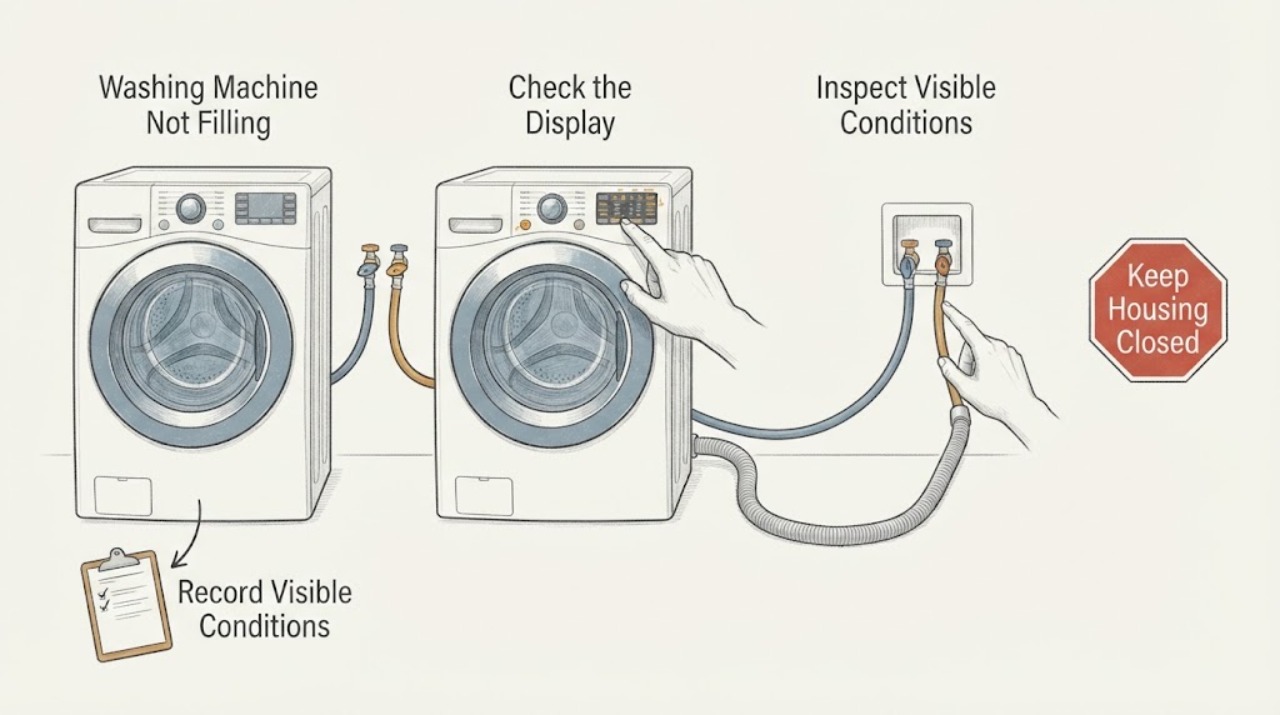
Work through in order
Diagnostic checks
Use only checks that match the exact appliance or system and its official guide.
-
Check 1
Start from a dry, safe position and note whether the washer is in load sensing, never admits water, admits a small amount, or continues admitting water after the tub should be full. Record the washer style, selected cycle, exact display code, and whether the door or lid is locked; do not put hands into the opening.
Expected result: The panel shows weight sensing or rolling lines for a short period, no water enters after the cycle is genuinely started, a code such as 4C or 4E appears, or water continues to run without stopping.
Next step: For a sensing delay, allow the model's documented sensing period and observe once. For no fill, continue with the supply and drain checks. If water continues to enter, turn off both water valves and arrange service without repeating the cycle.
Stop if: Stop immediately for uncontrolled filling, a visible leak, water near the plug or outlet, smoke, a hot connection, or any electrical odor.
Why this matters
Why: A sensing delay can be normal, while no fill points toward supply, hose, drain-routing, lock, or control conditions. Continuous filling is a safety and water-damage condition rather than a normal delay.
-
Check 2
With no leak or uncontrolled flow, cancel or pause the program using the normal control, confirm the door or lid is fully closed, and check the display for Control Lock, Delay Start, a door or lid message, or a paused state. Select a normal wash cycle and press Start once as the model manual describes; never defeat the interlock.
Expected result: The washer was paused, delayed, locked, or not fully latched and then responds after the state is corrected, or the display is ready but the washer still does not request water.
Next step: Use only the exact model's control-lock or delay procedure. If the latch is damaged, the lock message returns, or controls do not respond, leave the washer off and arrange service.
Stop if: Stop for a cracked door or lid, broken latch, a moving basket that does not stop, or any need to bypass a lock or remove a panel.
Why this matters
Why: A cycle or interlock condition can prevent the fill command even when the water lines are fine. If a ready, latched washer still gives no fill, move to the external supply path.
-
Check 3
After stopping the cycle and keeping the floor dry, visually check that both household washer valves are fully open and that the hot hose is on the hot valve and the cold hose is on the cold valve. Look for a kink, pinch, crushed section, damaged hose, or a hose type that the Samsung guide says not to use; do not loosen a pressurized connection.
Expected result: A valve is closed, a hose is kinked or damaged, hot and cold are swapped, or both supply lines look correctly connected and unrestricted.
Next step: Correct only an obvious valve or routing condition, then run one supervised normal fill attempt. Replace a damaged hose through the model's approved procedure or service path; do not force a fitting or use an unapproved hose.
Stop if: Stop for a bulging or split hose, spray at a connection, hot water that cannot be safely isolated, a wet electrical area, or a valve that will not close.
Why this matters
Why: Restricted supply or swapped lines can produce a fill error even when the control panel works. A correct external supply shifts attention to drain siphoning, inlet screens if the model documents them, or internal service.
-
Check 4
Inspect only the visible drain-hose installation. Confirm that the hose enters the standpipe about 6–8 inches, is not sealed airtight, is routed between 18 and 96 inches high for a standpipe, and is not kinked. For a sink, use the model's sink limits; Samsung lists 24–35 inches for that arrangement. Leave the rear hose holder and its screw in place.
Expected result: The hose is inserted too deeply, sealed into the pipe, too low or high, kinked, missing its rear holder, or the routing matches the Samsung installation guidance.
Next step: Correct only a visible routing error according to the model installation guide, then run one supervised fill attempt. If the hose holder is missing, the hose is damaged, or the symptom returns, arrange service rather than dismantling the rear of the washer.
Stop if: Stop for wastewater backup, a loose or damaged hose, flooding, water near electrical parts, or any need to tilt the washer or remove the cabinet.
Why this matters
Why: A siphon can remove incoming water as quickly as it arrives, making a washer look as if it will not fill and potentially triggering a water-supply code. Correct routing removes that alternate explanation; a correct route points back to supply, sensing, or service.
-
Check 5
If water does enter but appears low, identify the load and cycle rather than judging the level by eye. Check whether an HE cycle is sensing a small load, a bulky comforter or sheet is packed too tightly, or a water-saving setting is selected. Use only the model manual for Calibration, Deep Fill, Extra Rinse, Bedding, or Waterproof-cycle availability.
Expected result: The washer tumbles and wets the load, the display shows sensing, the load is bulky or overloaded, or the machine leaves garments nearly dry despite a suitable cycle.
Next step: Redistribute or reduce the load and choose the cycle documented for it. Run one supervised cycle; use Calibration only if the exact manual supports it. If the washer truly underfills with a suitable load and code-free supply, request service.
Stop if: Stop for overloading that strains the washer, violent movement, leaking water, a returning code, or any attempt to force a special cycle sequence from another model.
Why this matters
Why: Samsung washers intentionally use less water and determine fill from load weight. A low visible level can be normal, while dry spots or a persistent low-fill result can indicate an unsuitable load, calibration need, supply problem, or service fault.
-
Check 6
Before any reset, photograph or transcribe the full display code and model identifier, then compare it with the exact Samsung manual or error-code guide. After the external water path is safe and the washer is stopped, perform no more than one model-appropriate one-minute power cycle; do not keep resetting a returning fault.
Expected result: The code clears and a normal fill begins once, the same code returns, there is no code but no fill remains, or the reset cannot be completed safely.
Next step: If the code returns or the washer still will not fill, leave it off and provide the code, model, cycle, hose routing, valve status, and observed water behavior to Samsung or a qualified appliance technician. Do not open the console or test live wiring.
Stop if: Stop for repeated breaker trips, smoke, burning smell, arcing, a hot plug or outlet, a leak near electrics, or a reset that would require handling wet electrical equipment.
Why this matters
Why: A reset can clear a temporary control state but does not repair a closed valve, siphon, failed inlet component, lock, wiring, or control fault. A repeated code is useful evidence for a technician.
Use your observations
Decision map
Find the observation that best matches what you see, then follow the next safe action.
-
PATH 01Next step
What you see
Water continues entering after the washer should have stopped filling.
Do this next
Turn off both household water valves from a dry, safe position, leave the washer off, contain only water that can be reached safely, and request service.
-
PATH 02Next step
What you see
The panel is sensing the load or showing rolling lines and there is no uncontrolled water flow.
Do this next
Allow the documented sensing period, then observe one fill attempt. If no water enters after sensing, continue with valves, hoses, and drain routing.
-
PATH 03Next step
What you see
A valve is closed, a supply hose is kinked or damaged, or hot and cold connections are swapped.
Do this next
Correct only the visible external condition using the model installation instructions, then run one supervised attempt. Replace damaged hoses through an approved service path.
-
PATH 04Next step
What you see
The drain hose is too deep, airtight, outside the documented height range, kinked, or missing its rear holder.
Do this next
Restore the documented drain routing without removing the holder or tilting the washer, then make one supervised attempt. Escalate if the hose is damaged or the symptom returns.
-
PATH 05Next step
What you see
The washer wets the load but the visible water level seems low, especially with an HE, small, or bulky load.
Do this next
Use the cycle intended for the load and follow the exact manual for any calibration or extra-water setting. Escalate if a suitable load remains nearly dry.
-
PATH 06Next step
What you see
The door or lid is latched, external water and drain routing are correct, and the washer still will not fill or repeatedly shows a code.
Do this next
Stop further tests and arrange qualified appliance service with the model, code, cycle, hose observations, and reset result. Do not open the cabinet or bypass the lock.
Helpful context
Understand the symptom
First separate sensing, no fill, and continuous fill
An HE Samsung washer can rotate and weigh a load before it admits water. Front-load and top-load models also differ in how much water is visible, so an empty-looking drum is not by itself proof of a fault. Record the model, washer style, cycle, display message, and whether you hear water entering. A washer that never admits water needs a different path from one that fills without stopping.
Keep water and electricity separate
If water is running continuously, turn off the household washer water valves from a dry, safe position and leave the washer off while service is arranged. If a hose or connection is leaking, stop the cycle and isolate power only from a safe dry location; do not reach through water, remove panels, or probe a live part. Hot water can burn, and a leak near the plug or outlet is an electrical hazard.
Use the exact model instructions for codes and controls
Samsung error-code meanings and button combinations vary by model and region. Write down the complete code exactly as shown, including a letter that resembles a number, then use the model manual or Samsung's error guide. A single documented power cycle may clear a temporary control state after the water path is safe, but a returning code is evidence for service rather than a reason to keep resetting.
Safety boundary
Stop conditions
- Turn off the water valves and stop using the washer for continuous filling or a valve that will not stop the flow.
- Stop for flooding, a damaged or bulging hose, wastewater backup, or water near the plug, outlet, controls, or other electrical parts.
- Stop for smoke, arcing, a burning smell, a hot plug or outlet, repeated breaker trips, or a damaged power lead.
- Do not reach into a moving tub, bypass a door or lid interlock, tilt the washer, remove panels, or test live wiring.
- Treat hot water, steam, sharp damaged parts, and an unstable appliance as hazards requiring qualified help.
Only after diagnosis
Potential parts
- water inlet valve assembly
Consider this only when both household supplies and hose routing are confirmed, the lock and controls request a fill, and qualified diagnosis identifies an inlet-valve fault.
Confirm the exact model and manufacturer fit information before ordering; do not infer fit from a similar Samsung washer. - inlet hose screen or filter service
Consider this only if the exact model manual identifies accessible inlet screens and the external supply is good but flow remains restricted.
Screen location and user access vary by model. Do not remove a screen from a pressurized or wet connection.
When checks do not resolve it
Need a professional?
Request Samsung or qualified appliance service when the washer continuously fills, still will not fill after the documented external checks and one reset, repeatedly shows a code, has a missing drain-hose holder, or has a suspected inlet, lock, wiring, sensor, or control fault. Seek urgent help for uncontrolled water, smoke, arcing, burning odor, a hot electrical connection, repeated breaker trips, or a leak near electrics.
Safety scope: User checks are limited to safe controls and visible external conditions. Do not open the cabinet, bypass a lock, probe live wiring, tilt the washer, or continue a test with uncontrolled flow, smoke, heat, or water near electrics.
Common questions
FAQ
Why does my Samsung washer take a while before water enters?
Many Samsung HE models sense the load before filling. A short sensing period can be normal. If sensing ends with no water, check valves, hose routing, the door or lid state, and the exact display code. Continuous filling is different: turn off the water valves and arrange service.
What does a 4C or 4E code mean on a Samsung washer?
Samsung uses water-supply codes such as 4C or 4E on some models, but the complete code and model manual control the interpretation. Record the code exactly, verify both supplies and hoses, and do not copy a button sequence from another model.
Can a drain hose make a Samsung washer look like it is not filling?
Yes. A hose inserted too far, sealed airtight, routed outside the documented height range, or kinked can siphon water away as it enters. Check only the visible routing and leave the rear holder in place; escalate a damaged hose or returning symptom.
Why is there so little water visible in a Samsung HE washer?
HE machines use load sensing and may use less visible water than older washers. A suitable cycle should still wet the load. For bulky or water-resistant items, use only the cycle named by the model manual; nearly dry laundry after a suitable cycle needs service if supply checks are good.
Should I keep resetting a Samsung washer that will not fill?
No. After safe external checks, perform at most one model-appropriate power cycle. If the code or no-fill symptom returns, stop testing and give the model, code, hose observations, and reset result to qualified service.
Read the exact guide
Official sources
- Samsung washing machine will not start or fill with waterSamsung · Samsung washing-machine start and water-fill troubleshooting
- How to reset your Samsung washing machineSamsung · Samsung washing-machine reset guidance
- Samsung washing machine information and error codesSamsung · Samsung washing-machine error-code lookup and model-specific troubleshooting
- Water fill issues with Samsung washing machinesSamsung · Samsung washing machines and water-fill symptoms
- Install a Samsung washing machine in your homeSamsung · Samsung washing-machine installation and drain-hose routing
- Samsung washing machine is leakingSamsung · Samsung washing-machine supply connections and drain-hose installation
Community feedback
Share a repair observation
Share a plain-text repair observation. Accepted observations are published automatically; this page may take a moment to update.