
On this page
Start here
Quick answer
Identify when and where the sound occurs before deciding whether it is a fault. A Thermador oven may make normal fan or cooling sounds, and a broiler can cycle as it regulates temperature. Clicking during gas ignition can also be part of an ignition sequence, but a new grinding or scraping sound, repeated hard knocks, a persistent gas hiss, ignition bang, electrical crackle, or noise with smoke, abnormal flame, burning odor, or repeated trips is unsafe to investigate by repeated operation. Let the oven cool, record the model, mode, stage, and sound pattern, then inspect only visible external conditions. Stop immediately for gas odor, delayed ignition, abnormal flame, fire, smoke, CO warning or symptoms, arcing, burning odor, a hot connection, or a noise that accompanies uncontrolled heating.
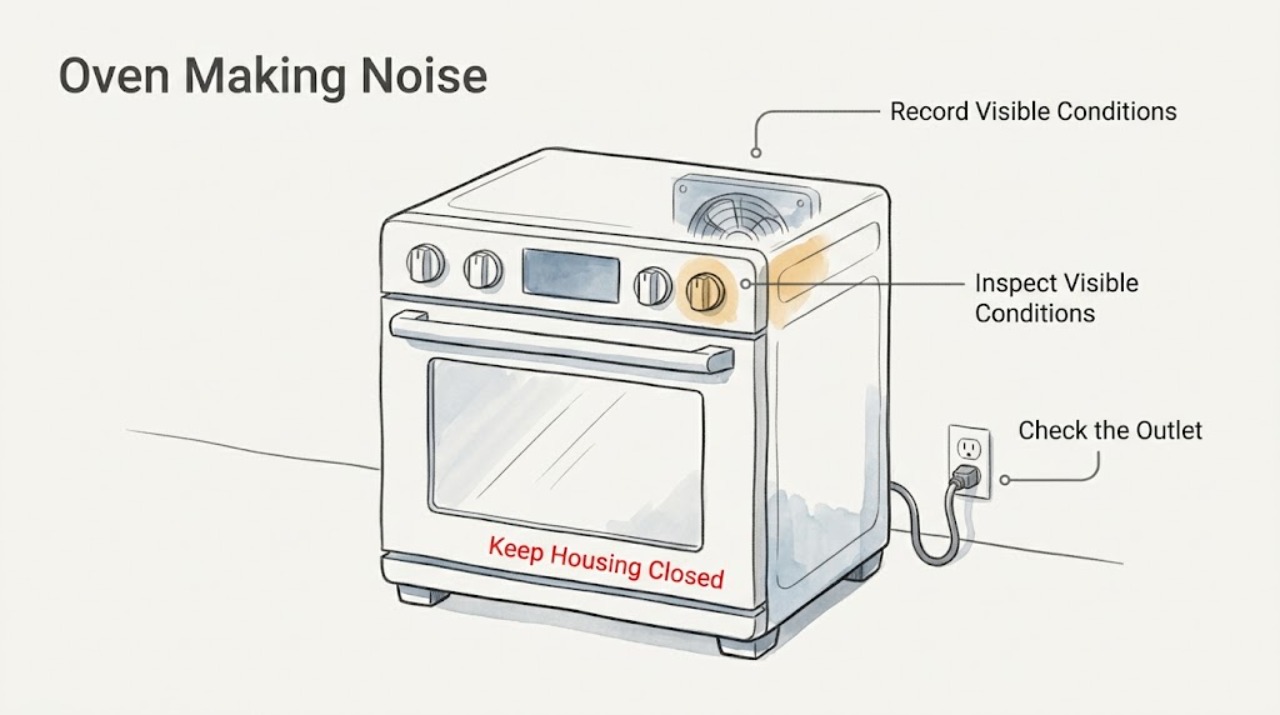
Work through in order
Diagnostic checks
Use only checks that match the exact appliance or system and its official guide.
-
Check 1
From a safe position, note whether the sound comes with smoke, fire, gas odor, an ignition bang, abnormal flame, electrical arcing, burning odor, a hot or damaged plug/outlet, a carbon-monoxide alarm or symptoms, or heating that will not stop.
Expected result: Any warning sign is present, or the oven cannot be stopped normally.
Next step: Stop using the oven. If gas is suspected, do not operate switches or create a flame; leave by a safe route and contact the gas supplier or emergency services from a safe location. For smoke, fire, CO, or electrical danger, leave and contact emergency services. Do not return or reuse until cleared.
Stop if: Gas odor, delayed ignition/bang, abnormal flame, smoke, fire, CO warning or symptoms, arcing, burning odor, hot connection, uncontrolled heating, or repeated tripping means stop immediately; do not replay the sound.
Why this matters
Why: This is a gas, fire, carbon-monoxide, burn, or electrical hazard rather than a routine fan or relay sound.
-
Check 2
When the oven is cool and safe, record the exact model and serial, selected mode and temperature, door position, cycle stage, fan status, display message, and the sound's location and pattern: hum, clicking, relay-like tick, vibration, scraping, grinding, hiss, pop, or bang.
Expected result: The sound can be tied to preheat, burner ignition, convection, cooling, door movement, a display event, or no particular stage.
Next step: Use the exact owner's manual and provide the recording and observations to service if the pattern is new, worsening, or unexplained.
Stop if: Stop if recording requires moving the appliance, touching hot parts, removing a cover, or continuing while a hazard is present.
Why this matters
Why: Timing and location separate normal thermal/fan behavior from a burner-ignition, fan, door, control, or electrical issue and prevent cross-model assumptions.
-
Check 3
With no hazard present, observe one normal cool-down or preheat from outside without opening the door repeatedly. Compare the sound with the selected mode: a fan/cooling sound after heat, a brief control click, or a burner ignition sound on a gas model only when the manual indicates that sequence.
Expected result: The sound is brief and tied to a documented fan, cooling, or normal cycling event, or it is new, continuous, harsh, or unrelated to the selected mode.
Next step: For a normal documented sound, keep vents clear and monitor. For a new, worsening, or unexplained sound, stop the oven after the safe cycle endpoint and arrange service rather than repeating the cycle.
Stop if: Stop for scraping, grinding, hard impact, persistent hiss, crackle, bang, smoke, abnormal flame, burning odor, or heat that remains on after shutdown.
Why this matters
Why: A brief mode-related sound is more likely normal; a continuous or harsh sound may indicate a fan obstruction, worn motor, loose hardware, control issue, or unsafe combustion/electrical fault.
-
Check 4
When fully cool, inspect only visible, user-accessible items: confirm racks and cookware are seated, the door closes normally, and no loose foil, pan, or object touches a visible fan cover, vent opening, door, or trim.
Expected result: A rack, pan, foil, or loose external item is visibly vibrating or contacting the appliance; or visible items are normal.
Next step: Remove only a cool, loose, user-accessible item permitted by the manual and make one normal observation. Do not reach through a vent or remove a fan cover; service a continuing sound.
Stop if: Stop for a damaged door, glass, hinge, vent, fan cover, hot surface, or any need to dismantle the appliance.
Why this matters
Why: A loose rack or external contact can create a harmless vibration, while a sound with no visible source points toward an internal fan, motor, burner, control, or hardware issue.
-
Check 5
For a gas model only, and only with no gas odor, observe whether a click or whoosh occurs promptly with the documented ignition request and whether a stable normal flame follows. Do not put hands or tools near the burner and do not repeat an uncertain ignition.
Expected result: The sound is a delayed whoosh/bang, persistent hiss, repeated clicking with the control off, or accompanied by flame-out, yellow/sooty flame, or flame outside the intended area.
Next step: Stop the attempt and arrange qualified gas-appliance service. Do not relight repeatedly, hold a control open, clean inside the burner path, or adjust a regulator, orifice, valve, or safety device.
Stop if: Any gas odor, delayed ignition/bang, burn-back, abnormal flame, smoke, or inability to shut down normally requires immediate stop and no reuse until cleared.
Why this matters
Why: The pattern can indicate unsafe ignition, gas delivery, burner, flame-sensing, or safety-control behavior; the sound alone cannot identify a safe part.
-
Check 6
If the noise coincides with the display, a breaker, a plug/outlet, or a fan that keeps running, observe only the external electrical symptoms after cooling: note whether the display resets, a breaker trips, or the plug/outlet is hot, wet, discolored, or damaged.
Expected result: There is arcing, repeated tripping, a hot/damaged connection, burning smell, wet electrical area, or a persistent fan/control noise; or there is no electrical warning.
Next step: Leave the appliance off and arrange qualified appliance or electrical service for any persistent noise or warning. Do not repeatedly reset the breaker, use an adapter/extension cord, or probe live wiring.
Stop if: Stop for arcing, burning odor, hot/discolored outlet, wet electrical parts, repeated trips, or any need to open a panel or perform live measurements.
Why this matters
Why: The warning pattern can indicate a fire or shock hazard or an internal control/fan fault. A normal external connection does not prove that internal wiring or a motor is healthy.
-
Check 7
If the oven shows an error or beeps with the noise, capture the complete code and stage and use only the exact Thermador error-code page or owner's manual's single reset instruction, after the oven is cool and no stop condition exists.
Expected result: The code clears and the sound does not return, or the code/sound returns, is not listed, or the oven remains unsafe or abnormal.
Next step: Turn the oven off and provide service with the exact code, model, sound recording, and operating stage. Do not apply another model's code explanation.
Stop if: Do not repeat resets, bypass a lockout, operate through a persistent fault, or remove panels for gas or electrical diagnosis.
Why this matters
Why: A one-time documented reset may clear a transient control state; a returning code or noise needs model-specific diagnosis.
Use your observations
Decision map
Find the observation that best matches what you see, then follow the next safe action.
-
PATH 01Next step
What you see
A brief hum, fan sound, or click occurs only during a documented mode change, heating cycle, or cool-down and there is no abnormal heat, odor, or warning
Do this next
Keep vents clear and monitor one normal cycle; service the oven if the sound changes, becomes continuous, or affects heating.
Why this path and its safety boundary
Why it matters: Normal cycling or cooling behavior is more likely
-
PATH 02Next step
What you see
The sound is scraping, grinding, vibration, or repeated impact and follows a fan, door movement, or a visible loose item
Do this next
Remove only a cool, user-accessible loose item allowed by the manual; leave the appliance off and arrange service for a continuing or internal sound.
Why this path and its safety boundary
Why it matters: A loose external item or fan/door hardware issue is more likely
-
PATH 03Next step
What you see
The sound is a delayed whoosh/bang, persistent hiss, repeated clicking with controls off, or accompanies an abnormal gas flame
Do this next
Stop, avoid relighting, isolate gas only if safely accessible, and contact qualified gas-appliance service; do not reuse until cleared.
Why this path and its safety boundary
Why it matters: Unsafe gas ignition or combustion behavior
-
PATH 04Next step
What you see
The sound accompanies arcing, burning odor, hot/damaged electrical connection, wet electrical parts, a breaker trip, or uncontrolled heating
Do this next
Stop using the oven and arrange qualified appliance or electrical service; do not repeatedly reset or probe wiring.
Why this path and its safety boundary
Why it matters: High-risk electrical or control fault
-
PATH 05Next step
What you see
The display shows a returning or unlisted error with the noise
Do this next
Turn the oven off and give service the exact code, model, stage, and recording; do not cross-apply another model's code meaning.
Why this path and its safety boundary
Why it matters: Model-specific control or component diagnosis is required
-
PATH 06Next step
What you see
The noise has no visible external cause, is worsening, or affects heating, cooling, the door, or normal shutdown
Do this next
Leave the appliance off and arrange qualified appliance service rather than opening the oven.
Why this path and its safety boundary
Why it matters: An internal fan, motor, relay, burner, latch, or control issue remains possible
Helpful context
Understand the symptom
The sound's timing is the first clue
A sound only during preheat, only when the convection fan runs, only as the oven cools, or only when a gas burner ignites points to different systems. Thermador's support guidance says warm air or steam from the vent can be part of cooling and that a broiler may cycle on and off to match the selected temperature. The exact model manual controls which fans, modes, and ignition sounds apply.
Sounds that should end the check
A persistent hiss, delayed whoosh or bang, yellow or sooty flame, repeated clicking when controls are off, scraping or grinding that follows a fan, electrical crackling, or a hot/burning smell is not a sound to diagnose by continuing to run the oven. Switch off normally only when safe, keep clear of hot surfaces, and use qualified appliance, gas, or electrical service.
Do not turn a noise into a repair hazard
Do not remove panels, reach through vents, insert tools near a fan or burner, probe live wiring, adjust gas fittings, or force the door. A visible loose rack or cool obstruction can be addressed only when the model manual permits it; internal fan, motor, relay, igniter, burner, or latch diagnosis belongs to qualified service.
Only after diagnosis
Potential parts
- convection or cooling fan motor
Consider only when qualified diagnosis links a stage-specific grinding, scraping, or persistent fan noise to the exact model's motor or fan assembly.
Confirm the complete Thermador model and manufacturer fit information before selecting a fan component. - oven door hinge or latch component
Consider only when a qualified inspection finds the door or latch hardware causes the noise or prevents normal closing/locking.
Verify model-specific fit and do not dismantle a hot or locked door yourself. - gas oven igniter or flame-safety component
Consider only for a gas model after qualified service confirms delayed ignition, flame sensing, burner, or gas-control behavior.
Gas parts are model- and configuration-dependent; do not substitute by sound or appearance alone.
Common questions
FAQ
Is a Thermador oven fan noise normal?
A brief fan or cooling sound can be normal, especially during or after heating. Thermador says warm air or steam from the vent can be part of cooling. A new grinding, scraping, harsh vibration, or noise with smoke, odor, or abnormal heat needs service.
Why does a Thermador oven make clicking sounds?
A click may coincide with a documented control or gas-ignition event, but repeated clicking with the control off, a persistent hiss, or clicking with an abnormal flame is not a reason to keep operating the oven. Stop and arrange qualified service.
What does a bang during gas ignition mean?
A delayed ignition bang is unsafe to diagnose by repeated relighting. Stop the oven, avoid switches and flames, and contact qualified gas-appliance service from a safe location; do not reuse until cleared.
Can a loose rack cause a Thermador oven to rattle?
A cool rack, pan, foil, or external item can vibrate, but inspect only visible user-accessible items and follow the exact model manual. Do not reach through vents or remove a fan cover; service a sound with no safe external cause.
When should a noisy Thermador oven be taken out of service?
Stop for gas odor, delayed ignition or bang, abnormal flame, smoke, fire, CO warning or symptoms, arcing, burning odor, hot electrical connections, repeated trips, uncontrolled heating, or a persistent grinding or scraping noise.
Read the exact guide
Official sources
- Error Codes | Ovens SupportThermador · Official Thermador oven error-code page; codes must not be generalized across models.
- Guide to Home Wiring HazardsU.S. Consumer Product Safety Commission · General household electrical safety guidance, not a Thermador repair manual.
- Guidelines for Cleaning Safely After a DisasterCenters for Disease Control and Prevention · General public safety guidance; local emergency, gas-supplier, and electrical instructions apply.
- Oven Troubleshooting for Ranges | SupportThermador · Official Thermador range-oven support; exact model manual controls model-specific sound and cycle behavior.
- Gas Cooktops & Rangetops - TroubleshootingThermador · Official Thermador gas-appliance guidance, primarily for cooktops/rangetops; gas safety boundaries are relevant while oven controls remain model-specific.
Community feedback
Share a repair observation
Share a plain-text repair observation. Accepted observations are published automatically; this page may take a moment to update.