
On this page
Start here
Quick answer
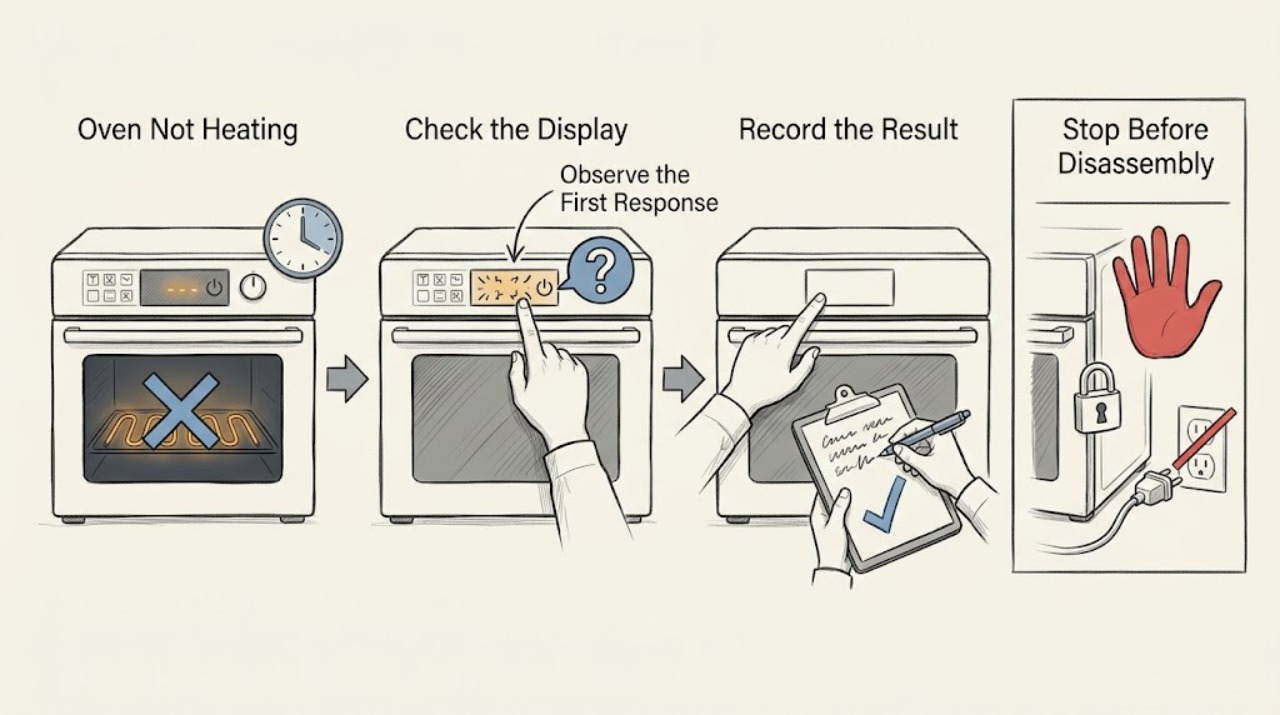
First decide whether the Thermador oven is completely without power, powers up but never starts heating, or heats weakly or unevenly. Confirm the selected cooking mode and temperature, start the cycle, keep the door closed while preheating, and use the exact model manual for controls and fuel-specific behavior. An electric oven and a gas or dual-fuel oven do not use the same heating components, so do not assume an element or igniter fault without identifying the model and fuel. Stop immediately for a gas smell, delayed ignition or booming, abnormal flame, smoke, burning odor, exposed wiring, arcing, repeated breaker trips, or uncontrolled heating; after a safe single reset or setup check, persistent failure needs qualified service.
Work through in order
Diagnostic checks
Use only checks that match the exact appliance or system and its official guide.
-
Check 1
From a safe position, check the display, interior light, control response, breaker or fuse status, and any visible smoke, flame, smell, or damaged cord. Do not remove covers or touch wiring.
Expected result: The display and light are both dead, the breaker has tripped, the outlet or connection is hot or damaged, or there is smoke, a burning odor, arcing, or an abnormal gas smell.
Next step: Stop. Do not keep resetting the breaker or test ignition. If gas may be present, avoid flames and electrical switches, leave if the odor is strong or persistent, and contact emergency or qualified gas help from a safe location. For an electrical hazard, leave the circuit off and arrange qualified service.
Why this matters
Why: The oven may have a supply fault or an unsafe electrical, fire, or gas condition; repeated resets could increase risk.
-
Check 2
Read the exact model and fuel configuration from the rating label or documentation, then retrieve the matching Thermador owner manual before interpreting controls, modes, error messages, or heating components.
Expected result: The appliance is identified as an electric wall oven, gas oven, dual-fuel range, or another model-specific configuration, and the manual lists the available modes and controls.
Next step: Use only the matching manual's instructions for the next control and reset checks. If the model or fuel type cannot be confirmed, stop at external observations and request service rather than guessing.
Why this matters
Why: The fuel type determines whether an electric element, a gas burner and igniter, or a combination of systems can be relevant. A generic part diagnosis would be unsafe or unsupported.
-
Check 3
Select a documented heating mode such as Bake or another mode the manual says applies, set the requested temperature, press the required start or confirmation control, and watch for a preheat indication without opening the door repeatedly.
Expected result: The oven begins preheating, the selected mode was a low-heat or non-preheat function, the start step was missed, or the display remains idle after the command.
Next step: Correct the setup once and allow the model's normal preheat behavior. If the oven still does not heat in a documented mode, continue to the door and code observation, then stop testing if the result repeats.
Why this matters
Why: A wrong mode, incomplete start sequence, or normal mode behavior can explain an apparently cold oven. If a documented heating mode is active but the cavity remains cold, a control, power, or heating-system fault is more likely.
-
Check 4
Inspect the closed oven door from the outside for an obstruction, a visibly misaligned hinge, a door that cannot close, or a seal that is visibly displaced; keep the door closed during the supervised preheat check.
Expected result: The door does not close or latch normally, a hinge is bent, the seal is damaged or displaced, or heat loss is accompanied by a door gap.
Next step: Do not force or disassemble the door. Stop using the oven if it cannot close securely or the glass or hinge is damaged, and arrange qualified service. If the door is intact and closes normally, continue only with the manual's setup checks.
Why this matters
Why: A door or seal problem can prevent normal heat retention and may also involve a latch or safety interlock. A self-clean lock or other model state may also keep the door from behaving normally.
-
Check 5
Record every displayed code or message exactly, including letters, numbers, punctuation, and when it appears; compare it with the Thermador page or exact model manual without borrowing a meaning from another appliance.
Expected result: An E-style code or other fault remains after the manual's permitted acknowledgement or one reset, or the code is not listed for the model.
Next step: Turn the oven off and arrange service with the exact code, model, fuel type, and stage of the cycle. Do not repeatedly clear the code or continue heating to see whether it changes.
Why this matters
Why: Thermador treats a continuing oven code as a fault that may require technician assistance. The same-looking code family can have different applicability by appliance and software context.
-
Check 6
After the external setup checks pass, perform at most one reset specifically authorized by the exact manual or Thermador support instructions, then run one supervised documented heating mode with no food inside.
Expected result: The reset restores normal control and heating, or the oven remains cold, heats only intermittently, takes abnormally long, or continues to heat after the command is cancelled.
Next step: If it remains cold or behaves intermittently, stop and request qualified appliance service. If it continues heating after cancellation, shows smoke, unusual odor, abnormal flame, arcing, or repeated trips, switch it off if safe, isolate power or fuel only when safely accessible, and stop using it.
Why this matters
Why: A one-off control state may have cleared, but a repeat failure points to a supply, sensor, control, element, igniter, burner, or other model-specific fault. Uncontrolled heating is an immediate safety concern.
Use your observations
Decision map
Find the observation that best matches what you see, then follow the next safe action.
-
PATH 01Next step
What you see
There is gas odor, delayed ignition or booming, abnormal flame, smoke, burning odor, arcing, damaged wiring, or repeated breaker trips
Do this next
Do not test again or open the appliance. Avoid flames and electrical switching when gas may be present, leave when needed, and contact emergency or qualified service help from a safe location.
Why this path and its safety boundary
Why it matters: Immediate safety stop
-
PATH 02Next step
What you see
The display is dead or the supply protection has tripped
Do this next
Do not repeatedly reset. Leave a damaged or repeatedly tripping circuit off and arrange qualified electrical or appliance service.
Why this path and its safety boundary
Why it matters: Power or circuit path is the first boundary
-
PATH 03Next step
What you see
The display works but the oven does not start a documented heating mode
Do this next
Verify the exact manual's mode, temperature, start, door, and lock requirements once; service the oven if the behavior persists.
Why this path and its safety boundary
Why it matters: Control sequence, mode, door, lock, or model setting may be blocking operation
-
PATH 04Next step
What you see
A documented heating mode starts but preheat is slow
Do this next
Keep the door closed, remove unnecessary racks or pans, allow the model's normal preheat behavior, and compare with the exact manual. Persistent or worsening delay requires service.
Why this path and its safety boundary
Why it matters: Normal mode and usage factors remain possible before a component fault
-
PATH 05Next step
What you see
The oven remains cold or heats unevenly after setup and one permitted reset
Do this next
Stop operating it and provide the technician the model, fuel type, mode, code, and observed heating behavior.
Why this path and its safety boundary
Why it matters: Power, sensor, control, element, igniter, burner, or other model-specific fault is possible
Helpful context
Understand the symptom
Start with the safe symptom split
Not heating can mean no display, a display with no response, a cycle that starts but never becomes warm, or an oven that warms slowly or cooks unevenly. The first three checks should be observations from the outside: the display state, the selected mode and temperature, and whether the oven actually indicates that preheating has begun. Do not open panels or probe live wiring.
Electric, gas, and dual-fuel models need different conclusions
Thermador sells wall ovens and ranges with different cooking configurations. An electric heating element, a gas burner and igniter, and a dual-fuel range cannot be diagnosed by the same parts list. Use the rating label and exact model number to retrieve the manual before interpreting a fault code or choosing a component. A mode shown on one Thermador model may not exist on another.
A slow preheat is not automatically a failed heater
Thermador notes that preheat time changes with the temperature setting. Extra racks, frequent door opening, residue, or a mode that does not require preheating can make the experience look different from a standard bake. Compare the behavior with the exact manual and one controlled, supervised test rather than repeatedly starting and stopping the oven.
Know when to stop
A gas smell, delayed ignition, unusual flame, smoke, or an electrical fault is not a home diagnostic opportunity. Turn the appliance off if it is safe to do so, avoid ignition sources and electrical switching when gas may be present, leave the area if the odor is strong or persistent, and contact the appropriate emergency or qualified service resource from a safe location. For an oven that remains cold without a hazard, stop after the external checks and arrange qualified appliance service.
Safety boundary
Stop conditions
- Stop immediately for a gas smell, delayed ignition, booming, abnormal flame, smoke, burning or melting odor, or suspected carbon-monoxide or combustion problem.
- Stop immediately for exposed wiring, arcing, a hot or damaged electrical connection, repeated breaker trips, or a control that keeps heating after cancellation.
- Do not repeatedly reset a breaker, ignite a burner, test for a gas leak, probe live wiring, or remove oven panels.
- Do not operate the oven if the door cannot close securely or its glass, hinge, latch, or seal is damaged.
- Stop after one manual-authorized reset and one supervised heating check if the oven remains cold, intermittent, or unsafe; arrange qualified service.
Only after diagnosis
Potential parts
- electric heating element
Relevant only when the exact model is electric and a qualified diagnosis confirms the element or its circuit is responsible for the no-heat symptom.
Confirm the complete model and fuel configuration and use the manufacturer's fit information before selecting any component. - gas igniter or burner assembly
Relevant only for a confirmed gas or dual-fuel model after a qualified diagnosis of the ignition or burner system.
Do not attempt gas-system repair or choose a component from a generic code; confirm model-specific fit through qualified service. - temperature sensor or control component
Consider only when a qualified test links persistent temperature or control behavior to that model-specific component.
Verify the exact model, revision, and manufacturer's fit information before any replacement.
When checks do not resolve it
Need a professional?
Arrange qualified Thermador appliance service when the oven stays cold in a documented mode after the external setup checks, when preheating remains abnormally slow or intermittent, when a code returns, or when a door, control, sensor, element, igniter, burner, or wiring fault is suspected. Use emergency or qualified gas assistance first for a strong or persistent gas odor or combustion concern.
Common questions
FAQ
Why is my Thermador oven not heating even though the display works?
A working display only proves that some controls have power. Verify the exact mode, temperature, start sequence, door closure, and model fuel type once. If a documented heating mode remains cold, stop and arrange qualified service.
Can a Thermador oven take a long time to preheat without being broken?
Yes. Thermador says preheat time depends on the selected temperature, and an open door or extra racks can lengthen it. If the delay is persistent, intermittent, or accompanied by a fault, have it checked.
How do I know whether an element or gas igniter is the problem?
Do not infer the part from the symptom alone. Identify the exact model and electric, gas, or dual-fuel configuration, then let a qualified technician test the model-specific heating system.
What should I do if my Thermador oven shows an error code?
Record the complete code and when it appears. Follow only the exact manual or official support acknowledgement or reset once; if the code returns, turn the oven off and arrange service.
Is it safe to keep using an oven that smells like gas or has delayed ignition?
No. Stop testing, avoid flames and electrical switching when gas may be present, leave if the odor is strong or persistent, and contact emergency or qualified gas assistance from a safe location.
When should I stop troubleshooting a Thermador oven that is not heating?
Stop for gas odor, abnormal flame, smoke, burning odor, arcing, repeated trips, uncontrolled heating, damaged wiring or door, or a cold oven that remains faulty after one safe setup check and one permitted reset.
Read the exact guide
Official sources
- Ranges - Error CodesThermador / BSH Home Appliances · Official Thermador error-code page used for recording exact oven codes, permitted acknowledgement or reset, and escalation when a code returns.
- Range Oven FeaturesThermador / BSH Home Appliances · Official Thermador feature guidance used to distinguish documented modes and model-dependent preheat behavior.
- Oven TroubleshootingThermador / BSH Home Appliances · Official Thermador support page used for preheat behavior, door, vent, and service-boundary guidance; exact model instructions take precedence.
- Find Owner ManualsThermador / BSH Home Appliances · Official manual lookup used to identify exact model controls, fuel configuration, modes, codes, and safe reset instructions.
- Appliance Information - Single Wall Oven | ME301WS/01Thermador / BSH Home Appliances · Official Thermador product-service page used to confirm model-specific documentation and service resources; it is an example portal, not a claim about the user's model.
Community feedback
Share a repair observation
Share a plain-text repair observation. Accepted observations are published automatically; this page may take a moment to update.